



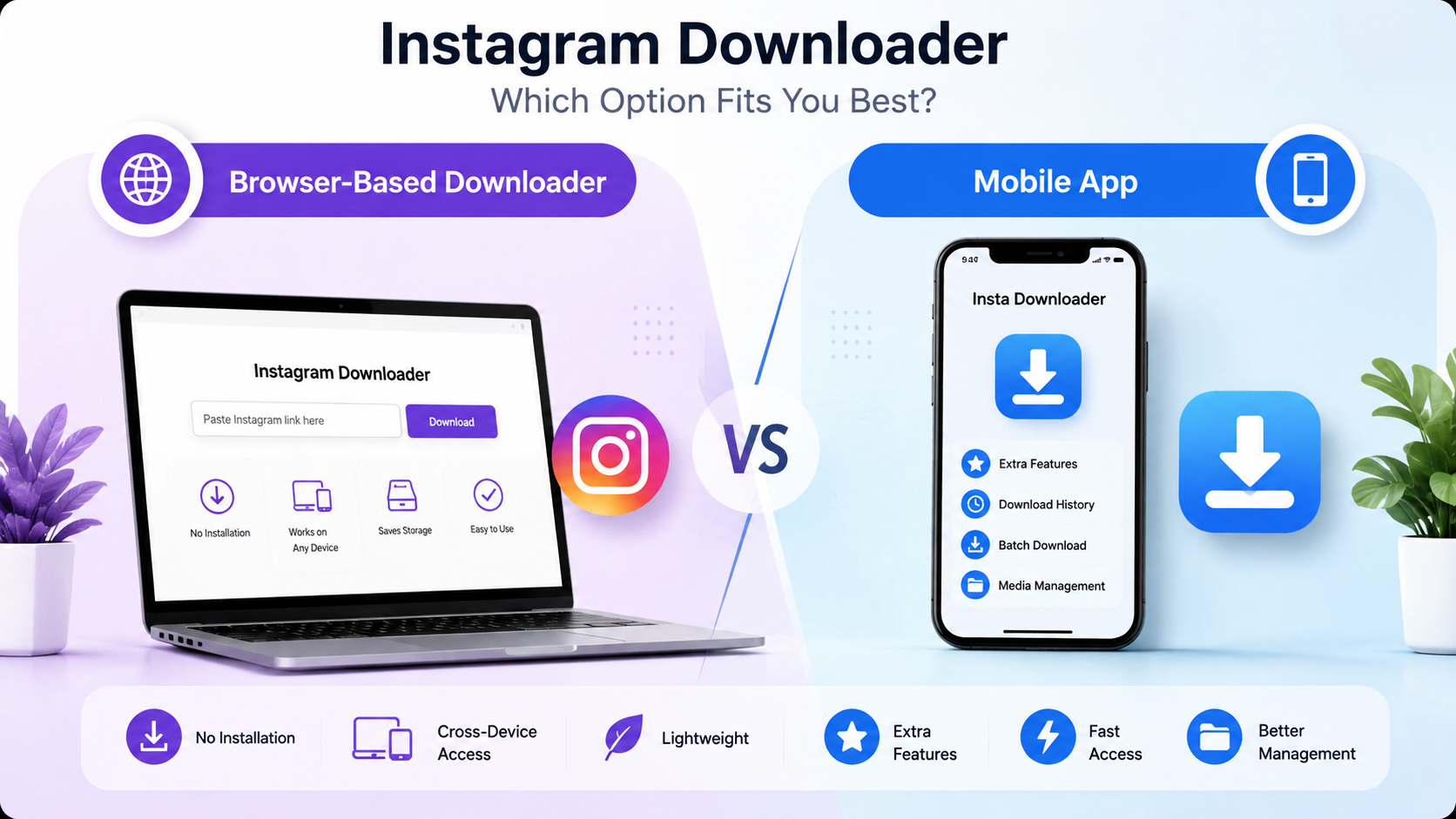
It appears that Instagram is one of the most popular platforms for uploading pictures, videos, Reels, and Stories. There is a necessity to download the content that you like for watching offline at some other time. Thus, there is an increase in the number of Instagram content downloaders using browsers and mobile devices.
But which solution should one choose In order to find an appropriate answer to this question, let us consider the advantages and disadvantages of browser and mobile downloaders, considering such criteria as installation, storage, permissions, maintenance, accessibility, and convenience.
Browser-Based Instagram Downloaders
An online Instagram downloader runs right from your browser. All you need to do is copy the Instagram video link and paste it in the online Instagram downloader to download the video content.
An example of an online Instagram video downloader is SaveFromIns, which is a simple yet fast Instagram video downloader.
Advantages
1. No Need for Installation
Another one of the best advantages is that it doesn't involve the installation of any application. It saves time and prevents unnecessary applications from cluttering the device.
2. Saves Memory Space
As everything happens in the browser itself, it becomes unnecessary to assign storage space for any application.
3. Works Across Multiple Devices
Browser-based downloaders can be accessed from:
- Android phones
- iPhones
- Windows laptops
- Mac computers
- Linux systems
- Tablets
4. No Frequent Updates
While applications require frequent updates, the software that runs in the browser is controlled by the service provider. The user always enjoys the latest software without having to update anything.
5. Simple User Experience
Most browser downloaders only require three steps:
- Copy the Instagram URL.
- Paste it into the downloader.
- Download the file.
This straightforward process makes them ideal for casual users.
Dedicated Mobile Apps
Mobile apps are installed directly onto Android or iOS devices. Many apps offer additional features beyond downloading content.
Advantages
1. Extra Features
Some apps include:
- Download history
- Batch downloads
- Media organization
- Built-in galleries
- Offline management
These features can be useful for heavy users.
2. Faster Repeat Usage
Once installed, users can launch the app immediately without opening a browser each time.
3. Better Integration
Some apps connect with the sharing option on the device, which lets people send Instagram links directly to the downloader.
Installation Requirements
Browser-Based Downloaders
- No installation
- No account creation in most cases
- Ready to use instantly
Mobile Apps
- Must be downloaded and installed
- Require storage space
- May need account setup depending on the app
For users who only download occasionally, browser-based tools are usually more convenient.
Storage Usage
Storage is becoming increasingly valuable on smartphones.
Browser-Based Tools
- Almost no additional storage required
- Only downloaded media occupies space
Mobile Apps
Besides downloaded media, users also store:
- The app itself
- Cache files
- Temporary downloads
- App data
Permissions
Permissions are an important consideration for privacy-conscious users.
Browser-Based Downloaders
Typically require very few permissions because they operate within the browser.
Mobile Apps
Many apps request access to:
- Storage
- Photos
- Media files
- Notifications
- Internet access
Certain applications may require other permissions which the user does not necessarily need.
Maintenance and Updates
Browser-Based Downloaders
Maintenance is handled by the website owner.
Users always access the newest version automatically.
Mobile Apps
Apps require:
- Regular updates
- Compatibility fixes
- Bug patches
- Security updates
If users ignore updates, the app may eventually stop working correctly.
Accessibility Across Devices
Accessibility is another area where browser-based tools often excel.
Browser Downloaders
Accessible from nearly any modern browser, including:
- Chrome
- Firefox
- Safari
- Edge
The result is that the user can move between devices without having to re-install any software programs.
Mobile Apps
Most apps are platform-specific.
For example:
- The applications developed for Android are typically unable to operate on iPhones.
- The applications for iOS cannot run on Windows and Mac Operating Systems.
It decreases flexibility for people who own several devices.
Performance Comparison
| Feature | Browser Downloader | Mobile App |
| Installation | Not required | Required |
| Storage Usage | Very low | Moderate |
| Permissions | Minimal | Often more extensive |
| Updates | Automatic | User-managed |
| Multi-device Support | Excellent | Limited |
| Extra Features | Basic | Advanced |
When Should You Choose a Browser-Based Downloader?
A browser-based downloader is ideal if you:
- Download Instagram content occasionally.
- Use multiple devices.
- Want to avoid installing apps.
- Have limited phone storage.
- Prefer a simple, quick solution.
Web applications such as SaveFromIns are ideal for people who are interested in fast and accessible services that do not require any additional software to use.
When Should You Choose a Mobile App?
- Download Instagram content frequently.
- Need download history.
- Want advanced media management.
- Prefer app-based workflows.
- Use only one primary mobile device.
Final Thoughts
Both the browser-based Instagram downloaders and mobile apps provide their unique benefits.
The browser-based options are compact and convenient; however, they do not require any installation, which makes them ideal for users that prefer simplicity and flexibility when dealing with the download process.
A mobile app, in turn, provides some additional functionalities that may come handy to those people who frequently download videos from the website and need more advanced tools for managing them.
In general, for most regular people, a browser-based solution, for example, SaveFromIns, is an optimal solution that will work fast and be convenient for them.