



Google’s protective measures are something to take with a grain of salt, given that the company has lost its grip on user trust in minute ways. This month, a fake Google Chrome app and a fake WhatsApp app got past Google Play Store reviews and picked up more than 600,000 downloads between them.
In May, Chrome downloaded a 4 GB Google’s Gemini Nano file called weights.bin onto users’ computers without a clear notice, and some users watched it reinstall after they deleted it.
The company's latest development includes three additions to the Enhanced Protection mode of Google Safe Browsing in Chrome. Google launched the mode in 2020 and says more than 1 billion users had it turned on by 2025.
Now Google is adding three layers to the mode. But more of what you see and copy will leave your device to make part of it work.
Safer browsing comes with more sharing
Google has added three features to Enhanced Protection in Chrome. They are a new tier of suspicious site warnings, Gemini scam detection that runs on Google’s servers, and clipboard checks for ClickFix scams.
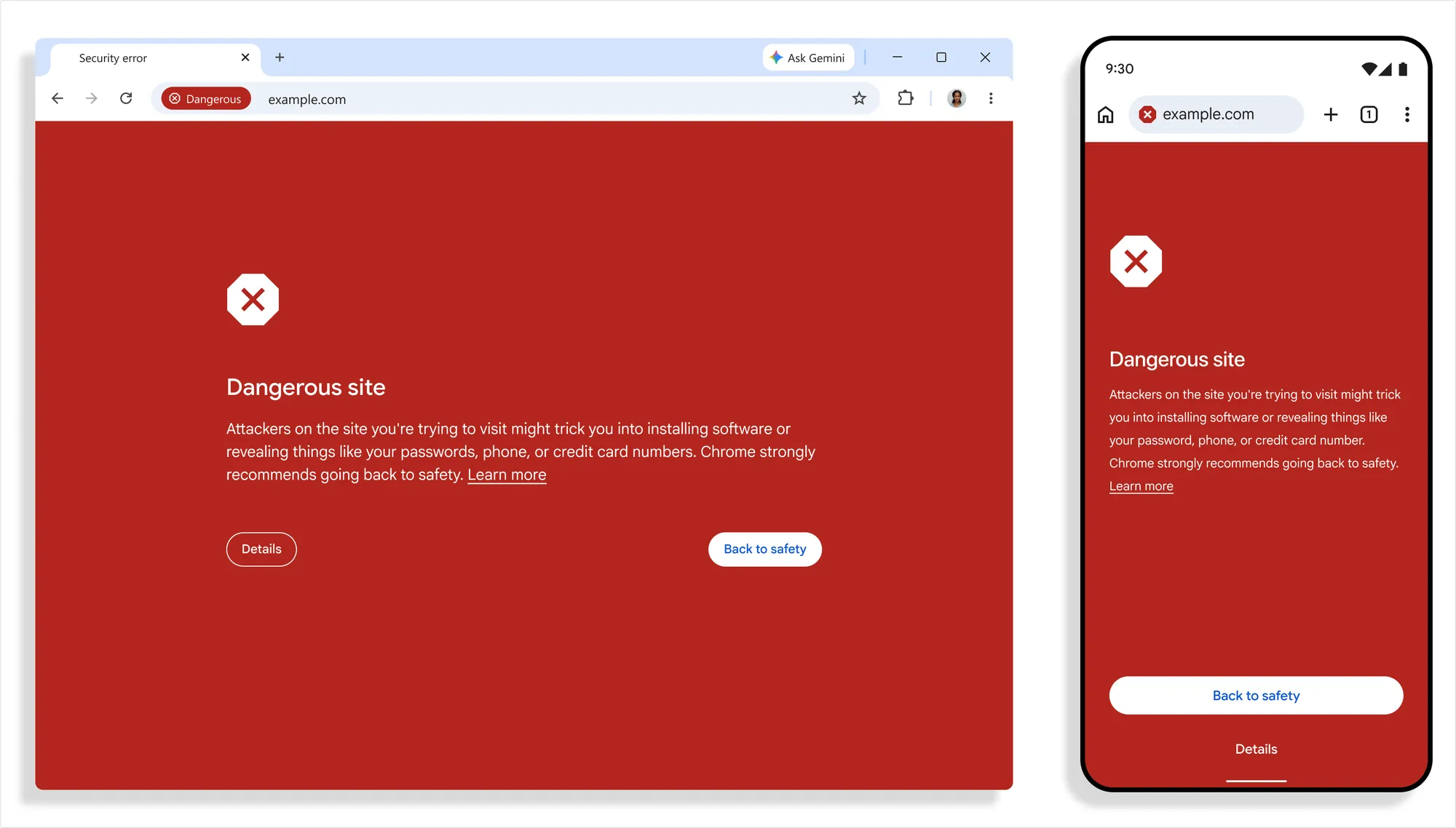
All three are live now, and they only work if you’ve turned Enhanced Protection on. The first feature is a second warning tier. Safe Browsing used to have one warning, which showed the full red page that blocks sites Google knows are malicious.
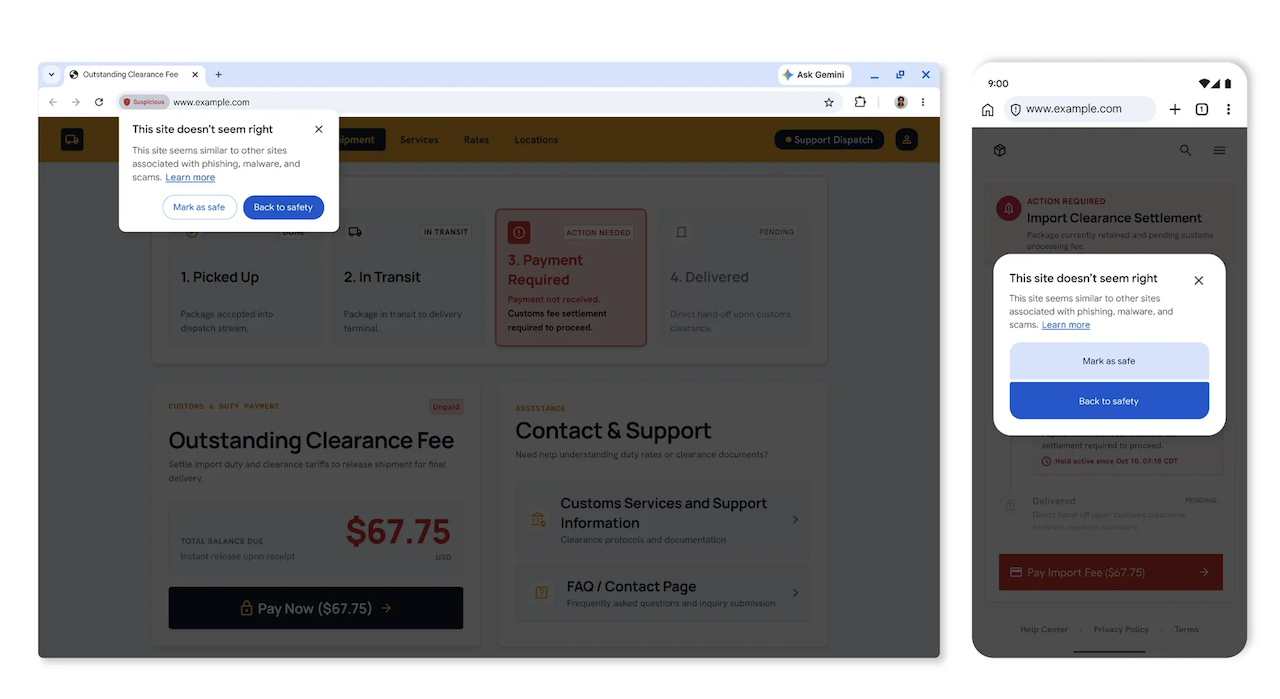
Now there’s a smaller suspicious site warning that appears when a page shows patterns common to scam sites but Google isn’t confident it’s harmful. It uses a different format, icon, color, and wording from the red page, so you can tell the two apart at a glance.
You can go back to safety or mark the site as safe if you trust it. Google says the lighter warning lets it flag more risky pages without blocking legitimate ones. Sites it knows are dangerous still get the red page.
Google also recounted how the browser checked pages for tech support scams with Gemini Nano last year. Because the small AI model runs on your device, the pages never left your phone or computer. But it also meant only newer devices could run it.
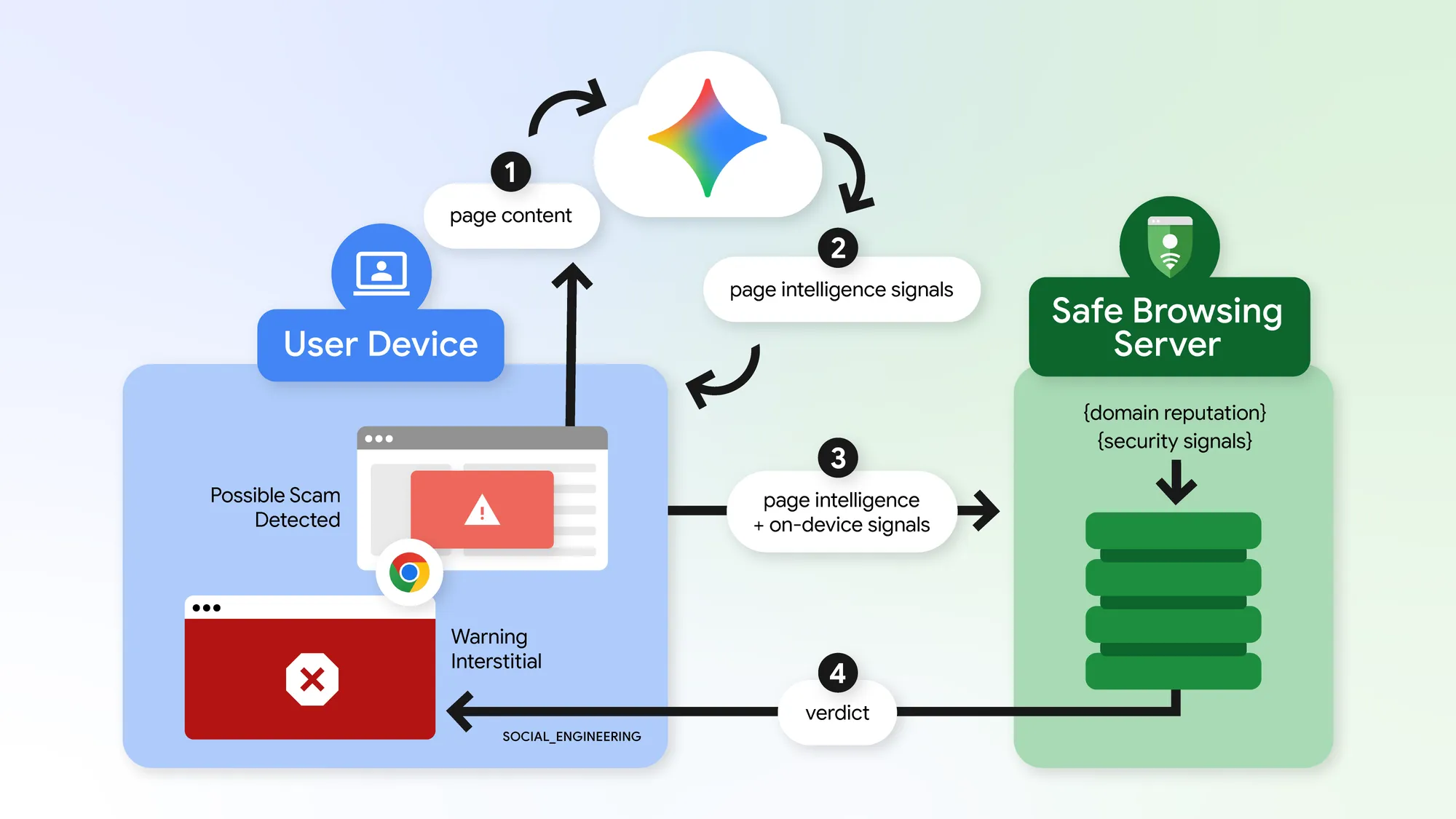
Chrome now sends suspicious pages to a larger Gemini model on Google’s servers instead, though it doesn't say what model specifically. But it catches more types of scams and works on any device, but the page text leaves your device to get checked.
The third feature, ClickFix protection, protects you from a scam that tricks you into infecting your own computer. Usually, a webpage shows a fake error or a fake CAPTCHA human verification check and tells you to fix it by copying a command into the Windows Run box or a terminal.
You might be surprised that people fall for this, but they do. Microsoft’s 2025 Digital Defense Report linked ClickFix to 47% of the initial-access cases handled by its Defender Experts team. ESET also recorded a 517% rise in ClickFix detections in the first half of 2025, compared with the second half of 2024, and a further 108% rise between the second half of 2025 and the first half of 2026.
The command on screen looks harmless, but the page secretly swaps in a different one when you copy. Because the download happens outside the browser, Chrome’s normal download protections never see it.
Fortunately, the browser now spots when you copy a command that looks suspicious. It removes personal information from your clipboard and sends the command to Google’s Safe Browsing servers to check. If the command is dangerous, the browser warns you before you paste and run it. Copying ordinary text, links, or passwords doesn’t trigger the check.
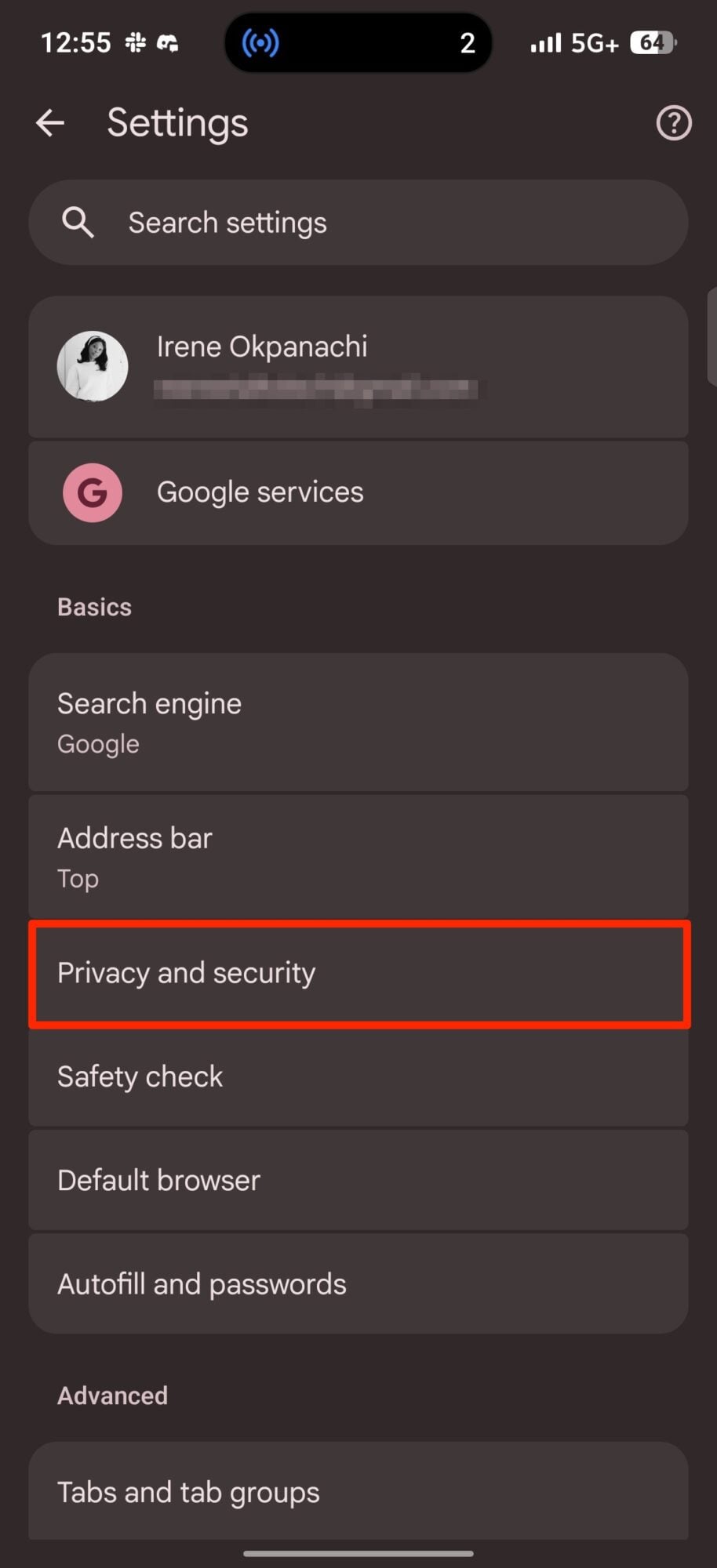
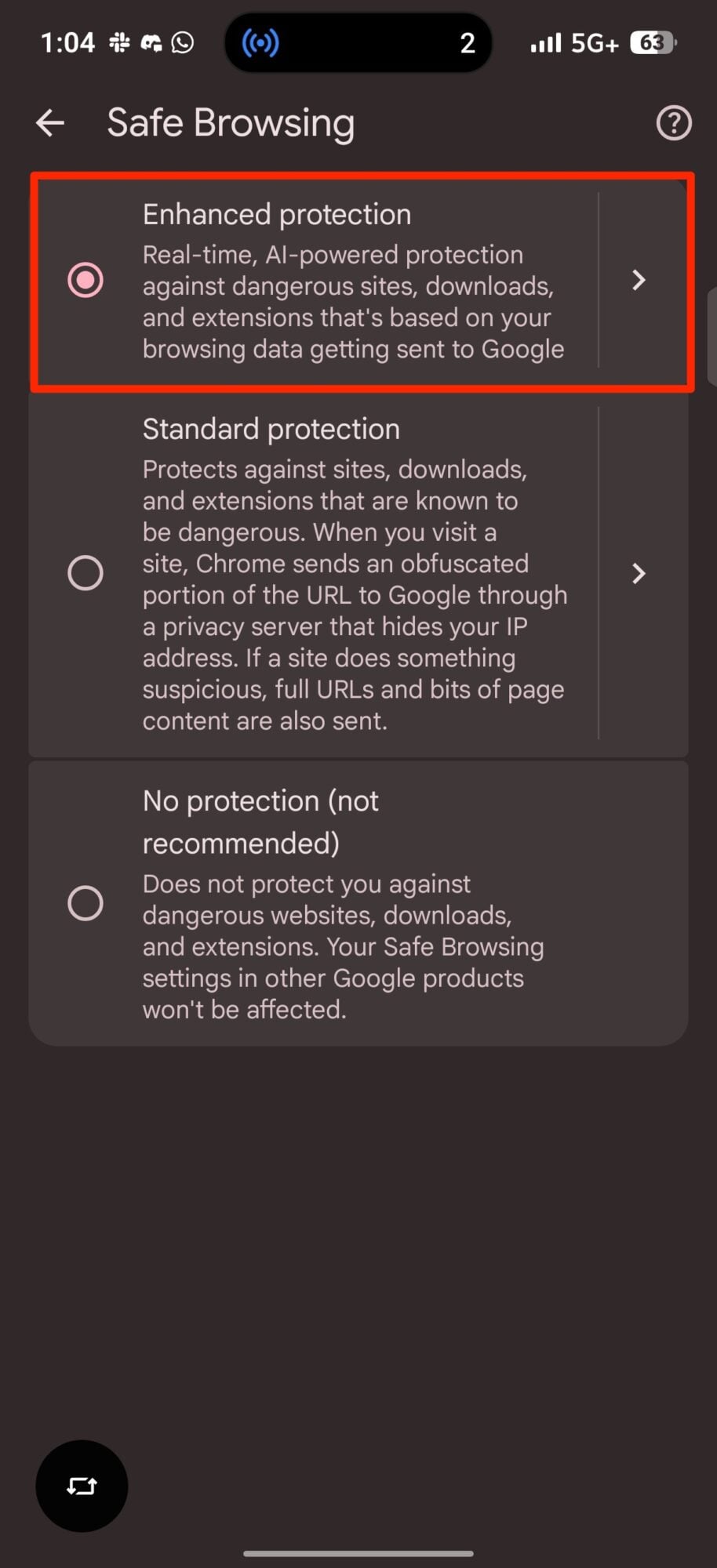
To get these features, open Chrome and go to Settings > Privacy and security > Safe Browsing, then choose Enhanced Protection.
Don’t want Google’s Enhanced Protection? These are your options
None of Google’s new Enhanced Protection features are particularly concerning. They’re opt-in, but you may have reservations about the ClickFix protection, considering it has everything to do with what you copy.
Thankfully, the check lives inside Chrome, not your keyboard. The app only sees what you copy from a webpage because it’s the one doing the copying. It has no access to your keyboard’s clipboard history, which Android keeps locked inside the keyboard app.
So switching keyboard apps won’t turn it on or off. Of course, you can always stay on Standard Protection. It sends a scrambled portion of each web address through a privacy server that hides your IP address, and it only sends full URLs and bits of page content when a site does something suspicious. It protects you from sites, downloads, and extensions Google already knows are dangerous.
Enhanced Protection is stronger and sends more of your browsing data to Google in real time, which lets it run the new suspicious site warnings, Gemini scam detection, and ClickFix checks against threats even Google hasn’t seen before.