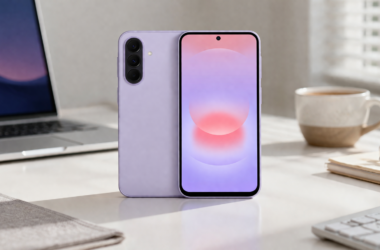



A key feature of a crypto wallet is its ability to guarantee the security of user funds. However, the risk of losing coins due to hacking, account blocking, or phishing attacks depends on the wallet model (custodial or non-custodial) and its security mechanisms. Important: the wallet's design affects not only the likelihood of hacking but also its protection against data leaks, malware, and even user error.
Hundreds of apps are available on Google Play, ranging from simple crypto wallets to full-fledged platforms with DeFi and multi-asset support. However, it's important to understand that not all developers undergo independent security audits or ensure development transparency. Therefore, the level of risk for the user will vary significantly.
Below, we'll compare custodial and non-custodial crypto wallets and discuss what parameters to consider when choosing the most reliable option.
What Is a Crypto Wallet App?
A crypto wallet for Android is an app that allows you to manage your cryptocurrency: send and receive funds, check your balance, and perform blockchain operations (for example, confirm transactions or connect to crypto services).
Important: The wallet itself does not store cryptocurrency. BTC, USDT, ETH, and other coins are always stored on the blockchain, and the app acts as an interface for accessing them.
An analogy can be drawn: a browser or online banking application provides access to an account, but the money itself is stored in the banking system.
To access funds, a private key is used – a unique code that confirms the right to manage assets. To simplify access, a seed phrase is used – a set of 12–24 words that serves as a backup copy of the wallet's access code.
Whether the user or the service has the private key and seed phrase depends on the type of crypto wallet.
Custodial vs Non-Custodial: The Core Difference
The fundamental difference between custodial and non-custodial crypto wallets is who controls the private keys. However, in both cases, the wallet is managed by a smartphone app.
What is the difference:
- Custodial wallets: solutions where private keys are stored by a third party (an exchange or company). The user typically doesn't receive a seed phrase, and access is via login and password (sometimes with 2FA). Pros: user-friendly and simple interface, quick access, and recovery options via support. What are the risks? The user doesn't directly control their funds (“not your keys, not your coins”). If the service is hacked, restricts access, or freezes their account, the user may lose access to their assets.
- Non-custodial (self-custodial): the user holds the private keys and seed phrase. Pros: complete control over funds, meaning no one can restrict access or manage assets without the user's participation. What are the risks? Losing your seed phrase or compromising your device means you risk losing access completely. Contacting technical support, as with custodial, won't help.
| Parameter | Custodial | Non-custodial |
| Control | Limited: private keys are stored by the service (exchange/company), access via account | Full: keys and seed phrase are in the user's possession |
| Security risk | Higher, as there is maximum dependence on the service (risk of hacking, data leaks, or account blocking) | Lower, but with high user responsibility |
| Recovery | Easier: recovery via email, password, and support | It is critically dependent on the seed phrase: if the user loses it, it will be impossible to restore access |
| Ease of use | As simple as possible: login with username/password, familiar interface | Simple, but requires discipline (you need to store your seed phrase safely) |
| Transactions | Indirect: transactions are confirmed through the service | Direct: the user signs transactions with a private key |
| Access risks | Possible restrictions: blocking, freezing of funds, KYC | There are no external restrictions: access depends only on the safety of the keys |
| Best for | For beginners, storing small amounts, trading | For long-term storage, DeFi, and no-intermediaries |
Key Features to Look for in an Android Crypto Wallet
To choose the best crypto wallet for Android 2026, it's important to evaluate several key components: how transparent it is, how secure it is, and its additional features. Key checklist:
- Open-source code. Typically, a link to the repository (e.g., GitHub) is located on the project's website or in the app's description on Google Play. The user doesn't need to be able to understand the code; the important thing is that it's open, meaning it can be reviewed by independent developers and auditors.
- Network and asset support. Check the list in the app description or on the website (Supported assets/Networks). A good indicator is support for at least 4-5 popular networks (e.g., Bitcoin, Ethereum, BNB, Tron).
Why is multi-chain wallet support important? Different cryptocurrencies operate on different networks and standards: for example, USDT can exist on several networks (Ethereum and Tron). If the wallet doesn't support the required network, you won't be able to send or receive assets.
- Access protection. The minimum level of security is a PIN code and/or biometrics. This is device-level protection: if someone else gets their hands on your phone, they won't be able to immediately access your wallet.
- Backup and access recovery. In non-custodial wallets, the user should receive a seed phrase upon creation. Additionally, check how the wallet offers to save it (reminders, record verification, prohibiting screenshots). Custodial models should offer account recovery: email/password, 2FA, and, if necessary, identity verification (KYC).
- DeFi/DEX integration (optional).
If you plan to exchange tokens through a DEX, staking, work with DeFi protocols, or NFTs, this is typically listed as WalletConnect, dApp browser, or DeFi support. - Security audits. Reliable projects publish audit reports from third-party companies (e.g., CertiK, Hacken, Trail of Bits). These can be found on the website or in the documentation.
Popular Custodial and Non-Custodial Wallets for Android in 2026
Popular non-custodial models:
- MetaMask: The primary wallet for working with Ethereum and EVM networks (e.g., Arbitrum, Polygon). It's used to connect to dApps: exchanges (Uniswap), lending (Aave), and NFT platforms (OpenSea). Suitable for users who prioritize DeFi.
- Trust Wallet: a universal tool supporting dozens of networks and thousands of tokens. Suitable for storing and basic operations with various assets in a single app.
- Exodus: a focus on user experience. Suitable for storage and simple operations, including built-in exchange, without the need to understand complex DeFi scenarios.
- Zengo: This is an MPC wallet (without a seed phrase). Suitable for users who want to reduce the risk of losing their seed phrase but are willing to use a less standard model.
Popular custodial wallets:
- Binance: access to the largest crypto platform by liquidity + the most comprehensive ecosystem (spot, derivatives, margin trading, P2P exchange, staking, NFT segment, and other services in a single account).
- Coinbase: Focused on regulated markets (especially the US and parts of the EU). It offers custody and an emphasis on simple cryptocurrency buying and selling, as well as fiat on- and off-ramps (cards, bank transfers). Its strength lies in its maximum integration with the banking system and its simple interface.
- Kraken: offers access to spot trading, margin products, staking, and fiat transactions. Suitable for those seeking stable basic exchange functionality with a focus on security and regular proof-of-reserves.
Which One Should You Choose?
For beginners and those who only need basic functionality like purchasing and storing, custodial wallets are ideal. They're easier to use and have reliable customer support.
For those who value full control and access to DeFi, as well as storing large amounts of money, non-custodial options are more suitable.
Businesses and startups can alternatively launch their own crypto wallet for Android instead of using a ready-made solution. This will provide greater control over the product, allowing them to customize the storage model, security, and functionality to suit their specific use case.
Companies like Merehead specialize in developing custom crypto wallets, from choosing a custody model and key management to multi-chain integration and an Android interface. They can help build these processes from the ground up.
Conclusion
Both custodial and non-custodial models are operational, and the choice depends on the user's priorities: either managing funds through a service and accessing the CEX ecosystem, or self-custodial storage with full control and direct interaction with DeFi.
In practice, in addition to studying the description on Google Play and information on the developer's website, it's worth starting with small amounts and testing the wallet's performance with real transactions. You should only store your seed phrase offline, and use a crypto wallet app for Android with regular security updates.