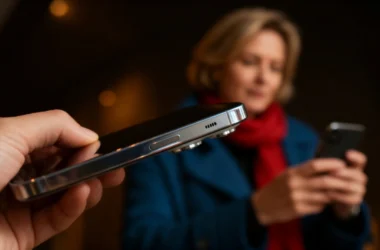

A Smooth and Comfortable Mobile Experience
Android devices have become one of the most popular ways for adults to enjoy digital entertainment, including structured games such as bingo. Modern bingo apps and mobile friendly sites are designed to run smoothly on a wide range of Android phones and tablets, offering clear layouts, simple controls and flexible play options. With the right setup, adults can enjoy a comfortable and engaging bingo experience wherever they are.
Below is a guide to the best setups and practical tips for getting the most out of bingo on Android devices.
Choose a Device With a Clear and Bright Display
A good display makes a significant difference when playing bingo on mobile. Clear number visibility, readable cards and smooth animations all contribute to a better experience.
Ideal Display Features
- A screen size of at least 6 inches
- High resolution for crisp number visibility
- Adjustable brightness for indoor and outdoor play
- Smooth touch response
Larger screens, such as those on tablets or big screen phones, make it easier to follow the game without straining your eyes.
Ensure a Stable Internet Connection
Bingo relies on real time number calling, so a stable connection is essential. Whether playing through an app or a mobile browser, a reliable connection helps ensure that numbers load smoothly and rooms run without interruption.
Best Connection Options
- Strong home Wi Fi
- 4G or 5G mobile data
- Avoiding public Wi Fi networks when possible
A stable connection helps maintain the steady pace that makes bingo enjoyable.
Use Mobile Friendly Bingo Apps
Many bingo platforms offer dedicated Android apps designed specifically for mobile play. These apps often provide smoother performance than browser based versions and include features tailored to touch screens.
Benefits of Bingo Apps
- Faster loading times
- Clear and optimised layouts
- Easy navigation
- Automatic number marking
- Mobile exclusive rooms on some platforms
Apps are ideal for adults who enjoy regular sessions and want a consistent experience.
Optimise Your Device Settings
Small adjustments to your Android settings can help create a more comfortable bingo session.
Helpful Settings to Adjust
- Enable “Do Not Disturb” to avoid interruptions
- Increase screen timeout duration
- Close background apps to improve performance
- Turn on adaptive brightness for comfort
These settings help keep the focus on the game without distractions.
Choose Rooms Designed for Mobile Play
Many bingo platforms offer rooms that are particularly well suited to mobile devices. These rooms often feature simplified layouts, larger buttons and clear number displays.
Mobile Friendly Room Types
- 30 ball or speed bingo for quick sessions
- 80 ball rooms with compact grids
- Themed rooms with bold visuals
- Live hosted rooms with clear number boards
These options help ensure that the game remains easy to follow on smaller screens.
Take Advantage of Automatic Number Marking
Automatic number marking is one of the most useful features for mobile bingo. It marks numbers as they are called, allowing adults to enjoy the session without worrying about missing a call.
Why It Helps
- Reduces pressure
- Makes the game more relaxing
- Ideal for playing on the go
- Helps newcomers learn the rhythm
This feature keeps the experience smooth and enjoyable.
Use Headphones for Live Hosted Rooms
Live hosted bingo rooms often include friendly commentary, number calling and light background audio. Using headphones can make the experience clearer and more immersive, especially in busy environments.
Benefits of Headphones
- Clearer audio
- Better focus
- Reduced background noise
- A more engaging atmosphere
This setup helps recreate the feel of a lively bingo hall.
Keep Your Device Charged
Bingo sessions can last longer than expected, especially when the experience is enjoyable. Ensuring your device has enough battery helps avoid interruptions.
Battery Tips
- Charge before playing
- Use battery saver mode if needed
- Lower screen brightness when indoors
These small steps help maintain a smooth session.
A Comfortable and Flexible Way to Play
Android devices offer one of the most convenient ways to enjoy bingo, combining portability with clear visuals and easy to use features. Whether using a dedicated app, joining live hosted rooms or playing quick sessions on the go, adults can create a setup that suits their preferences. With the right device, settings and room choices, playing bingo on Android becomes a comfortable and enjoyable experience.