


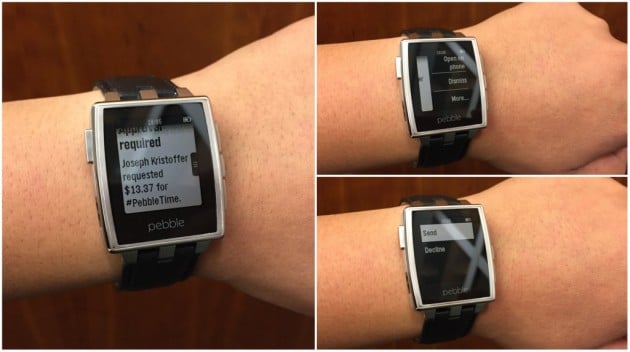
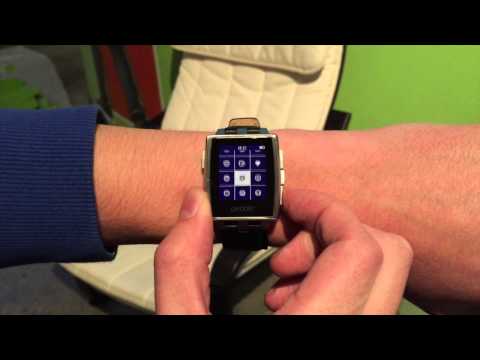
Prior to the launch of Android Wear in June, the only quality option for a smartwatch was Pebble. The original and Steel models are affordable, capable, and feature excellent battery life. The emergence of Android Wear, though, caused many Pebble owners to feel outdated because Google's platform runs on devices with color (and touch-enabled) displays with rich notifications. Luckily, the folks at Pebble figured out a way to deliver Android Wear notification compatibility to its smartwatches. Only available in beta version 2.3, can view and interact with Android app notifications as they would on Android Wear. The primary difference here is that Pebble does not have a touch display, so the buttons are to be used. Pebble says that this was made possible because how open Android's notification system is.
Hit the break for the release notes and two videos demonstrating the changes.
- NEW: Android Wear Notifications. Reply and act on Android app notifications on Pebbles running Firmware v2.9 (in Beta) or higher.
- NEW: Support for Android 4.0+ devices. Pebble’s latest Android app (v2.2) previously required devices running 4.3 (Jelly Bean) or higher.
- NEW: Auto app updates. When available, updated apps and watchfaces will be installed on Pebble at times when the watch is idle (e.g. charging).
- FIXED: Issues with Whatsapp notifications
- DEVELOPERS: UTF-8 support in PebbleKit JS
- Bug fixes and stability improvements.
- Users wishing to beta test this Pebble app must have a device running Android 4.0 or higher.
- Download the Pebble Android App (2.3 Beta) by joining our Beta Testing Group.
- After installing and opening the Android Beta app, you will be prompted to update your Pebble to a Beta version (2.9) of the Firmware (required to use the new features in the 2.3 Android app). If this does not happen automatically, select Support » Check for Updates to install the 2.9 Beta Firmware.
- Report bugs and issues by selecting Support » Contact Support from the Pebble Android Beta App.

Source: Pebble
