


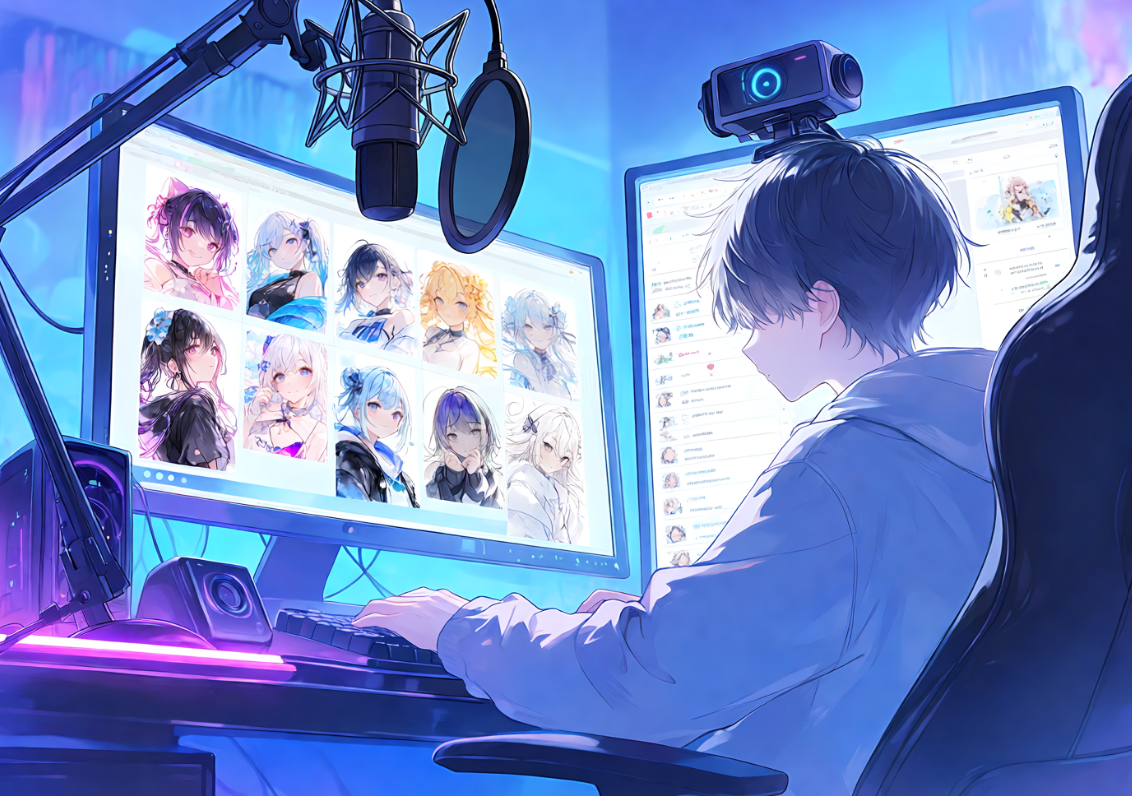
VTuber model commissions typically run anywhere from $200 to well over $2,000, which makes committing to a design before you've actually seen it a genuinely risky move. The cheaper, lower-stakes way to get there is to explore your avatar concept with AI first — testing hairstyles, palettes, and silhouettes across dozens of generations for a fraction of what a single revision from a rigger would cost. Platforms like PixAI are built for exactly this kind of iterative exploration, letting you compare directions freely before locking anything in and handing it off.
This guide walks through how to turn a rough persona idea into a concrete visual concept, what actually matters for an avatar that's going to be on camera for thousands of stream hours, and how to finalize a reference sheet a professional rigger can work from with confidence.
Start With Persona, Not Appearance
It's tempting to jump straight into generating faces and outfits, but the strongest avatar designs start from persona rather than the other way around. Before generating anything, get clear on the traits you want your on-screen identity to communicate: energetic or calm, playful or composed, mysterious or approachable. These personality traits translate into concrete visual decisions.
A few ways personality typically maps to design:
• Silhouette — sharp, angular shapes read as confident or edgy; soft, rounded shapes read as gentle or approachable
• Color palette — bright, saturated colors feel energetic and fun; muted or monochrome palettes feel calm or mysterious
• Motifs — recurring symbols or themes (stars, moons, flame patterns, floral details) reinforce a specific identity and give viewers something memorable to recognize
• Expression range — a design built around big, exaggerated expressions suits a comedic streamer; a design suited to subtler expressions fits a calmer, more narrative persona
Write your persona down in a sentence or two before you generate a single image. That description becomes the anchor you'll keep returning to as you compare directions, so your final choice reflects your streaming identity rather than whichever image simply looked best in isolation.
Why Avatar Design Planning Matters
An avatar chosen hastily tends to need expensive redesigns later. Taking the time to explore multiple directions with AI first means your eventual commission reflects deliberate choices rather than a first impression. You might find that the hairstyle you originally pictured doesn't actually suit the character once you see it rendered, or that a different color palette communicates a noticeably different impression to viewers than you expected.
Your avatar is effectively your brand. Viewers will see it for thousands of hours across streams, thumbnails, clips, and social posts, so it's worth the up-front investment to get it feeling authentically “you” before any money goes toward rigging.
What Actually Matters for an On-Camera Avatar
A VTuber avatar has different requirements than a single piece of static character art, because it needs to hold up in motion, across expressions, and from angles a normal illustration never has to consider. Keep the following in mind as you explore designs:
• Multiple angles — the design needs to work from the front, side, and back, not just a single flattering three-quarter view
• Expression range — neutral, happy, sad, angry, surprised, and winking should all still read clearly as the same character
• Hand poses and gestures — streaming involves a lot of hand movement, so poses need to look natural rather than posed for a single illustration
• Clothing readability — outfit details should stay recognizable from any viewing angle, not just straight-on
• Hair behavior — hair needs to flow believably during animation, which means avoiding overly rigid or physically confusing shapes
• Accessories — should support the character rather than obscure the face or block key expression areas
• Rig-friendly construction — clear joint points and separable layers make for a smoother, less expensive rigging process
• Contrast and visibility — colors and linework need to stay readable on typical stream compression and smaller viewer screens
None of this needs to be perfect at the exploration stage, but keeping it in mind while you generate concepts will save real revision time once you're working with a professional rigger.
Exploring Directions With AI
Once your persona description and technical requirements are in place, the exploration stage is about generating variety rather than committing early. Try multiple hairstyles, palettes, and outfit directions against the same persona description, and don't be afraid to generate options you're fairly sure you'll reject — seeing a direction fail is often what clarifies what you actually want. Compare results side by side rather than judging each generation in isolation, since a design that looks fine on its own can still lose to a stronger alternative once they're side by side.
This is the stage where AI concept generation earns its value: it's cheap, fast, and low-risk compared to asking a rigger for revisions after a commission is already underway.
Locking In a Consistent Design
Once a direction is clearly winning, shift your focus from variety to consistency. From this point on, every new generation should look recognizably like the same character rather than a fresh interpretation of your persona description. This is where careful prompting and documentation start to matter more than raw exploration.
To keep your chosen design consistent across generations, 3 beginner methods for character consistency in PixAI walks through practical, beginner-friendly techniques for maintaining a design's integrity as you generate different poses, angles, and expressions. Locking in consistency at this stage is what makes the difference between a coherent avatar and a folder of similar-but-not-quite-matching images.
Building the Reference Sheet Your Rigger Will Use
The character reference sheet is your actual deliverable to a rigger, so it needs to be thorough and unambiguous. A strong reference sheet includes:
• Clear front, side, and back views showing the full body design
• Facial expression variations — happy, sad, neutral, laughing, surprised
• Multiple hand poses and, if applicable, clothing or outfit options
• Hair shown from different angles
• Specific color codes rather than approximate descriptions
A comprehensive sheet typically includes somewhere around 10 to 15 different poses and expressions covering all the relevant angles and emotions. That level of detail is what allows a rigger to build smooth, accurate animations without having to guess at parts of the design you never actually specified.
The OC/VTuber character sheet generation guide walks through building this kind of comprehensive reference set before handoff, so your design is locked in consistently across every angle and expression a rigger will need. It's worth treating this step as non-negotiable — a vague or incomplete reference sheet is one of the most common reasons commissioned avatars end up needing costly revisions.
It's worth being clear about what AI concept exploration is and isn't doing here: it's the stage that sharpens your vision and produces a strong brief, not a replacement for a professional rigger. The two roles are complementary — AI gets you a confident, detailed concept; a rigger turns that concept into an animated, streaming-ready model.
Frequently Asked Questions About VTuber Avatar Design
Q: How long should I spend designing my avatar before commissioning?
A: Roughly two to four weeks is a reasonable range for most creators. That gives enough time to explore multiple directions, gather outside feedback, and finalize choices without rushing into a design you'll want to change later.
Q: What should a professional reference sheet include?
A: Front, side, and back views; five to eight facial expressions; hand poses; clothing details; hair from different angles; and specific color codes. A rigger relies on this information to build an accurate 3D or Live2D model.
Q: Can I change my avatar design after rigging?
A: Yes, but major changes typically require expensive re-rigging, while minor adjustments are usually more manageable. This is exactly why thorough design planning beforehand prevents costly changes down the line.
Q: How specific should my AI designs be before showing a rigger?
A: Quite specific. Your reference sheet should be complete enough that a rigger understands your vision without needing to fill in major gaps themselves. Ambiguous or incomplete designs are one of the most common causes of mismatches between what a creator imagined and what they end up receiving.
Final Thoughts
AI concept exploration is the cheap, low-risk stage that belongs before any professional commission, not after. Treat it as the place where your persona, silhouette, palette, and expressions all get tested and refined, so that by the time you're paying for rigging, there's very little left to guess at.
Start with a clear persona description, explore broadly, lock in consistency once a direction wins, and build out a complete reference sheet before you ever reach out to a rigger. That process is what turns a rushed, expensive redesign into a smooth commission — and an avatar that actually feels like you for years of streaming ahead.