


Boost Your TV's Storage Instantly
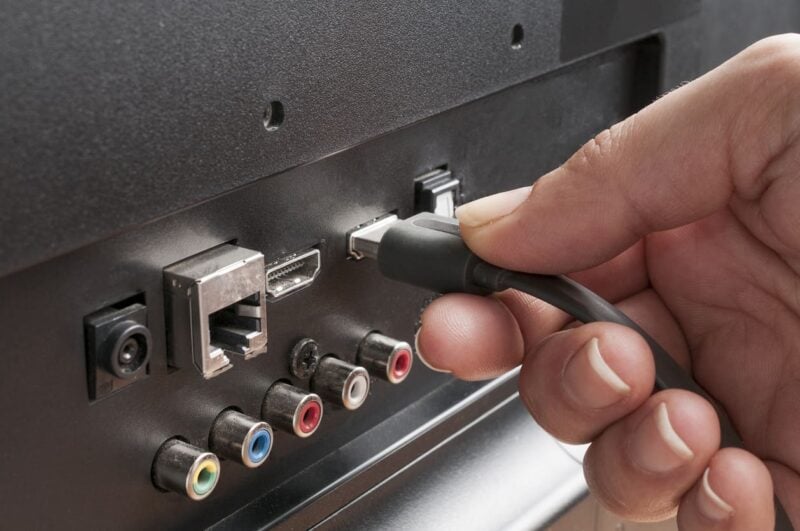
Modern TVs, whether smart or not, usually have limited internal storage. This runs out quickly once you start installing a few apps or recording shows. Here’s where the USB port proves invaluable. Plug in a fast USB flash drive or external hard drive, and you can record live programs, rewatch movies, or save files—all without overloading the TV’s built-in memory.
Some recent models automatically detect external storage and recommend the best format for smooth playback. In short, the USB port can quietly turn your TV into a much more capable and flexible media center.
Turn Your TV Into a Workstation or Gaming Center
The USB port isn’t just for file storage. Using this common connection, you can connect a keyboard and mouse—wired or wireless—to your TV. This makes surfing the web, writing emails, or accessing your cloud documents much easier and more comfortable.
For gaming enthusiasts, the USB port lets you hook up a controller and enjoy streaming games or emulators that some smart TV platforms support. You get an experience close to a living room console—without a messy setup or the need for extra adapters.
Share Memories on the Big Screen
USB isn’t just for playing downloaded movies. Plug in a USB drive filled with photos, videos, or slideshows, and your TV will immediately recognize and display your media on a simple, optimized interface. It’s a popular way to relive vacations with friends or add fun to family gatherings. Direct USB playback means you don’t need to bother with third-party apps, and many newer TVs even allow you to create dynamic slideshows with background music for a more personalized experience.
Take Full Advantage of Your Smart TV
Many connected TVs offer less than 8 or 16 GB of internal storage, filling up after just a few installs. The USB port becomes essential when you want to move some apps, add new streaming services, or download games without running into storage issues. This feature is particularly useful for anyone who relies on their TV for both entertainment and productivity. With the right storage device, your TV can adapt and keep up as your needs change.