



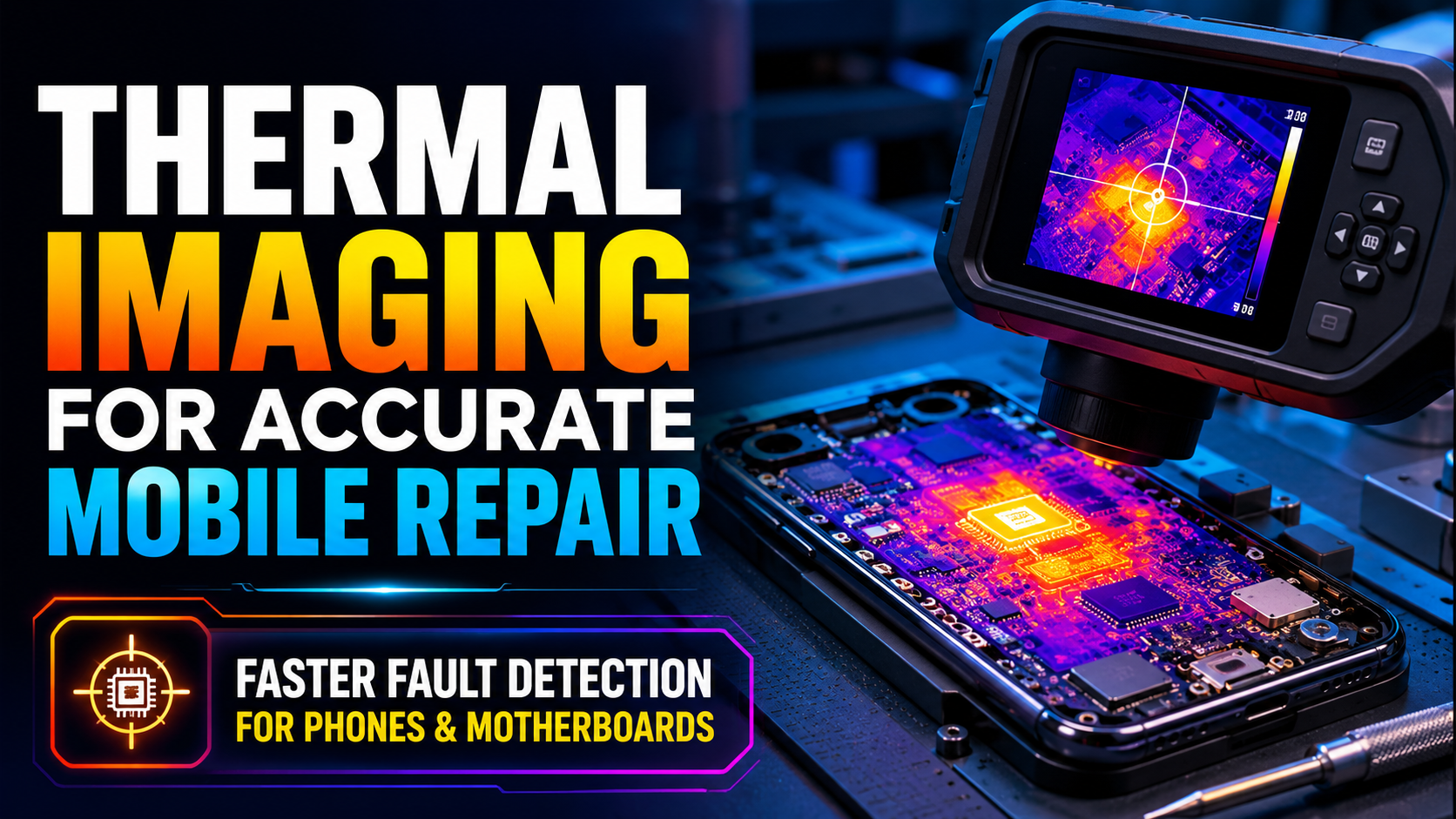
Mobile phones, tablets, laptops, and small electronic devices have become harder to repair than ever before. Modern boards are compact, layered, and packed with tiny components. A single short circuit, weak IC, damaged capacitor, or heating issue can stop the whole device from working. For repair technicians, the challenge is not only fixing the problem but finding the exact fault without wasting time or damaging the board further.
This is where thermal imaging has become a practical tool in electronics repair. Instead of guessing which component is faulty, technicians can use heat patterns to identify abnormal behavior on a circuit board. A thermal image can reveal overheating components, shorted lines, power leakage, battery-related heat, and motherboard faults that are difficult to detect with the naked eye.
For phone repair shops and motherboard technicians, tools such as a thermal imaging camera, mobile thermal imager, and phone infrared thermal camera are now becoming part of the regular diagnostic workflow.
Why Heat Matters in Electronics Repair
Every electronic component produces some amount of heat when current passes through it. In a healthy circuit, this heat is usually controlled and distributed normally. But when there is a fault, the heat pattern changes.
For example, a shorted capacitor may heat up quickly. A damaged IC may become hotter than nearby components. A charging circuit problem may create unusual heat around the battery connector or power management area. These temperature changes give technicians useful clues.
Without thermal imaging, a repair technician may need to inspect the board manually, test multiple points with a multimeter, apply voltage carefully, or remove shields to check hidden areas. These methods still matter, but they can take time. Thermal imaging helps narrow down the fault location much faster.
What Is a Thermal Imaging Camera Used for in Repair Work?
A thermal imaging camera detects infrared radiation and turns it into a visible temperature image. In simple terms, it shows which parts of the board are hot, warm, or cool. Instead of looking only at the physical board, technicians can see how the board behaves when power is applied.
In mobile and motherboard repair, this can help identify:
- Short circuits
- Overheating ICs
- Damaged capacitors
- Faulty power lines
- Battery and charging issues
- Leakage current
- Poor soldering areas
- Components drawing abnormal current
This makes thermal imaging especially useful for no-power faults, boot loop problems, charging failures, liquid damage repair, and motherboard troubleshooting.
The Role of ShortCam III in Circuit Fault Detection

For detailed board-level diagnostics, a tool like the shortcam iii imaging camera can help technicians inspect circuit boards more clearly. It is designed for repair environments where the technician needs to locate heat signatures on small electronic components.
The biggest advantage of using this type of imaging camera is speed. Instead of checking dozens of components one by one, the technician can power the board safely and watch for abnormal heating. If one area heats faster than the rest, that area becomes the first point of inspection.
This is very helpful in motherboard repair because faults are often hidden under shields, near small chips, or around dense component areas. A visual thermal pattern makes the process more focused and less dependent on guesswork.
Common Repair Situations Where Thermal Imaging Helps
Thermal tools are not only for advanced technicians. They are useful in many everyday repair cases.
| Repair Problem | How Thermal Imaging Helps |
| Phone not turning on | Shows if a shorted component is heating when current is applied |
| Charging problem | Helps identify heat near charging IC, connector, or battery line |
| Battery draining fast | Detects components consuming power abnormally |
| Water-damaged board | Reveals leakage or damaged areas after cleaning |
| Overheating device | Shows whether heat comes from CPU, power IC, battery, or another area |
| Laptop motherboard fault | Helps locate shorted capacitors, MOSFETs, or power rail issues |
A thermal image does not replace technical knowledge, but it gives the technician a clearer starting point.
Why Mobile Repair Technicians Use a Mobile Thermal Imager
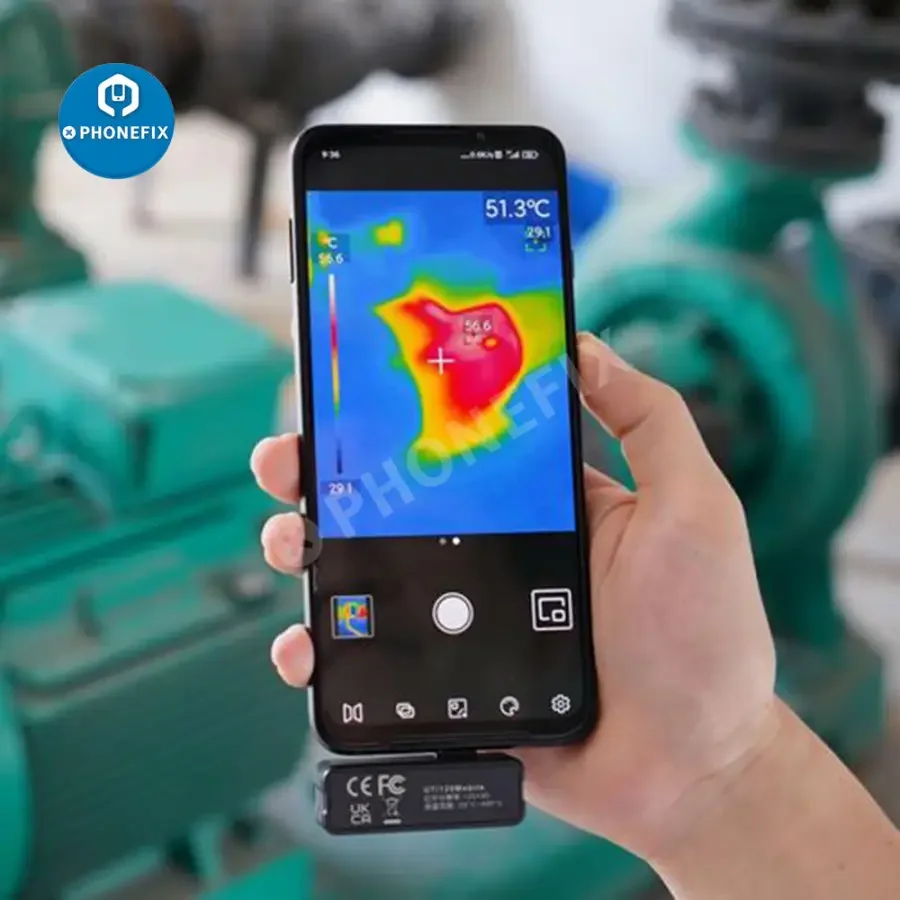
A repair shop often handles many devices in one day. Some problems are simple, but others take longer because the fault is not visible. A mobile thermal imager can be useful for technicians who want a portable and quick diagnostic option.
A mobile thermal imager usually connects to a phone and allows the technician to view heat patterns directly through the screen. This makes it convenient for small repair benches, fieldwork, training, and quick inspections.
For beginner technicians, it is also easier to understand. Instead of reading complex signals immediately, they can observe heat changes and connect those changes with actual circuit behavior. Over time, this builds better diagnostic confidence.
Benefits of Thermal Imaging in Mobile Repair
Thermal imaging brings several practical advantages to phone and motherboard repair.
Faster Fault Location
One of the biggest benefits is reduced troubleshooting time. A fault that may take a long time to locate manually can often be narrowed down within minutes using thermal imaging.
Less Guesswork
Repair work becomes more accurate when the technician can see where abnormal heat is coming from. This helps avoid unnecessary component replacement.
Non-Destructive Testing
Thermal cameras do not require direct contact with the board. The technician can inspect heat behavior without pressing probes onto delicate components.
Better Repair Confidence
When a technician identifies a hot component and confirms it with other tools, the repair decision becomes more reliable.
Useful for Training
Students learning mobile repair can understand faults more clearly when they can see the heat pattern on a real board.
Using a Phone Infrared Thermal Camera for Motherboard Repair
For motherboard diagnostics, a phone infrared thermal camera can help technicians detect heat changes across small electronic parts. This is especially helpful when dealing with compact boards where components are too small to inspect manually for long periods.
A phone infrared thermal camera is useful because it gives a clear view of temperature differences. If one capacitor, IC, or resistor heats more than expected, the technician can focus on that section and test it further.
However, it is important to use the camera correctly. A hot spot does not always mean the component itself is bad. Sometimes the faulty part is nearby, and the heat is spreading. That is why thermal imaging should be used together with tools such as a DC power supply, multimeter, microscope, and schematic knowledge.
Step-by-Step Use of Thermal Imaging in Repair
A basic thermal diagnostic process can look like this:
| Step | What to Do | Purpose |
| 1 | Inspect the board visually | Check for burns, corrosion, broken parts, or liquid damage |
| 2 | Connect safe power | Apply controlled voltage using a proper power source |
| 3 | Open the thermal view | Watch the board for sudden or unusual heat |
| 4 | Identify hot areas | Mark the component or section producing abnormal heat |
| 5 | Confirm with testing tools | Use a multimeter or schematic to verify the fault |
| 6 | Repair or replace the part | Remove, replace, reball, or resolder as needed |
| 7 | Recheck the board | Use thermal imaging again to confirm the issue is solved |
This process helps technicians move from observation to confirmation instead of making random repairs.
Important Tips for Accurate Thermal Diagnosis
Thermal imaging is powerful, but it must be used carefully. Good results depend on proper method and experience.
First, always use safe voltage and current limits. Applying too much power to a shorted board can damage more components. A controlled DC power supply is often used for this reason.
Second, compare the heat pattern with the board layout. Some parts normally become warm during operation, such as processors, charging ICs, and power management chips. The goal is to identify abnormal heat, not every warm component.
Third, keep the camera stable while inspecting. Sudden movement can make it harder to compare heat changes. A steady view helps you see which component heats first.
Fourth, confirm the fault before replacing anything. Thermal imaging shows where the problem may be, but final confirmation should come from proper testing.
Thermal Imaging for Beginners and Training Centres
Thermal imaging is also valuable for students who are learning mobile repair. Many beginners struggle to understand how current flows through a board or how short circuits behave. When they see a hot spot on a thermal screen, the concept becomes easier to understand.
For training centres, thermal imaging can make lessons more practical. Instead of only explaining faults in theory, instructors can show students how a damaged board reacts when powered. Students can observe real examples of short circuits, overheating ICs, and battery-related faults.
This kind of practical learning helps students build diagnostic skills faster. It also prepares them for real repair shop situations where speed and accuracy matter.
What to Consider Before Choosing a Thermal Tool
Before buying a thermal imaging tool for repair work, technicians should think about how they plan to use it.
| Feature | Why It Matters |
| Image clarity | Clearer images help locate small components more accurately |
| Portability | Compact tools are easier to use on crowded repair benches |
| Temperature sensitivity | Better sensitivity helps detect small heat differences |
| Board-level focus | Repair work needs tools suitable for small electronic parts |
| Ease of use | Simple controls are helpful for beginners and busy shops |
| Compatibility | Phone-based models should match the device connection type |
The best option depends on whether the technician repairs phones only, handles laptop motherboards, works in a training centre, or needs a portable tool for quick diagnosis.
A Smarter Way to Repair Modern Devices
Mobile and motherboard repair is no longer only about replacing visible damaged parts. Many faults are hidden inside the circuit behavior of the device. Thermal imaging gives technicians a better way to see that behavior.
By showing heat patterns clearly, thermal tools help reduce guesswork, save time, and improve repair accuracy. Whether a technician is diagnosing a no-power phone, checking a shorted motherboard, or teaching students how faults appear on a live board, thermal imaging can make the process more practical and reliable.
Tools like the ShortCam III, mobile thermal imagers, and phone infrared thermal cameras are becoming useful additions to modern repair benches. They do not replace skill, experience, or proper testing, but they make fault detection faster, clearer, and more focused. For repair professionals who want to improve accuracy and handle complex board-level problems with more confidence, thermal imaging is a smart step forward.