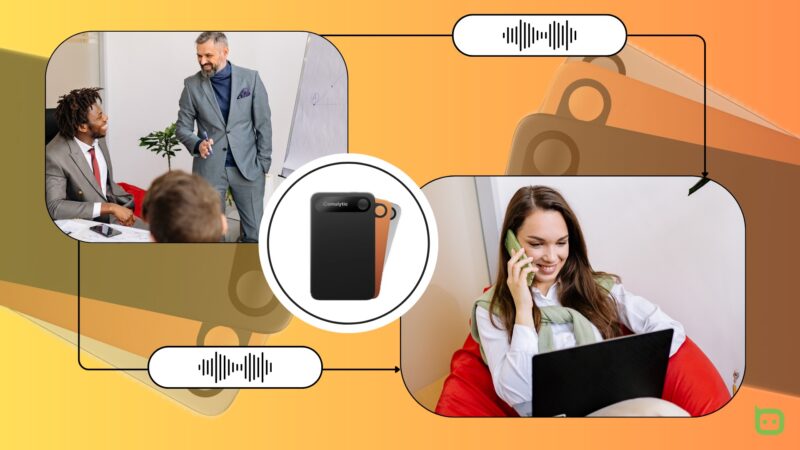
Note-taking is something I'm excited about these days. I've cut out the manual process to a large degree. Hardly do I pick up a pen anymore when I can quickly fetch my Comulytic recorder and watch it do the heavy lifting. I've used it to capture meetings and phone calls efficiently for over a month. These are my observations and remarks on the device's performance.
What's in the box?
The Comulytic Note Pro’s packaging is a compact white box with holographic audio waveforms flanking a line drawing of the device on the front. “Turn Talk into Gold” is its slogan at the bottom, which is pretty much a summary of what it does.
As someone running out of room to store review products, I appreciated that this one wasn't going to demand more or crowd my already swarmed desk. Opening it feels proportionate to its size.
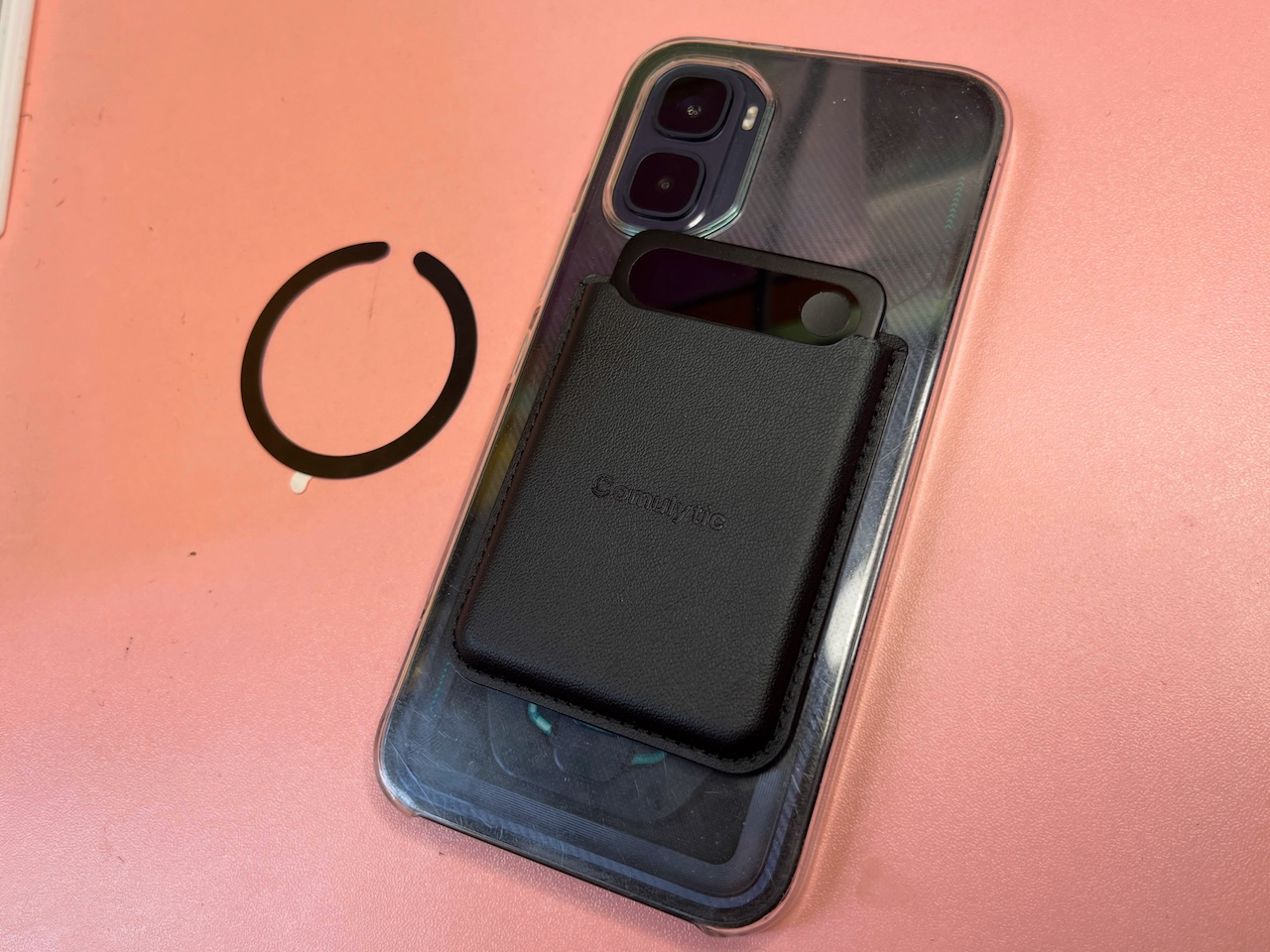
Inside are the device itself and its magnetic wallet case. The recorder mounts into it since it has no attachment mechanism on its own. There are also two magnetic rings included for phones that don't have built-in magnetic alignment.
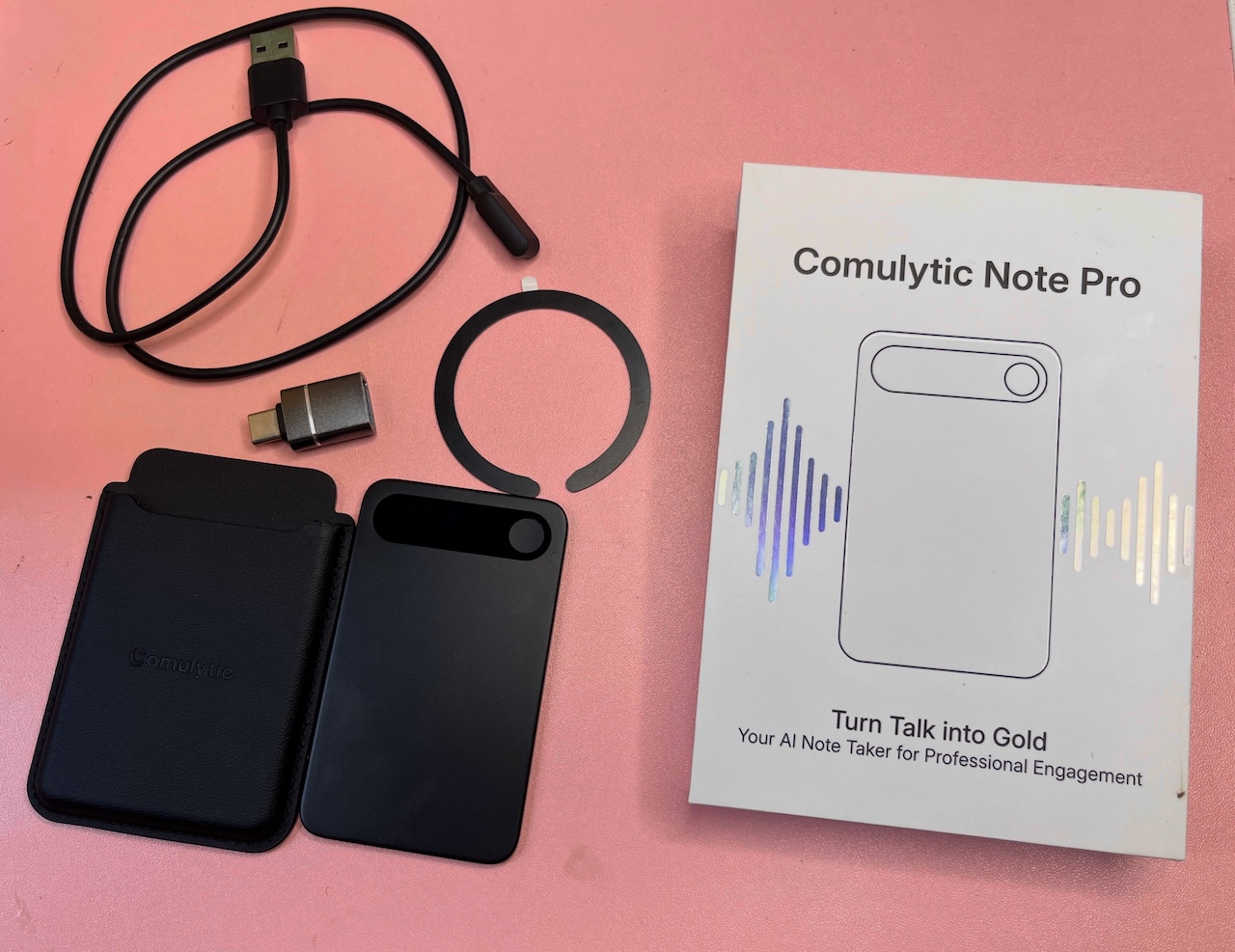
I used mine on my Realme 12+ at the time, while my iPhone 13 didn't need it. I currently don't need the rings for my Infinix GT 50 Pro as it has magnets too.
The charger is a USB-A to magnetic pogo-pin cable that connects to the four contact pins on the back of the recorder. It's proprietary, which I'll get into later. There's also a USB-C adapter in the box that lets you connect the Note Pro directly to your phone or laptop, which adds flexibility that the cable alone doesn't offer.
Rounding out the box is a QR card that shows you how to remove the recorder from the wallet case, a quick start guide, and a safety leaflet.
Hardware
| Comulytic Note Pro | |
|---|---|
| Name | Comulytic Note Pro |
| Model | LA558 |
| Dimensions | 0.3 x 5.2 x 8.6 cm (0.1 x 2.0 x 3.4 in) |
| Weight | 27.6g |
| Display | 0.78-inch OLED, 128 x 80 resolution |
| Microphones | 2 MEMS, 1 VPU |
| Pickup Distance | 5m (16.4ft) indoors |
| Storage | 64GB local |
| Battery | 3.7V / 400mAh |
| Charging | 5V / 0.5A input, 90 minutes to full |
| Max Recording Time | 45 hours |
| Standby Time | 107 days |
| Connectivity | Bluetooth & Wi-Fi |
| Cloud | AWS encrypted |
| Compatibility | iOS & Android |
| Color | Black |
Design
The Note Pro is the lightest device I've reviewed. It's a small, rounded rectangle that fits in a closed fist. It's matte black across every surface with no color breaks.
I'm not sure what material was used in its making. But it looks and feels like a polycarbonate plastic with a soft-touch matte coating over it. I do love how smooth it is, but I hate that it catches fingerprints easily.
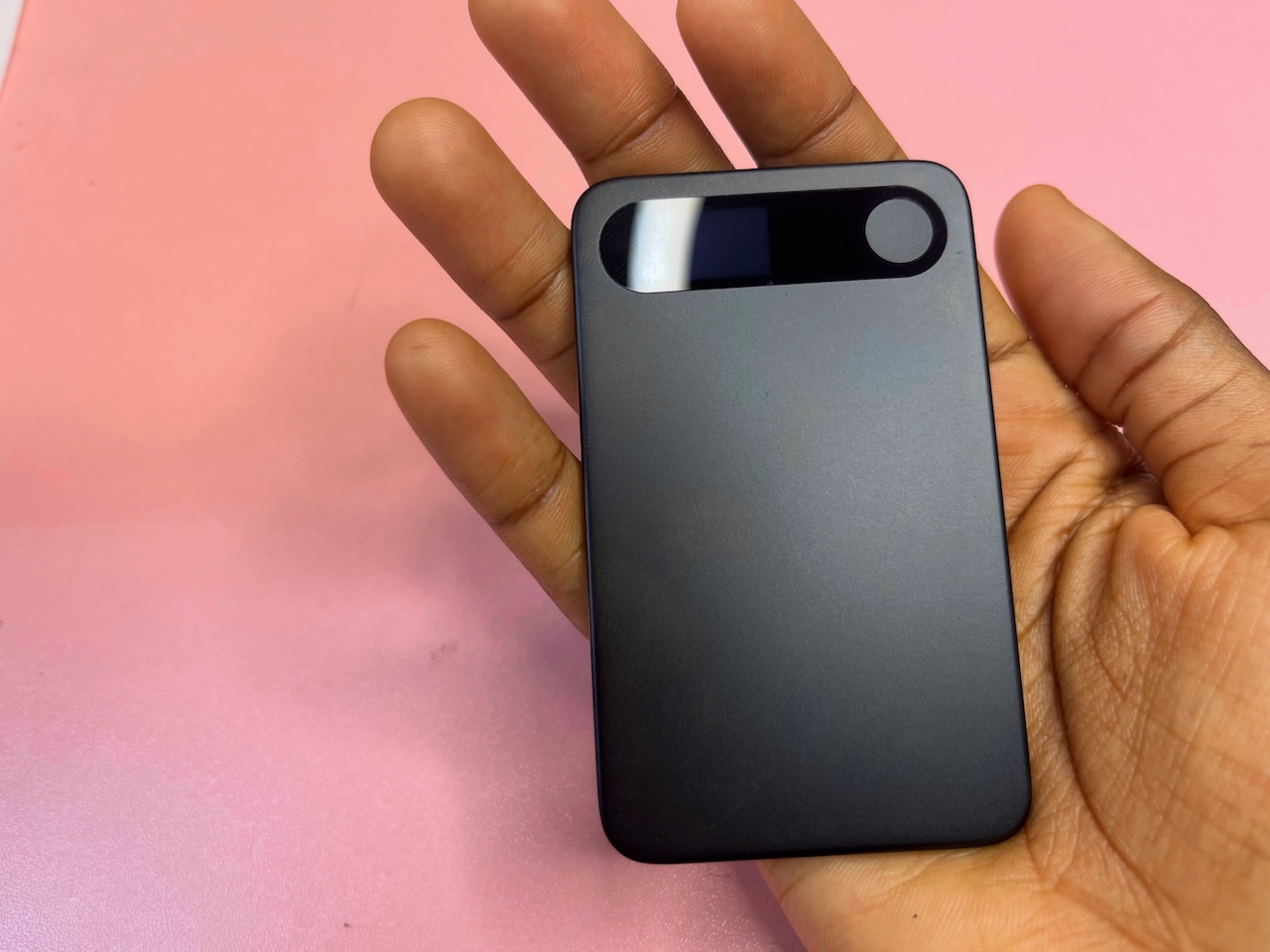
Running across the top of the front part is a 2cm horizontal pill-shaped display. It shows recording status, battery level, and Bluetooth connectivity at a glance. Directly to the right is a small circular button, which is the only physical control on the device.
There are dual MEMS microphones at the top section. MEMS stands for Micro-Electro-Mechanical Systems. They use the same semiconductor fabrication process used to make computer chips, which is what makes them small enough to fit inside a device this thin without compromising on sensitivity.
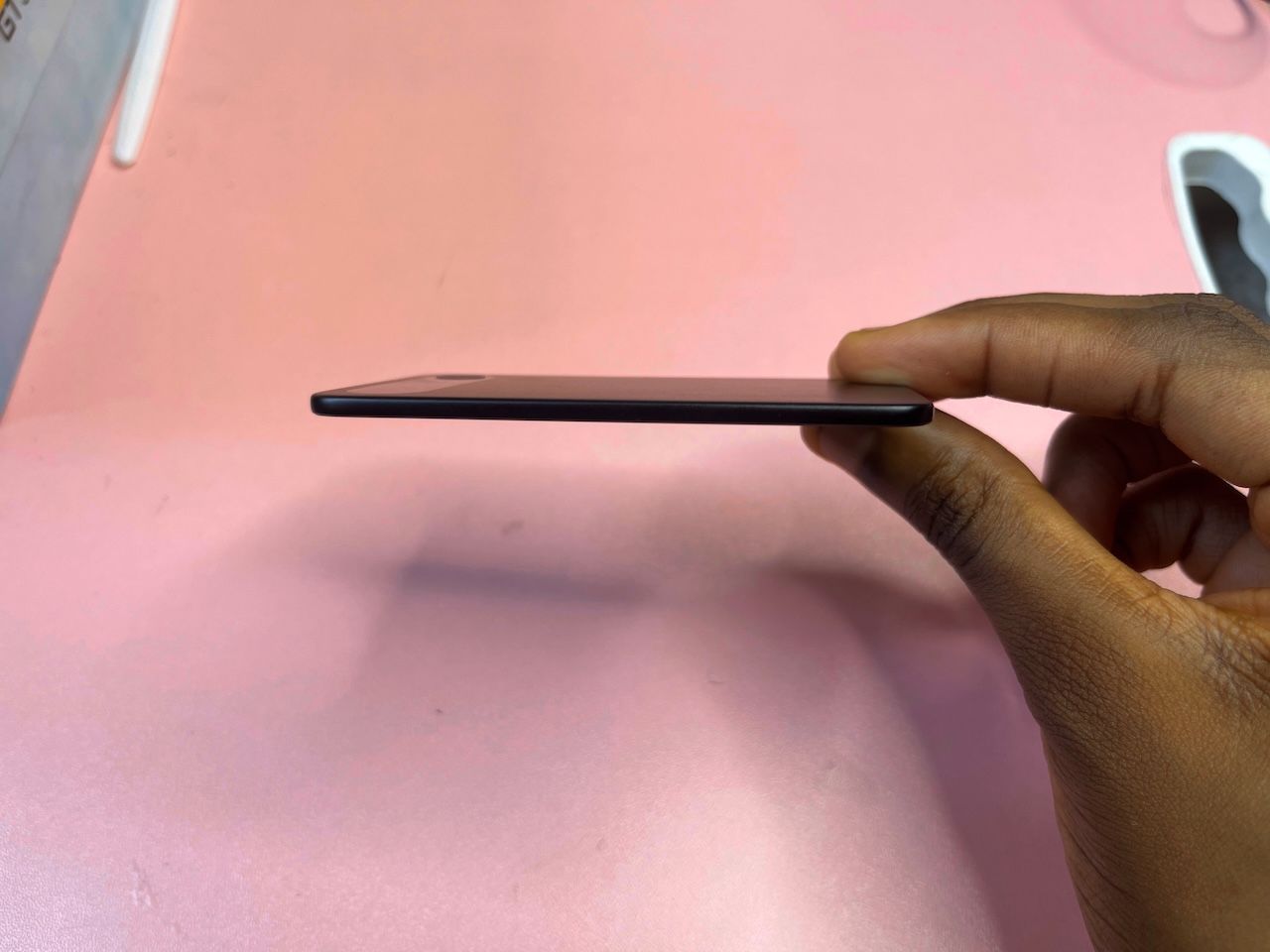
Having two of them means the microphones are at a fixed distance apart, so that the device can do beamforming, and focus on a voice coming from a specific direction while deprioritizing sound coming from elsewhere. It's also what allows the Note Pro to pick up speech from up to five meters away indoors.
The back of the device has the Comulytic branding printed in the center. You have to catch it at an angle to read it clearly. There are four small screws at the corners, and four charging contact pins along the left edge in a tight vertical row.
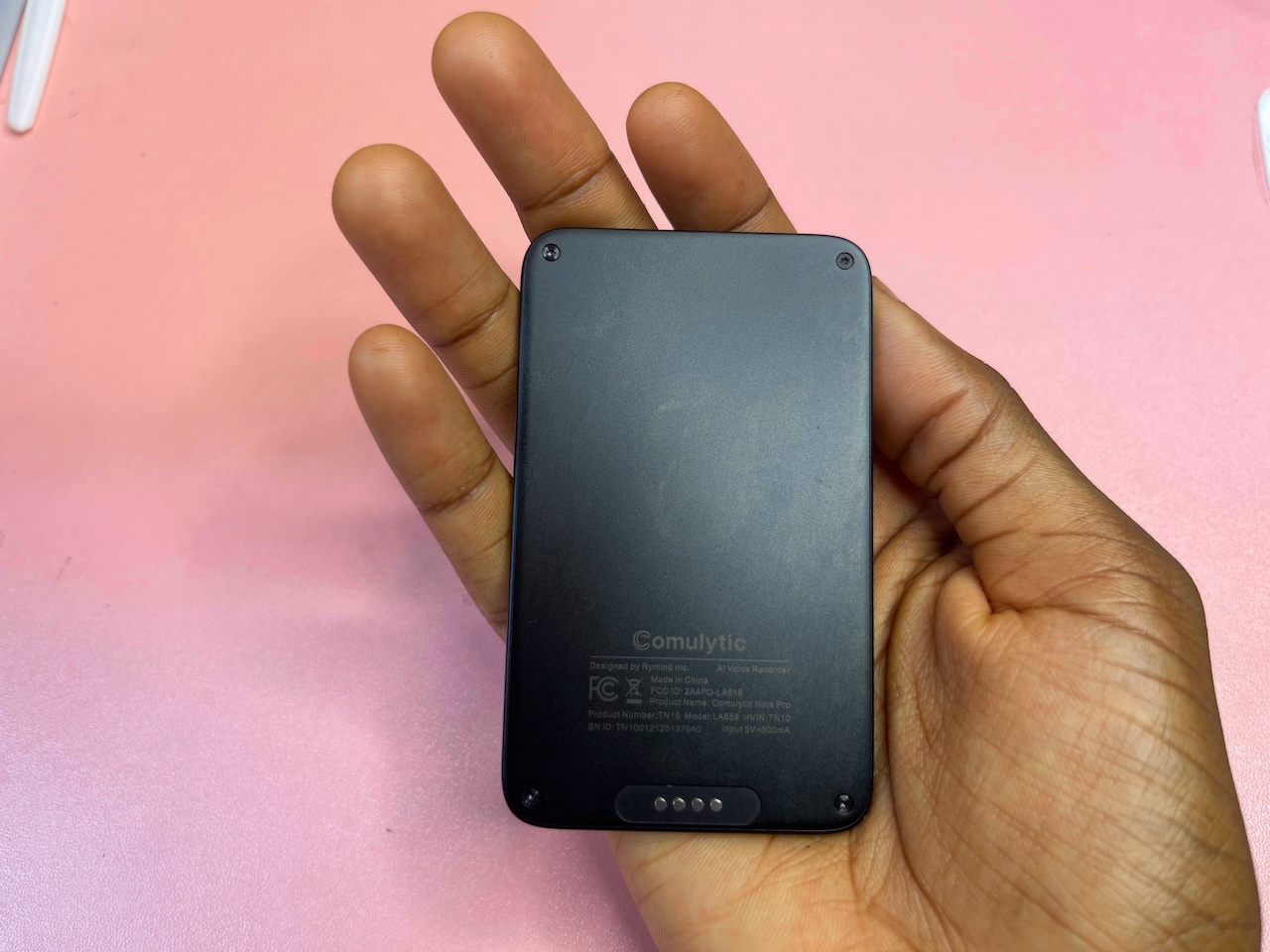
These are the connection points for the proprietary magnetic pogo-pin cable. There is no USB-C port on the device itself, which is understandable as the form factor at 3mm simply doesn't allow for one.
The magnetic wallet case it ships with is the only way the device attaches to anything, since it has no mounting mechanism of its own. Getting it in was a struggle at first. The fit was tight enough that removing it felt like a two-handed exercise. There's a jiggle to it now though. Over time the fit has loosened just enough that pulling it out has become easy.
Performance
Starting with the Note Pro takes about five minutes. I signed in with Google, did a quick voice recording so the device learns to distinctly recognize me as a speaker, connect storage, and pair over Bluetooth.
Before each session, you pick the number of speakers and the language or leave both on Auto and let the device sort it out. Auto works, but if you already know you're walking into a French or Spanish meeting with three speakers.
By default, everything transfers to the app over Bluetooth. If you'd rather keep things off your phone, the device holds 64GB of onboard storage and works completely standalone. There's a Fast Transfer option that switches your phone to the recorder's hotspot and moves files over quicker than the default Bluetooth method.
After each session, you get an abstract automatically. A full summary is available on request. The transcript lives behind the CC button, and in my experience it came back at around 90% accuracy without me needing to fix much.
One test involved a 30-minute financial meeting I streamed on YouTube. The audio was compressed, but the Note Pro produced a structured transcript detailing the discussions on COVID-era tourism losses in the right order.
It also detected inconsistencies. In one instance, a speaker said something with no explanation, and the device flagged it for more context. It happened consistently across sessions, which tells you the underlying model is doing more than pattern-matching words.
Language support reaches 113, with English alone split across Canadian, Indian, Irish, Singaporean, and South African variants. Auto-detection handles the common ones well. For anything rarer, you may want to set it manually.
I ran it through French, Spanish, and Portuguese. The French session was a two-hour meeting and a shorter breakfast conversation. The mixed Spanish and Portuguese class gave it more trouble where one speaker was fielding a Q&A about apartment details while others kept giving incomplete answers.
At one point, it flagged that a speaker saying “one bathroom” likely meant “bedrooms”. Its contextual awareness makes its mistakes easier to forgive. I also put it through a short Māori announcement from 2010 covering the appointment of a new CEO at the Māori Language Commission. It handled it better than I expected.
Battery
Comulytic claims 107 days of standby on the Note Pro. I published my first impressions of this device on April 8. Today is May 24, so it's been 46 days since. The device is still on standby without charging, and the display now indicates one battery bar.
Display
The Note Pro has a 2cm pill-shaped OLED panel centred on the device with a circular record button occupying the right end of the same housing. Everything it shows is rendered in white text blue against a black background.
In standby, the display shows its status, a battery icon, and a Bluetooth symbol. The battery icon gives you a rough level indicator rather than a percentage.
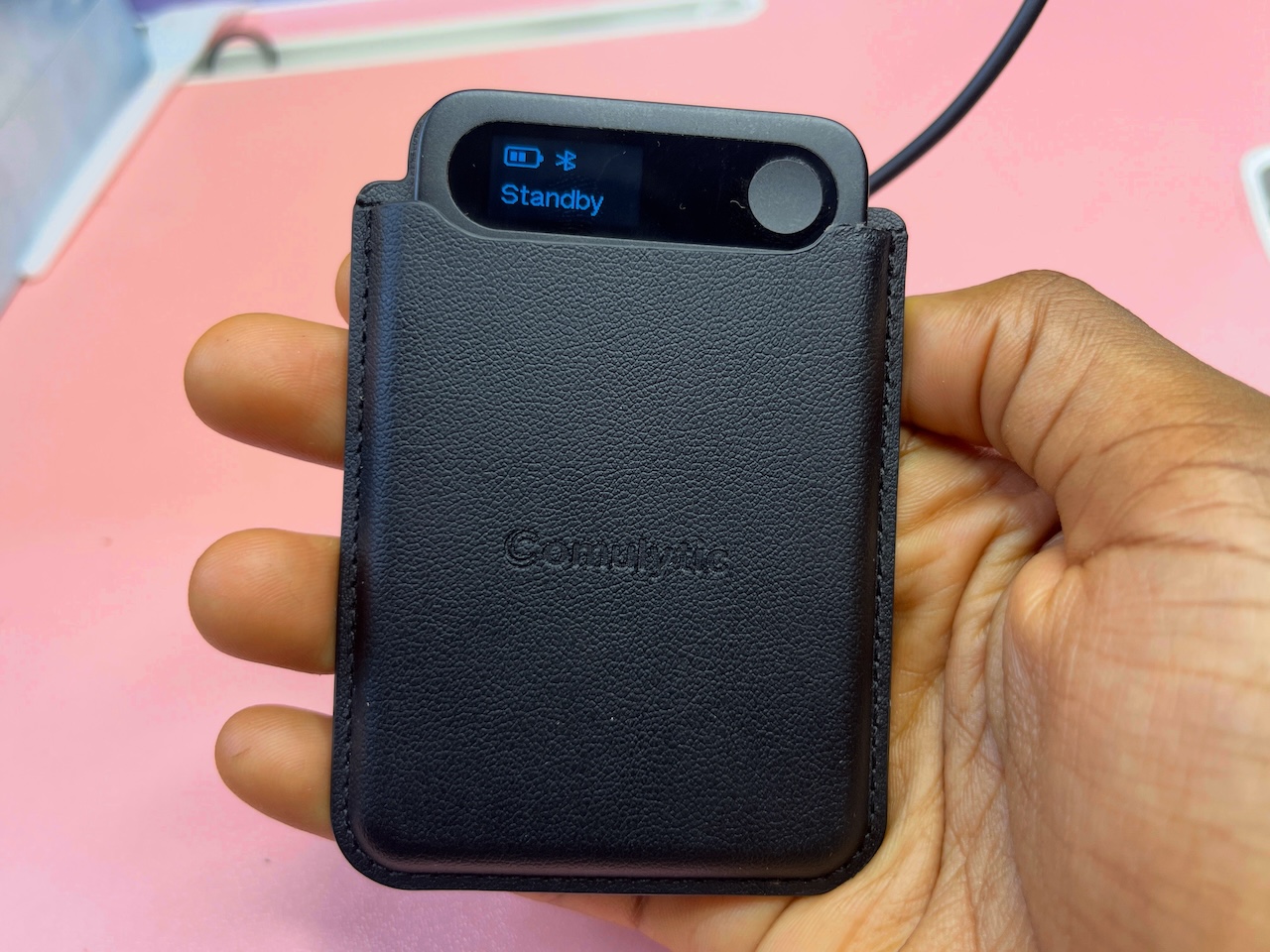
When you start recording, you'll see a brief live timer counting up in hours, minutes, and seconds. The screen goes dark soon after, making the entire process invisible to anyone in the room.
I'll leave the implications of that to your judgment, but you always want to get consent before recording. The law in most places is unambiguous about that.
Software
The built-in AI chatbot on the Comulytic is a helpful companion. I used it to draft follow-up emails and refine rough points from sessions.
I also regenerated responses a few times to see how much variation it could produce. It's not the main reason to buy this device, but it makes the recordings more actionable than a plain transcript.
The app is organized into four tabs along the bottom navigation bar, including Files, Contact, Actions, and Me. Files are where you spend most of your time. It opens to an “All Files” view that lists every recording as a card, each one showing an AI-generated title, the date and time it was captured, and the duration.
A search icon and a new file button are at the top right corner. A Record button in the header lets you start a session directly from the app without touching the physical device.
Long-pressing any recording opens a popup mode, where you can move or delete files. Swipe right on the menu and you'll be able to bulk select files.
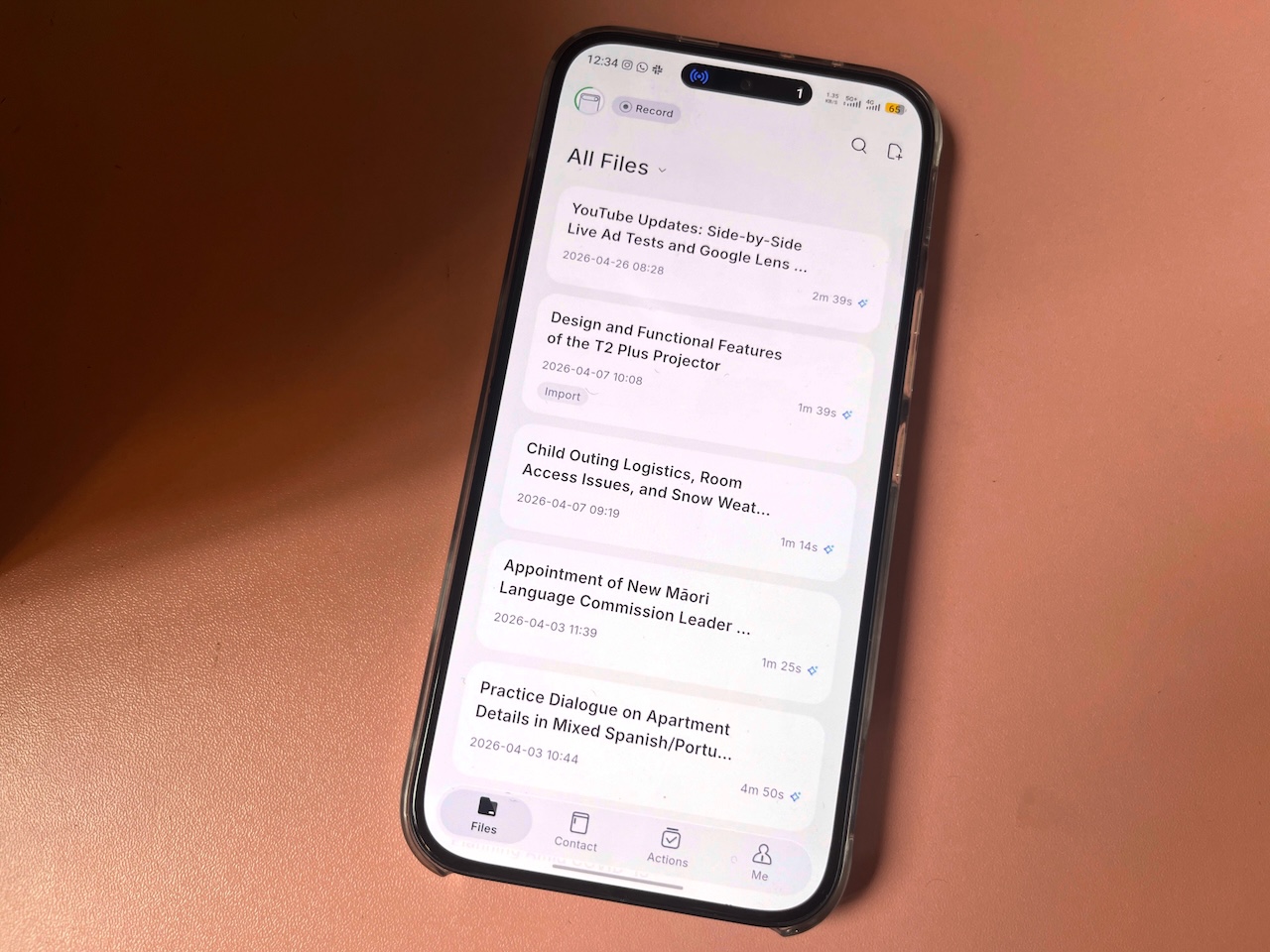
The Contact tab is where the app logs people you've had recorded conversations with, timestamped by last interaction. Tapping into a contact opens their Insights and Conversation.
Insights pulls together a profile summary built from everything the device has captured across your sessions with that person, including context notes, a Purchase Intention score, and a breakdown of positive signals from the conversation. It's a lightweight CRM that any salesperson should take advantage of.
The Actions tab lets you create follow-up tasks with fields for an assignee and a due date, which closes the gap between having a transcript and doing something with it. The Me tab handles everything account-related, including Cloud Backup, Voice Profile, Preferences, Security Center, and access to Comulytic Web for a browser-based version of the app.
The verdict
Look, the Comulytic’s Starter plan is permanent and free with the device. The statement alone says everything. You'll always have unlimited transcription and basic summaries, speaker recognition, adaptive voice recording, AI voice enhancement, AI noise cancellation, multiple export formats, unlimited cloud storage, audio import, multi-language support across all 113 languages, and Smart Playback.
The only things capped are Deep Dive Suite at three uses a month, Instant Abstract and Ask Comulytic at ten each. Premium removes those caps entirely and adds Contact Insight Hub, the CRM layer that scores prospects and builds conversation profiles. It costs you $15 a month or $120 a year. The device costs $159.
I'm almost tired of comparing it to Plaud's own solution at $189, given that they have the upper hand in brand recognition and an established user base. It may inspire more long-term confidence. But they do only give you 300 transcription minutes per month on the base plan, and their unlimited tier runs $429 annually.
The Comulytic Note Pro isn't a perfect device. But I'd put my money where the value is not being rationed, and is $30 less than the competition in hardware alone. I'll be saving $339 in the first year if I eventually subscribe.
Comulytic Note Pro Review
Comulytic Note Pro Review-
Display Quality3/5 Satisfactory
-
Performance4/5 Very Good
-
Battery Life5/5 Outstanding
-
Build Quality3.5/5 Good
-
Connectivity4/5 Very Good
The Good
- Lightweight & portable design.
- Strong transcription accuracy of 90%.
- Long battery life.
- Useful AI features & CRM-style Contact Insights.
The Bad
- Proprietary magnetic pogo-pin charging cable.
- Mixed-language conversations may confuse transcription accuracy.
- Reliance on cloud features may concern privacy-focused users.