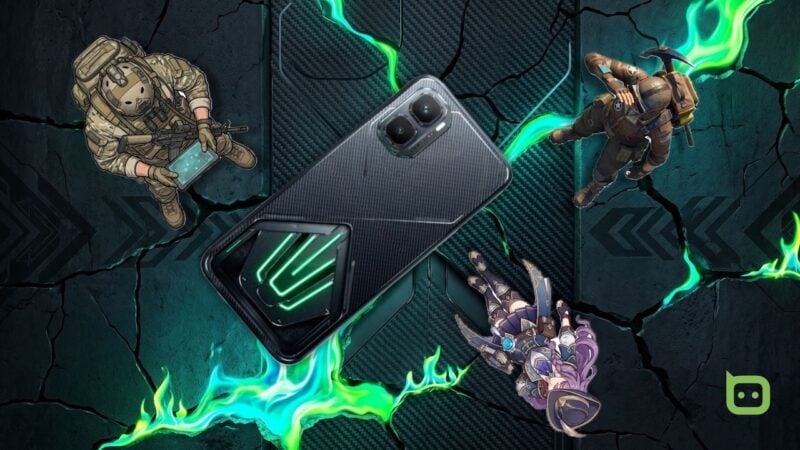
Gaming phones are in an intriguing middle place between consoles and a Nintendo Switch or Valve Steam Deck. You may not have either, but you already carry a phone. So, there's an opportunity to fuse both on a budget.
But budget is a tricky word to add alongside any gaming hardware. The common assumption is that cheap means compromised, and you'll mostly be paying for the aesthetics.
There's no pretending that I didn't think exactly that when I got my hands on the Infinix GT 50 Pro. It's a welcome upgrade from my old phone, and it arrives at a particularly interesting time.
The late 2025 RedMagic 11 Pro was the first mass-produced phone with flowing liquid coolant, and set a new benchmark for thermal management in a gaming phone. It's brought back a conversation on cooling I'm excited to be a part of.
Let's see whether Infinix’s design lives to its legacy.
Table of Contents
What's in the box?
Infinix has outdone itself with the GT 50 Pro’s packaging, so much so that I immediately warmed up to it. Everything comes in what looks like a limited-edition collector’s box, and it sort of is.
Infinix released two editions: the standard and the Cooling Edition. Both come in the same storage configurations: 12GB of RAM with either 256GB or 512GB of storage, and I've acquired the 512GB Cooling Edition.
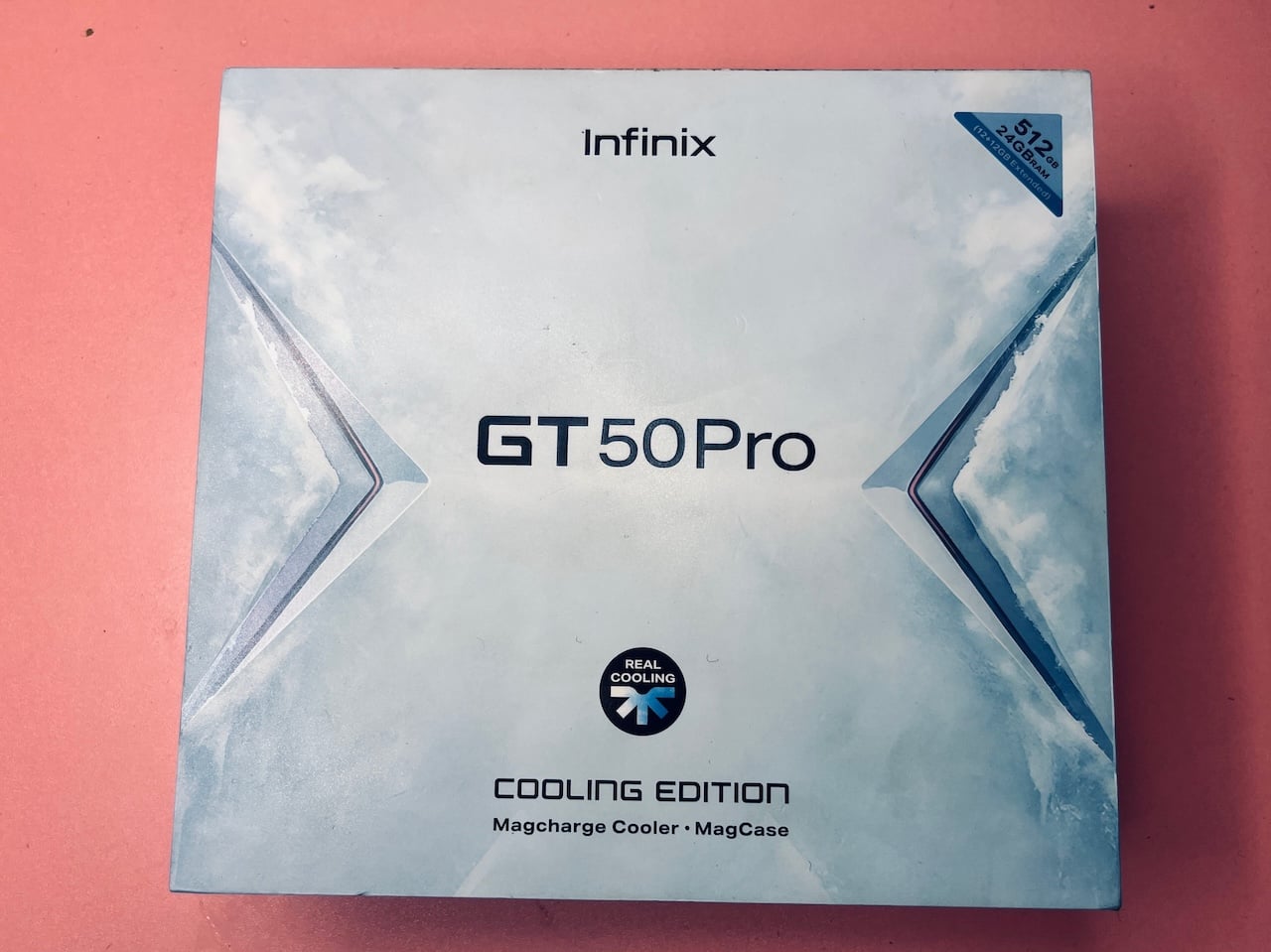
The phone hardware is identical across both, with the Cooling Edition adding the MagCharge Cooler 2.0 and the MagCool case.
Now, back to the box. It's a large square with a sky-blue base layered with illustrated glacier peaks and clouds. A triangular chevron pattern runs across the top and bottom in a silver-white finish and meets in the middle where GT 50 Pro text is in bold black lettering.
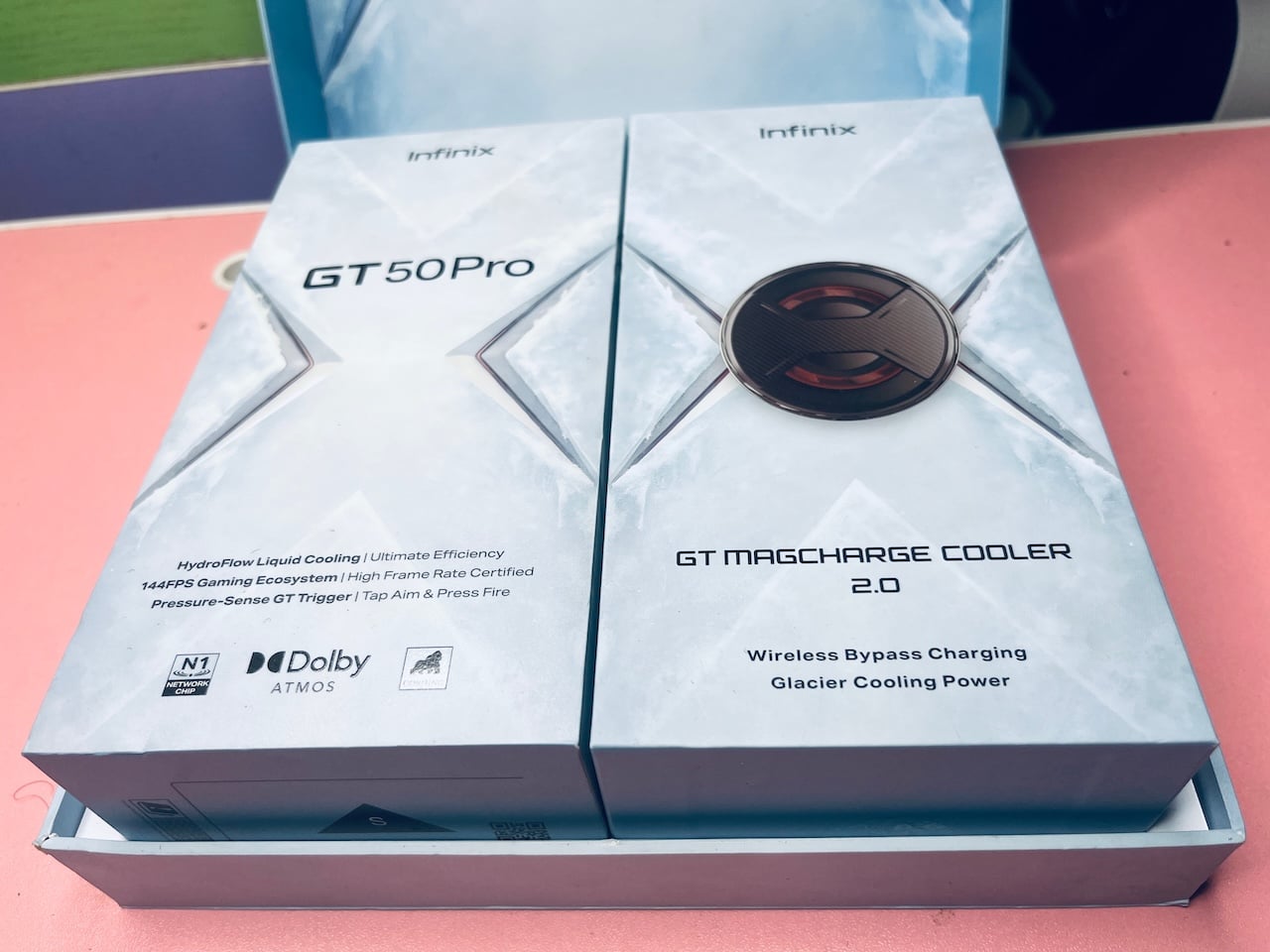
Inside it are two smaller boxes sitting side by side with the same geometric design. The left box is the GT 50 Pro's, while the right box belongs to the GT MagCharge Cooler 2.0.
Inside the phone box are the device itself with a pre-applied screen protector film, a 45W charger, a USB-A-to-USB-C cable, the hard transparent MagCool case, a SIM ejector pin, and documentation. The cooler box houses the MagCharge Cooler 2.0 and a USB-C-to-USB-C cable.
Design
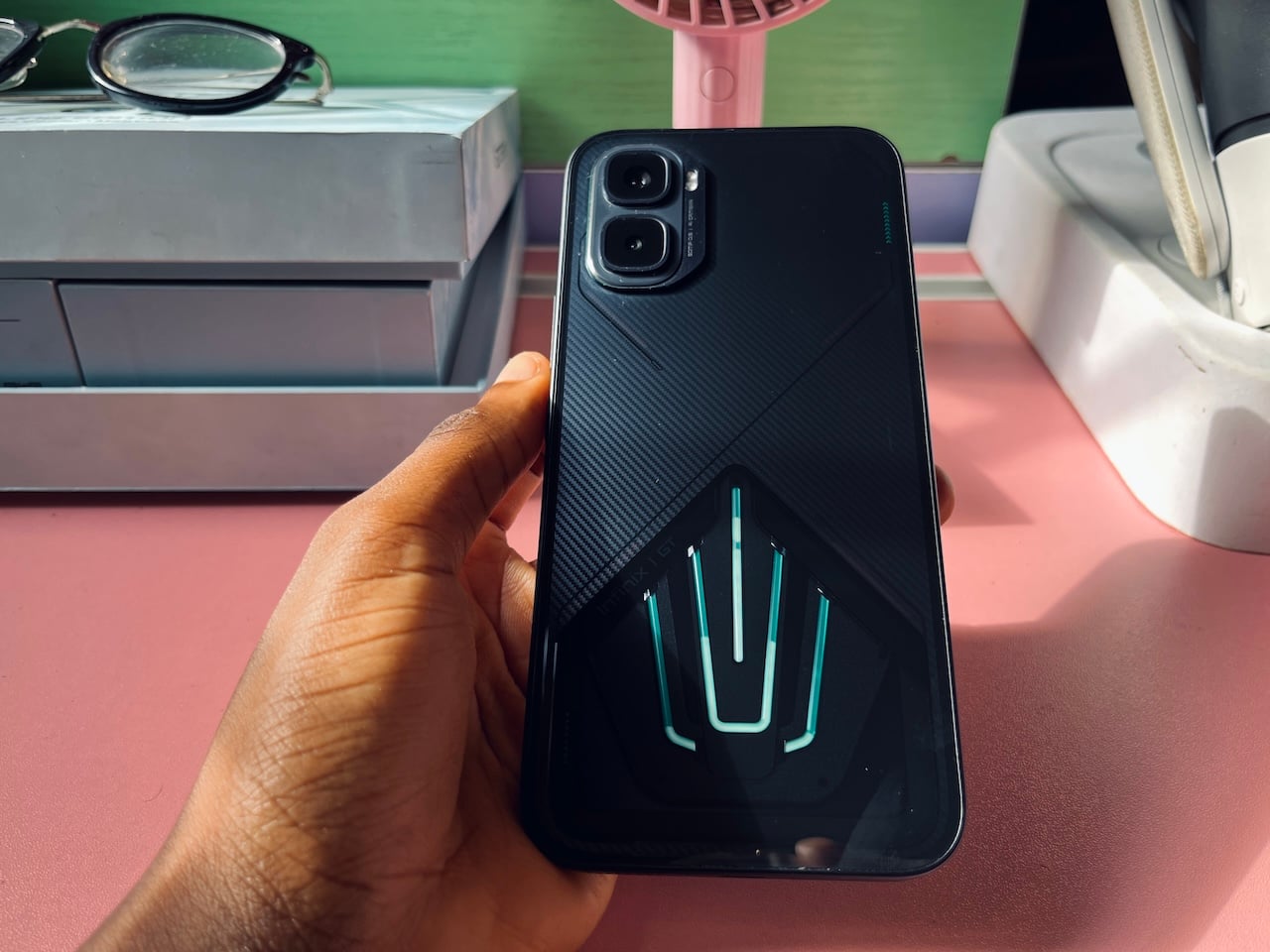
My Infinix GT 50 Pro unit came in the Black Abyss colorway, which I prefer. The only other options are Red Blaze and Silver Glacier. The design is so attractive that it commands attention. People constantly ask about the brand and model.
The back is the focal point as it's divided into distinct visual zones by a large diagonal split running across the panel. One half finishes in a tight, carbon-fiber-inspired weave that mimics Kevlar, while the other has a darker matte finish.
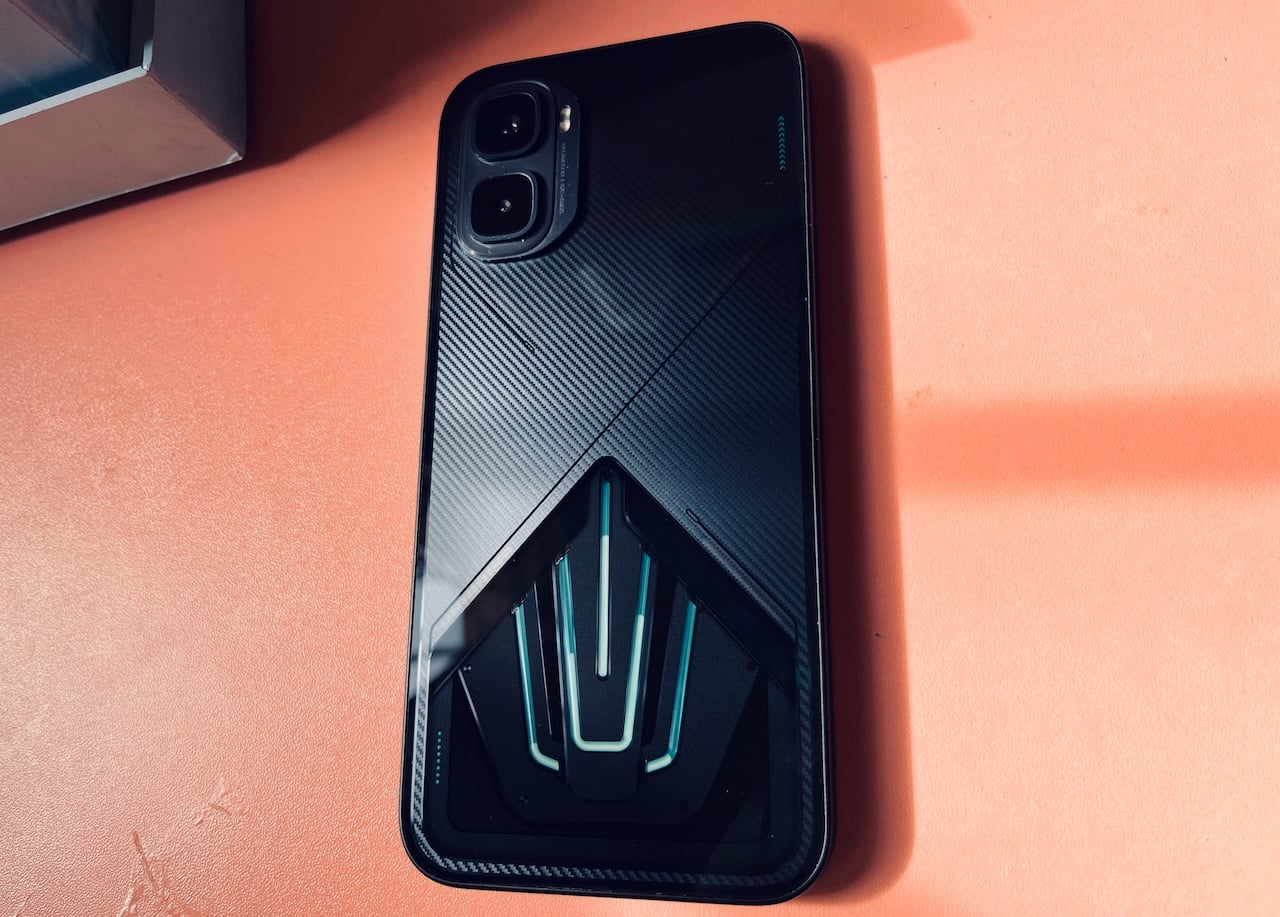
It's the right call, given that real aramid is expensive to source and manufacture, especially with so many antennas, wireless charging coils, and magnetic accessories in the way. The “budget” in a budget gaming phone would have faded.
The other half of the phone is a triangular see-through panel in the lower center. It houses the 6,437 mm² HydroFlow liquid-cooling window. There are green strips in a trident formation inside it, while the Infinix branding discreetly blends with the metal-textured surround.
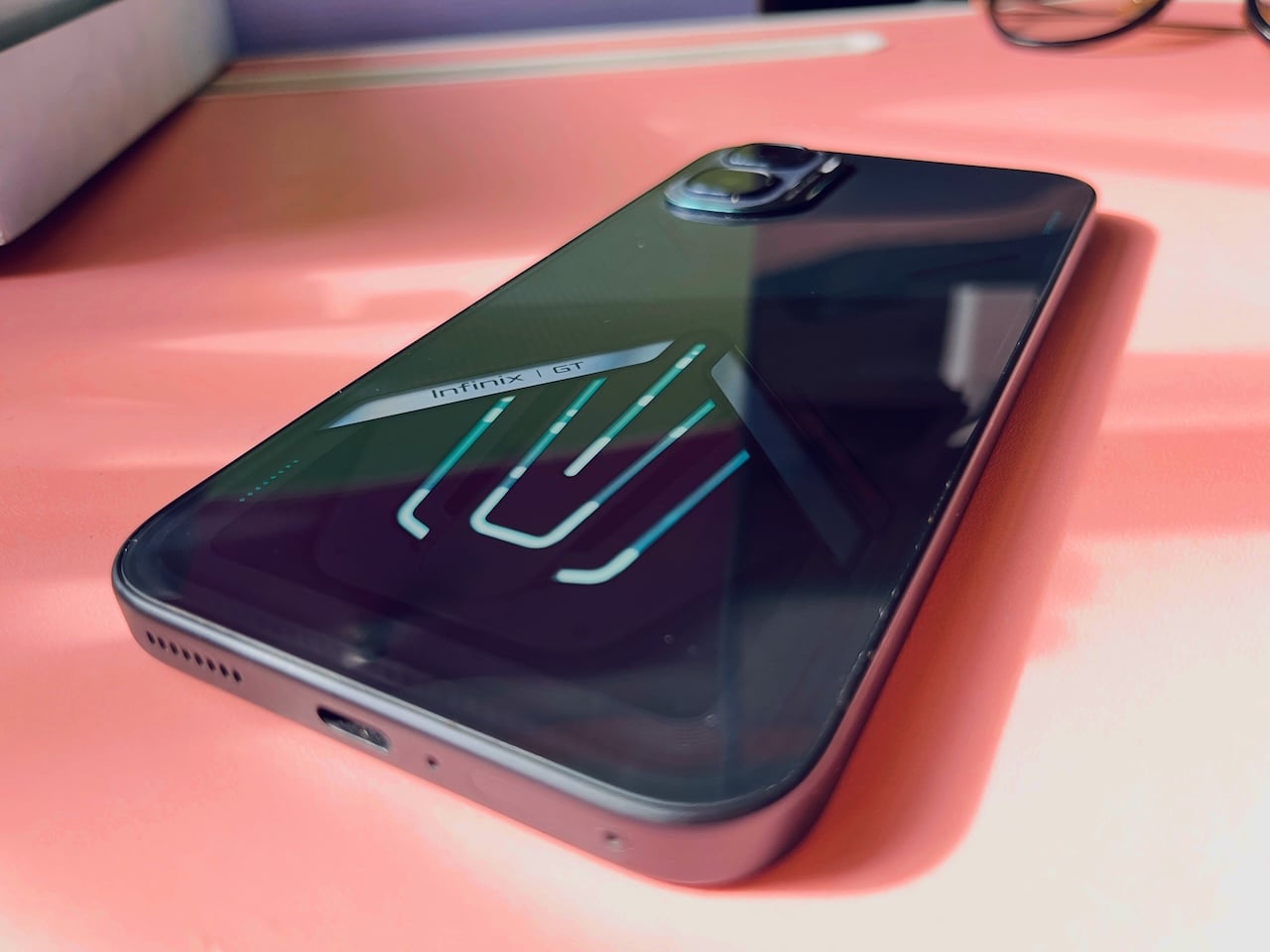
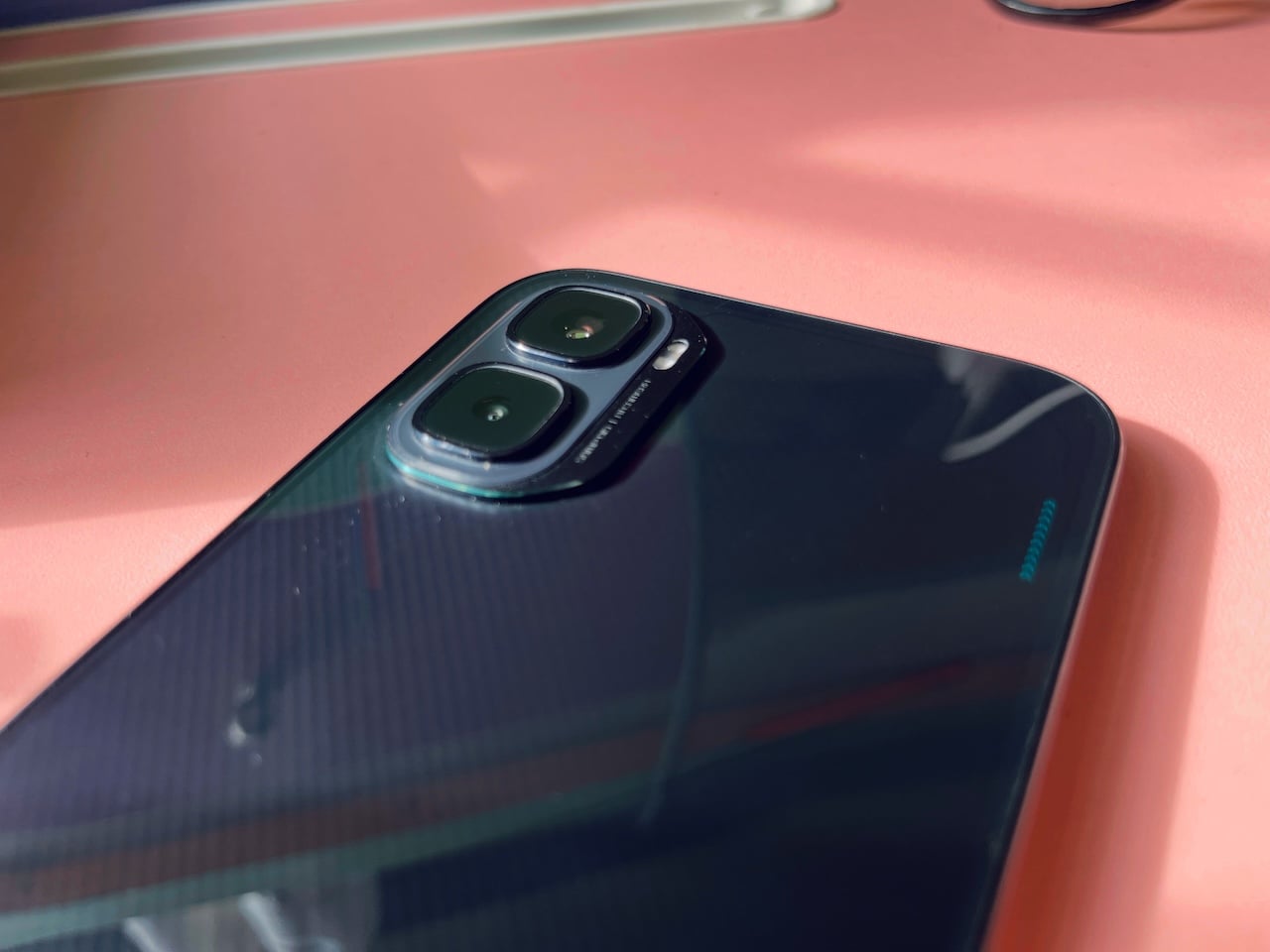
The camera module is in the upper-left corner, housed in a rectangular enclosure with dual lenses and an LED flash arranged vertically. Each one is ringed with a thin teal accent, yet doesn't wobble on a flat surface.
On the right edge of the phone is a column of small green dot indicators. It's also worth mentioning that RGB strips are integrated into the back panel and are customizable.
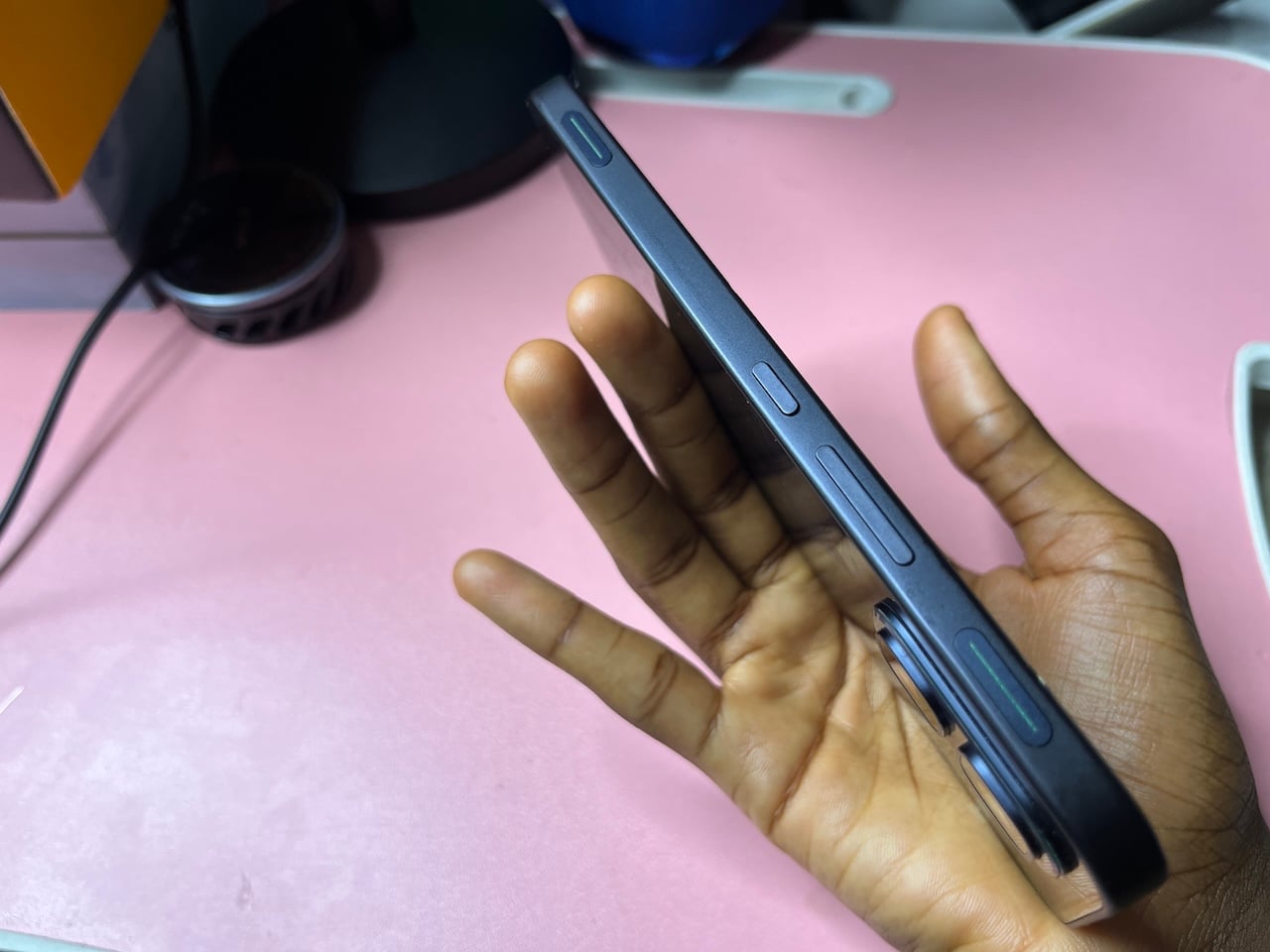
A smooth, flat plastic frame surrounds the phone. It weighs 198 grams and is 8.2 millimeters thick. It’s surprisingly light in hand, but it becomes a heavy nightmare when you apply the case. You'll feel some finger fatigue after long use.
On the right side is the power/lock button, volume controls, and the two Pressure-Sense GT Triggers. The bottom edge has the SIM tray, a microphone pinhole, a centered USB-C port, and a speaker grille with seven individual holes. There's a secondary speaker, an IR sensor, and microphones at the top.
It's worth revisiting that the phone has an IR blaster, which acts as a universal remote for any compatible device. You select the device type from a list that covers TVs, set-top boxes, air conditioners, projectors, DVD players, electric fans, lamps, stereo amplifiers, and more.
Then you select the brand, point the phone's top at the device, and it works. The timing of discovering this couldn't have been better for me personally. I recently lost the remote for my Yaber T2 Plus projector. The only reason I've been able to control it at all is that my old phone had previously been paired to it over Wi-Fi.
Otherwise, I would have been completely locked out of my own projector with no way in. It's saved me from a $20 replacement (without shipping). That aside, there's no headphone jack, which is a bummer if you want low-latency audio over a wireless connection. There's also no support for SD card expansion.
Hardware
| Hardware | IP64 (dust-tight and splash resistant), Gorilla Glass 7i |
|---|---|
| Software | XOS 16 (Android 16), up to 3 major Android upgrades |
| Display size | 6.78 inches |
| Chipset | MediaTek Dimensity 8400 Ultimate |
| Memory | 12GB RAM |
| Storage | 256/512GB (no expandable storage) |
| Rear cameras | 50 MP (wide), f/1.8, PDAF, OIS 8 MP (ultrawide), f/2.2, AF |
| Front Camera | 13 MP, f/2.2 |
| Ports | USB Type-C 2.0, OTG |
| Battery size | 6150/6500 mAh |
| Charging | 45W wired, 30W wireless, 10W reverse wired, 5W reverse wireless |
| Connectivity | Bluetooth 5.4, Wi-Fi 802.11 a/b/g/n/ac/6 dual-band, 5G, NFC, Infrared |
| Protection | IP64 (dust-tight and splash-resistant), Gorilla Glass 7i |
| Audio | Stereo speakers with Dolby Atmos, Hi-Res Audio |
| Security | In-display optical fingerprint sensor |
| Dimensions | 162.4 x 77.2 x 8.2 milimeters |
| Weight | 198g |
| Colors | Black Abyss, Red Blaze, Silver Glacier |
| Price | About €330 (≈ $383), varies across regions |
Performance
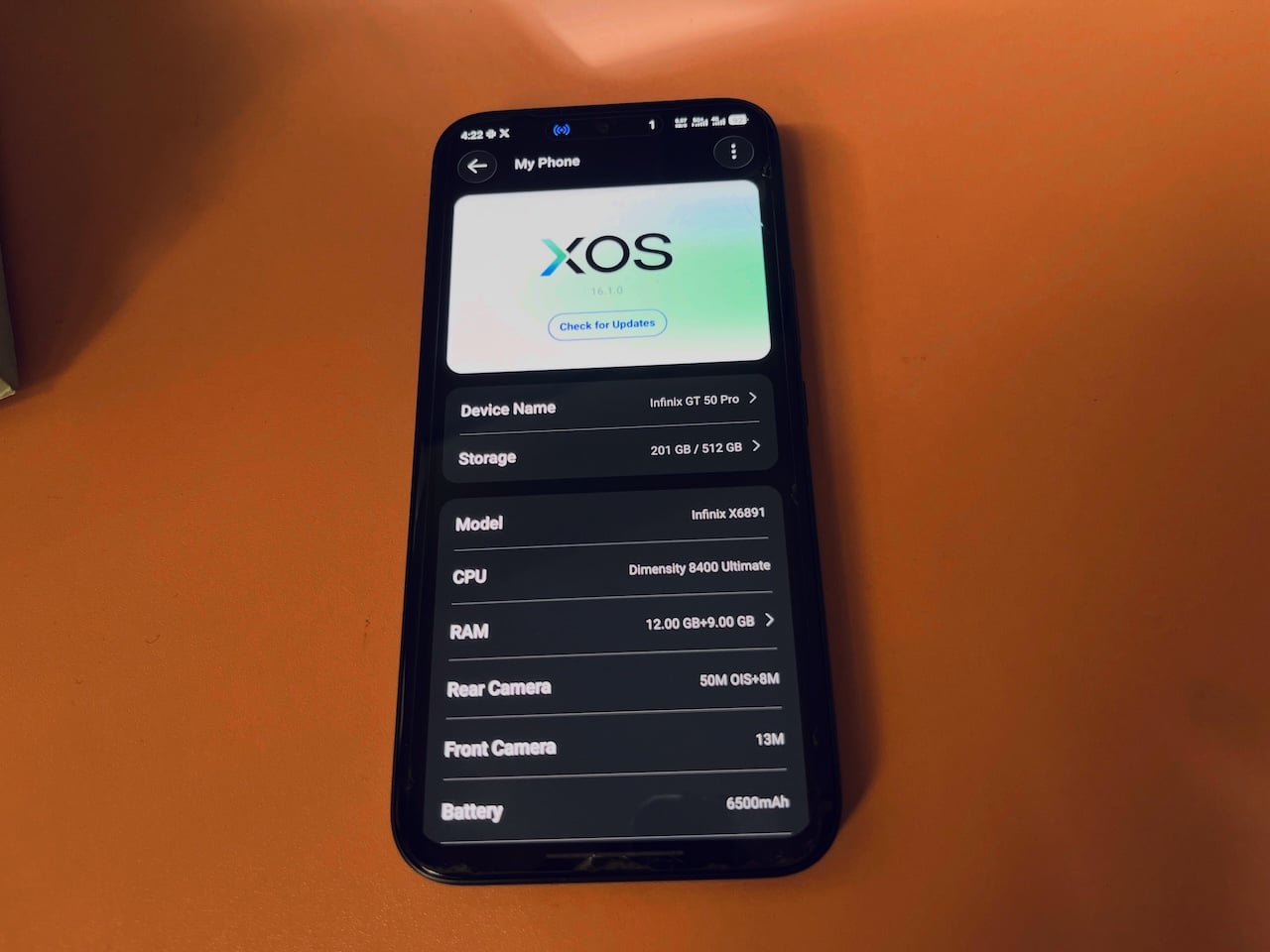
The Infinix GT 50 Pro is powered by the mid-range MediaTek Dimensity 8400 Ultimate chip. It's a 4-nanometer octa-core chip that clocks up to 3.25 GHz and pairs with the Mali-G720 MC7 GPU. It comes with 12GB of RAM and 256GB or 512GB of storage.
MemFusion expands RAM by borrowing from the internal storage and converting it into virtual RAM. 9GB is set as the default virtual allocation, with a maximum of 12GB. Combined, that gives you 24GB total.
I put the device through a series of 3DMark tests, and it did impressively well. The Wild Life Stress Test recorded a best loop score of 10,912 and a lowest loop score of 8,661, with a stability rating of 79.4%. The phone sustained about 79% of its peak performance across all 20 loops, with throttling kicking in as temperatures rose.
The temperature ranged from 42°C to 51°C, while the frame rate ranged from 33 to 73 FPS. The battery drained from 46% to 37% over the course of the test, about 9% in roughly 20 minutes of sustained GPU load, which is reasonable. Liquid cooling was turned off the whole time.
With the feature on, stability was 76.1% compared with 79.4% without it. The lowest loop score was lower at 8,299, and temperatures still reached 53°C vs 51°C. The frame rate range was also slightly narrower at 31 to 69 FPS.
With liquid cooling active, the phone showed no dramatic changes. However, stability jumped to 90.9% when I attached the MagCharge cooler, and the lowest loop score improved significantly to 9,260.
The temperature range was 45°C to 49°C. The trade-off is a slightly lower peak score of 10,187. Battery drain was also just 1%, though that's obviously because the phone was wirelessly charging through the fan cooler.
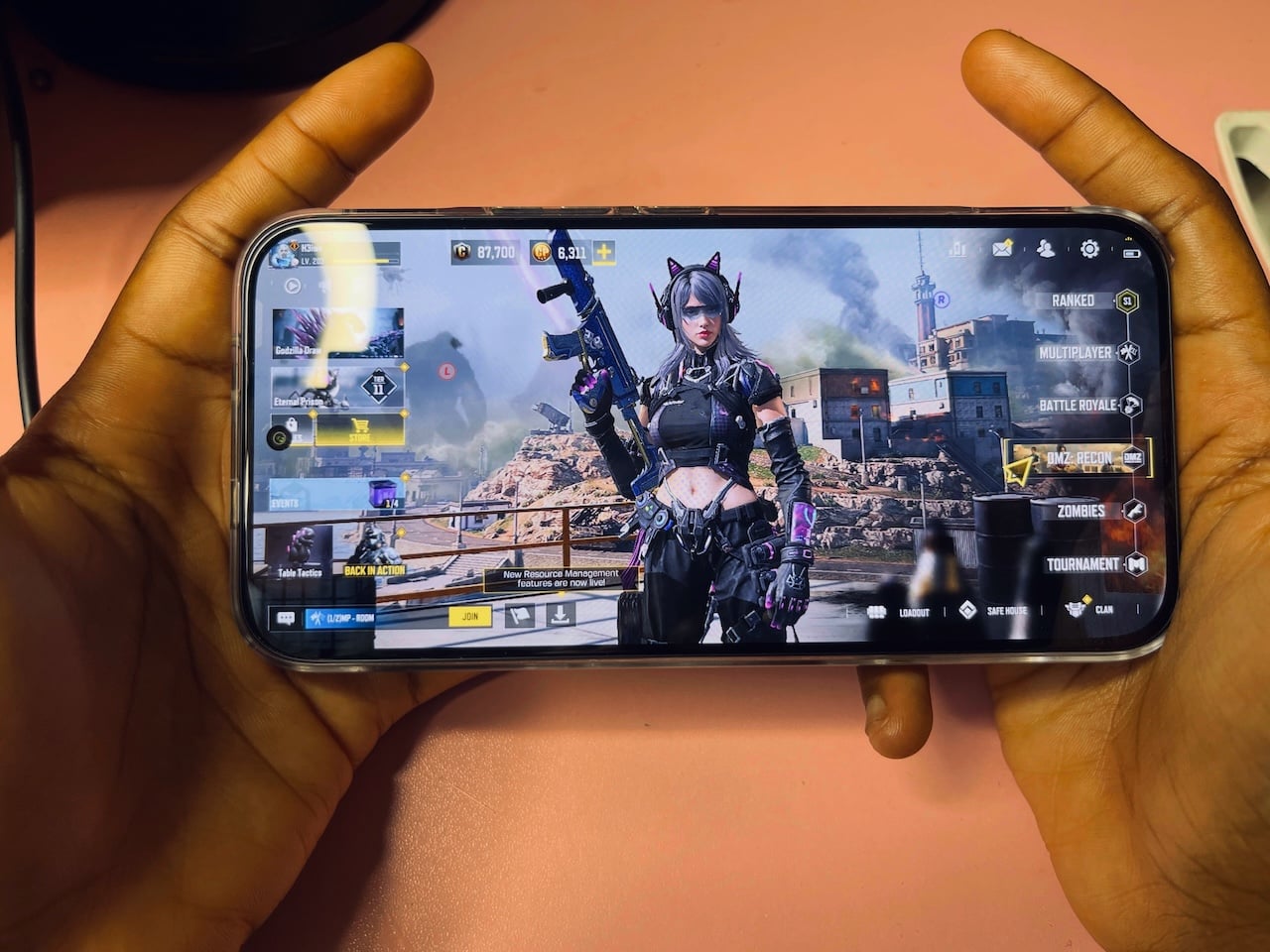
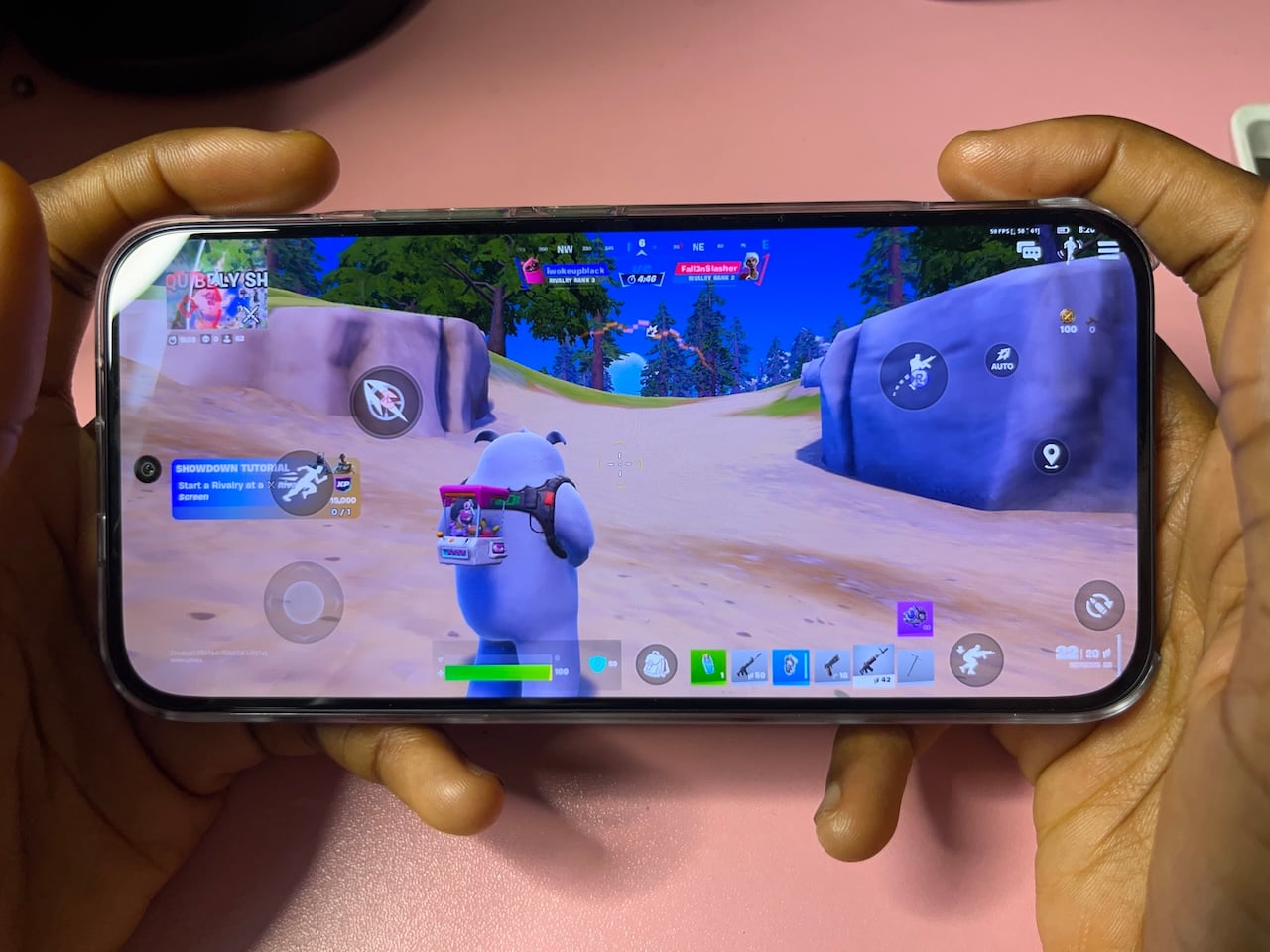
Gameplay was generally smooth over one hour across different game titles, including Call of Duty: Mobile, Farlight 84, and Fortnite. I'm currently downloading larger open-world games, up to 40GB, such as Wuthering Waves and Genshin Impact.
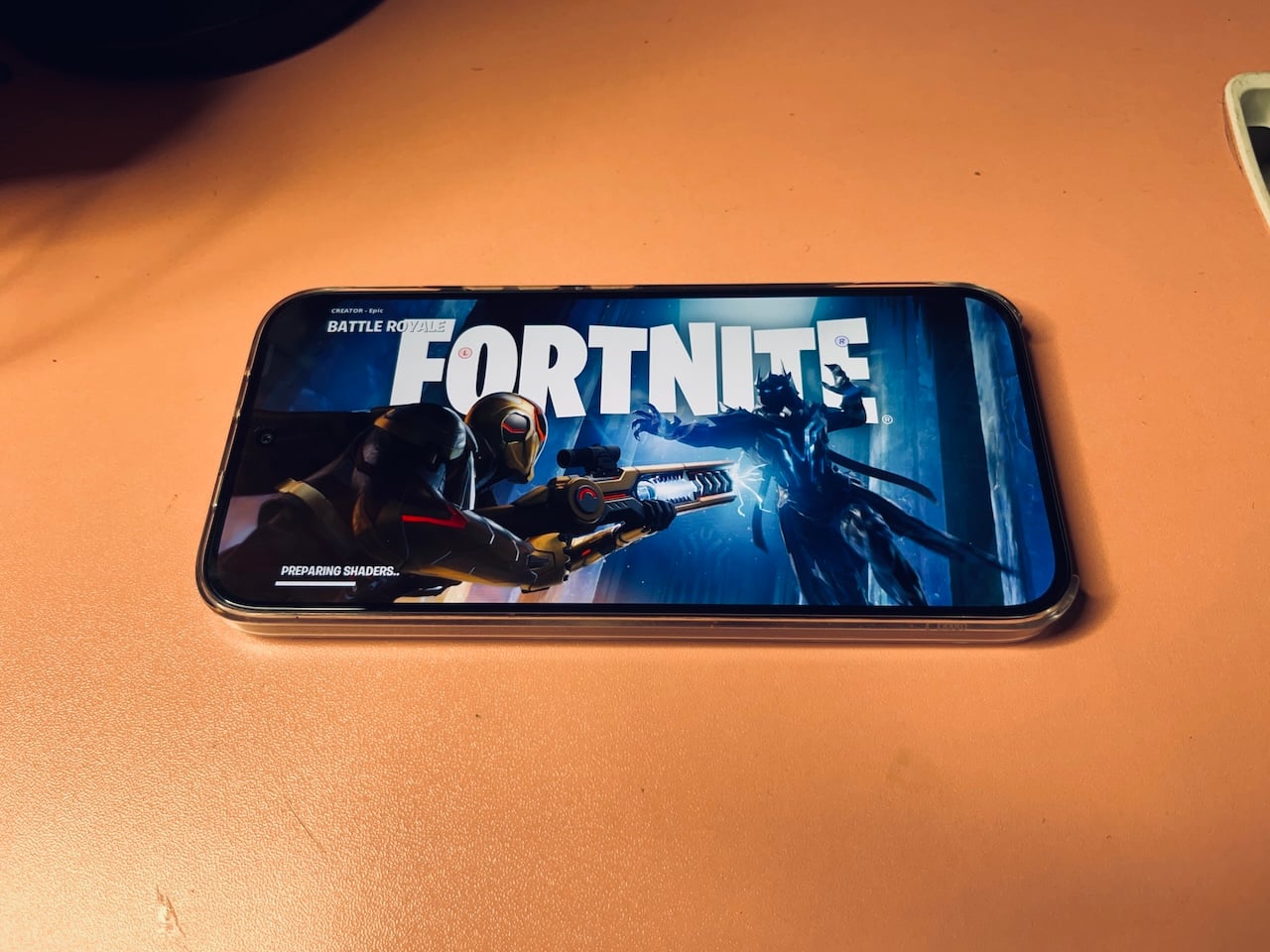
I'm running further tests to update this section over the coming days. I selected the highest refresh rate where possible, and there were no frame drops or stuttering. For my Fortnite setup, I set the Quality Presets and Texture Quality to Epic, the highest tier available. Anti-Aliasing is set to SMAA, and 3D Resolution is set to 100% custom.
It's worth noting that some graphic quality settings were locked. Some games make a deliberate choice on your behalf. For example, in COD Mobile, I can choose 144 fps. But the app limited the graphics quality to the medium tier because rendering that level of detail per frame and consistently hitting 144 fps are mutually exclusive.
I ran a Geekbench 6 test, and the GT 50 Pro scored 1,320 in single-core and 5,350 in multi-core. Single-core performance reflects how the phone handles tasks that run on a single core at a time, while multi-core performance reflects how the phone handles tasks that distribute work across all eight cores, which is more relevant for gaming and heavier workloads. Its Mali-G720 MC7 scored 11,759 in the OpenCL test.
In single-core, the phone falls below the Samsung Galaxy S23 lineup, which ranges from 1,874 to 1,921, and also below the Poco F5 at 1,440. But it beats the Poco X6 Pro at 1,174, the Galaxy S20 FE 5G at 977, and the Galaxy A54 at 973. Its multicore performance puts it above the entire S23 series, the Poco F5 (4,132), and the Poco X6 Pro (3,848).
The GPU is ahead of the entire Galaxy S23 lineup but falls behind the S24 series, with scores starting at 13,968 on the S24 Ultra. Everything about the GT 50 Pro’s performance shows a 49% improvement in single-core performance and a 138% jump in multi-core performance compared with my old phone with the Dimensity 7050. That's nearly two and a half times the sustained processing power.
Sound
The GT 50 Pro has stereo speakers with Dolby Atmos, 24-bit/192 kHz Hi-Res audio, and Hi-Res Wireless certification. Yet, surprisingly, it's underwhelming for something carrying a Dolby Atmos label. The volume does get loud, but at maximum, it starts to thin out and lose the low-end weight you'd expect from a gaming phone, where audio immersion is supposed to be part of the experience.
At one point, I cranked the volume to its highest during a session and heard a specific frequency distorting. It was like a rattle that made me immediately check whether water had somehow gotten into the speaker grille despite the IP64 rating. It hadn't.
I did check other reviews, and it turns out that it's not an isolated unit issue. It's not unbearably bad. In fact, it's manageable. Only a good pair of wireless earphones will do more for your audio experience than Dolby's software processing.
Battery
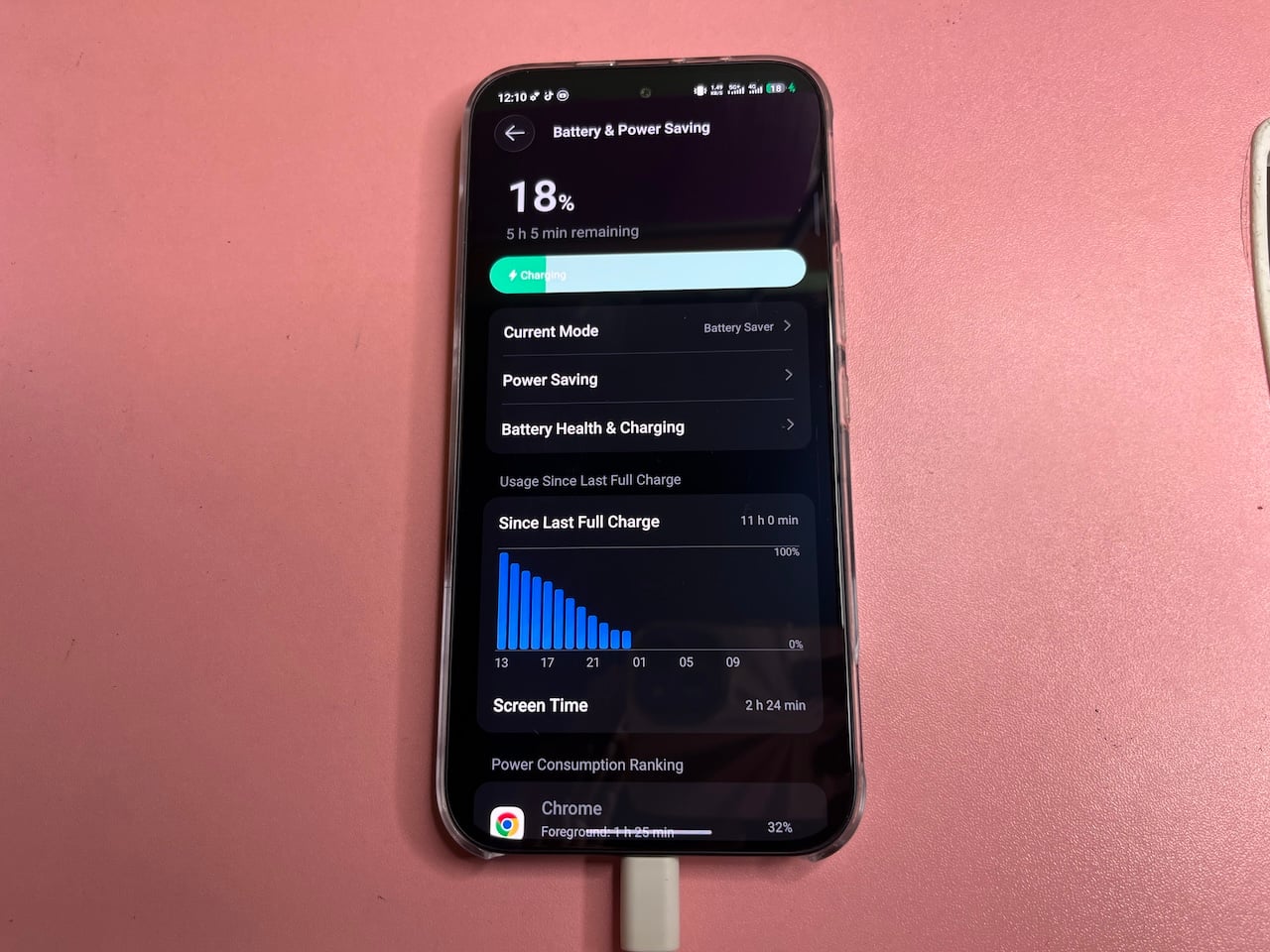
The Infinix GT 50 Pro comes in two battery configurations: 6,150 mAh or 6,500 mAh, and I have the latter. There are four charging options. Wired charging maxes at 45W and requires the included charger to hit that speed.
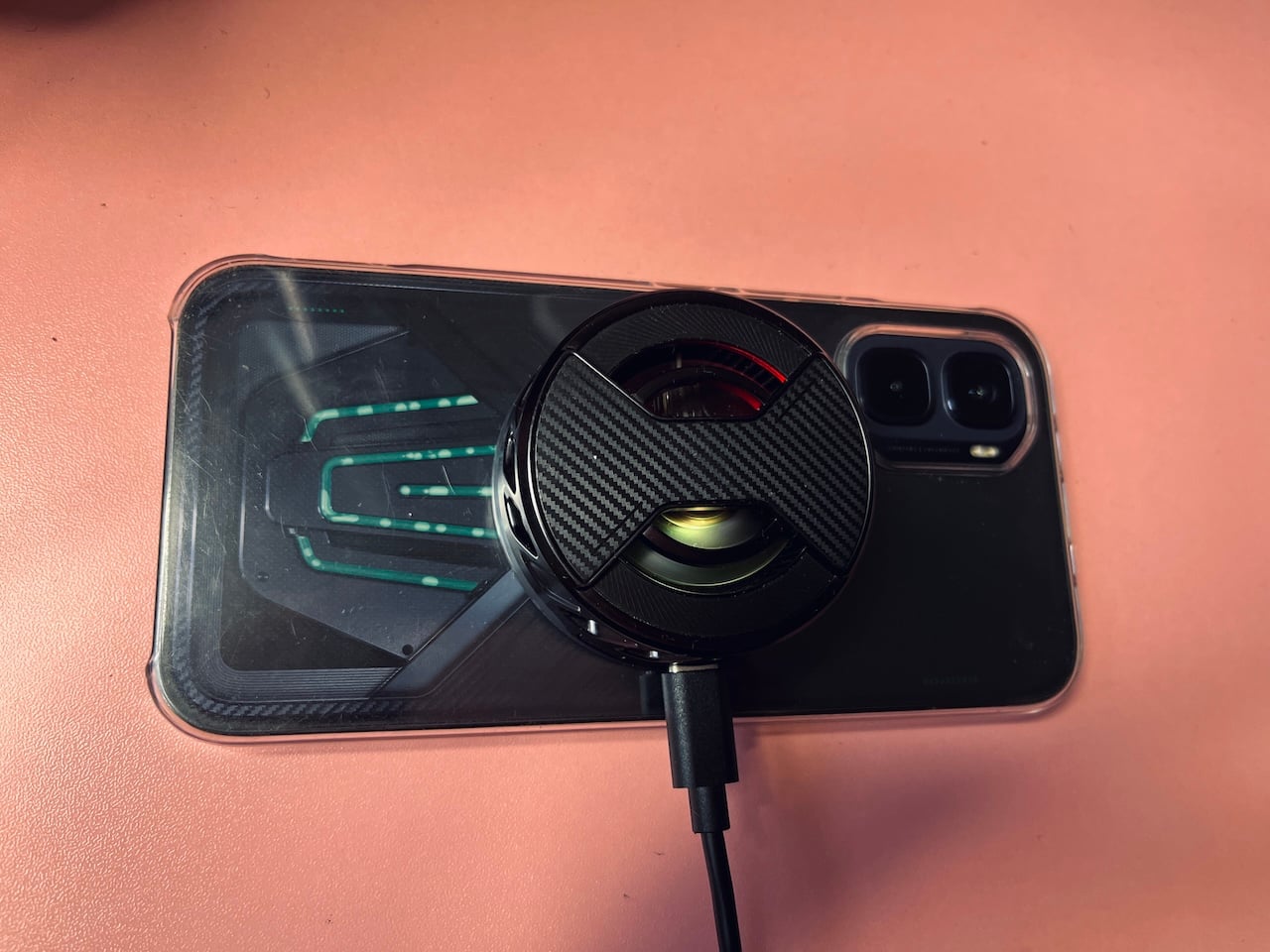
Wireless charging is supported at 30W. The MagCharge Cooler 2.0 uses this to charge the phone while simultaneously cooling it. The module itself is a compact, flat puck-shaped fan that snaps onto the back of the phone and runs almost completely silent. You would barely know it's spinning unless you held it close to your ear.
The size does create an ergonomic issue, though. With the cooler attached, the phone becomes noticeably chunkier to hold, and with long fingers, reaching the GT triggers comfortably while gripping the module is awkward for me.
The phone has no built-in magnets, so the cooler won't stick directly to the bare back. It needs the included case to mount properly because it has stronger magnets. But it's plastic, which raises an obvious concern about heat trapping. The material isn't exactly known for heat dissipation.
As a workaround, I grabbed an extra magnet from my Comulytic Note Pro’s box and attached it directly to the phone. The MagSafe point on the case and the cooler actually get cold to the touch as the fan runs, and on humid days, you can even see condensation forming inside the case.
Reverse wireless charging is also available at 10W, so you can use the phone as a power bank for other devices, and it drops to 5W.
It took me 1 hour and 55 minutes to charge it to 100% on a drained battery. The heaviest drain I recorded was losing 63% in roughly 93 minutes. But I can get a full day's charge or more on light use without needing to plug in.
Cooling testing
On one occasion, I started gaming with the phone's temperature at 37°C. It varied across three conditions after each COD battle royale session, with the highest graphics setting and 144fps enabled where possible. The results are as follows:
- Liquid cooling off: 44°C
- Liquid cooling on: 43°C
- Liquid cooling on with fan: 41°C
The gap among the three is just 3°C, a very small margin.
Fortnite gameplay was surprisingly smooth, but it ran slightly hotter than COD across all three conditions because of its demanding specifications:
- Liquid cooling off: 47°C
- Liquid cooling on: 46°C
- Liquid cooling on with fan: 45°C
Again, it's just a 2°C spread across all three configurations. Now, I won't say liquid cooling doesn't work. But you've got to reach a critical thermal threshold before the cooling system has more dramatic work to do. It explains the narrow margins.
It's great, given that I was working with an average temperature of 35°C before the phone even ran a single game. The cooling system was already fighting an uphill battle from the moment I picked up the phone.
HydroFlow cooling system
The GT 50 Pro's micro-pump liquid-cooling network has a 6,437 mm² diaphragm (roughly the size of a standard playing card) that circulates coolant at 6.5 ml per minute directly across the most heat-generating components, namely the processor and GPU.
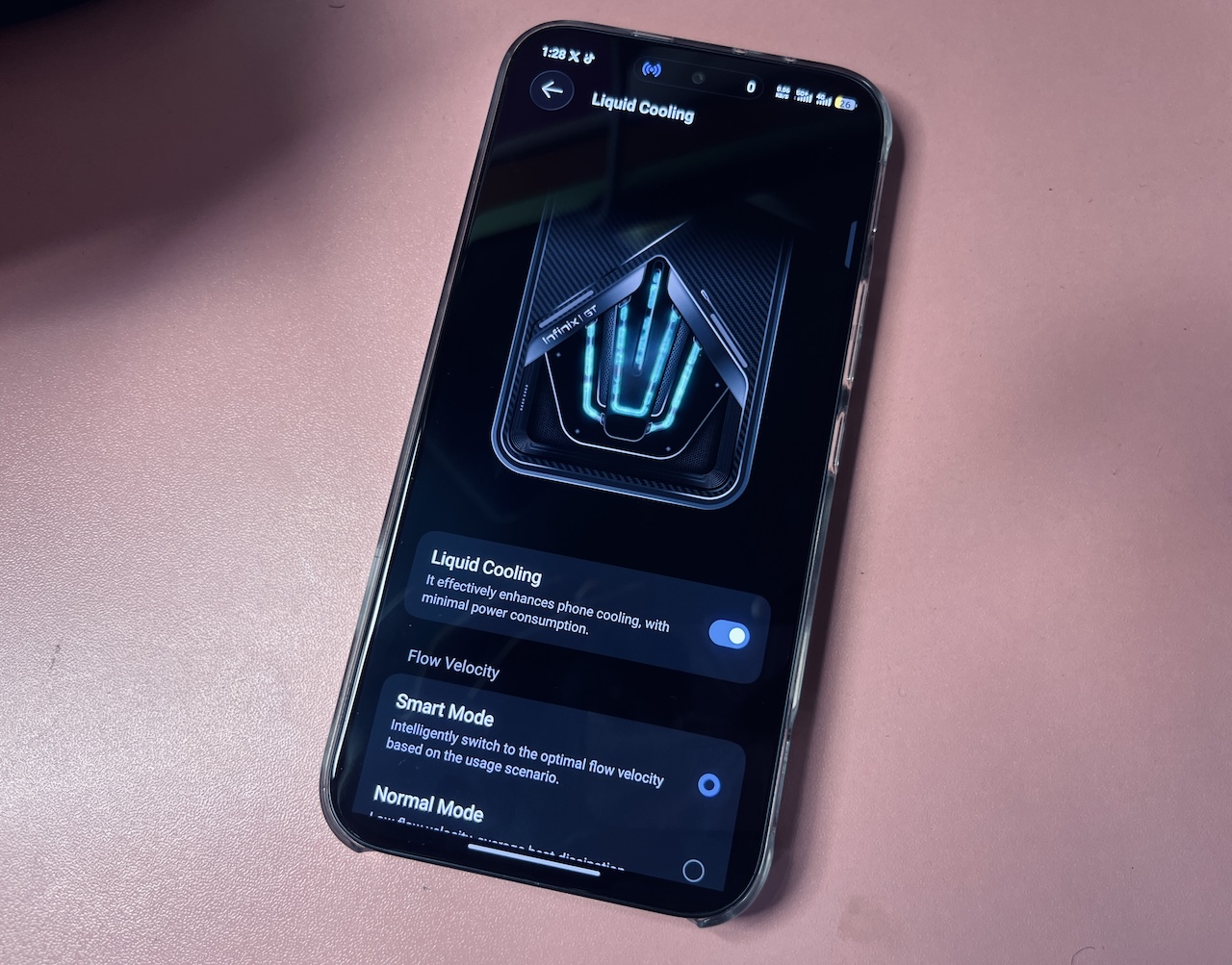
Unlike a standard vapor chamber that passively transfers heat through phase change, this is an active system with a pump physically moving liquid through a closed loop. It's continuously drawing heat away from the chip rather than waiting for thermal conditions to drive the process.
Through the pipeline display on the back of the phone, you can literally see the liquid and air bubbles. Even when you power the phone off and tilt or rotate it, the liquid responds to gravity.
Display
The Infinix GT 50 Pro has a 6.78-inch AMOLED display with a resolution of 1208 x 2644, immersive thin bezels, a 440ppi density, and a 144Hz refresh rate. It covers one billion colors and reaches a peak brightness of 4,500 nits.
The 2304Hz PWM dimming rate reduces screen flicker at low brightness levels. Its protection comes from Gorilla Glass 7i, which Corning claims can withstand drops of up to 1 meter onto asphalt-like surfaces.
It's not a theory I'm willing to put to the test anytime soon. Having witnessed the horror of my previous phone tumbling out of a rickshaw and coming back with a cracked corner, I'd rather take Corning's word for it and keep a screen protector on at all times.
That aside, the display came with the unexpected inconvenience of having to find a suitable screen protector locally. It's marginally larger than most phones commonly stocked in stores. I had to settle for an ill-fitting protector until my Amazon orders arrived.
The screen itself is 162.4 millimeters tall and 77.2 millimeters wide, roughly the height of an average adult palm from wrist to fingertip, and wide enough that my thumb strains to reach the opposite edge and the top areas one-handed. It's nearly the same size as the iPhone 17 Pro Max, which partly explains why some people mistook its appearance for the Apple device.
Software
The GT 50 Pro runs XOS 16, Infinix's custom Android skin built on Android 16. XOS has come a long way from earlier versions, and it's noticeably cleaner. However, from Realme's relatively lean software experience, the bloatware is hard to ignore.
Out of the box, the OS and pre-installed apps consumed about 28.64GB of storage before I added my personal files. I spent considerable time disabling services and uninstalling apps.
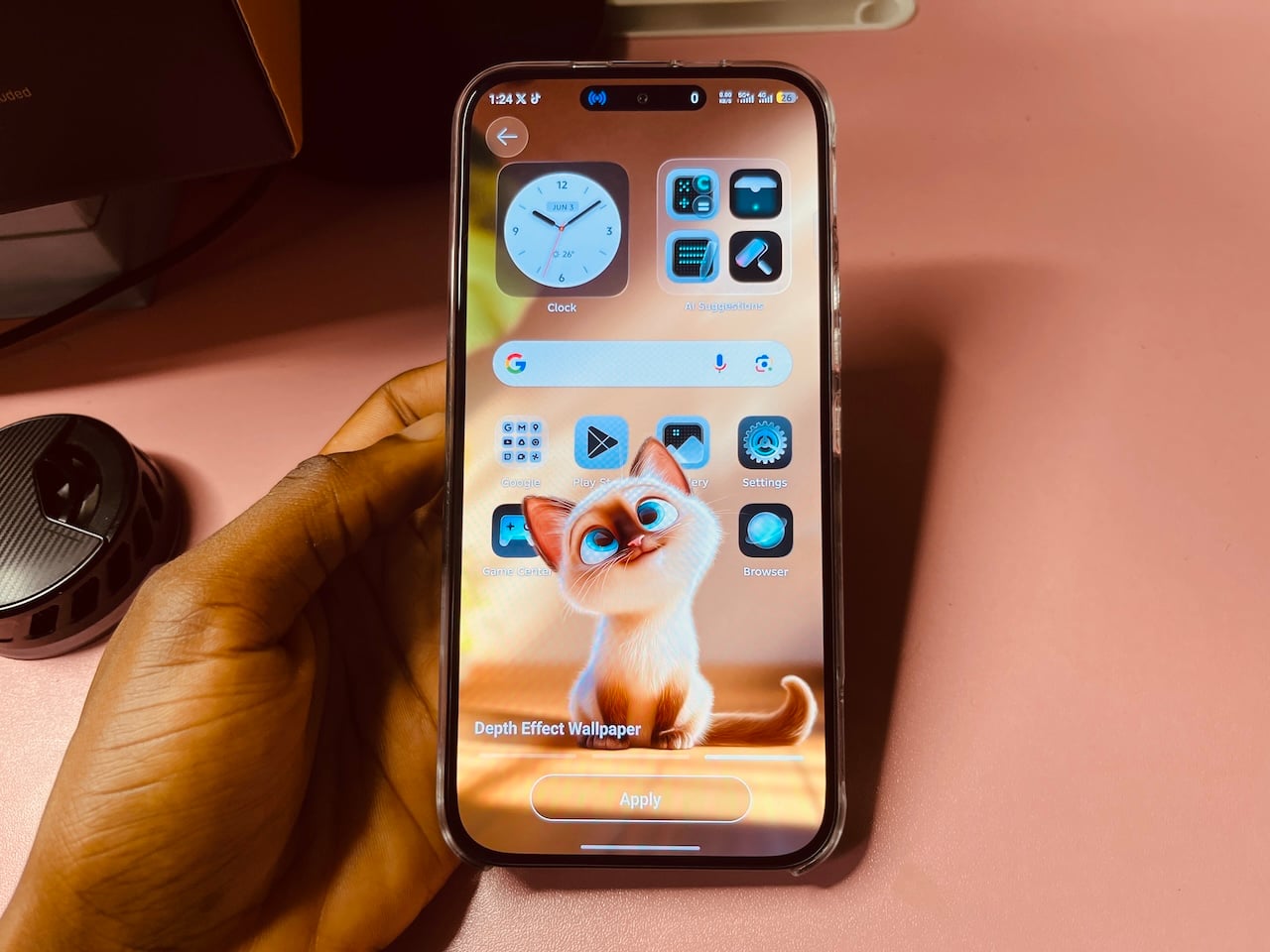
I love that Infinix used a separate, special GT theme to match the exterior design. The home screen has a dark aesthetic, dynamic wallpaper, large widgets, and a clean dock at the bottom.
The app drawer organizes apps into tabs. You can scroll through the alphabetical list or swipe left and right in grid view. Icon customization goes fairly deep, with GT and XOS-style options, custom color themes, and a Glow Effect that adds luminescence to icons, folders, and widgets.
It even borrows elements from iOS. Many people mistook it for the Apple iPhone 17 Pro Max, especially when the Dynamic Bar was active. Some areas where you'll see more elements include the icon styles, Quick Settings panel, and Settings menu. They have a frosted, liquid-glass aesthetic reminiscent of iOS 26, with pill-shaped, rounded tiles that are translucent.
By default, the phone uses the GT icons, but I eventually changed it to the less dramatic XOS style. The settings menu is standard Android in structure, except for the inclusion of GT Zone and other Infinix dedicated settings. Folax AI is among them.
I expected the AI features to be largely decorative, but Infinix’s own smart assistant is more capable than anticipated. In its menu, you'll find tools like Smart Touch, which lets you tap anywhere on the screen to extract text.
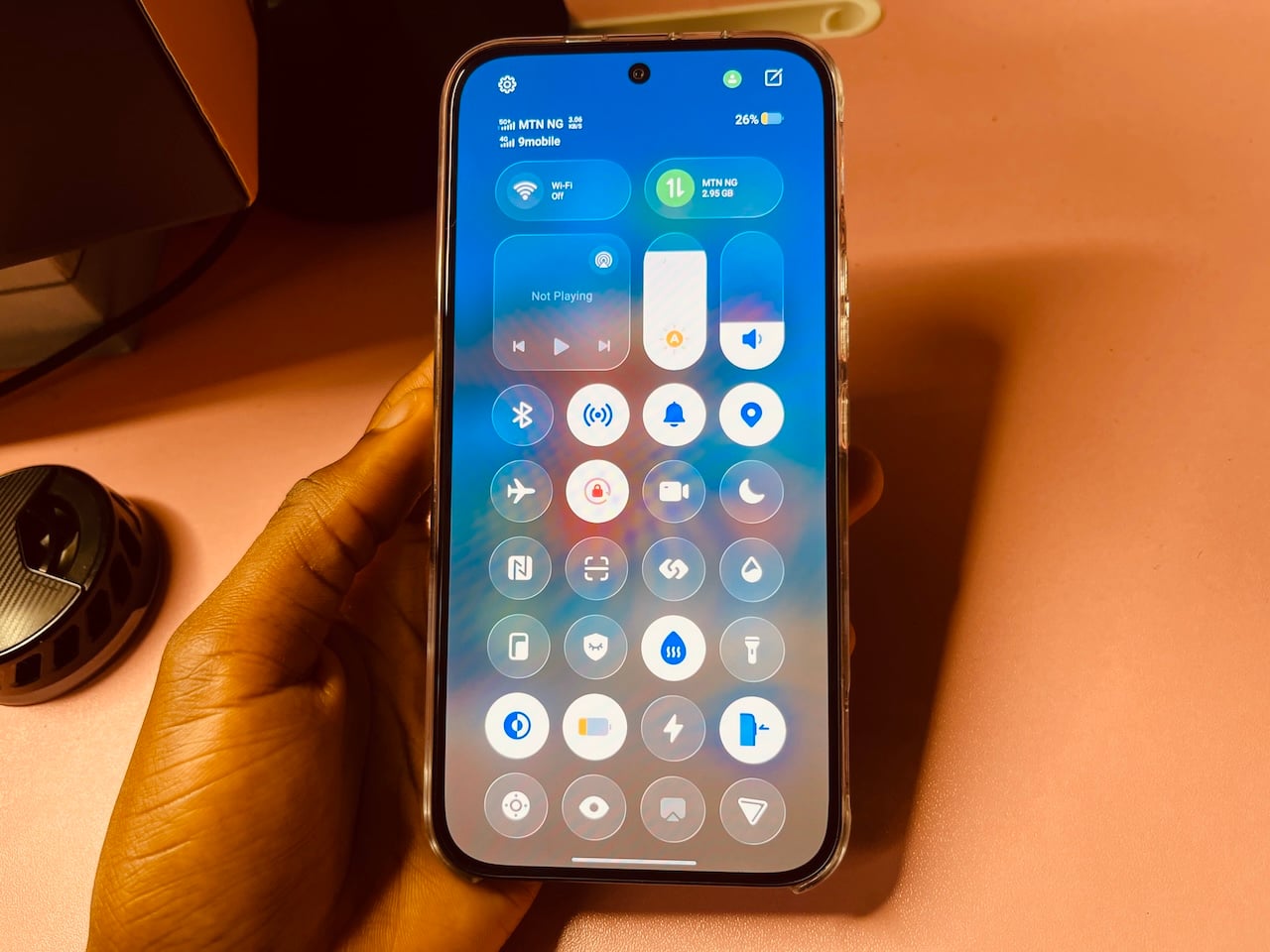
The broader AI suite includes a Translation Assistant, AI Writing tools for rewriting and grammar correction, a Document Assistant that summarizes files automatically, AI Subtitles that generate real-time captions during video playback, an AI Theme Generator that turns your photos into live wallpapers, an AI Gallery with subject cutout and object eraser tools, an AI Visual Enhancer for upscaling low-resolution video, and Circle to Search built in.
Folax is the default assistant on the GT 50 Pro, as Infinix has shut Google's assistant out in favor of its own. I'm keeping it for now until I've spent enough time with it to make a proper judgment, but first impressions are already looking good.
Meanwhile, the bloatware on XOS 16 has some redeeming qualities. For example, the phone dialer supports native call recording, which I had to work around on previous devices by using clunky third-party apps. It also includes AI Call Summary, which transcribes and condenses your conversations.
Since the GT 50 Pro launches with Android 16, you're promised three major Android upgrades up to Android 19. In total, it's guaranteed five years of support, with the remaining two years being for security patches.
That usually translates to about three years of major OS updates, though security patches may continue slightly longer, depending on the region and Infinix’s support policy.
XArena
Also on XOS is XArena, a one-stop hub for everything gaming-related on the device. It has a dedicated app and is integrated with the XBoost AI feature suite, which lets you switch between performance options to optimize the experience.
During gameplay, you can swipe from the top left corner in landscape mode, and it appears as a side overlay organized into sections.
I love the Anti-interference tab, which handles everything that could interrupt your game. You can enable call rejection, call on hold, notification style, hiding notifications entirely, staying online when receiving calls, and mistouch prevention for navigation gestures so you don't accidentally swipe out of the game.
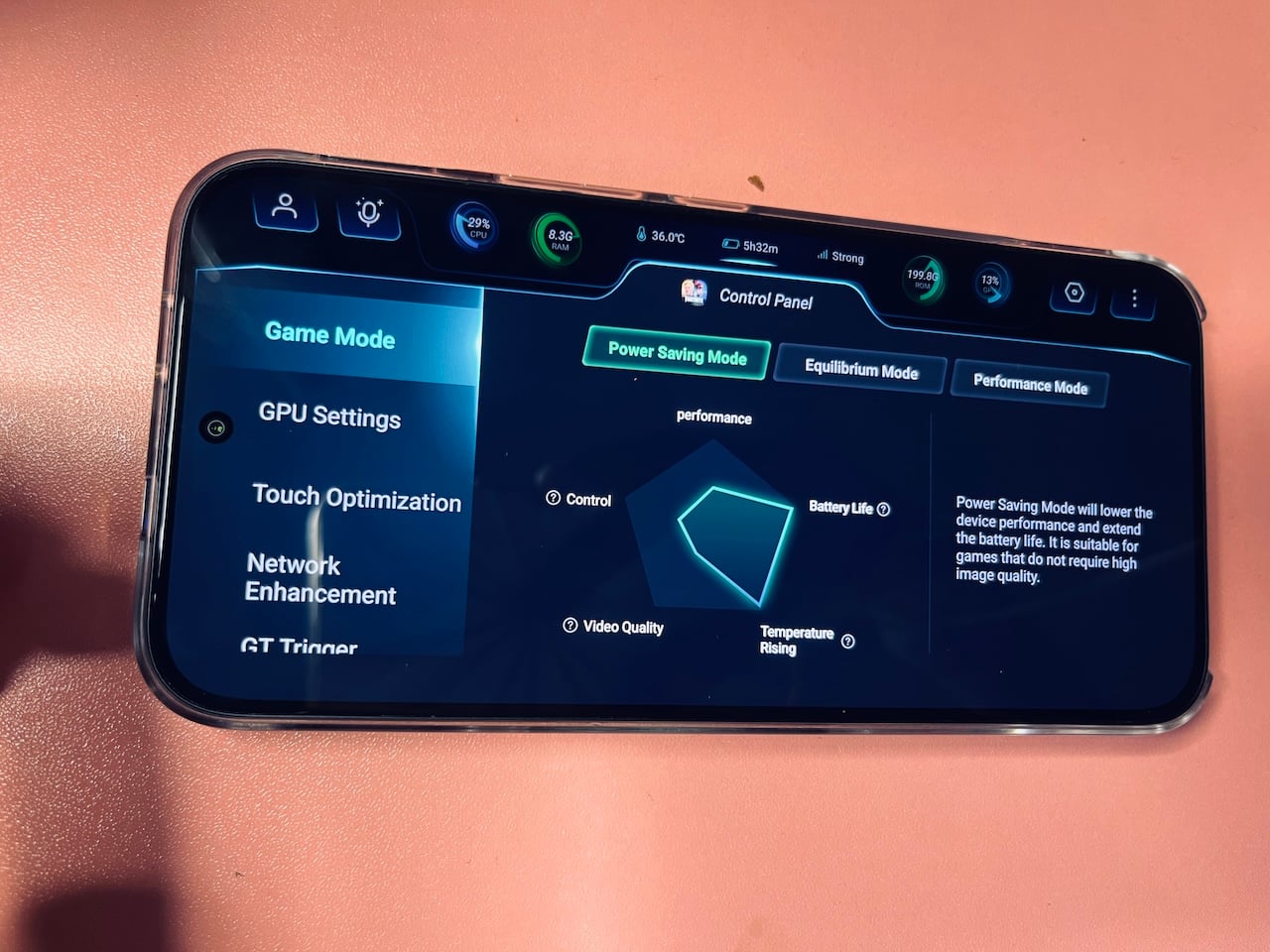
Under Gameplay Add-ons, there are Magic Voice Changer, Game Filters for visual adjustments, Immersive Sound with a slider that runs from Close, Weak, Balanced, Strong, and Tilt Controls for gyroscope-based aiming. The performance overlay sits at the top of the screen, showing live FPS, network status, and temperature in real time.
XBoost offers several distinct gaming modes. The three common options are Power Saving, Equilibrium, and Performance, each with trade-offs across performance, battery life, temperature rise, video quality, and control. There's a Draco Mode, which appears as a fourth option only when the external GT MagCharge Cooler is attached.
GT Triggers
The GT triggers took some getting used to, given the phone's size. But I noticed improved gameplay when using them. I use them in COD Mobile to shoot and jump, and do the same in Fortnite.
They're also remappable and can work even outside gaming. My setup has me long-pressing both buttons simultaneously to launch Call of Duty, while double-tapping the upper button launches the camera.
Pressing one button takes a single shot, while long-pressing the other triggers my burst-shooting. Swiping the right trigger zooms while in landscape mode.
During gameplay, I like to open the XArena sidebar and use its boosting features. In particular, I like that I can highlight any area of the screen and decide what it does when I press, tap, swipe left, or swipe right on the triggers.
Backlighting
The GT 50 Pro has customizable RGB LEDs on the back called Mechanical Light Waves. The lights sit on the back panel and flash or pulse depending on what the phone is doing.
I've wanted customizable backlighting on a phone since the Nothing Phone (1) hit the market. The Glyph interface was the first time a notification light made every other phone's plain back look boring by comparison.
The GT 50 Pro's version scratches the same itch for me. They react to almost everything the phone does, giving it its own personality.
The Light Effect Widget lets you control it from your home screen without going into settings. You can set it to random so the color pattern changes automatically. I can also schedule it to run at a specific time to save battery.
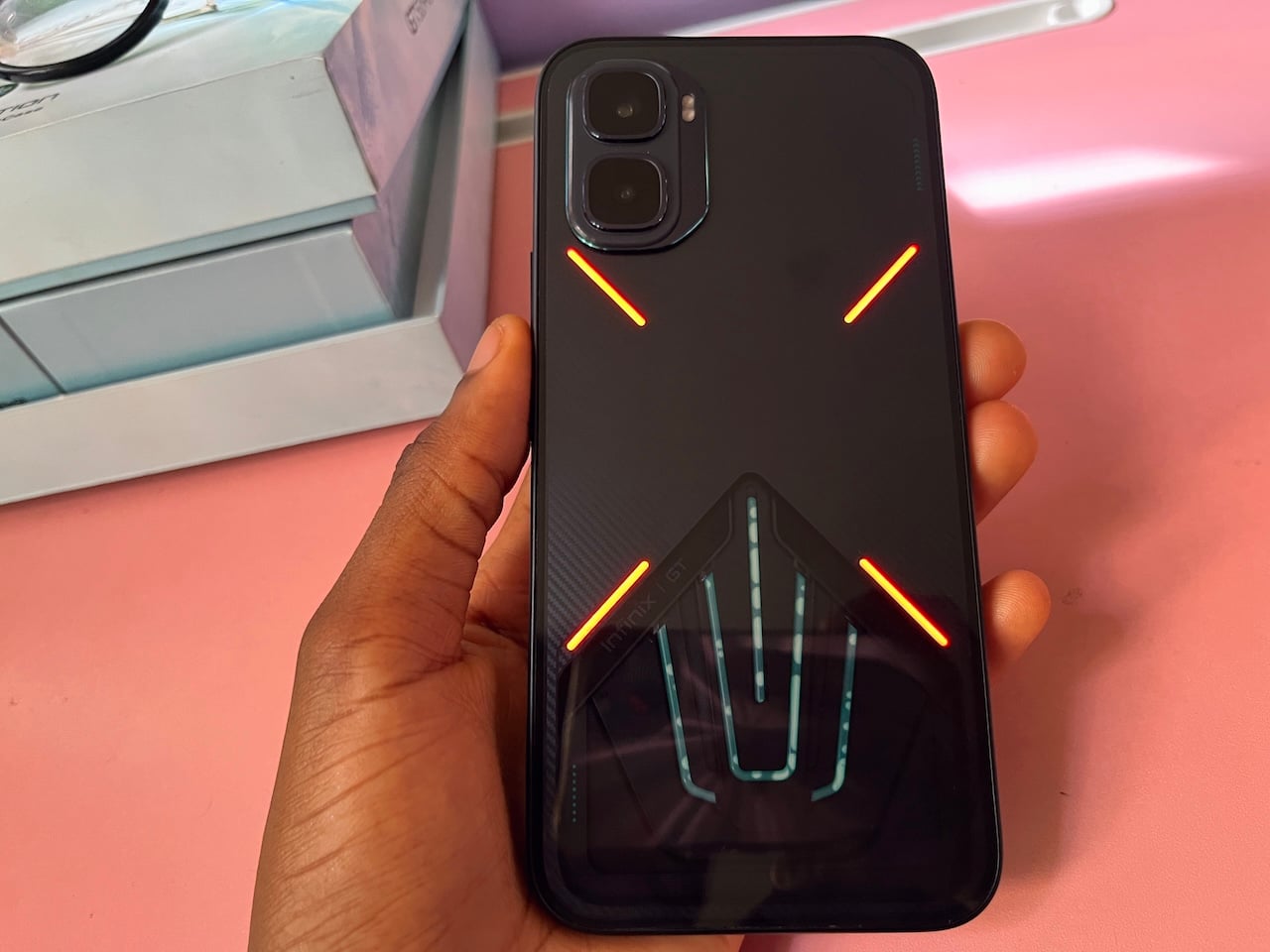
Beyond that, the lights respond to various triggers. Under Media Entertainment, the lights react when you shake the phone, a game starts, music plays, or even when the Folax assistant is active. Flip to Flash fires the lights when you turn the phone face down.
Under Notifications and Reminders, the lights flash for incoming calls and general notifications, both of which are enabled. Under Status, the lights activate when the phone is charging, the battery is low, you take a photo, you're recording video, or the phone starts up.
My battery is definitely going to take a hit for this, but I see myself leaving every light trigger on in the meantime. The initial novelty hasn't worn off yet.
Cameras
The Infinix GT 50 Pro has a dual rear camera setup led by a 50MP main sensor with an f/1.8 aperture, PDAF, and OIS, paired with an 8MP ultrawide at 111 degrees. On the front, there's a 13MP selfie camera capable of 4K recording.
I tested it across several scenarios, including outdoor natural lighting, ultrawide, indoor natural lighting, close-ups, video, and selfies. I ran these tests alongside my iPhone 13 as a reference point, since it was the only other device I had on standby and a reasonably established benchmark for smartphone camera performance at this level.
The iPhone 13 also has a dual-rear-camera setup. The main camera is 12MP with an f/1.6 aperture, a 26mm focal length, a 1/1.9″ sensor, and 1.7µm pixels. The ultrawide is also 12MP but with a narrower f/2.4 aperture, a 120° field of view, a smaller 1/3.4″ sensor, and 1.0µm pixels. Video reaches 4K at 60fps with HDR and Dolby Vision support, plus 1080p slow motion at up to 240fps.

Image: Irene Okpanachi / Talk Android

Image: Irene Okpanachi / Talk Android
The selfie camera is 12MP at f/2.2 on a 1/3.6″ sensor with 1.0µm pixels. Video also reaches 4K at up to 60fps with gyro-EIS stabilization.
From the images, the GT 50 Pro appears to process more aggressively than the iPhone 13. In good lighting, I'd say it mostly works in its favor. Shadows are lifted, and the result is confidently punchy out of the camera.
But it struggles with bright highlights where sunlit surfaces lose the smooth roll-off that makes a photo look natural rather than processed. The iPhone 13 is more disciplined in that area, as the colors are more honest and the highlights are better controlled.
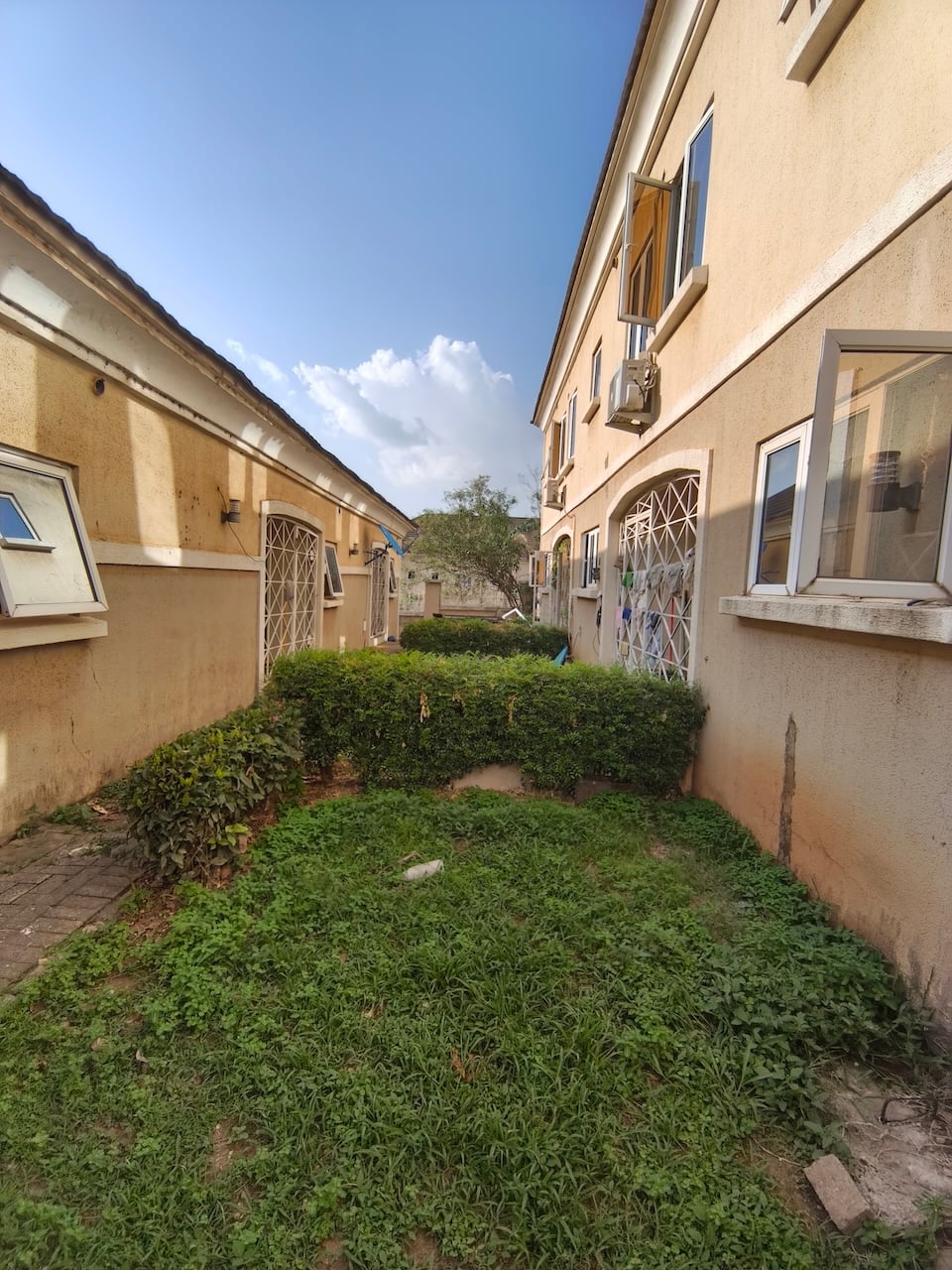
Image: Irene Okpanachi / Talk Android
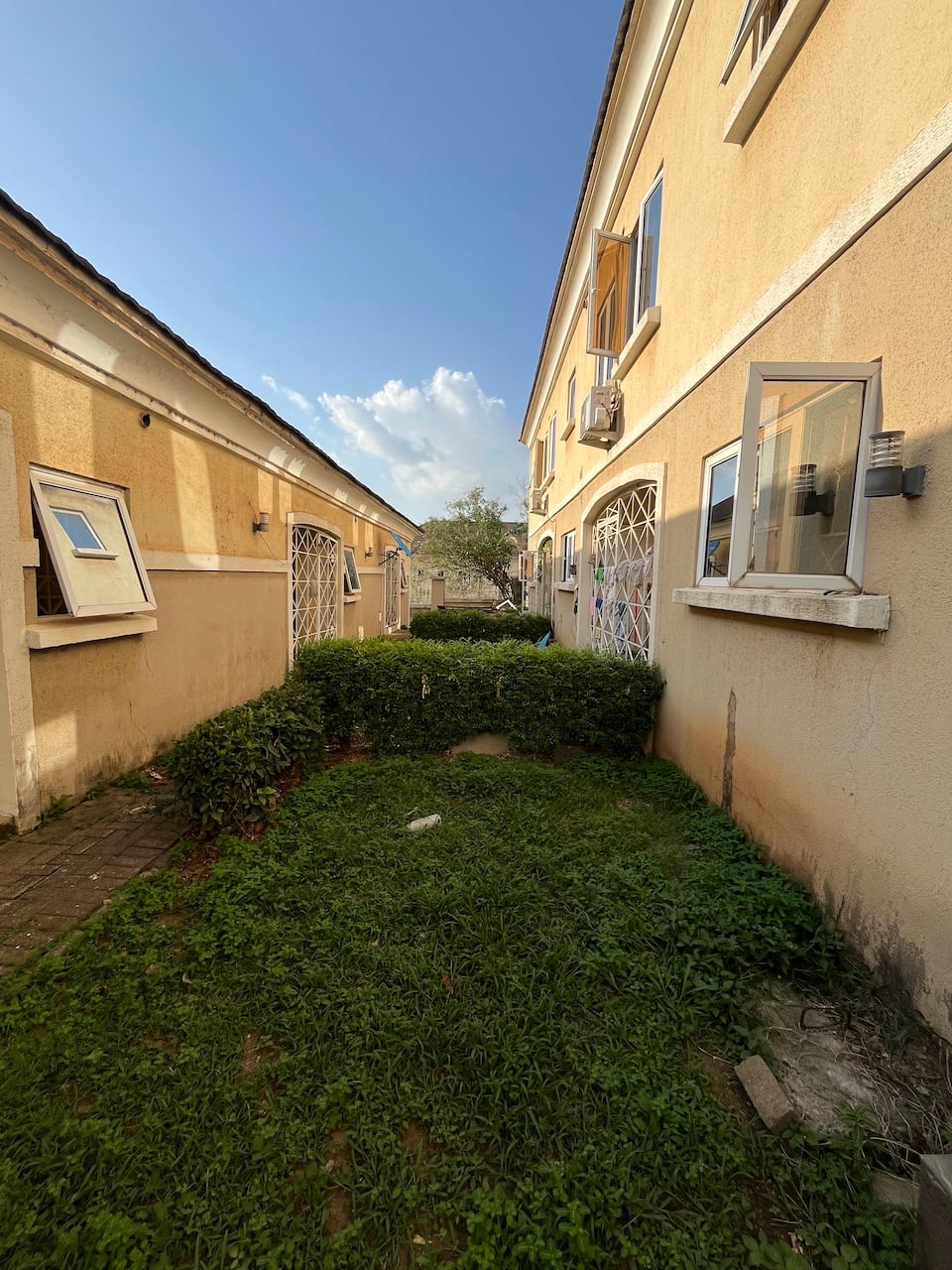
Image: Irene Okpanachi / Talk Android
Switching to the ultra-wide lens lifted the whole frame and flattened contrast to compensate for the smaller sensor. But it washed out the sky and removed the sense of depth from the scene.
Edge sharpness also dropped significantly from the center to the corners, so straight lines along my window frames and building edges softened in a way the main camera didn't. The iPhone's ultrawide isn't perfect either, but the quality step between its two lenses is much smaller. If you shoot wide frequently, it might frustrate you on the GT.
I think low light is where the iPhone really shines, because it recovers shadow detail when I go indoors. Faces and even fabric texture that the GT 50 Pro left sitting in dim obscurity were all lifted and readable. But the good news is you can shoot indoors without a ring light on the Android.

Image: Irene Okpanachi / Talk Android

Image: Irene Okpanachi / Talk Android
The GT 50 Pro tried to be more faithful to ambient lighting in the same scenario, so, yet again, the photos felt natural. However, noise was more noticeable.
Personally, I think the iPhone 13 is the more accomplished camera system. It also won in selfies, with a more flattering result, better skin detail, and shadow handling.
What I didn't like about both cameras is how they process images. I wish phone cameras could go back to when they just took pictures as they were. I can't count how many times I've taken selfies, and both phones ruined them with over-processing.

Image: Irene Okpanachi / Talk Android

Image: Irene Okpanachi / Talk Android
Skin folds, pores, and other facial details are rendered harsher than they appear in real life, which is unflattering. Unfortunately, turning off HDR doesn't do much beyond minimizing the effect. It's worse on the GT 50 Pro.
It's something I didn't have to work around on my Realme 12+, but now I do. I use Snapchat's unfiltered camera for realistic results. Other times, I'll open the native camera app and take a screenshot of a frame, or roll back to the beginning of a Live Photo and save the first frame.
The verdict
I picked up my iPhone 13 significantly less than I did during this review period. It's not because the Infinix GT 50 Pro is objectively better. But it reminded me why Android phones are appealing. The triggers alone meant I didn't need my PS4 controller anymore, which scored major points in my book.
Liquid cooling works, but it's not the only reason you need to justify the purchase. The Dimensity 8400 Ultimate handled every mobile game I threw at it. You also get a 144Hz AMOLED display, physical gaming triggers, a 6,500 mAh battery, 12GB RAM, and a design that attracts attention at a price most phones with even two of those rare features wouldn't dare offer.
The device is designed to inspire confidence in anyone who takes mobile gaming seriously and doesn't want to spend flagship-phone money to get there. If that's you, the GT 50 Pro is a straightforward yes. It costs roughly $383, though pricing and availability may vary by market.
Infinix GT 50 Pro Review
Infinix GT 50 Pro Review-
Performance4.5/5 Excellent
-
Display Quality4.6/5 Excellent
-
Battery Life4.7/5 Excellent
-
Build Quality4/5 Very Good
-
Camera Performance3.8/5 Very Good
-
Connectivity4/5 Very Good
The Good
- Powerful gaming performance with effective liquid cooling system.
- Wireless charging support.
- Helpful gaming software features.
- Excellent battery life
The Bad
- Limited global availability.
- XOS is buggy & has bloatware.
- Large size makes one-handed use difficult.