The trash feature is one thing I’ve always liked in Samsung Messages over Google Messages. Unfortunately, Samsung keeps its app locked inside the Galaxy ecosystem. Unless you’re using a Galaxy phone, that feature might as well not exist.
It makes the absence of a trash folder in Google Messages feel even stranger. For something as basic as messaging, a safety net for deleted chats is almost standard now. I think the company finally understands that now.
No more accidentally deleted messages
Usually, your message is permanently gone when you delete it on Google Message. The app doesn't have a Trash folder. It's great that Google itself is now working on the feature for the app. Android Authority spotted it in the v20260227 beta, although this isn't the first time.
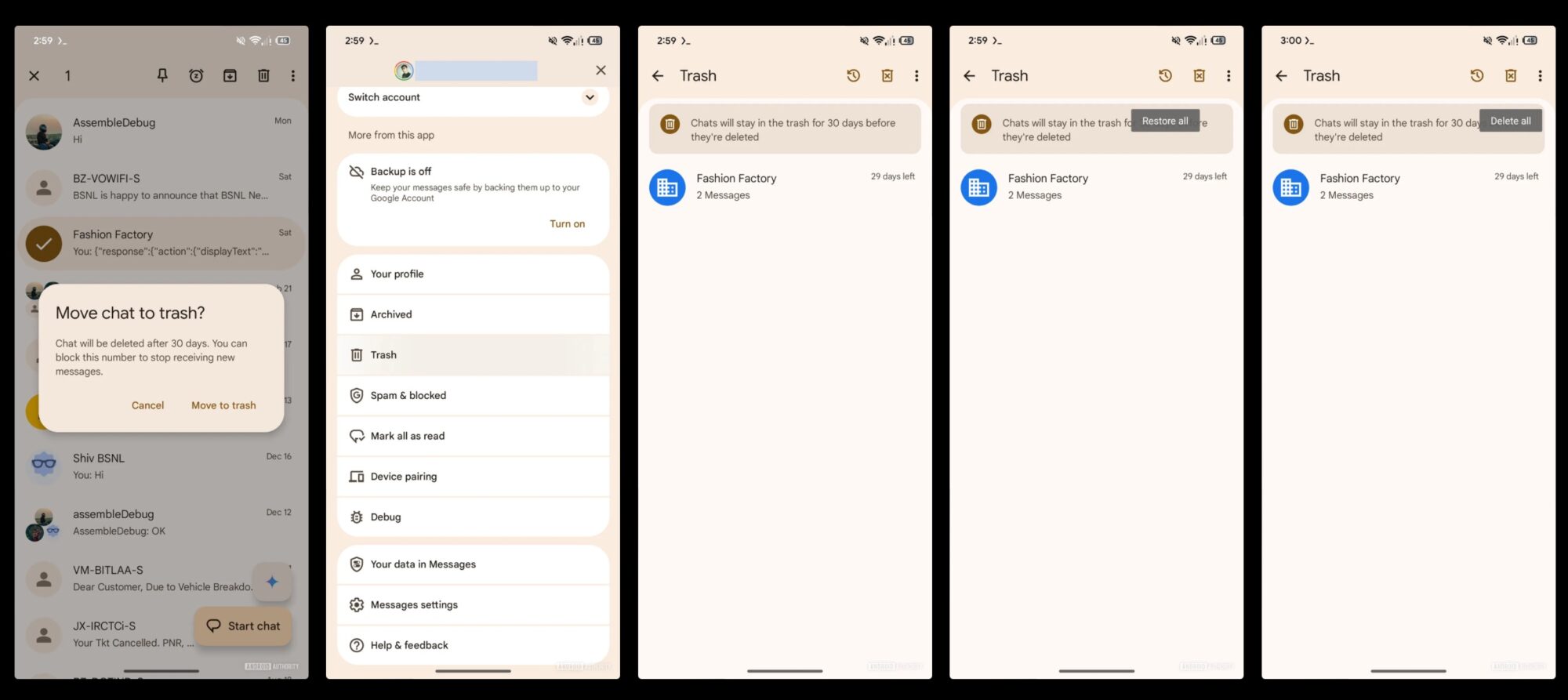
The first sighting happened months ago in October 2025. They did an earlier teardown of the app. It now officially reveals that when a user tries to delete a conversation, a prompt appears asking if you want to move the chat to Trash.
To delete one, long-press it. Tap the trash icon at the top right. Then tap Delete. Normally, it tells you that your actions can't be undone, which was pretty tricky. You might delete a thread because it looks unimportant and later regret it.
The new feature tells you the conversation will be permanently deleted after 30 days. Once trashed, it'll be in the dedicated Trash section inside the account switcher menu.

From there, you may either restore conversations or delete them permanently before the timer runs out. You'll tap your account photo in the upper right corner, then select Trash to access it.
Join Google Messages beta
It's possible that your auto-deleted One-Time Passwords (OTP) may end up in Google Messages’ Trash folder. But that's not been confirmed yet. For now, Google has also updated several parts of the interface to reflect the change.
You can change the swipe functionality to trash messages instead of merely archiving them or marking them as read. Many Reddit users have received the feature, with others still waiting.
If you can't wait for the public release, sign up to be a beta tester. You may be lucky to get early access. If you aren't familiar with the app and are looking for alternatives to your native app, download the regular version from the Play Store.
Google Messages is Google’s official messaging app for Android phones. Since its 2014 release, the company has expanded it to support Rich Communication Services.
RCS can show typing indicators, read receipts, higher-quality media sharing, message reactions, and provides better group chats. The app also integrates with several Google services, like Gemini for AI-powered features.
More features are coming to Google's texting app
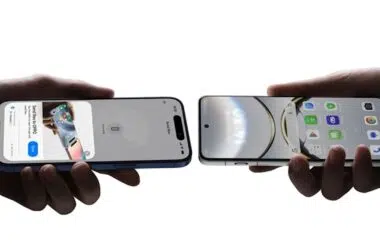
Beyond the trash feature, one other important update coming to Google Messages is end-to-end encrypted RCS between Android and iPhone.
When it’s active, conversations between Android and iPhone users will show a lock icon, indicating the messages are encrypted across platforms rather than just between Android devices.
Another major addition is real-time location sharing. Instead of sending a static location pin from Google Maps, you'll be able to share your live position for a period of time. Find Hub, Google's device-tracking network powers the feature.