




We've all been there. You're in a quiet meeting, and your phone goes off… forgot to silence it. You rise in the morning and your phone is dead… Google Maps with GPS was left in the background, killing your battery life. You wake your phone in the middle of the night to check the time and are instantly blinded… forgot to turn down the brightness. It's quite annoying, no? These are smartphones… so shouldn't they be smarter about what we want them to do?
Enter: PhoneWeaver.
I had the opportunity to test out PhoneWeaver over the past week or so, and I have to tell you… I love it. This app is a godsend for those who have ever wanted more intuitiveness from their phone.
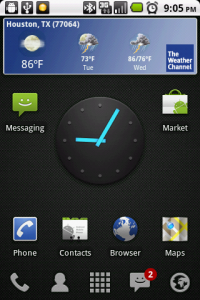
After installing the app, I noticed a new icon, both in my taskbar (the sun icon):
and in the pull down menu:
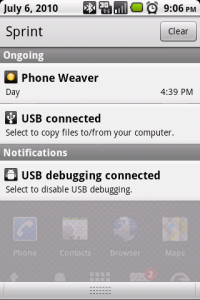
Upon tapping the icon in the pull down menu (it is also, obviously, accessible via the main menu), I was presented with a list of predefined profiles: Day, Night, Car GPS, and Airplane Mode.
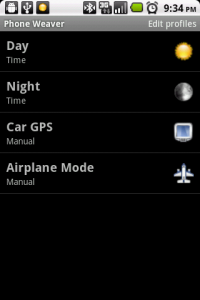
Being the middle of the day, the initial setting was, appropriately, “Day”. I was curious as to what I could do to these profiles, so I hit the Menu button, and was presented with more options:
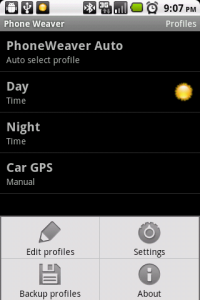
My curiosity took me into “Edit profiles”, where I was presented with all the aforementioned listings, and another tap of the Menu key brought me the option to add a profile. I started about tapping on one of the profiles, and from there was brought into the settings for that specific option.
The first menu listed is “Trigger”:
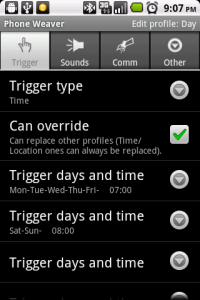
As you can see, you can set specific days and times to trigger this profile, as well as tell it to override other profiles… for example, if you have “Car GPS” set as your current profile, and it becomes time for the “Day” profile, the “Day” profile settings will overtake the other profile's settings. The other trigger types include Manual (have to manually select), Location (via GPS), Agenda (will activate when a specific calendar shows a particular subject and / or location), and Connections (set via power source like battery or charger, headset connections, and dock type like wall or car charger).
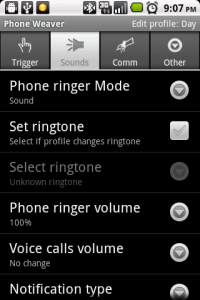
The next menu, Sounds, allows you to set ringer volume / type, notification volume / type, as well as talk and multimedia volume settings.
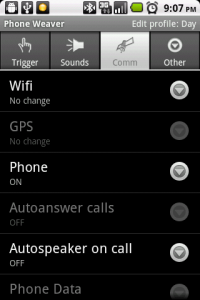
After that is the “Comm” (communications) menu. In here, you can set wifi, GPS, Phone off / on, autoanswer, auto-speaker, phone data, MMS and bluetooth.
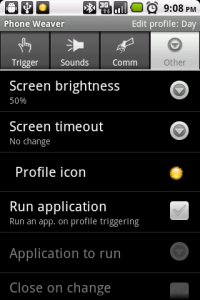
Finally, there is the “Other” menu, where you will find brightness settings, screen timeout and profile icon, as well as setting a program to run when the profile is activated, and if you want to end that program when the profile is deactivated.
This program has just about every possible combination of settings you would ever want to have on your phone. Although setup may take a little while to get the settings just right for your situations and needs, the reward of having your phone practically know what you want, before you have the chance to think about it, is wonderful. Also, I noticed no battery drain when utilizing most PhoneWeaver profiles, and only minimal drainage when using a GPS-based profile. While It would be nice to see this app fall in line closer to under the $5 mark, it is still very reasonable priced. All in all, I give this app a 9.2/10, based on the following:
- Ease of Use: 10/10
- Intuitiveness: 9/10
- Menu Controls: 9/10
- Amount of Options:9/10
- Battery Usage: 9/10
- Pricing: 8/10
- Total: 9.2/10
Final thoughts:
This app can be a lifesaver, as well as something to make your life just that much easier. I can guarantee that once you start using PhoneWeaver on a daily basis, you're going to wonder how you ever got along without it.
[An original article by Dustin Karnes]
you can also just get rid of the stock android system and install your own ROM and you dont have those problems….