

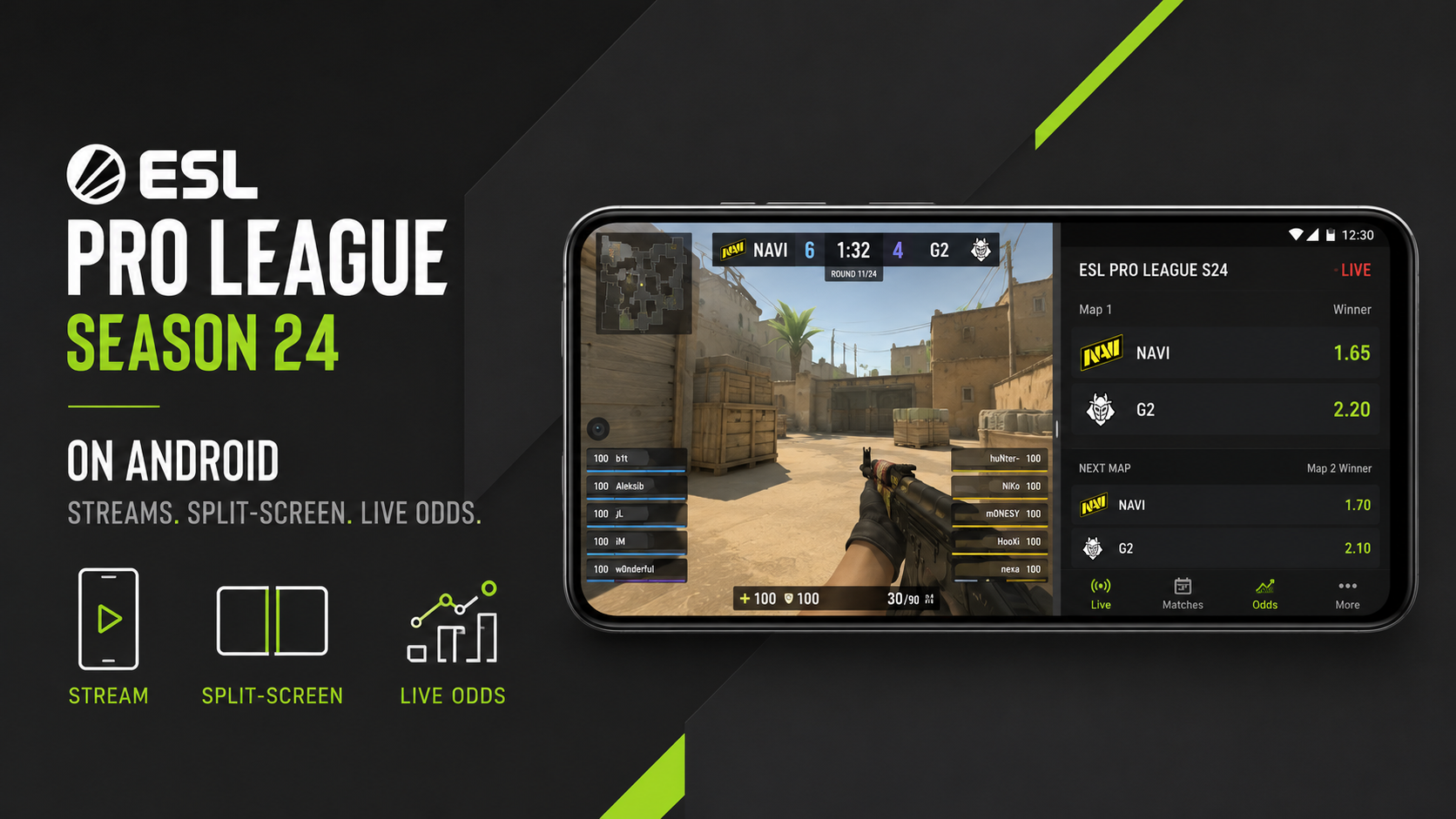
ESL Pro League Season 24 starts in Katowice on October 3, 2026. ESL’s updated tournament information sets the group stage for October 3–7 and the playoffs for October 9–11. Sixteen teams enter, eight advance from the Swiss group stage, and the playoff bracket culminates at the Spodek Arena.
The event offers $1 million in total winnings and is played entirely on LAN. For an Android viewer, the main problem is not finding enough information. It is keeping the stream, score, economy and live pricing readable on one screen.
Picture-in-Picture and split-screen help, but only when the layout stays disciplined.
Season 24 has 16 teams, not 12 playoff invitations
ESL’s final invitation announcement provides the cleanest format picture.
Twelve teams were invited based on the August 3 Valve Regional Standings. Four more qualified from the regional ESL Challenger League Season 51 Finals: Europe, North America, South America and Asia.
Those 16 teams play a Swiss group stage. Eight, not 12, advance to the single-elimination playoffs.
Confirmed VRS invites include Spirit, Falcons, MOUZ, Vitality, Natus Vincere, FURIA, G2, 9z, Legacy, BetBoom, Aurora and PARIVISION. TYLOO, M80, 1win and ShindeN completed the field through ECL.
That is the format Android users should build their match calendar around.
Start with one stream
ESL distributes major Counter-Strike coverage on leading streaming platforms, but exact Season 24 channels and match links should be confirmed from ESL immediately before play.
Avoid running the same video twice. If the stream occupies the largest window, the second app should do one job: scores, statistics or live markets.
A vertical phone has limited usable width. Four tiny panes do not become informative simply because Android technically allows several apps to remain active.
Landscape orientation usually makes a two-window layout more readable.
Picture-in-Picture keeps the match alive
Android has supported Picture-in-Picture since Android 8.0, but the streaming application must support PiP for it to work.
When available, the feature suits a CS2 match well. The stream can remain in a floating window while a browser or statistics app occupies the rest of the display.
Keep the PiP window away from important controls. A floating video covering the odds field or match tabs creates more friction than it removes.
If the video becomes too small to follow utility usage or the kill feed, switch back to full-screen.
Split-screen is better when numbers matter
Android’s multi-window system supports split-screen on compatible devices, although the exact control differs by manufacturer and Android version.
For live CS2, put the stream in the larger pane and the data page in the smaller one. This works particularly well between rounds when the economy and series score matter more than fine visual detail.
Multi-window also makes it easier to keep unrelated sports out of the active CS2 workflow. A sportsbook can contain several market categories, but they should not be analysed with the same assumptions. Someone who also follows chess betting is dealing with ratings, colour, time control and board position rather than map vetoes, economy states or pistol rounds. Both markets contain bookmaker margin. Neither sport becomes easier to predict because it appears beside the other in one interface. Keeping separate tabs preserves the analytical distinction.
Android multitasking should reduce switching, not mix probability models.
CS2 live prices can change between two taps
Counter-Strike naturally creates frequent repricing points. A pistol round, anti-eco loss, broken buy, side switch or map result can alter the series probability quickly.
On Android, the stream and market interface may also have different delays. A user can see an event on one service after the bookmaker has already incorporated it.
That timing risk matters more than screen size.
The safest mobile layout keeps the current market label visible. A user opening Melbet can keep the available CS2 line beside the broadcast without needing a traditional desktop setup. Map winner, series winner and round-specific markets describe different probability questions. A price shortening after two lost rifle rounds reflects new information rather than an instruction to follow the move. Stream latency can mean the decisive event has already happened before a viewer reacts. Checking the market name and current score before every interaction reduces avoidable errors.
Fast access is useful only when the information is still understood.
Battery and heat matter over a long series
A best-of-three can occupy several hours. Streaming, high brightness and constant network traffic all increase battery drain.
Start charged. Keep screen brightness at the lowest comfortable level and close background downloads, cloud backups and game updates.
Heat deserves attention when the phone is streaming while charging. Android devices can reduce performance or charging speed when thermal limits are reached.
Do not leave the handset in direct sunlight. If the device becomes unusually hot, reducing workload is more useful than trying to force maximum brightness through the rest of the map.
Wi-Fi usually matters more than flagship hardware
The phone does not render Counter-Strike locally. It decodes video, maintains network connections and displays browser content.
A stable connection therefore matters more than a premium gaming chipset for this use case. Wi-Fi is preferable when reliable. On cellular data, lowering stream resolution can save far more bandwidth than closing a text-based statistics page.
Notifications also deserve pruning. One score alert is useful. Six services announcing the same map result are not.
October 3 is the current date to use
An older ESL FACEIT Group announcement from August 2025 described Season 24 as running from September 24 to October 11. ESL’s newer 2026 tournament documentation supersedes that schedule: October 3–7 for groups and October 9–11 for playoffs.
That is the date set to publish now.
ESL also confirms that the entire event runs on LAN, while the Spodek Arena hosts the eight-team playoff conclusion.
For Android viewers, the optimal setup remains straightforward: one stream, one data window and as little background clutter as possible.