

The Basic Reality of Weather on Android Auto
On Android Auto, the weather icon on the home screen might look promising. In reality, tapping it doesn’t open a full weather app. Instead, it sends a request to Gemini, Google’s conversational assistant, and responds as if you’d asked for the weather out loud.
The answer is basic: just a text response, with no radar, no animated maps, and no way to track changing conditions along your route. It’s enough for a quick check before hitting the road, but frequent drivers will notice these limitations quickly.
Weather Apps for Android Auto Remain Limited
Compatible weather apps for Android Auto are still few. Weather & Radar is one popular choice, known for its rich radar data. However, another app has stood out for its ease of use and in-car relevance: MyRadar.
What Sets MyRadar Apart?
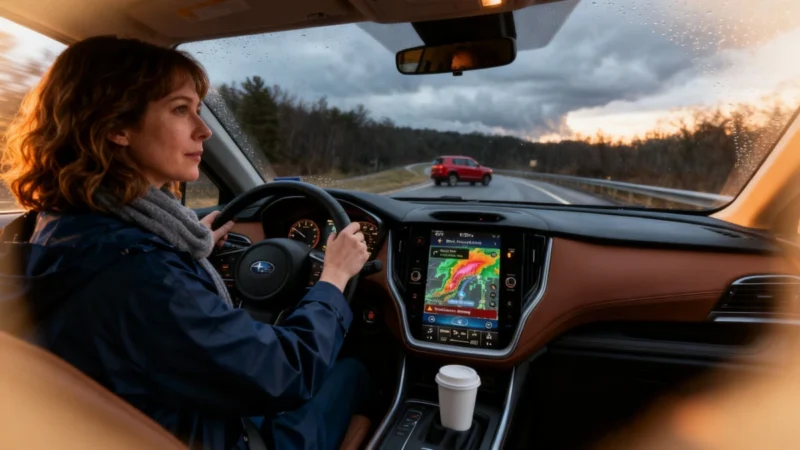
When you open MyRadar on Android Auto, you get a map centered on your vehicle’s current location, showing two hours of animated weather radar history. No digging through complex menus—just a quick, visual snapshot of local conditions.
The hurricane overlay is especially useful for drivers in areas prone to tropical storms, allowing you to follow hurricane trajectories from your dashboard without needing your phone. This feature can make a real difference during storm season.
One of MyRadar’s most advanced features is called RouteCast. It displays expected weather conditions in real time along your drive. Unlike Google’s default widget, which doesn’t account for the fact that drivers are in motion, RouteCast is specifically built for trips, giving actionable info for the journey ahead—not just for the place you’re starting from.
Is Upgrading Worth It?
Paying for a weather app might not seem necessary at first, but if you regularly drive in areas with shifting weather or face seasonal threats like hurricanes, it can pay off in accuracy and speed. For those situations, being ahead of the weather is more than just convenient—it can be crucial.
Next to Android Auto’s simple widget that only relays Gemini’s answer, MyRadar delivers meaningful upgrades for regular drivers. Whether Google will improve its own weather integration to match remains to be seen.