



Deploying a small production app on a VPS is exciting until someone scans your IP and finds an open port you forgot about. Security isn’t optional for production services. It’s the baseline.
VPS Security Fundamentals: What to Configure on Day One
Most VPS compromises don't involve clever exploits. They usually come down to simple configuration mistakes that never got fixed. The fundamentals close most of that exposure:
- Disable root SSH login — use a non-root user with sudo access
- Password logins over SSH are best avoided. Stick with key authentication instead.
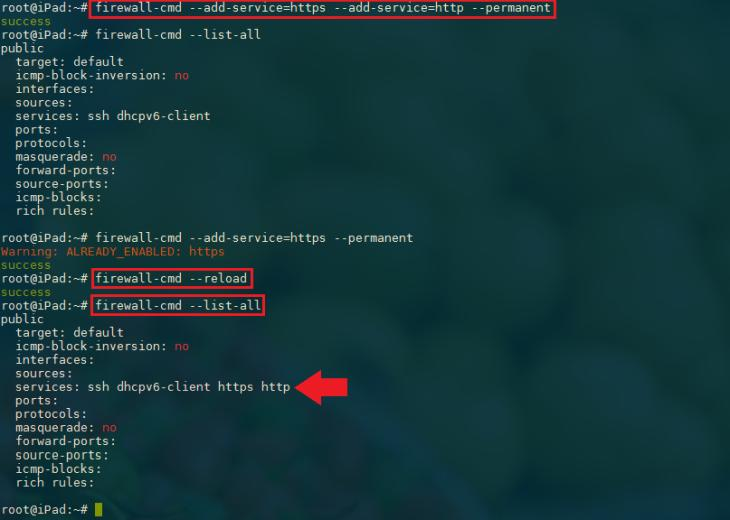
- Your firewall shouldn't allow more than the application actually needs to function.
- Keeping the OS and packages updated closes plenty of well-known security holes.
- Change the default SSH port — reduces automated scan noise significantly
- Install fail2ban — automatically blocks IPs with repeated failed login attempts
OWASP’s server hardening guidance covers this same territory from the application-security side: host-level isolation and guest-level hardening together minimize the risk that a compromised neighboring system could be used to probe your instance. Neither layer substitutes for the other.
Secure VPS Hosting: What the Provider Controls
Secure vps hosting means both the provider’s security and your configuration are solid. Cloud server hosting for small production apps needs the same security fundamentals as enterprise infrastructure — just configured at a smaller scale, since the attack surface doesn’t shrink because the app is small. Providers typically handle:
- Physical data center security and access controls
- Hypervisor-level isolation between VMs
- Network-level DDoS mitigation
- Hardware-level encryption for storage at rest
You handle everything inside the VM. The OS, the application stack, firewall rules, user permissions, and secrets management are your responsibility regardless of how secure the provider’s infrastructure is.

Security VPS: Common Mistakes Small App Deployments Make
Security vps failures for small production apps tend to follow predictable patterns:
- Database ports left open to the internet — MySQL on port 3306 should never be publicly accessible
- Environment files with secrets committed to version control
- Weak or default admin passwords on web panels and databases
- No log monitoring — attackers often dwell undetected for days before doing damage
- Automatic updates disabled because they “might break something”
Security researcher Troy Hunt, creator of Have I Been Pwned, has noted that “breaches are almost always the result of known, fixable problems.” The fundamentals prevent the vast majority of incidents that affect small production deployments. Red Hat’s enterprise security blog has echoed the same conclusion from a different angle — the majority of the incidents they’ve documented traced back to configuration gaps that existed for months before being exploited, not zero-day vulnerabilities.
A Simple Monthly Security Review
Beyond the initial hardening checklist, it helps to set a recurring monthly reminder to review a short list: check for pending package updates, scan the auth log for unusual login attempts, confirm backups actually completed and are restorable, and re-check that no new ports have been accidentally opened by a recent deployment. None of this takes more than twenty minutes once it’s a habit, but skipping it for a few months in a row is exactly how small, fixable issues turn into the kind of incident that takes a weekend to clean up.
VPS Security Is Ongoing, Not One-Time
Getting a new VPS into decent shape takes a few hours at most. After that, it's regular maintenance that matters. Check for updates, review access logs, rotate passwords or keys, and make sure unnecessary ports haven't appeared. That's generally how cloud server hosting stays secure over time.
Build that habit early and it costs almost nothing in time. Skip it and the eventual incident will cost far more.