



Most people still think of document management as a desk job — something that requires a laptop, a corporate VPN, and a cluttered shared drive. But the reality in 2026 looks very different. Android devices have become serious productivity tools, and the apps available today can handle everything from scanning a contract in a coffee shop to routing a signed PDF through a multi-step approval chain — all without touching a desktop.
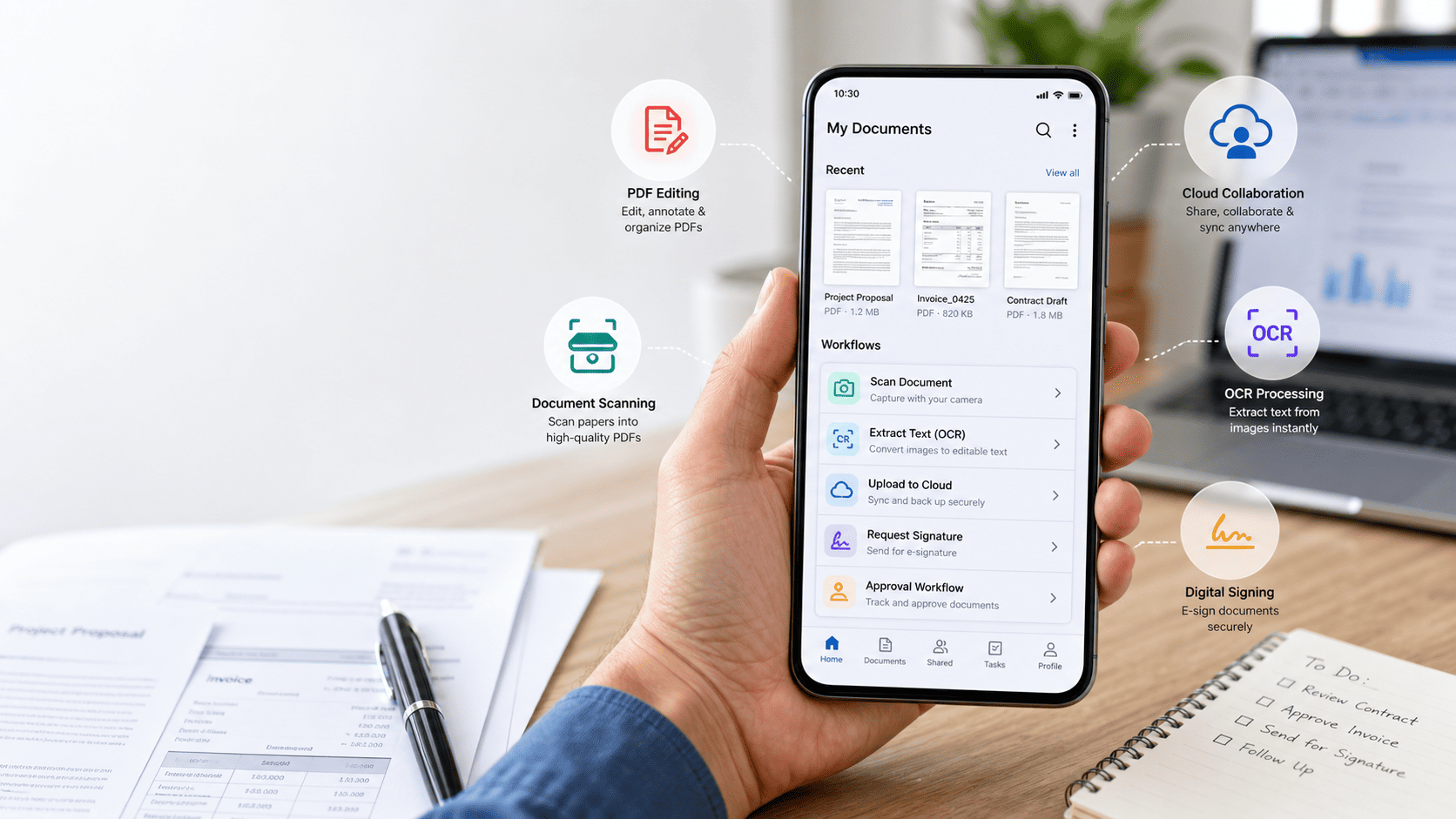
The shift has been driven largely by advances in AI and OCR technology. Modern mobile apps don't just capture images of documents; they understand them. They extract data, classify content, suggest next steps, and sync everything with cloud systems in real time. For field teams, remote workers, small business owners, and anyone who spends time away from a traditional office, this matters enormously. The right document processing software on your phone eliminates the bottleneck of “I'll deal with that when I get back to my desk” — because you can deal with it right now, accurately, from wherever you are.
Below are five Android apps that genuinely transform your smartphone into a full document workflow hub. Each one brings something distinct to the table, and together they cover the full range of what modern mobile document management looks like.
1. Adobe Acrobat Reader — The PDF Powerhouse
When it comes to PDFs on Android, Adobe Acrobat Reader remains the most complete and reliable option available. It's not just a viewer — it's a fully functional mobile PDF editor that covers the entire lifecycle of a document from receipt to final signature.
With Acrobat on Android, you can annotate and comment on documents, fill out forms, apply legally binding e-signatures, compress files for easy sharing, and convert PDFs to and from Word or Excel formats. The built-in scanning feature uses your camera to capture physical documents and converts them into clean, searchable PDFs using AI-powered edge detection and perspective correction.
What Makes It Stand Out for Workflows
Adobe Acrobat integrates tightly with Document Cloud, which means documents you work on from your phone are instantly accessible across all your devices. For teams that use enterprise Adobe plans, this includes integration with SharePoint, OneDrive, and Dropbox — so a contract signed on your phone feeds directly into the shared folder your team already uses, without any manual file transfer.
2. Microsoft Office (Word, Excel, Outlook) — The Enterprise Standard
Microsoft Office on Android is a single app that packages Word, Excel, and PowerPoint into one cohesive mobile experience. For anyone working within a corporate environment or handling business documents day to day, this is effectively a non-negotiable install.
What makes the Microsoft Office app particularly strong as a document workflow tool is its deep integration with Microsoft 365 infrastructure. Documents open directly from Teams or Outlook, edits are synced in real time via OneDrive, and co-authoring lets multiple people work on the same file simultaneously from different devices.
AI Features That Add Real Value
Recent updates have brought Copilot integration to the Android version of Office, which means you can now summarize long Word documents, draft email replies from document content, and ask questions about spreadsheet data using natural language. For professionals handling contracts, reports, or financial documents on the go, this makes the mobile app substantially more powerful than a simple editing tool.
3. Google Drive + Google Docs — The Collaboration Engine
Google Drive and Google Docs operate as one tightly linked ecosystem on Android, and for collaborative document workflows, nothing comes close in terms of simplicity and accessibility. The combination gives you cloud storage, document creation, real-time co-editing, and powerful search — all for free at the consumer level.
The real strength of Google Docs on Android is frictionless collaboration. Share a link, set permissions, and multiple people can edit the same document simultaneously with changes visible in real time. Comments and suggestions flow through the same interface, making it ideal for reviewing reports, drafting proposals, or working through contracts with remote colleagues.
When Drive Becomes a Workflow Tool
Google Drive's search capabilities deserve special mention. Using AI-powered content indexing, Drive can search inside documents — not just file names — so you can find a specific clause in a contract or a figure in a report by typing a few words. Combined with Drive's ability to scan physical documents directly from the Android app and convert them to searchable Google Docs format, this turns your phone into a surprisingly capable document retrieval system.
4. ABBYY FineReader PDF — The OCR Specialist
If your document workflows involve a lot of physical paperwork — invoices, receipts, ID documents, printed forms, handwritten notes — ABBYY FineReader PDF is in a category of its own on Android. ABBYY's OCR engine is widely considered the most accurate available, capable of handling documents in over 190 languages and producing clean, editable text output from even low-quality scans.
FineReader goes beyond basic OCR by preserving document formatting. When you scan a multi-column report or a form with tables, the output maintains the original layout rather than dumping everything into unformatted plain text. This makes it far more useful for documents that need to be edited, forwarded, or filed after extraction.
Ideal Use Cases for Field Teams
FineReader is particularly valuable in these scenarios:
- Scanning printed contracts on-site and converting them to editable PDFs before a meeting ends
- Capturing receipts and expense forms while traveling and extracting structured data automatically
- Processing handwritten notes or forms from fieldwork into searchable, archivable digital records
- Handling multilingual documents in international business contexts without accuracy loss
For anyone whose document intake includes a significant volume of physical or printed material, FineReader on Android closes the gap between paper and digital workflow more reliably than any other mobile app.
5. DocuSign — The E-Signature and Approval Workflow Tool
Document workflows rarely end with a file. They end with a decision — an approval, a signature, a sign-off that moves a deal or a process forward. DocuSign is the app that handles that final and often most critical step, and its Android experience is polished enough to make signing and routing documents genuinely fast and painless from a phone.
With DocuSign on Android, you can sign documents sent to you, prepare documents for others to sign, set signing order for multi-party agreements, and receive real-time notifications when each party completes their part. Templates let you send frequently used documents — like NDAs or vendor agreements — in seconds without reformatting each time.
Why This Belongs in Every Mobile Document Stack
DocuSign's legal standing is recognized in over 180 countries, which matters for businesses operating across borders. For sales teams closing deals on the road, HR professionals onboarding employees remotely, or operations managers approving vendor contracts in the field, DocuSign removes the last reason to say “I'll sign it when I'm back at the office.”
How to Build Your Android Document Stack
The five apps above aren't mutually exclusive — the most effective mobile document setups combine them based on the type of work you handle most. Here's a practical way to think about layering them:
- For capture and OCR: Use ABBYY FineReader PDF when dealing with physical documents, or Adobe Acrobat's built-in scanner for quick everyday scans
- For editing and creation: Default to Microsoft Office for corporate-format documents and Google Docs for collaborative drafting and review
- For storage and search: Keep Google Drive as your central repository — its in-document search makes retrieval fast regardless of how many files you accumulate
- For PDF management and annotation: Adobe Acrobat handles markup, compression, and format conversion better than any other app on this list
- For signatures and approvals: Route any document that needs a sign-off through DocuSign to close the loop without friction
The Bigger Picture: Your Phone Is Already a Document Office
The productivity gap between mobile and desktop document handling has largely closed — not because phones became more like computers, but because apps became smart enough to handle the complexity that used to require one. With the right stack installed and configured, an Android phone handles everything from first capture to final signature without a single step requiring a desktop.
The key is deliberate selection. Each app in this list does one or two things exceptionally well, and the combination covers the full workflow arc: scan, extract, edit, collaborate, approve. For professionals who spend significant time outside a traditional office environment, that coverage is not a convenience — it's a competitive advantage.