



Android is one of the main methods of playing games, viewing promos and engaging in quick games for many Winbox players today, especially when they are not at a computer. The general online casino direction also leans towards mobile-first. In fact, mobile devices drove 58% of online gambling revenue in 2024 in the online gambling market in Europe.
This is what has made the Winbox APK so popular. Android users are used to direct downloading of apps, controlling permissions, and customization of their device experience. But with APK files, especially in an online casino scenario, things may be a little more technical.
This is a guide for Android players who frequently play on Winbox. Rather than merely telling you where to download, it takes you through the process of APK installs, what affects your gameplay on Android, and how to prevent the most frequent problems that affect players.
If your goal is simple—install fast, play smoothly, and avoid unnecessary problems—this is exactly what you need.
Why Winbox APK Matters for Android Gamers
Android phones come in a wide range of specs. While Winbox is already optimized for mobile, the experience can still vary a lot between a budget phone and a high-end gaming phone.
That makes the APK setup more important.
Winbox APK lets Android users install the application directly without going through the app store. This makes it quicker and more flexible for most players. But at the same time, this flexibility also means players should understand a few extra steps.
A proper Winbox APK guide is not just about downloading. It is about making sure your device, settings, and habits support smooth gameplay.
What Is Winbox APK?
An APK is an Android application package (.apk file). It is an archive where Android stores files that it requires to install and execute an app.
By downloading a Winbox APK you are installing the application manually rather than through the app store, which usually automates the process. This is common for Android users, as many apps are distributed outside the app store.
When doing so, you may need to:
- Enable installation from a specific source.
- Check authorizations more thoroughly.
- Manually update the app sometimes
For experienced Android users, it’s simple, but newer users may find it confusing at first.
Why Winbox Players Like Android APK Access
There are some obvious reasons why APK installations are so popular among users of Winbox.
- Faster access: Players are able to download and begin using the application without the need of an app store listing or store-specific availability.
- Device flexibility: Android runs on numerous device brands, and APK files are compatible with most of them.
- Familiar workflow: Android users are already accustomed to downloading files and maintaining installs.
- Mobile-first habits: Short sessions on a phone fit modern routines better than logging in on a desktop.
Android Device Factors That Affect Winbox Gameplay
| Factor | What it affects | Suggested improvement |
| RAM + background apps | Loading speed, lag, crashes | Close unused apps before launching |
| Storage space | Install failures, update issues, slow caching | Keep a few GB free |
| Android version | Compatibility, crashes, missing features | Update Android when possible |
| Heat + battery | Throttling, FPS drops, battery drain | Take breaks, avoid battery saver throttling |
| Screen size | Usability, mis-taps | Increase display size/text if needed |
How to Download and Install Winbox APK on Android
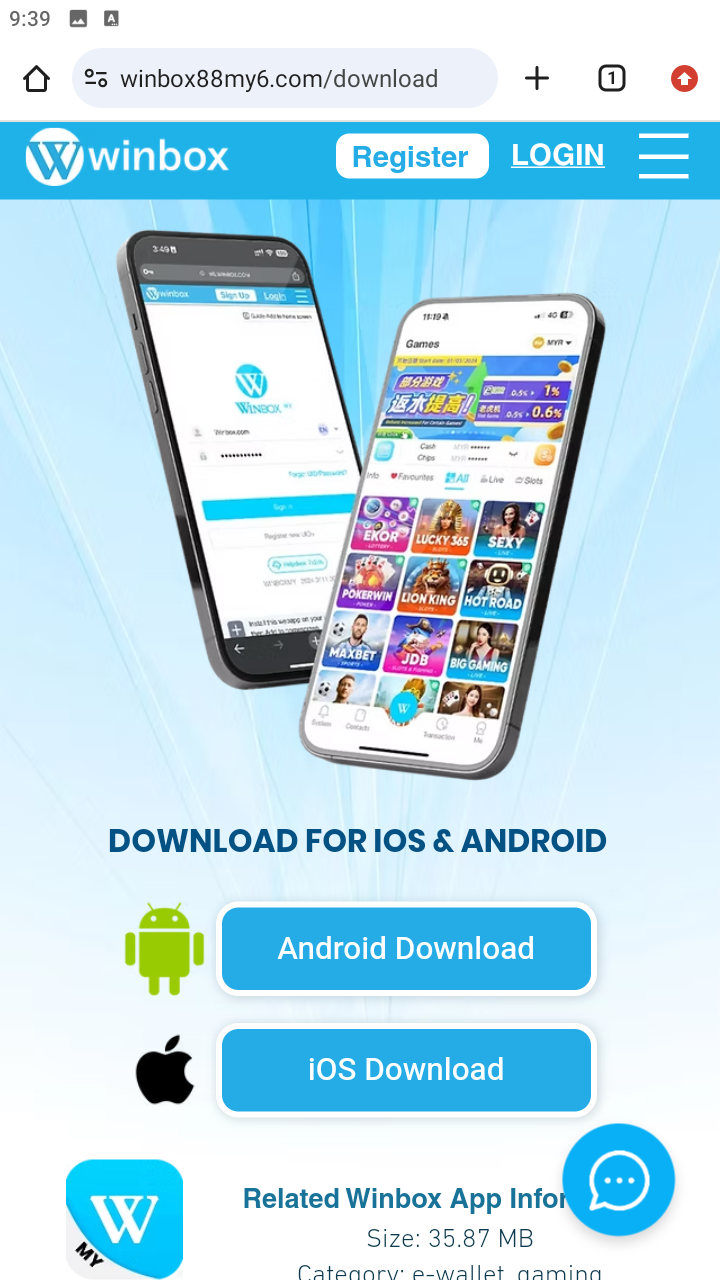
It’s simple once you know what to do.
Step-by-Step Installation
Step 1: Find the right download source. Use a reliable and stable connection.
Step 2: Get the APK file. This can take a couple of seconds depending on your connection.
Step 3: Permit installation from the source. Your phone might prompt you to enable installs from your browser or file manager.
Android setting tip (so that you do not get stuck):
- Android 8.0+ permissions are typically per-app (you enable your browser or file manager to install unknown apps).
- On Android 7.1.1 and earlier, it is often a single “Unknown sources” toggle .
Step 4: Extract APK file. Tap on the file.
Step 5: Check permissions and install. Before confirming the app installation, check what the app is requesting.
Step 6: Start-up and log in. After the installation, open the Winbox app and log in.
Most issues occur when users are in a hurry to approve permissions or when they use untrusted links.
How to Identify a Legitimate Winbox APK Link
This is among the most significant sections for the Android users.
A stable download experience typically looks clean and consistent.
Watch for:
- Distinct branding and recognizable interface.
- No too many popups or redirects.
- No forceful downloads on unrecognized pages.
- Reasonable permission requests.
Be cautious if:
- The site appears cluttered or rushed.
- You are redirected several times.
- The file name appears strange.
- The application seeks unrelated permissions (phone calls, etc).
Quick security checklist (30 seconds)
- Turn on your device protection features and scan upon installation.
- If Android warns of risky files, pause to verify the source.
- Do not allow APKs forcing unusual permissions (contacts/SMS/microphone) unless it is obvious the app requires it.
Most fake APK issues are averted by small checks like this.
Typical Winbox APK Issues on Android
APK Not Installing
Possible causes:
- Installation from an unknown source is not allowed.
- File is damaged or corrupt.
- Storage is too full
App Keeps Crashing
Possible causes:
- Outdated app version
- Low RAM or too many background applications.
- Incompatible with your Android version.
Too Slow To Download
Possible causes:
- Weak internet connection
- Network congestion
- Browser-related issues
Problems with Loading the Winbox Login Page
Possible causes:
- Unstable connection
- Cache problems
- Temporary loading issues
Games Feel Laggy
Possible causes:
- Device overheating
- Excessive number of applications running.
- Low available memory
Fix Issues + Optimize Winbox on Android (Quick Checklist)
1) APK will not install
- Clear up storage (leave a few GB free), and re-try again.
- Allow the app that you downloaded to be installed
- Redownload in case the file is incomplete or corrupted.
2) App crashes or fails to start
- Reboot your phone to clear any temporary data or conflicts.
- Close background applications to free RAM.
- Check and update Android and reinstall the newest APK in case crashes continue to occur (older Android + older versions of the app are usually incompatible).
3) In case the Winbox login page cannot load
- Switch connections (Wi-Fi ↔ mobile data).
- Clear cache (loading can be broken by app or browser cache).
- Assuming that you use a VPN/ad-block, turn it off temporarily to check (they can cause problems with loading), and then try to do the Winbox login again.
4) In case the gameplay is laggy
- Check heat: in case your phone is hot, wait a few minutes and restart.
- Disable extreme battery saver (can slow down performance).
- Close other applications and restart Winbox to have a cleaner session.
5) Keep it smooth (prevention tips)
- Keep storage healthy: low space can slow down installs, updates, and caching.
- Do not multitask excessively during extended play sessions (especially using mid-range phones).
- To make your system more stable and compatible, update it.
- Use a stable connection for fewer stalls and loading glitches.
6) If something feels “off”
- If you see weird redirects, odd file names, or permission requests that don’t match the app’s function: stop the install, delete the file, and only reinstall from a source you trust.
Winbox APK vs Android Browser Play
APK access
- Faster app launch
- More consistent interface
- More convenient to those who use it frequently.
Browser access
- No installation needed
- Less expensive to use frequently (since mobile requires data when wifi is not available), especially on a casual basis.
- More reliant on the performance of the browser and the device memory.
The APK is typically more stable for regular players. The browser might be enough for casual users.
Android Settings, Permissions and Security
When installing:
- Be sure to check permission requests.
- Do not give unnecessary access.
- Stick to a download flow that you are familiar with.
Android gadgets may also issue warnings during the installation of external files. They are there to keep you informed, not necessarily a sign that the file is fake. Still, as mentioned above, if something does not feel right (strange redirects, strange file names, permission overload, etc), pause and check it before installing.
Best Types of Android Devices to Enhance the Winbox Experience
You don’t necessarily need a flagship phone, but some devices definitely provide a better experience.
Entry-level phones (works, but keep sessions lighter)
Best if you mainly play short sessions and don’t multitask much. Aim for 4GB RAM if possible.
Examples:
- Samsung Galaxy A0x / A1x series (e.g., A05, A15)
- Xiaomi Redmi A series (e.g., Redmi A2 / A3)
- realme C series (e.g., C53 / C55)
Mid-range phones (sweet spot for most players)
Balanced performance for longer sessions and smoother switching between pages/games. Ideally 6–8GB RAM.
Examples:
- Samsung Galaxy A3x / A5x series (e.g., A35, A55)
- Google Pixel “a” series (e.g., Pixel 7a / 8a)
- OnePlus Nord series (e.g., Nord 3 / Nord CE)
- Xiaomi Redmi Note series (e.g., Note 13 / 13 Pro)
Higher-performance devices (best for long sessions + stability)
Best if you multitask, play for longer periods, or want stronger heat/performance handling. Look for 8–12GB RAM and good cooling.
Examples:
- Samsung Galaxy S series (e.g., S23 / S24)
- OnePlus numbered flagship series (e.g., OnePlus 11 / 12)
- ASUS ROG Phone series
- Xiaomi flagship series (e.g., Xiaomi 13 / 14)
Instead of just choosing by brand prioritize RAM, free storage, and heat control. A solid mid-range phone with 8GB RAM and good thermals may be better than a cheap phone with a flashy chipset but limited memory.
Mobile-First Casino Play and Why It Is Growing
Mobile-first play continues to increase because it matches modern habits: instant access, short sessions, and flexible play anywhere.
Players want:
- Instant access
- Short play sessions
- Flexible device usage
Android plays a big role in this due to its availability in various price ranges.
For Winbox users, that means APK-based access will likely stay relevant as more players continue shifting toward mobile-first routines.
Why Choose Winbox on Android
Winbox on Android is all about convenience, but convenience is only helpful when things work correctly to begin with.
Installing the APK is just the start. The experience can be as good or as bad as your device, settings, storage, and habits.
Once you get the basics right (trusted source, correct install settings, and a clean device setup) everything becomes easier: faster access, smoother gameplay, and fewer interruptions.
FAQs About Winbox on Android and Gameplay
What is Winbox APK on Android?
Winbox APK is the Android application package (.apk file) that allows manually installing the Winbox app on Android. It works for compatible devices, without requiring a listing on the app store.
Winbox APK or Browser Play: Which Is the Best?
Frequent users typically require a faster and more stable APK access, whereas browser play tends to be a bit more convenient when you want a quick session or have infrequent usage.
Why is My Android Phone Not Allowing Me To Install The APK?
Depending on your specific device, you might need to activate permissions to install unknown sources (which many apps on new Android versions ask you to do), or the file may be subjected to a security check prior to installation.
Is Winbox APK Compatible With All Android Devices?
APK installs are supported by most Android devices, but the performance will be based on your Android version, RAM, and storage. Be sure to check the device requirements and Winbox site beforehand.
What Can I Do To Make Winbox Run Smoother?
Quit unneeded background programs, maintain some free storage space, have a consistent internet connection, and update your device to perform optimally.
Should I Update Winbox APK Manually?
Yes. Winbox is not on the app store, so APK-based applications can be updated manually by downloading updates, to allow compatibility and smoother operation.