




If you’re searching for the best Higgsfield alternative in 2026, you’re probably doing more than casual browsing. You’re comparing tools seriously. You want to know which platform actually improves your workflow instead of just adding another subscription.
I’ve used Higgsfield. It’s strong at cinematic AI video generation. But after a while, I realized something important: generating video is only one part of the job. Editing, refining, transforming, repurposing, and designing assets take just as much time.
That’s where Loova stood out to me.
Loova isn’t just another AI video generator. It’s a full creative system. And once I switched, my production process became much smoother.
Let me walk you through why.
Why Creators Are Looking Beyond Higgsfield
Higgsfield focuses heavily on cinematic AI visuals. If your only goal is generating dramatic AI footage, it can work well.
But content creation in 2026 is more complex than that.
After generating a video, I often need to adjust small details. Maybe I want to replace a character. Maybe I want to change the camera angle. Maybe I need to remove an object or create matching thumbnails.
With single-function tools, that means switching platforms. That slows everything down. It also increases costs because you end up paying for separate video editing software, image tools, and enhancement tools.
Creators today want fewer tools, not more.
That shift toward all-in-one ecosystems is exactly why Loova is gaining attention.
What Makes Loova a Stronger Alternative?
The core difference is simple.
Higgsfield focuses mainly on video generation.
Loova combines image to video, text to video, AI image generation, editing, transformation, and design in one place.
Inside Loova, I can generate a video and immediately refine it without exporting files or opening another platform. I can adjust scenes, enhance quality, or create supporting visuals in the same workspace.
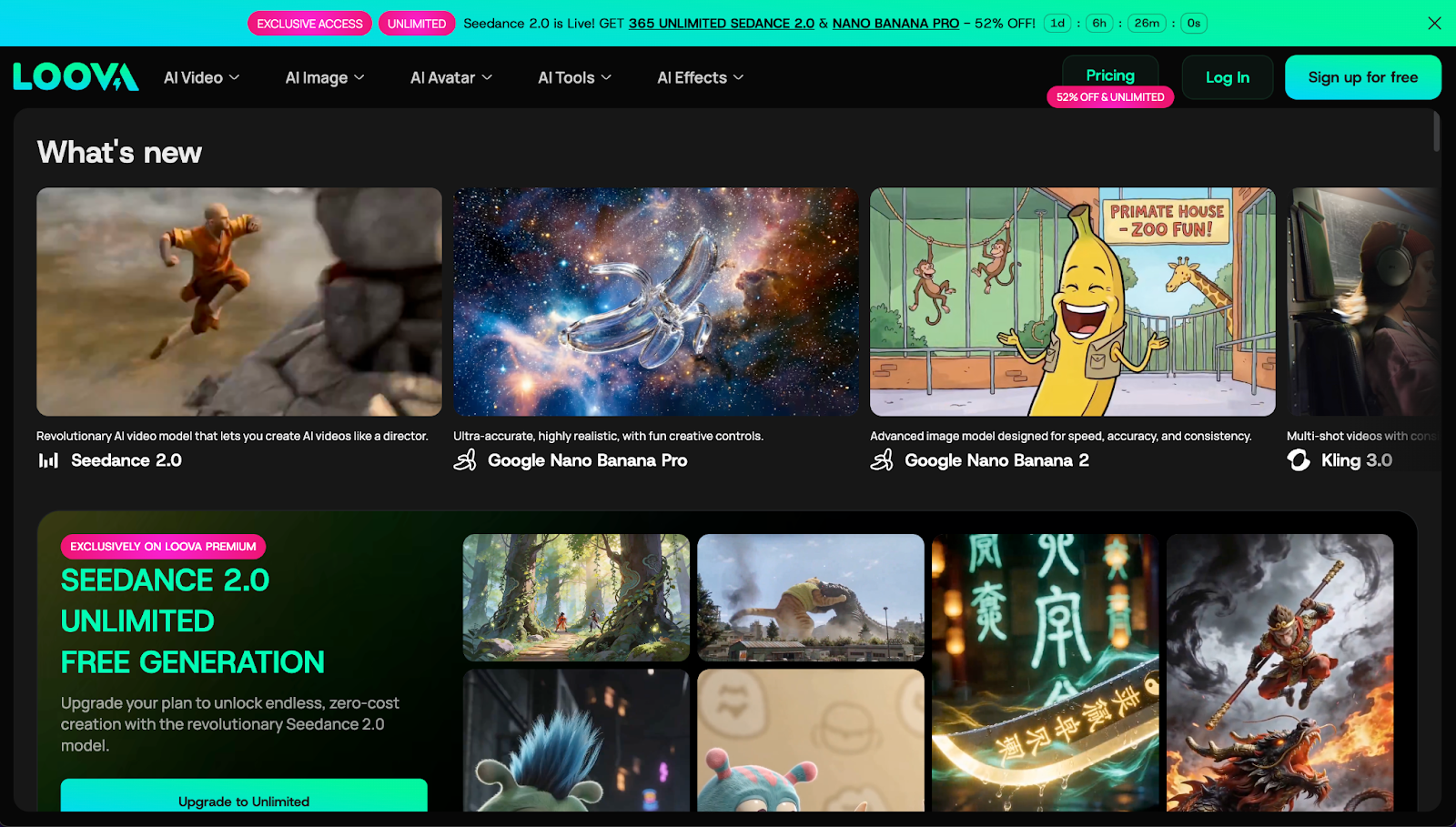
That level of integration saves time every single day.
But features alone don’t tell the full story. What matters is how they affect real workflow.
Where Loova Outperforms Higgsfield
Character Swap Changes Everything
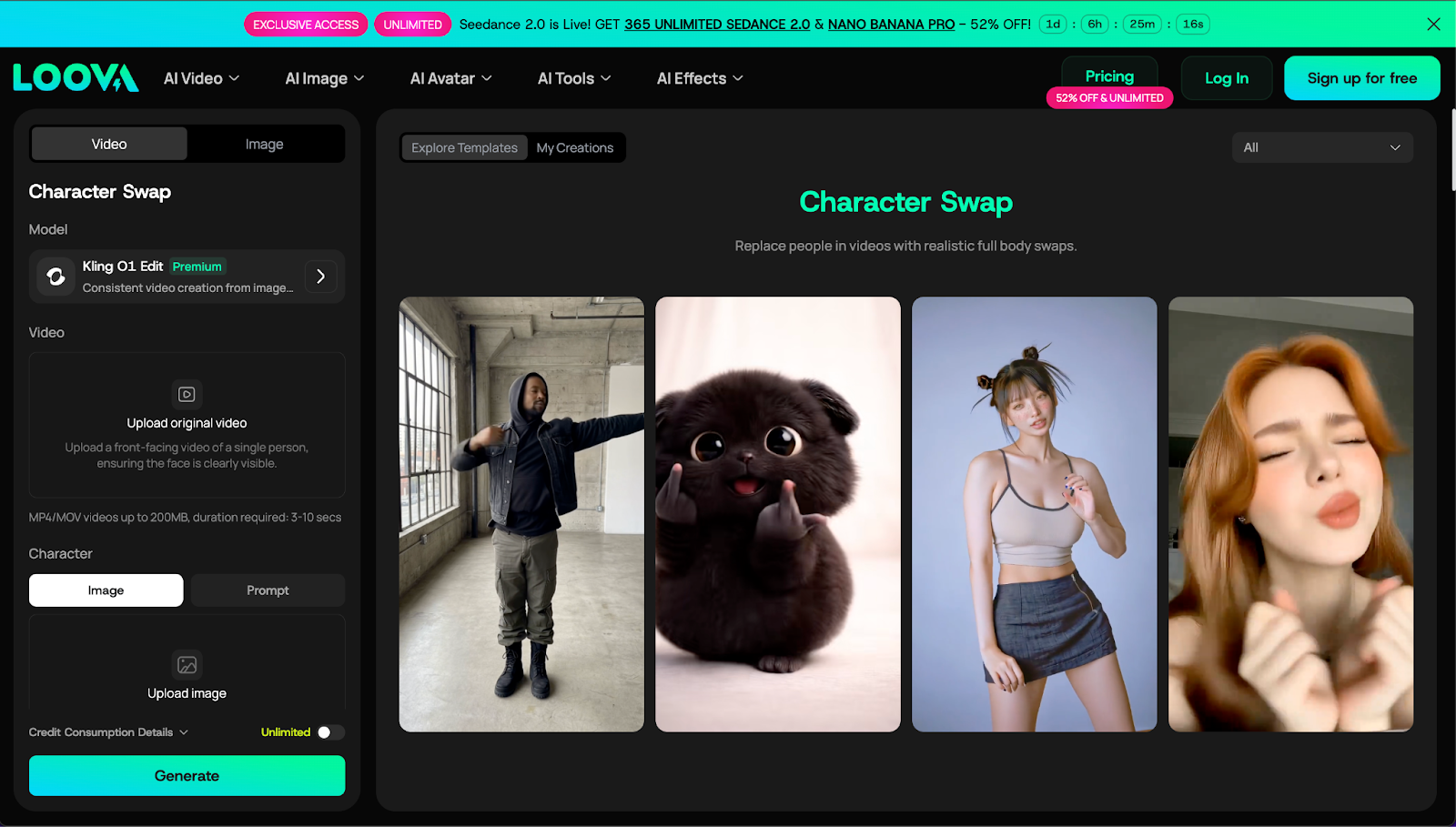
One of the biggest advantages Loova offers is character swap.
Instead of regenerating an entire scene, I can replace the person in the video while keeping natural motion and lighting intact. The result feels cohesive, not pasted on.
This is extremely useful for marketers and creators who test variations. I can create different versions of the same video with different characters in minutes. That flexibility simply isn’t as smooth in Higgsfield.
Character control isn’t just a nice feature. It directly increases content output.
Mimic Motion Makes Videos Feel Real
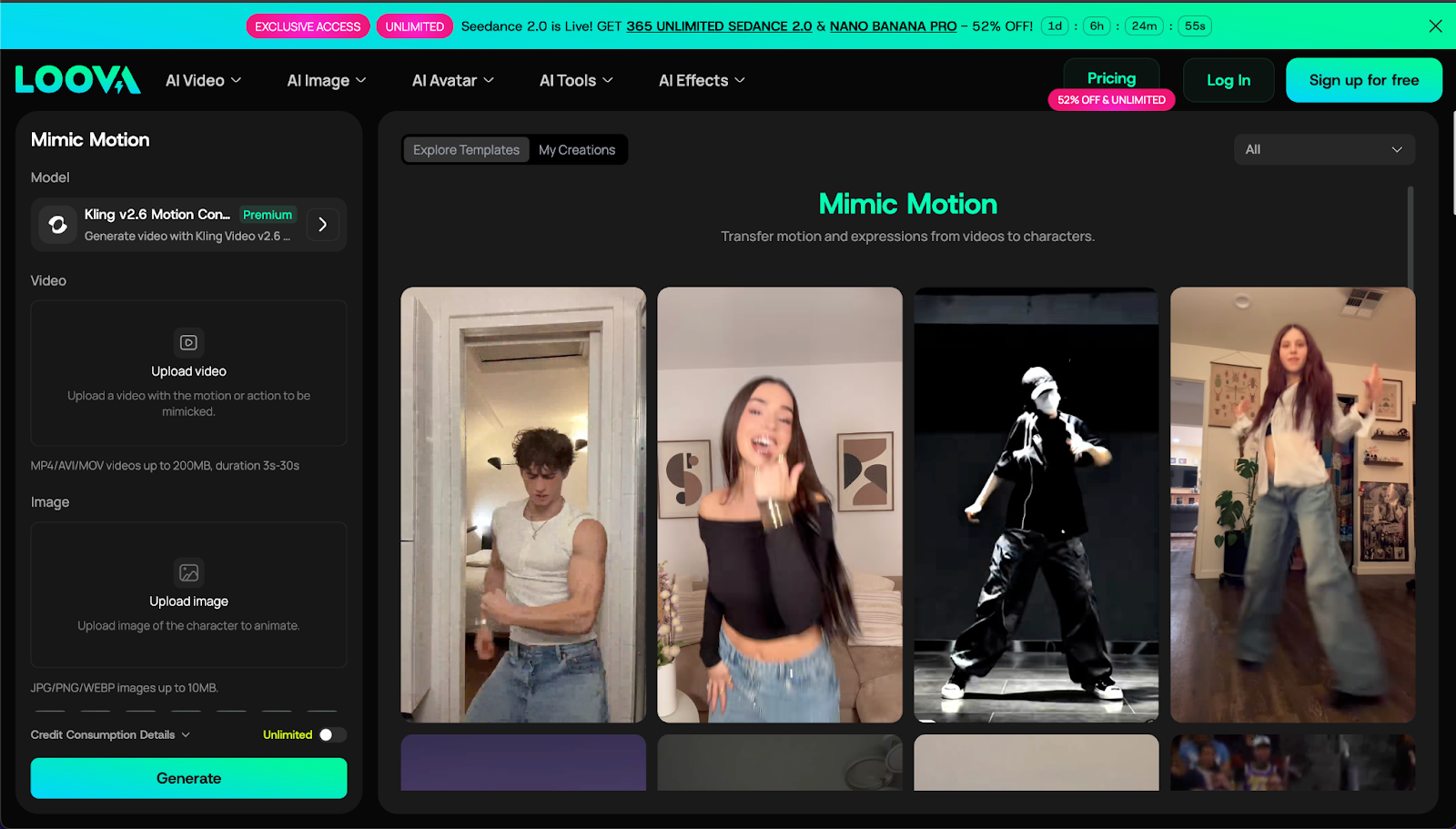
Motion realism is critical for engagement. Loova’s mimic motion feature lets me transfer movement patterns from a reference video to a new character.
The difference is noticeable. Body language looks natural. Gestures feel intentional. The video feels less like AI and more like real footage.
Higgsfield generates cinematic visuals well, but it doesn’t provide the same level of motion control refinement. For creators who care about realism, that gap matters.
Camera and Angle Control Improves Storytelling
This is where I felt the biggest upgrade.
Instead of letting AI decide framing randomly, Loova allows me to control camera angle, shot distance, and scene perspective. That gives me real storytelling structure.
If I want a close-up, I can guide it. If I want a wide cinematic shot, I can define it. That level of direction makes videos more intentional and professional.
Higgsfield creates impressive visuals, but Loova gives more creative authority over how those visuals are framed.
Editing Without Leaving the Platform
Generation is step one. Refinement is step two.
Loova allows me to remove unwanted elements from a video, add objects into scenes, replace backgrounds, or transform style with their AI video editor.
This reduces wasted renders.
Instead of regenerating a scene because of one small mistake, I fix the issue directly. That’s a huge time saver.
Style Transformation and HD Upscaling
Creative direction often changes mid-project. With Loova, I can transform the entire video style or adjust specific elements.
If I decide I want a more artistic look or a stylized tone, I don’t need to rebuild the video from scratch.
On top of that, HD upscaling ensures output stays sharp. That’s important for YouTube, ads, and product showcases. Clean resolution affects performance more than most people realize.
Loova Goes Beyond Video
Here’s the part many people overlook.
Content isn’t just video. You also need images, thumbnails, banners, product visuals, and promotional graphics.
Higgsfield focuses mainly on video.
Loova handles the entire visual pipeline.
Inside Loova, I can replace image backgrounds, expand images naturally to fit different formats, and enhance resolution. I can test hairstyle changes on characters, transform photos into stylized figures, or generate creative visual concepts.
For e-commerce, the product showcase generator is powerful. Instead of arranging a photoshoot, I create polished product scenes digitally.
For social media, I generate posters and cover images directly within the same ecosystem.
That integration reduces creative friction. I no longer jump between five platforms just to finish one campaign.
Why All-in-One AI Platforms Are Winning in 2026
The AI space is crowded with specialized tools. But specialization creates fragmentation.
Creators are realizing that tool stacking is inefficient.
Every extra subscription adds:
- Cost
- Complexity
- Workflow delay
All-in-one platforms solve that by consolidating features.
Loova feels less like a single AI model and more like a creative operating system. Generation, editing, enhancement, and design work together instead of living in separate apps.
That’s a structural advantage, not just a feature advantage.
Who Should Consider Switching to Loova?
If your content workflow includes only occasional AI video generation, you might not feel limited by Higgsfield.
But if you’re producing regularly, the difference becomes obvious.
YouTube creators benefit because they can generate video, refine scenes, and create thumbnails without exporting assets.
Short-form creators gain speed when producing multiple variations for testing.
Influencers can maintain visual identity across posts by adjusting styling, angles, and characters consistently.
E-commerce sellers can create product visuals, promotional videos, and marketing images inside one system.
Digital marketers can run faster A/B tests by swapping characters, modifying angles, and adjusting styles without restarting projects.
In each case, the benefit is the same: fewer tools, faster production.
Is Loova Worth the Switch?
For me, the decision wasn’t about replacing Higgsfield because it was “bad.” It was about upgrading to something more complete.
Loova gives me:
- More control
- More flexibility
- More efficiency
The biggest difference isn’t visual quality. It’s workflow simplicity.
When everything lives in one platform, creativity flows faster.
Final Thoughts
The best Higgsfield alternative in 2026 isn’t just about generating impressive AI scenes. It’s about managing your entire creative process efficiently.
Higgsfield is strong in cinematic AI generation.
Loova builds on that idea and expands it into a full creator ecosystem.
Once you experience generation, editing, enhancement, and design working together in one place, it’s difficult to go back to isolated tools.
For creators who value speed, flexibility, and creative control, Loova simply makes more sense.
Frequently Asked Questions
What is the best Higgsfield alternative in 2026?
Loova is one of the strongest alternatives because it combines AI video generation with editing tools, image features, and creative control in one platform.
Is Loova better than Higgsfield?
If you only need cinematic AI video generation, Higgsfield may be enough. If you want integrated editing, character swap, motion control, and image tools, Loova offers broader functionality.
Does Loova support advanced video editing?
Yes. You can remove elements, replace backgrounds, adjust camera angles, transform styles, and upscale resolution directly within the platform.
Can Loova replace multiple AI tools?
In many workflows, yes. It combines video creation, image editing, enhancement, and design tools inside one system.
Why are creators switching from Higgsfield?
Many creators want fewer subscriptions and more integrated features. Loova simplifies the creative process by keeping everything in one place.
Is Loova beginner-friendly?
Yes. The interface is designed to be simple while still offering advanced control for experienced creators.
If you’re serious about improving your creative workflow this year, I’d recommend exploring Loova yourself. Sometimes the best upgrade isn’t just a better tool. It’s a better system.

