




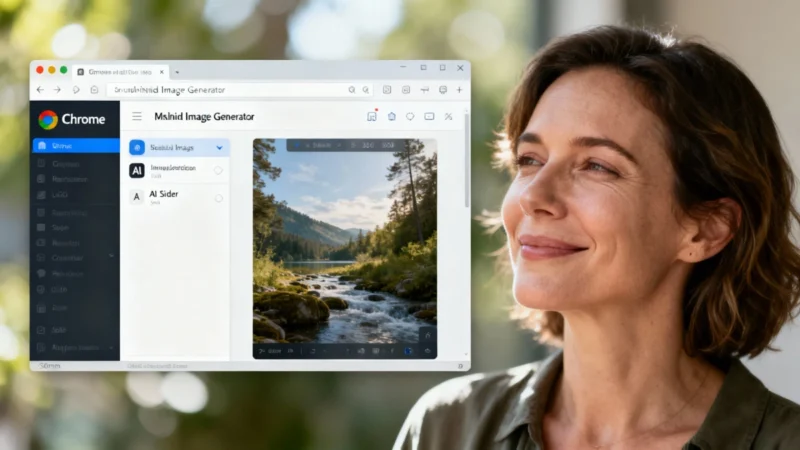
A New Era of Visual Creation: Meet Nano Banana
Google Chrome continues to evolve around artificial intelligence, now introducing an integrated visual creation tool. No more hopping between apps or tabs: users can generate and tweak images without ever leaving their browser window, thanks to Google’s in-house image generator, Nano Banana. Up until now, Nano Banana was exclusive to the Gemini app, but it’s finally making its way into Chrome. This update means you can now create or edit images directly, no need to open a new tab or mess with external files. Every step happens right in the sidebar, which follows you as you browse.
Gemini Sidebar: Smarter, More Useful, and Always by Your Side
The Gemini assistant is also deepening its integration with Chrome, arriving with new features aimed at boosting productivity. The browser now offers:
- An interactive sidebar
- Built-in visual tools
- A still-experimental auto-navigation function
This bundle is designed primarily for users who juggle multiple online activities and want to avoid constantly switching between tabs or Google services. The permanent sidebar provides continuous access to the AI assistant, no matter what tab you’re on. This lets you carry on your conversations with Gemini without losing track of your ongoing tasks. According to internal feedback at Google, this setup has proven particularly popular with people comparing products, planning events, or consulting several sources of information at once. For anyone who likes to multitask without filling their screen with windows, the time saved is more than just a bonus—it’s a lifesaver.
Gemini and Connected Apps: All Your Info in One Place
Gemini leverages the “Connected Apps” feature, pulling information from Gmail, Google Calendar, and other Google services. During an internal presentation, one employee simply asked for his children’s school holiday dates—and Gemini fetched the details straight from his inbox, no additional details needed. The assistant extracted the information directly from his email, making quick work of tasks that would otherwise require a bit of digging around.
Testing the Boundaries: Auto-Navigation and Market Limits
Not stopping there, the Mountain View tech giant is also testing an auto-navigation feature with American subscribers to its AI Pro and Ultra services. The idea: help users find something they previously bought online, and automate the repurchase process. However, during demos, the process was slow and still required manual approval for every sensitive step—especially when it came to logins and payments. For now, Chrome’s integration of these new features is restricted to select markets, including the United States. Google hasn’t provided a timeline for rollout in other regions, such as France.

