


Samsung has launched its most ambitious Good Lock update yet. The comprehensive suite arrives with One UI 8, delivering unprecedented customization depth to Galaxy smartphones and foldables. Users gain access to upgraded modules and revolutionary personalization tools that transform how they interact with their devices, making this update a game-changer for anyone seeking complete control over their mobile experience.
Good Lock and One UI 8: The Big Picture
Good Lock represents Samsung's advanced customization toolkit. It offers modules to personalize everything from home screens to multitasking workflows. With One UI 8, Good Lock receives its most comprehensive overhaul, debuting first on Samsung's newest foldables before expanding to the broader Galaxy ecosystem. This unprecedented level of device control makes One UI 8 significantly more user-centric than any previous iteration.
Users now command every aspect of their device's appearance and behavior. The update transforms standard Android interfaces into highly personalized experiences tailored to individual preferences and usage patterns.
Home Up: Revolutionized Home Screen Customization
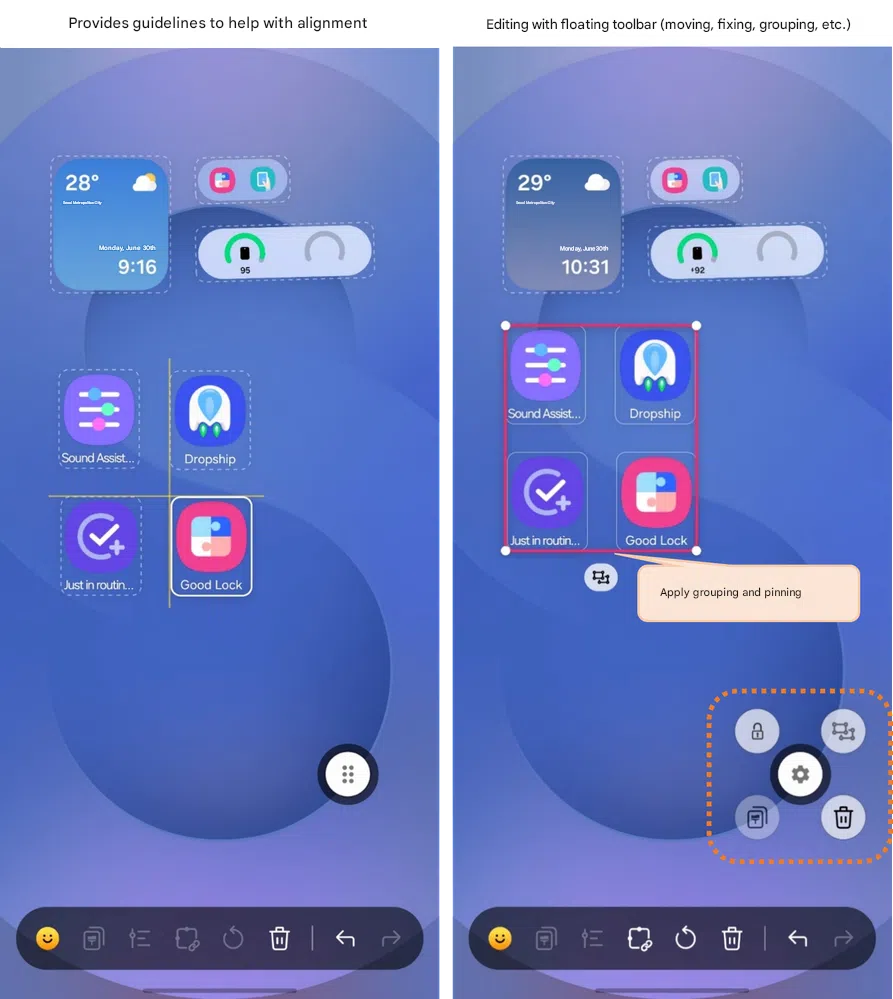
The Home Up module receives headline upgrades. Perfect icon and widget alignment becomes effortless.
Users can group or lock items with precision. Animated stickers now launch apps, adding playful functionality to everyday interactions. The home screen's page indicator disappears when desired, creating cleaner aesthetics that focus attention on content rather than interface elements.
New popup menus streamline navigation. Blur animations enhance multitasking visual feedback, making transitions smoother and more intuitive. These improvements simplify layout management while unlocking powerful, engaging interactions that make the home screen feel truly personal and responsive to user needs.
Enhancements Across Popular Good Lock Modules
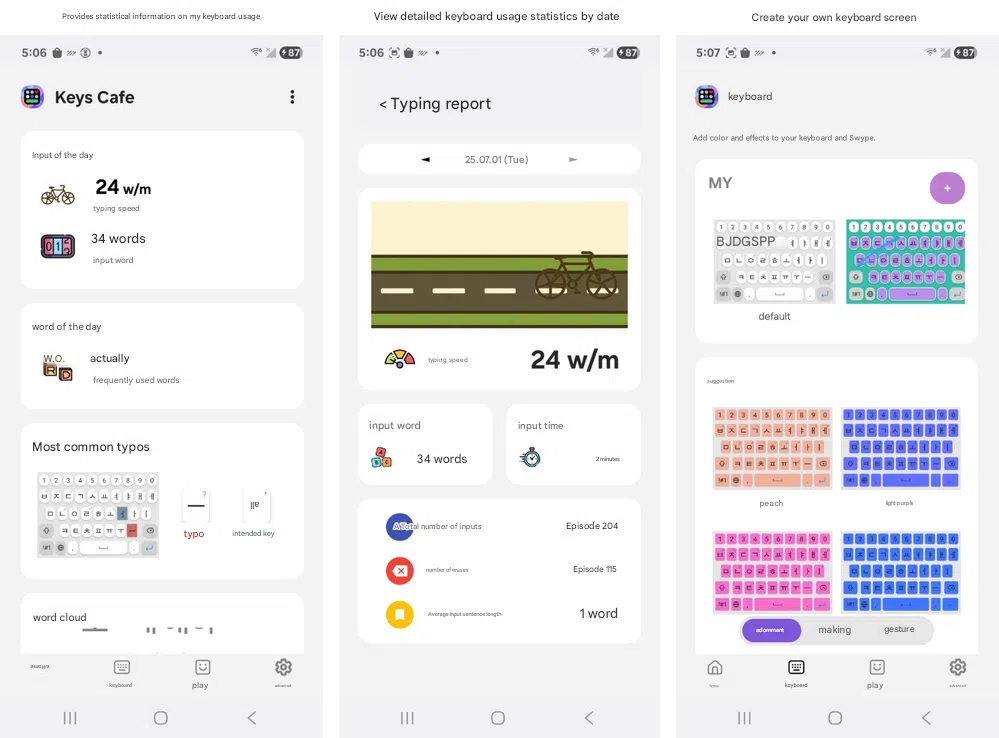
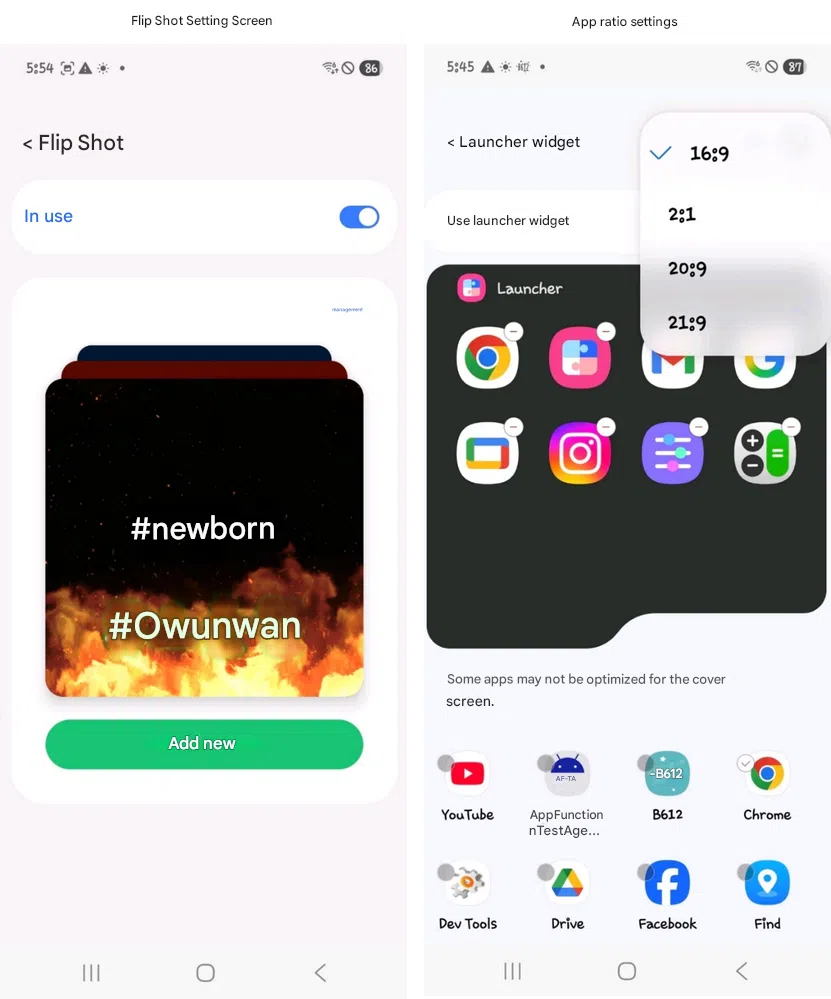
MultiStar, LockStar, and NavStar each receive significant upgrades. MultiStar delivers specialized multitasking features designed specifically for Samsung's foldable devices, including Flip Shot for creative selfie photography and resizable widgets optimized for external displays.
LockStar introduces custom fingerprint unlock effects. These visual enhancements transform routine security interactions into personalized experiences that reflect individual style preferences.
NavStar's navigation bar customizations achieve full compatibility with the latest operating system. Each update carefully balances functionality between traditional Galaxy smartphones and Samsung's innovative foldable form factors, ensuring consistent performance across the entire device lineup.
Practical Tips: Make the Most of Good Lock's New Features
Start with Home Up exploration. Group and lock your favorite app arrangements, then utilize alignment guides for pixel-perfect screen organization that maintains visual consistency across all home screen pages.
Foldable users should prioritize MultiStar's cover display widgets. These tools boost productivity instantly by providing quick access to essential information and functions without opening the main display.
Customize fingerprint unlock effects and navigation gestures. Your device should feel uniquely yours, reflecting personal preferences in every interaction. Enable or disable animation and blur options according to your system performance preferences, as Good Lock provides tools for every user type and usage scenario.
Broader Implications: What These Updates Mean for Galaxy Users
Good Lock's One UI 8 upgrades demonstrate Samsung's commitment to Android configurability. Power users and foldable early adopters benefit most from these advanced customization options that push the boundaries of what's possible with mobile device personalization.
Samsung refines both everyday workflows and advanced features simultaneously. This approach cements the company's position as an industry leader in device personalization, setting standards that other manufacturers struggle to match.
As wider rollout approaches, more users will access flexible, advanced controls. Third-party customization apps become less necessary when manufacturers provide comprehensive, native solutions that integrate seamlessly with core system functions.
Samsung sets new Android customization standards for 2025. Whether you use traditional Galaxy smartphones or cutting-edge foldables, One UI 8's Good Lock modules empower complete personalization of your mobile experience. The updates roll out gradually, but the wait proves worthwhile when your device becomes more capable, flexible, and uniquely tailored to your specific needs and preferences.