



The app that helps you keep your memories just turned 10. Google Photos is marking its birthday with a design overhaul and the addition of new smart features. After a decade of storing the world’s snapshots, the platform now boasts 1.5 billion monthly users and a staggering 9 trillion photos and videos uploaded. The app will make your edits faster and more intuitive henceforth. As expected, it's not without artificial intelligence involved.
Android gets first dibs on new Google Photos tools
The redesigned photo editing experience on Google Photos comes with a Magic Editor that combines different effects, such as brightness, contrast, warmth, and blur, into a single, tailored recommendation. If upload a portrait shot, you may get suggestions to apply them as dynamic, color pop, or enhancement overlays for the picture.

The Editor has also become more context-aware where you can now tap on specific parts of an image like a person’s face or the background. Photos will suggest tools that are most relevant for editing that part.
This other feature officially arrives on Android in June, with iOS users set to receive it later this year. It makes perfect sense that Android gets it first. After all, it's part of Google’s own ecosystem and where their apps and services run deepest. Plus, they can push the update directly through the Play Store without jumping through the approval hoops required on Apple’s platform.
Additionally, Google is expanding two existing and powerful editing tools, Reimagine and Auto Frame. They were initially part of the superpowers limited to the Pixel 9, and are now being integrated directly into the Editor.
Related: Hidden Google Photos tools that make managing storage easier
Google Photos gets creative with Reimagine and smarter sharing
Reimagine completely transforms the look and mood of any photo, similar to Meta's Imagine Me. But in a less whimsical way. It goes beyond basic filters. If you took a cloudy vacation picture, Reimagine allows you to use text prompts to add any elements you want. Before now, you only had the option to use AI and erase those parts of your pictures on non-Pixels.
Auto Frame, on the other hand, is a smart composition tool that analyzes your photo’s subject and automatically crops or adjusts framing to follow classic design principles like the rule of thirds or balanced symmetry.
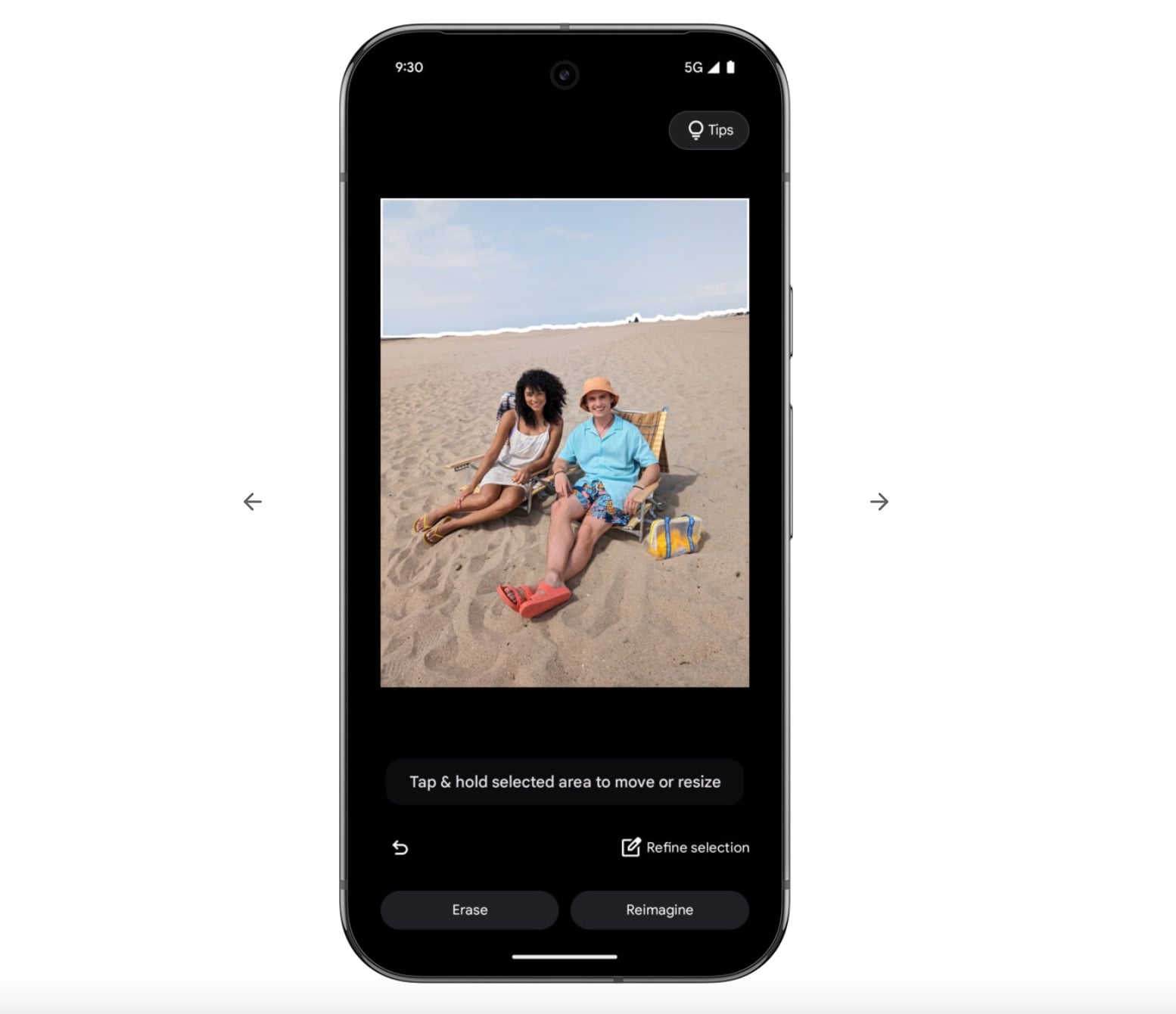
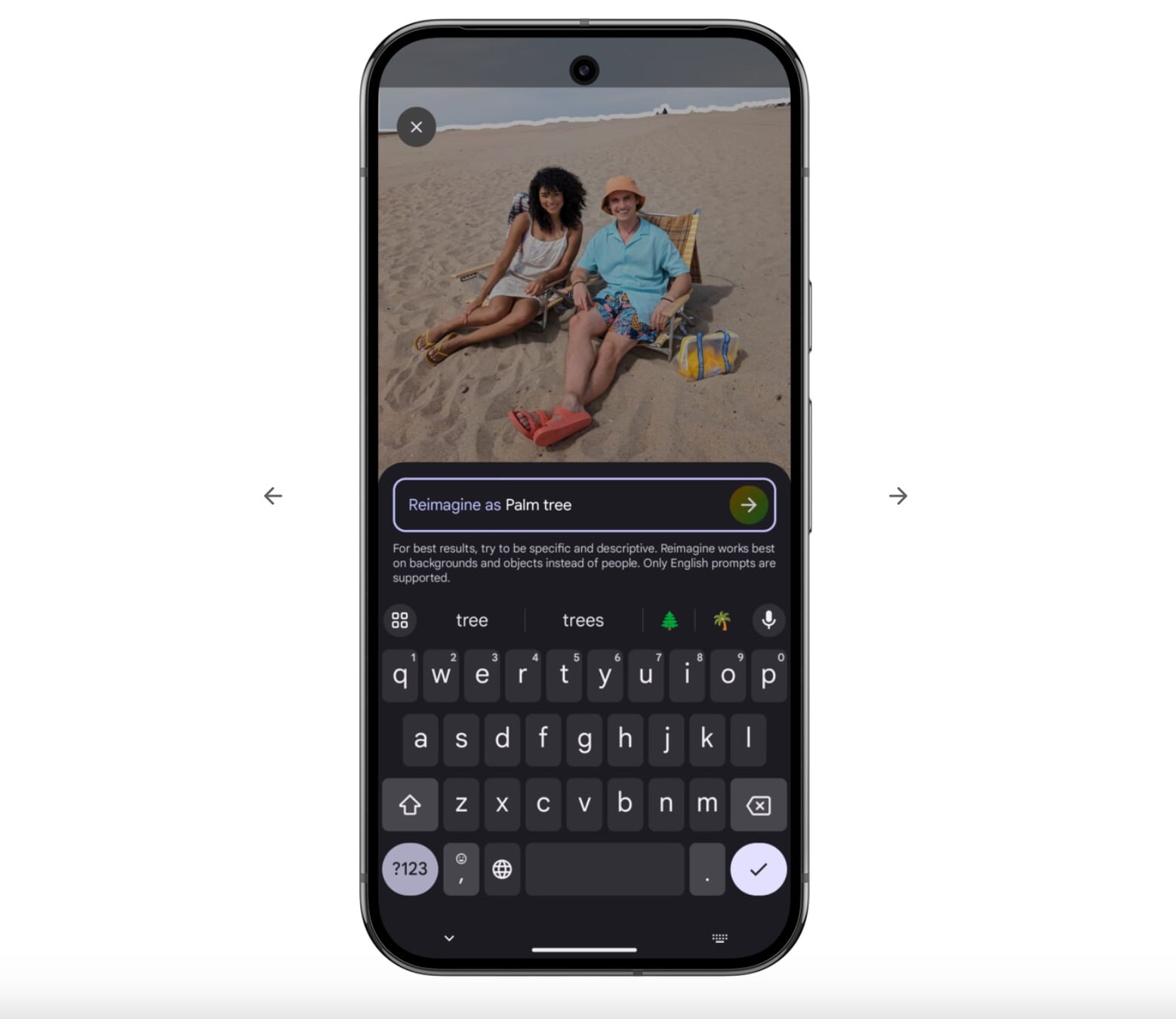
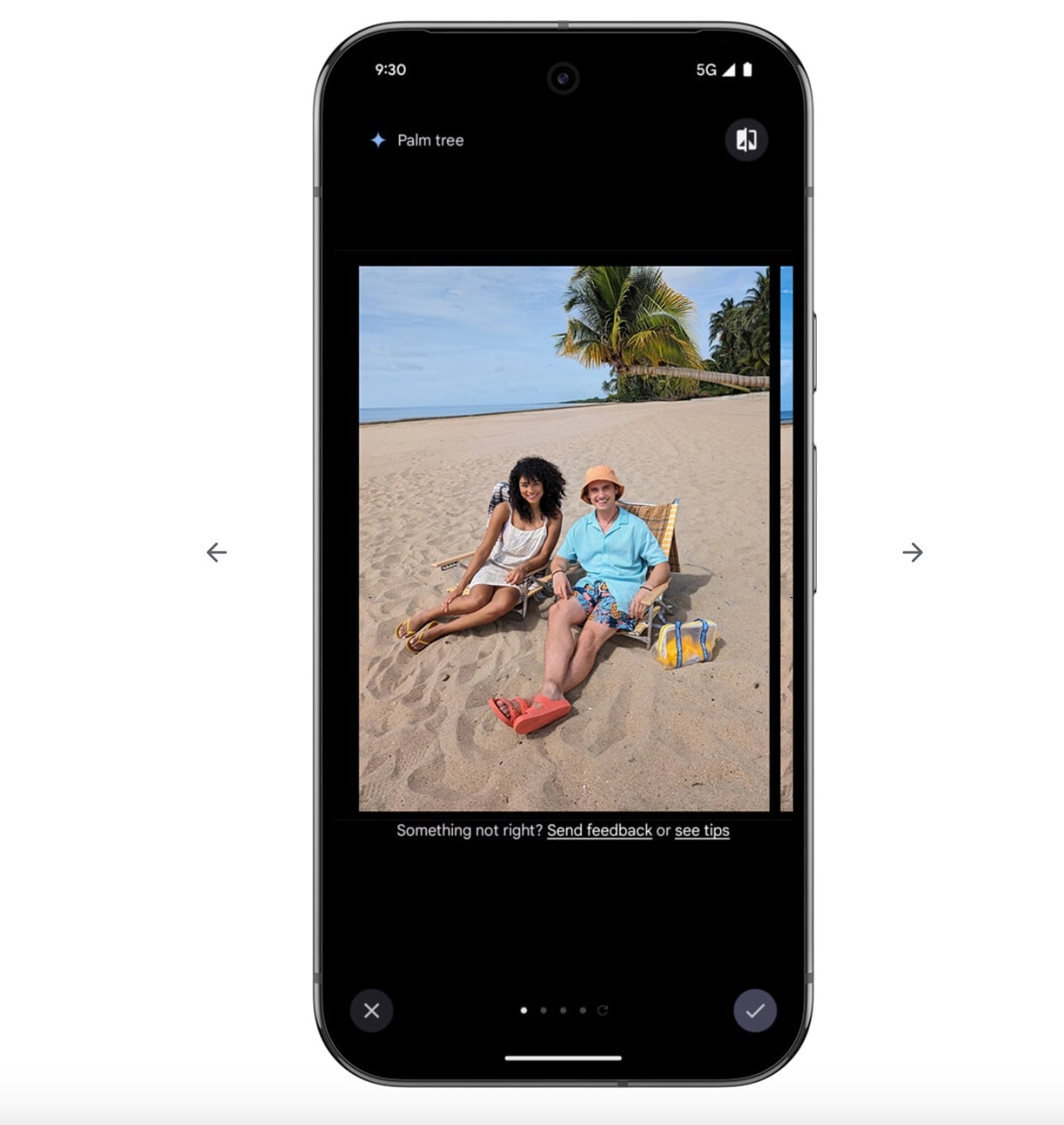
Again, if you took a quick photo of a friend at a park and didn’t quite center them. Auto Frame can detect the subject and reframe the shot so your friend is properly positioned without losing important background details.
Beyond editing, Photos is adding a new way to share memories with QR codes. You may generate a code linked to a photo or album. If you're at a wedding or any event and you want to share memories, anyone nearby can scan the code and access your specially curated album.
It also supports printing, so hosts can display codes on event posters or table cards for guests to scan and upload or download pictures. It's Google’s attempt to make photo gathering at shared events seamless and interactive.