





The Android operating system started on smartphones, but now it has grown to include a family of tablets, smartwatches, and even cars via Android Auto. Software is never perfect though, and Google is constantly working on Android to make it better and better.
Today, several awesome features are rolling out to devices running on Android, and you're bound to find several of them useful for you, some of which might be handy in your daily life.
Android Is Always Improving, And These Handy New Features Show Why
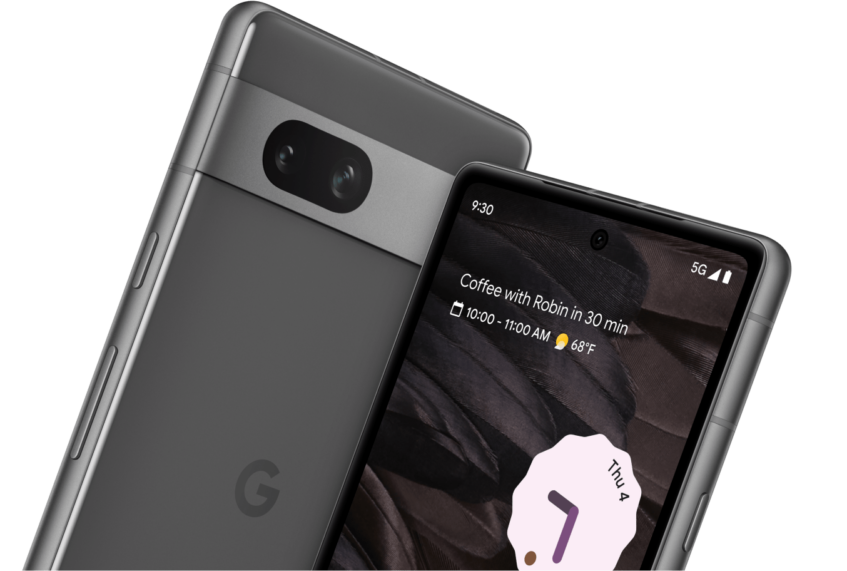
Android is constantly growing and that's why we love it. We're constantly getting new changes to the OS that make it more of a joy to use or bring functionality that we never knew we needed so badly.
Today, a blog post by John Renaldi, a Senior Director at Google, showcased several of these shiny new tricks up the Android bot's sleeve.
Android Auto Can Summarize Texts And Group Chats
When you're driving, you can't read through long messages and group chats (well, maybe you can, but you shouldn't). Well, AI is coming to Android Auto, and it will be able to summarize your messages and read them out to you. You'll even get quick replies and actions that are relevant to the messages sent.
You Can Now Hear AI-Generated Descriptions Of Images
The visually impaired can have a hard time making out what's in a picture on their screen. Alt text helps a lot with that, but what about when that wasn't provided? Well, using Lookout, Android now supports automatically generating captions for photos with the power of AI, whether it is on the internet, in your gallery, or sent to you in a message.
Gemini Is Accessible Via Google Messages

ChatGPT who? You can now ask Gemini questions, ask it for assistance, or simply have a nice chat, straight from the Google Messages app. This is pretty convenient and mimics what applications like Snapchat have in place at the moment.
Tickets And Passes Right From Your Wear OS Watch
At the airport, a concert, or the gym, and you need to quickly scan your pass to get through? Well, you no longer need to go digging for your phone. You can set things up before you need them so you can use your smartwatch screen to display the necessary QR code.
Health Data All In One Place
Sometimes there are too many devices and apps keeping track of your health data and you have to dance between a multitude of apps to see what's going on. Using Health Connect, the new Fitbit app makes it possible to see all your health info in a single location. Whether you want to see how many steps you've walked, the calories you've burned, or the distance you've run, you can do it from here.
Use Your Smartwatch For Navigation, Not Your Phone
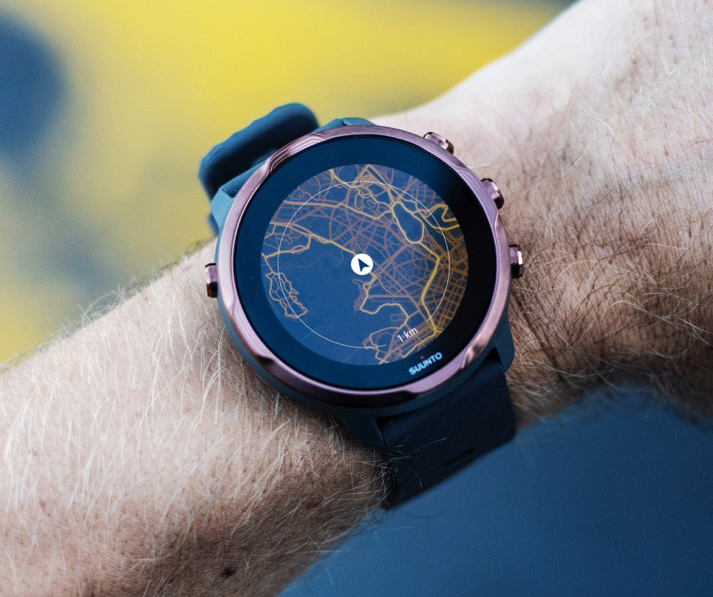
Have you ever tried to walk to a place but you need to keep your phone out, referring to the screen every minute or so? That can be a little annoying at times, but it doesn't need to be. One of the Android improvements we're talking about is for Wear OS which lets you get compass-guided directions to wherever you're headed to.
Google Lens In Maps Can Identify Places And Tell You About Them Aloud
For people who make use of Android's TalkBack in daily life, it can now do something cool in Maps. Paired with Google Lens, you'll be able to point your camera at a store, restaurant, or transportation station, and TalkBack will read out details about the establishment.
Home Screen Casting Controls Now Available For Spotify

If you use YouTube Music, you might know how you can switch what device the app is streaming through straight from the Home Screen or Lock Screen. Well, that same functionality now comes to Spotify, letting you change your music output from your phone speakers to your headphones with a lot fewer presses.
Handwritten Annotations In Google Docs
When you're looking through notes or documents in Google Docs, you can now leave annotations more naturally: by hand. Google Docs now supports handwritten markup, so if you have a tablet or a phone with a stylus (you can use a finger too), you can easily highlight, write, and draw on a Google Doc.
More Improvements Abound In Android 15

Android 15 will be coming to smartphones later this year, as the Developer Preview has already launched. With that, we can expect several more improvements to the operating system we're all so loyal to.

