



Are you sitting on a big DVD collection with no way to watch them anymore? Windows 10 doesn't natively support the same DVD playback that older versions of Windows did, so it can be a little tricky to get your movies in a playable format these days.
Fortunately, there's an easy solution. WinX DVD Ripper Platinum makes ripping your movie collection a breeze, and there's a pretty simple way to get the files mobile-friendly so you can quickly drop them on your phone to start watching immediately.
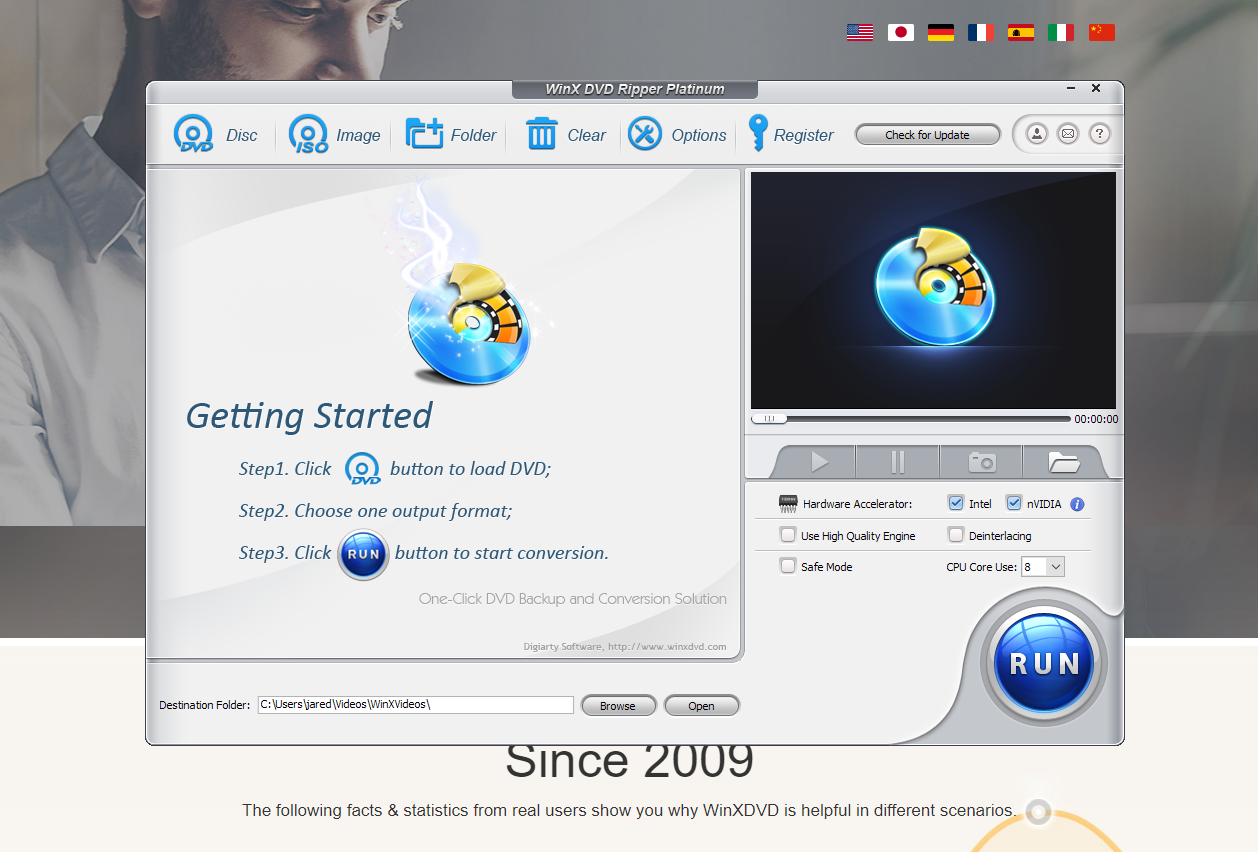
WinX DVD Ripper Platinum is already a pretty popular piece of software with over 70 million downloads since 2009. It's been around for a while and supports tons of languages (English, French, German, Italian, Spanish, Japanese, Chinese) and will work on Windows 10 and below. It's flexible, so if you need a reliable program to handle ripping your movies, check this one out.
How to rip a DVD for Android
We'll start simple. If you want to get your DVD in a playable format for your phone (or computer!) you're going to want the WinX DVD Ripper Platinum software. It's a pretty quick install, and it includes everything you'll need to start ripping discs.
Once everything's installed, you're going to want to insert your disc into your computer. In WinX, click the button in the top left that says DISC, which should prompt you to select the drive that your movie is inserted into.
The next screen should ask you to select the profile you'd like to use. There are tons of options here, so you should be able to select something that matches the device you want to use. You can get your DVD converted to a format that any iPhone, tablet, computer, or Android phone will play.
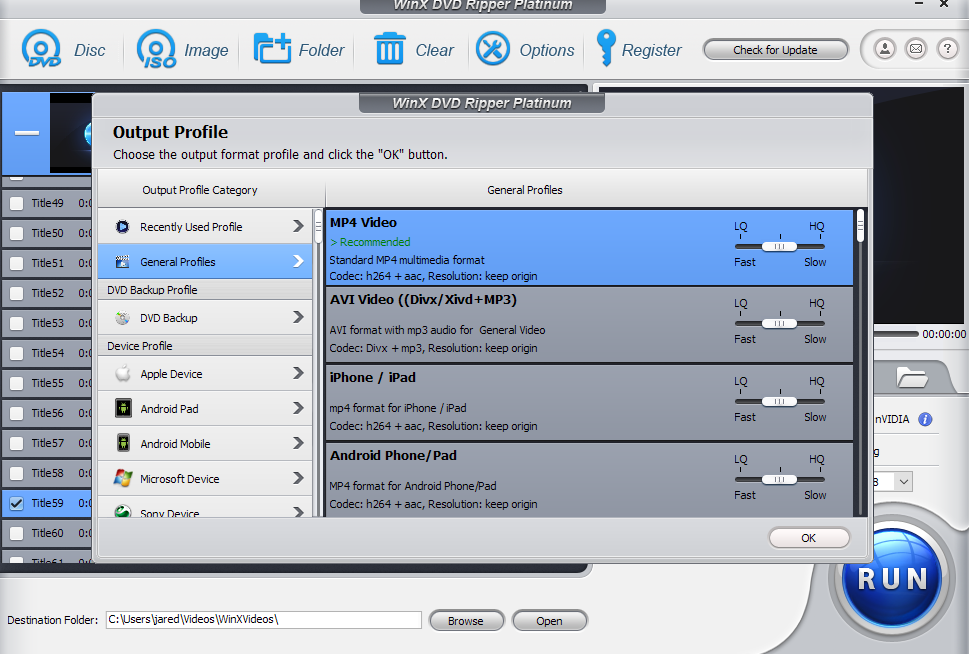
After this, WinX should automatically select the movie out of all the chapters and files on the disc. This helps you get around the copy protection that might be present on the movie so you can keep a personal backup.
Once everything looks good, just hit the big RUN button in the bottom right. Give it a few minutes to rip and convert the movie, and you've got a portable movie file ready to go, making this one of the simplest ways to convert a DVD to MP4 format.
WinX DVD Ripper Platinum features
This software is pretty fully featured and can cover just about any DVD use case you can think of. It works with older movies, plus newer files, and can get around copy protection on current discs. It also works to convert DVDs from other regions, which some DVD players struggle with.
You can also use WinX DVD Ripper Platinum to make full backups of your DVDs, too, including 1:1 ISO backups to get perfect quality.
There are some built-in tools that help make your DVD management a little easier, too. It's all GPU accelerated, which makes this Windows DVD ripper one of the fastest available. The software claims you can digitize a two-hour movie in about five minutes thanks to their quick software. The built-in video editor can also cut, crop, merge files, add subtitles, and extra audio from your DVDs as well.
Just need a simple DVD player for Windows 10, since Microsoft dropped the ball? You can also play DVDs with 5KPlayer, a 64-bit video playback software from the same company. It's hardware accelerated but it's build for 4K UHD content, so it'll have no problem if you start throwing 4K Blu-ray movies at it. This won't work on your Android phone, obviously, but you'll still get that crisp, high-definition detail on your computer. And hey, that's probably a bigger screen anyway, so that's not such a bad thing after all.
