




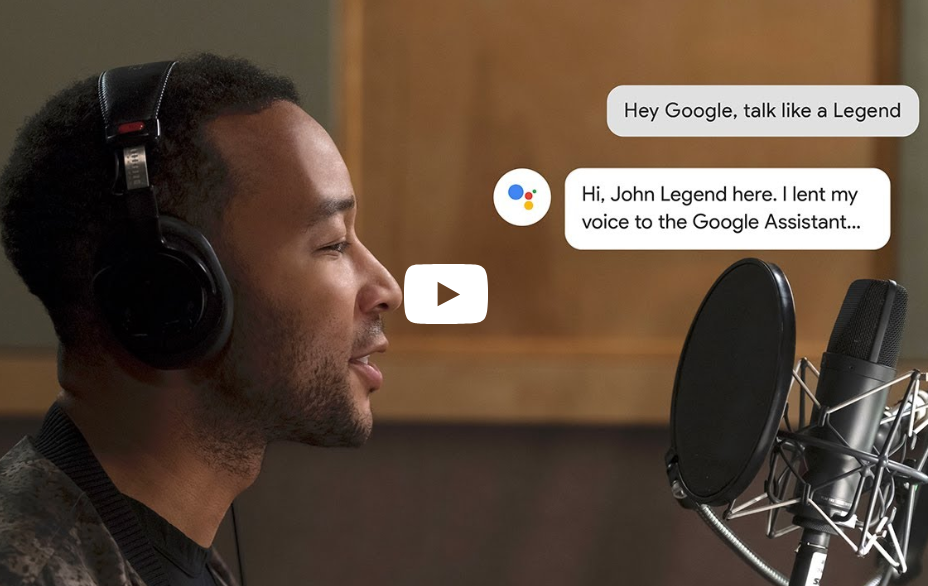
With Google I/O 2019 a little over a month away, it's time to reflect back on a feature that was first promised at I/O 2018, which was the promise that the Google Assistant would soon be able to answer your requests using John Legend's voice. Fast forward to April 2019 and John Legend's voice is finally available, in the US at least. Join us after the break to find out how to make your Google Assistant sound like John Legend.
All you have to do to add John Legend's voice as a cameo to Google Assistant is say “Hey Google, talk like a Legend,” and you'll hear his answering selected requests. You can ask things like:
- “Are you John Legend?”
- “What's your favorite type of music?”
- “Who is Chrissy Teigen?”
- “Tell me a joke.”
- “What's the temperature outside?”
- “Why is the sky blue?”
- “Hey Google, serenade me.”
- “Hey Google, are we just ordinary people?”
As mentioned, only selected responses will sound like John Legend; other responses will be in one of the usual Assistant voices. His voice is available as a cameo on all devices that Google Assistant is installed on, including Google Home Speakers and Smart Displays (such as the Home Hub) as well as on mobile for Android and iOS.
So, John Legend's voice has finally made an appearance on Google Assistant for readers in the US, who else's voice would you like to see added to the list? Let us know in the comments below.
Source: Google
Totallee case for Galaxy S10 review: Sleek case for a sleek phone
[Download] Get the official Huawei P30 Pro wallpapers here
[Guide] Ten WhatsApp tricks that you need to know
