





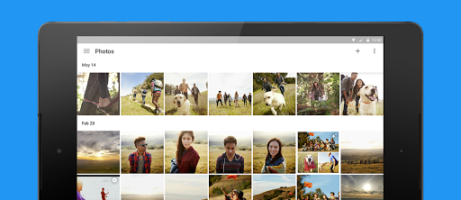
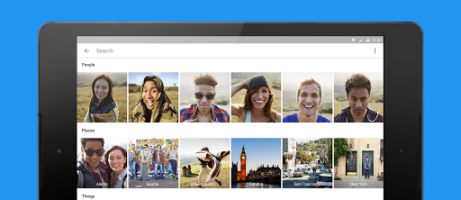
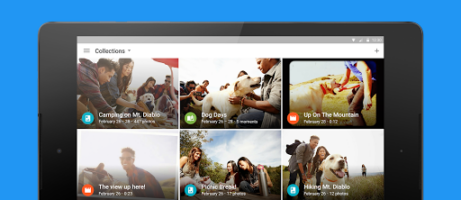
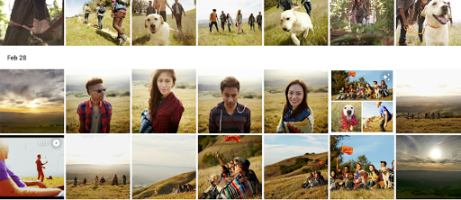
Earlier today Google took the wraps off the new, standalone Google Photos app. Since then, lots of users have been hitting the new web site for all of the uploaded photos, photos.google.com, to see if the service was available yet. As the site has started to light up for users, Google has also pushed the updated app out to the Google Play Store.
The new app mirrors features from the web interface, like the “Assistant” feature for creating and customizing photos and video. Most users will likely want to ensure the photos from their device are set to auto backup as a way to protect the images against loss. Except for possible privacy concerns, Google has made it easy to backup by providing unlimited storage through the new service, although images are limited to 16MP and videos are limited to 1080p.
Check out the promo video below for Photos along with some images from the Play Store. You can hit the links below to check for the update or install the app if you have not already done so. Keep an eye on TalkAndroid for more news from Google I/O 2015.
https://www.youtube.com/watch?v=ydBjsZnHrwM




Unbelievable. From ease of using, learning curve to the facial recognition. Update that will be used over and over, not like trick slomo that us used a few times
I’ve never used photos. The app was on my S5 and now on my S6 but since it was attached to Google+, I was concerned the photos I didn’t want uploaded would be seen by the masses. Glad its a stand alone app and works more like a cloud service than an instagram. I just now need to organize my 1000+ pictures
I’ve never used photos. The app was on my S5 and now on my S6 but since with was attached to Google+, I was concerned the photos I didn’t want uploaded would be seen by the masses. Glad its a stand alone app and works more like a cloud service than an instagram. I just now need to organize my 1000+ pictures