




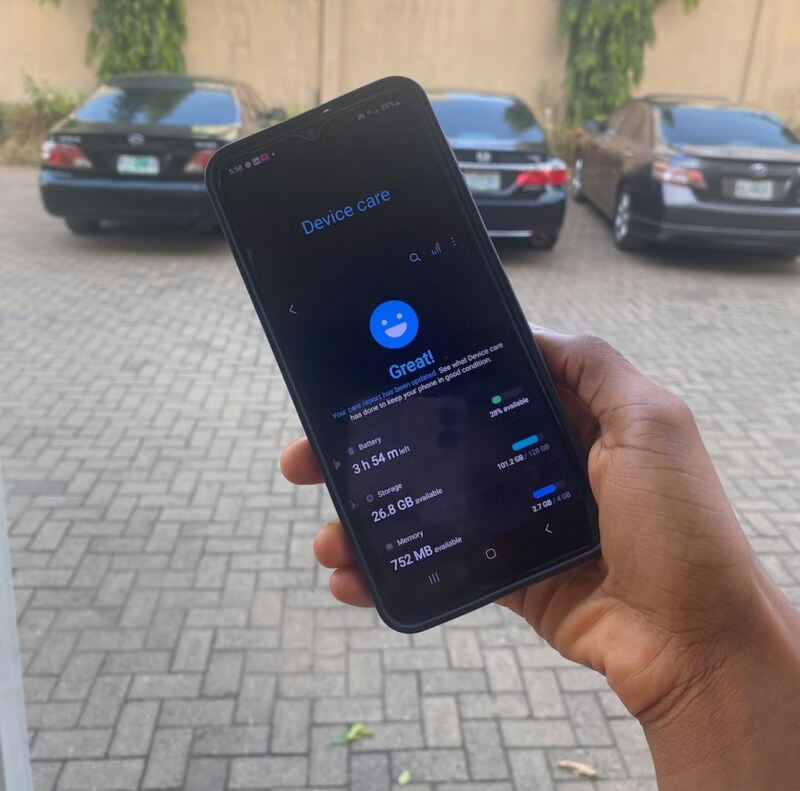
Android device optimization means any steps you take to make your phone run faster, save battery, and last longer. It involves freeing up your phone's storage space, keeping your operating system up-to-date, and more. It's not necessary that you have to optimize your device, especially when you own modern phones and tablets with the latest technologies.
Older devices will benefit more from the efforts since the hardware and software support degrades over time. Also, considering that Android OS is versatile, you want to make sure that your devices run efficiently on any manufacturer's hardware hardware. If you want to apply the best practices to improve and preserve your device's performance, here's how.
Note: The tips and procedures mentioned in this article are only for inspirational purposes. You have the freedom to manage your device as you see fit. Do not disable or remove any features unless you're sure of the implications and your decision. Also, the steps may vary depending on your device's manufacturer and operating system.
1. Free your phone's storage
Every Android phone or tablet has an in-built file manager that shows you the location of every file on your device. It does a good job of organizing items into separate folders, so you don't have to sort them yourself most of the time. If you have a better arrangement in mind, you can create new folders and move files around. It's worth taking the time to look around your file manager and see what you need and don't, then clean it out.
If you have a smart manager like Google Files and Samsung's My Files, you'll see options to instantly detect and remove duplicate files. They'll also show you unusually large files.


The bottom line is to unclutter your phone. Use your free time to go through your gallery app, file manager, and app menu to remove the things you can do without. If it's not enough to reproduce a significant amount of space, move some of your stuff to the clouds. You can use Google Drive, OneDrive, and other cloud storage solutions to spread out your files and access them whenever you want.
2. Manage your apps
You'll want to get rid of dormant apps to create space for useful content. I used to have the Call of Duty mobile game installed for months. Before I recently deleted it, the last time I touched it was around November 2023. It took a hefty 15GB of space that I easily replaced with more productivity tools — since I'm such a workaholic Gen Z now. Basically, if you're not using it, let it go. Don't be a file hoarder.
You can always recover deleted apps from the Google Play Store. The Apps menu in your device's settings gives you a unified view of system and third-party apps. While you can't uninstall system apps without rooting the device, you can temporarily disable them. This way, they don't run in the background.


You can also uninstall apps from your app menu or home screen. Long-press an app and select Uninstall.

If you have two separate apps doing different tasks, find an alternative that provides both services in one (when possible). For example, you have an app that creates photo collages only, and another one that offers numerous filters. You can replace both with Snapseed, Adobe Photoshop, and apps like PicsArt with multiple capabilities.
It also helps if you browse your app list and clear their cache. Cache clearing helps manage storage and potentially improve app performance on your Android device. Typically, apps store temporary files on your device, like thumbnails. Over time, they accumulate and become corrupt causing the app to misbehave. You'll restore it to normalcy when you clear them.

Because the app re-downloads temporary files frequently, you should check in on its cache regularly and clear them. In the worst-case scenario, wipe the app's storage to start afresh. You'll lose every data within the app, but not your account.
3. Update your phone's operating system
An OS update will bring new features to your screen like Android 14's revamped notification bar and Quick Settings. But it's not just that. OS updates often come with security patches that address vulnerabilities. Hackers are actively trying to exploit them, gaining entry to your phone and stealing personal information. The updates will also tackle performance flaws or blocks and improve your device's speed.
Usually, your phone sends you a notification when a new update is available. If it doesn't, head to your settings menu. Scroll down and go to Software update > Download and install. Your phone will scan for any update and prompt you to install it.

If you want your device to auto-update over Wi-Fi, tap the toggle switch in the Software update menu. I prefer to use it since I'm mostly connected to Wi-Fi. Major updates and security patches on Android are quite heavy. My last One UI 6 security update was 250MB large.
4. Disable animations
The bouncing icons when you long-press apps, the fading screens, and sliding menus — these are all Android animations. While they make your experience life-like, disabling them reduces delays and distractions. They rely on your phone's processor and graphics processing unit (GPU) to render the transitions and effects you see.
So, if you have little RAM and a weak GPU, your phone is slower in displaying the effects. Plus, animations aren't much help when you have visual impairments.
There are two ways to manage animations. You could disable them in the Accessibility menu under settings, although Developer options give you a higher level of control. You'll have the added capability of adjusting Window, Transition, and Animation effects rather than just turning it off.
Disable animations in the Accessibility menu
Go to Settings > Accessibility > Vision enhancements. Enable the toggle switch beside Remove animations.

Disable animations in Developer options
- Go to Settings > About phone > Software information. Tap Build number seven times to unlock Developer options. Then return to settings and tap the newly added option at the end of the settings menu.


2. In Developer options, scroll down to Drawing. Then use the Window, Transition, and Animator duration scales to adjust or disable animations.

5. Turn off location services
Android's Location services determine your device's position using GPS, Wi-Fi, and cellular networks. They're useful for many reasons, including receiving earthquake alerts and other emergency updates. As someone who resides in Nigeria, a region with low risks of earthquakes, I don't particularly find them useful. The last recorded case was in 2016, which is a good occurrence rate compared to areas along the tectonic plate boundaries. There's also the fact that the feature doesn't even work in my region.
Here's what each service does:
- Earthquake alerts: as aforementioned, it warns you seconds before an earthquake hits, so that you can seek safety.
- Emergency Location Service: when you call an emergency contact, like 911, it tells authorized agents your exact location to aid them in finding you.
- Google Location Accuracy: it combines GPS, Wi-Fi, mobile networks, and more data from various sources to estimate your location.
- Google Location History: it keeps a record of the places you've visited, routes, and trips.
- Google Location Sharing: it enables you to share your location with other people via different apps.
If any or none of these services are relevant to you, disable them. You can always run a Google Search for these things — or just watch the news like seniors do.
Another reason to disable location services is because they draw power from your phone's battery, and actively run in the background for accuracy. The more this activity happens, the more power they'll consume. Battery consumption aside, you may be paranoid about Google's software collecting information about your whereabouts.
Frankly, many apps rely on location services to function properly. That includes your ride-sharing, map, and weather apps among others. But you can disable the services until you have to use them again.
To disable them, swipe down from the top of your phone's screen with two fingers to open Quick Settings. Long-press Location to enter the full menu. Select Location services to manage the services.

Practice well-rounded phone care
We've affirmed that optimizing your Android phone is important. All the aforementioned steps should help you care for your phone's internal performance. But your efforts shouldn't stop at that level. I use a phone case for my Samsung A23 smartphone and a screen protector to keep scratches and cracks to a minimum. You should do the same. If you have plans to sell your phone in the future, you'll get more value for keeping it in good condition.
Also, clean the ports with compressed air and a soft-lint cloth. Personally, I use a toothpick to fetch any debris stuck to corners I can't reach. This part is optional, and you want to be careful with how far you dig. You don't want to damage any sensitive phone parts.

