

It’s been months since the Meta Quest 3S landed on my desk and roughly two years since its release. After waves of nausea, immersion, indifference, excitement, and a plethora of other feelings, I’ve seen enough to say enough.
For me, the headset is the Nintendo Switch of VR that costs $350. It's a scaled-down version of its sibling, the Meta Quest 3. But that doesn’t take away from its broad appeal. Let’s see what it can do.
What’s in the box?
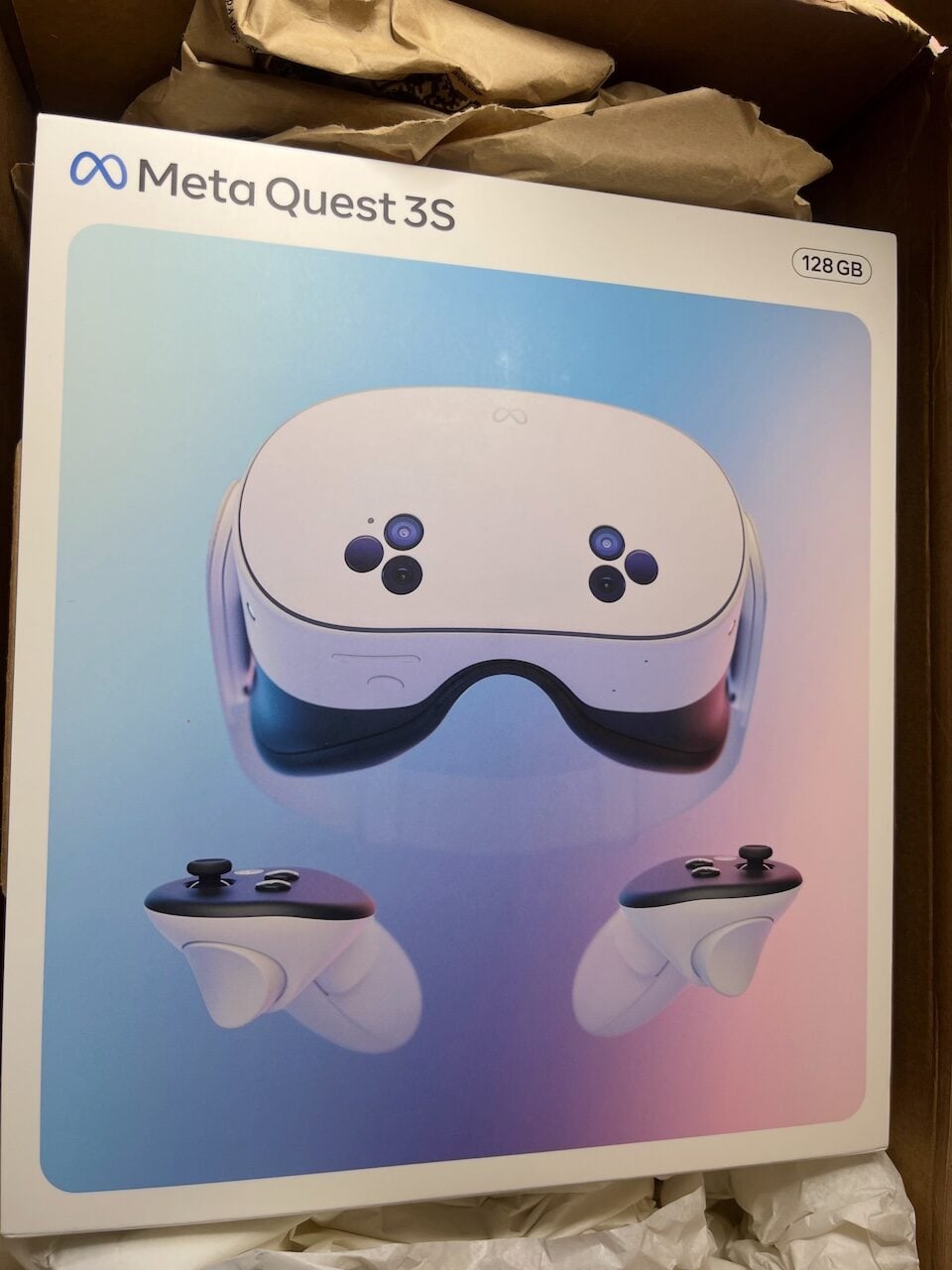
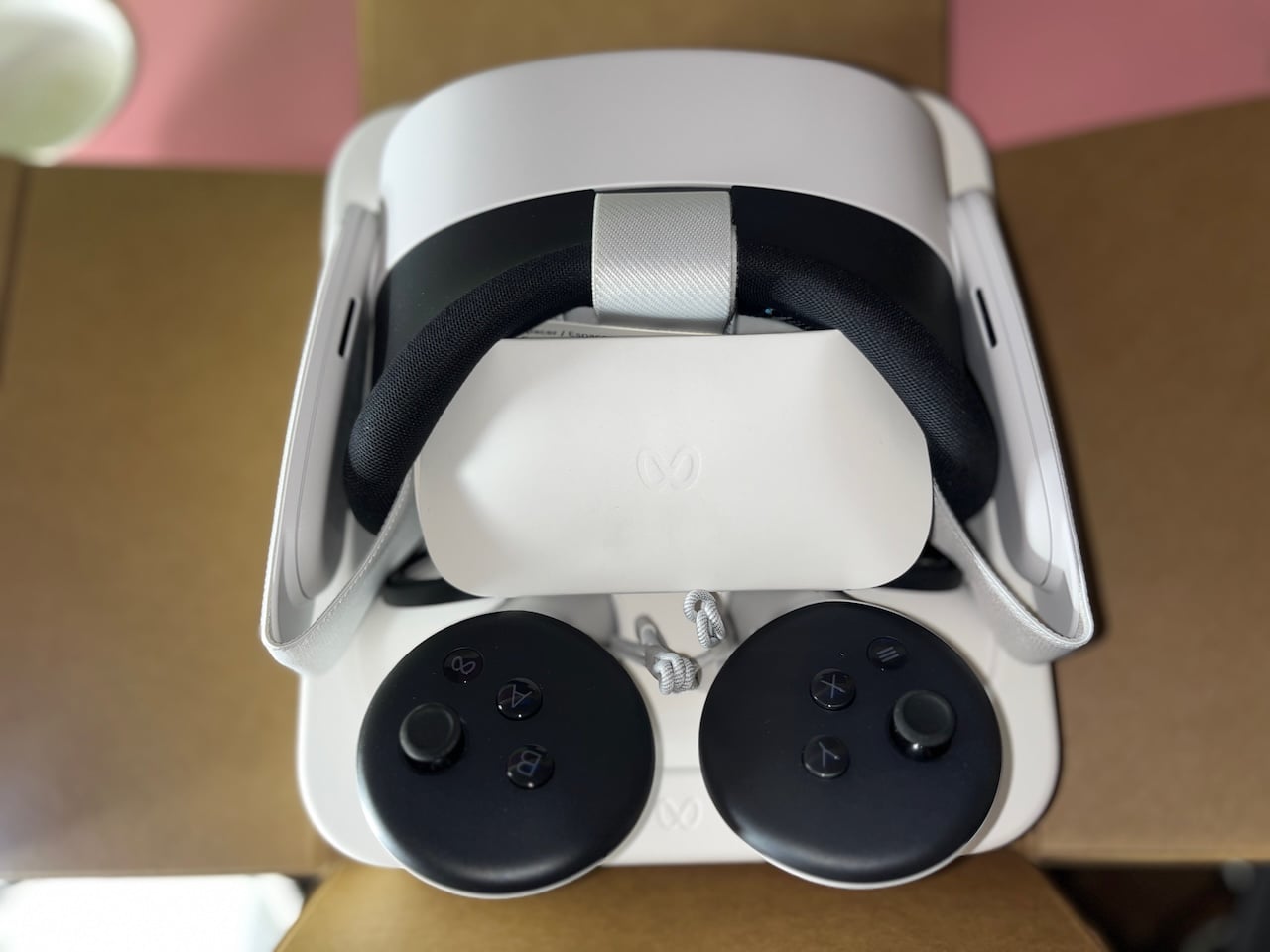
My 128 GB Meta Quest 3S arrived in a brown shipping carton packed with crumpled kraft paper and white tissue. Inside sat the retail box. It has a white border around a soft gradient of sky blue, lavender, and pink. The headset faces you at the center, with its two clusters of three sensors.
Under the sleeve is a plain kraft box with the flaps opening outward on all four sides, so that it lies flat on any surface. Everything inside rests in a white molded pulp tray stamped with Meta’s logo once again.
The headset sat lens-side up with its straps folded around it. The two controllers also lay face-up below the headset, with their braided gray wrist straps knotted between them.
In total, my box contained the following items:
- The Quest 3S headset with its soft strap.
- Two Touch Plus controllers with wrist straps.
- 18W power adapter with 1-meter USB-C cable.
- A glasses spacer.
- Documentation.
There were AA batteries already preinstalled inside the controllers. Normally, that would’ve been a gripe if it weren’t for the small plastic pull-tab. Meta isn’t so careless that it’d forget to break the circuit.
The tab sits between each battery and its contacts, so no power flows while the controllers wait in the box. The batteries only lose charge to natural self-discharge, which is slow for alkaline AAs. I pulled the tabs, and the controllers woke up ready to go.
Hardware
| Specification | Details |
|---|---|
| Chip | Qualcomm Snapdragon XR2 Gen 2 |
| RAM | 8GB |
| Storage | 128GB or 256GB |
| Display | Single LCD panel, 1832 x 1920 pixels per eye |
| Refresh rate | 72Hz, 90Hz, 120Hz |
| Lenses | Fresnel |
| Field of view | 96 degrees horizontal, 90 degrees vertical |
| IPD adjustment | Three positions (58mm, 63mm, 68mm) |
| Passthrough | Full color, 4MP cameras |
| Tracking | Six degrees of freedom, inside-out, with IR illuminators for depth |
| Audio | Dual open-air speakers in the strap arms, no 3.5mm headphone jack |
| Connectivity | Wi-Fi 6E, Bluetooth, USB-C |
| Battery | 4,324mAh (16.74Wh) |
| Battery life | Up to 2.5 hours (2 hours, 19 minutes in my test) |
| Charging | 18W USB-C power adapter, 1-meter USB-C cable |
| Controllers | Touch Plus, one AA battery each |
| Weight | 514 grams |
| Price | $350 (128GB), $450 (256GB) |
Design
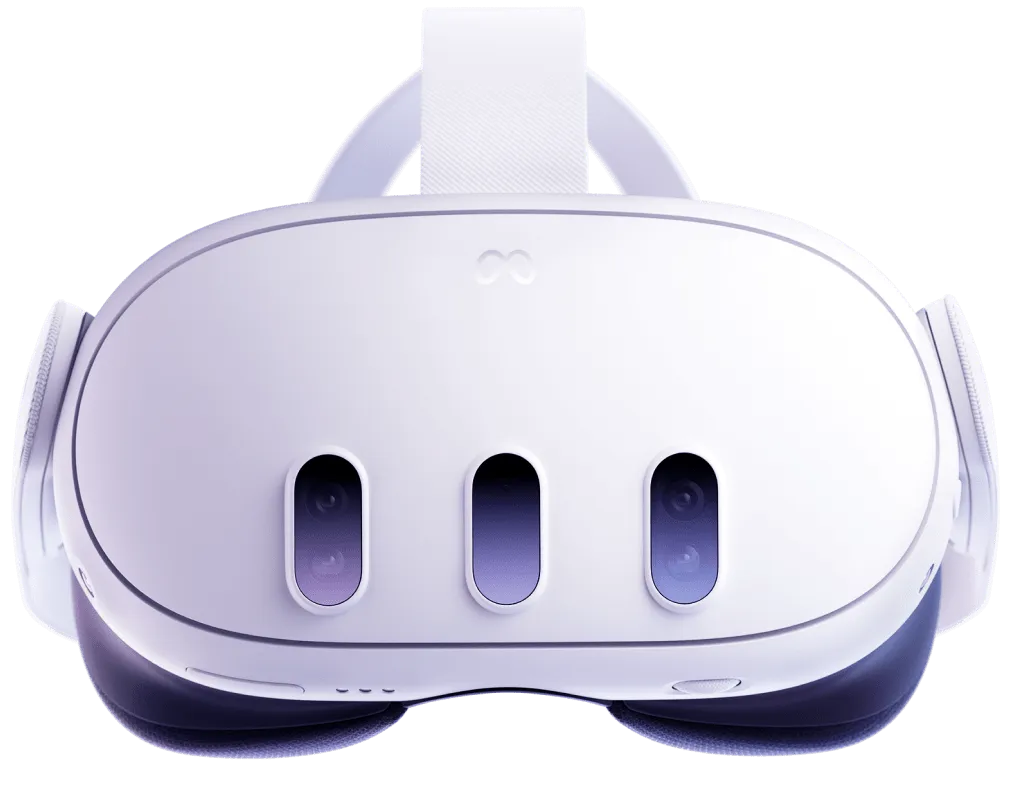
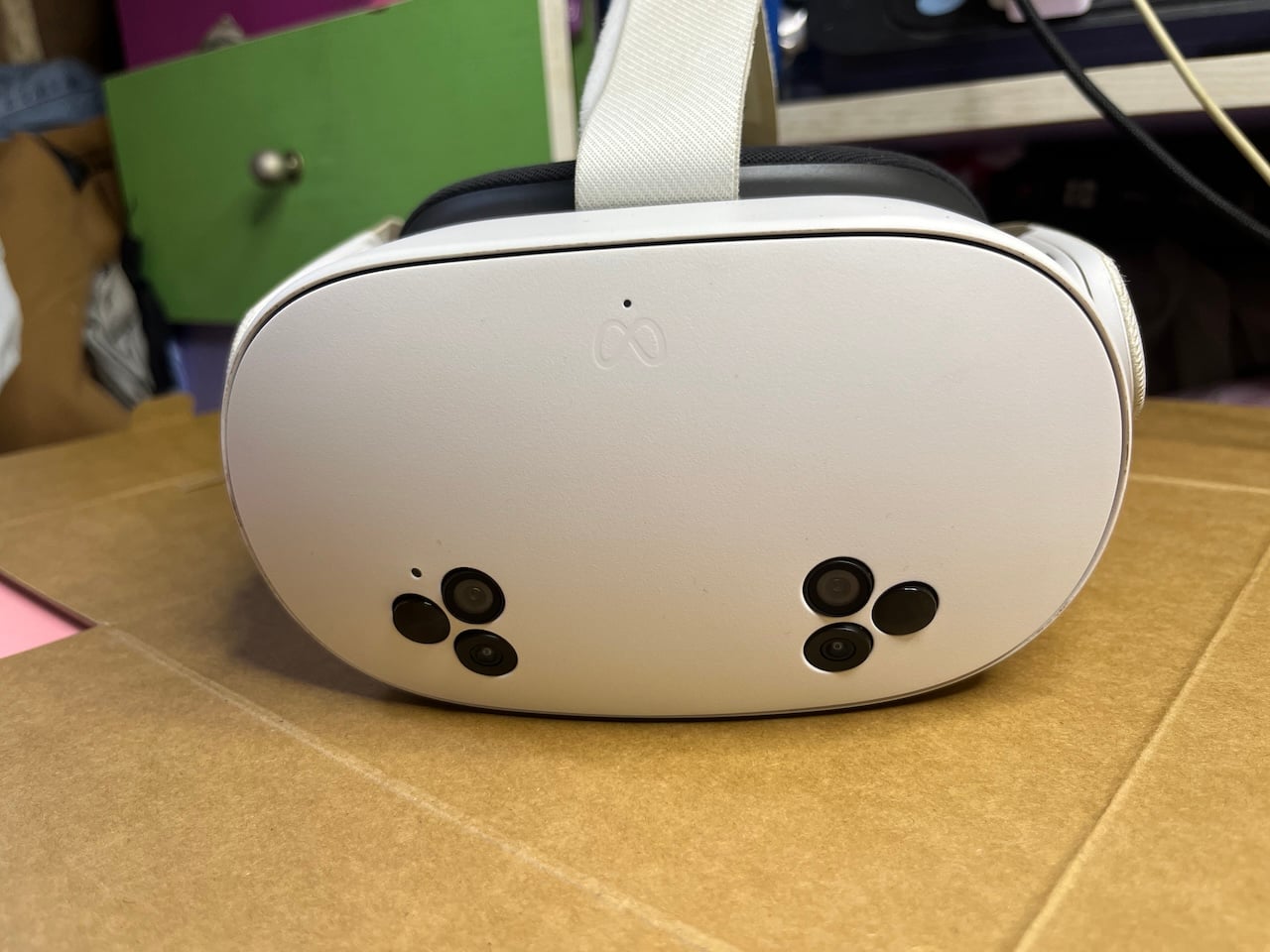
The Quest 3S mixes the past generations of Meta headsets. It has the Quest 3’s chip, passthrough cameras, and controllers. It also borrows the Quest 2’s Fresnel lenses and bulkier shape. The body is white plastic with a matte, slightly grainy finish, and the company logo is embossed near the top.
Above it is a pinhole that indicates the privacy light. It glows white when the cameras are on and blinks when I’m recording or casting, so anyone in the room knows the headset can see them. It also flashes on for a few seconds when I plug in the charger, because the headset briefly wakes up.
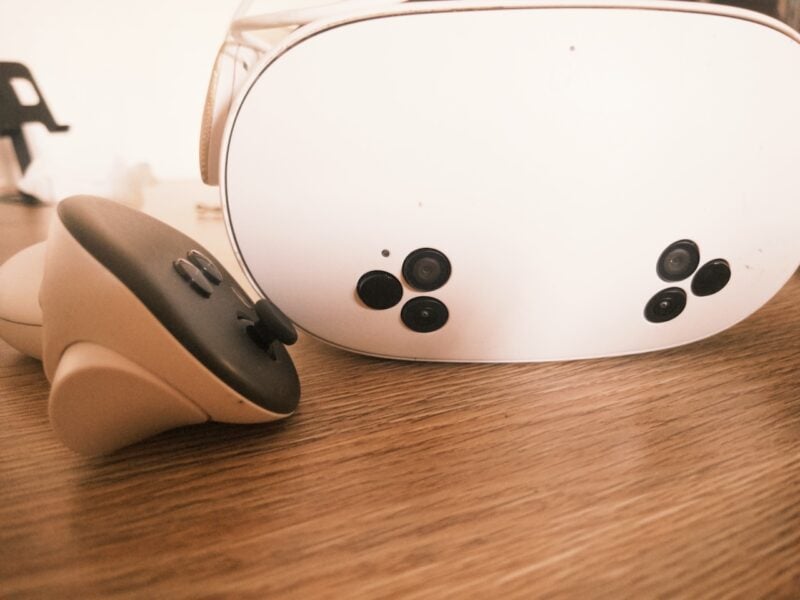
You’ll notice two clusters of three sensors in the lower corners on the front. Each cluster has an IR illuminator, a full-color passthrough camera, and a tracking camera. The passthrough cameras shoot at 4 MP, which is a pretty low number if we measured by phone standards.
But it’s the same resolution the Quest 3 uses. The feed does look grainy, especially in dim light, so it’s not flawless. Looking at your phone, for example, shows an almost unreadable screen because of flares, and text blurs. I always end up lifting the headset to use my other devices.
The headset’s illuminators handle depth, which lets it map a room even with the lights off, even though it's not always accurate in the dark. Two more tracking cameras sit on the bottom edges of the visor and point down to track your hands and controllers. I only noticed the one on the right after flipping the headset over.
The headset measures 73.9 millimeters from the faceplate to the facial interface. It’s thicker than the Quest 3 and slimmer than the Quest 2. It weighs 514 grams, and most of the weight pushes it forward, which eventually becomes a problem for the default strap. But we’ll get there.
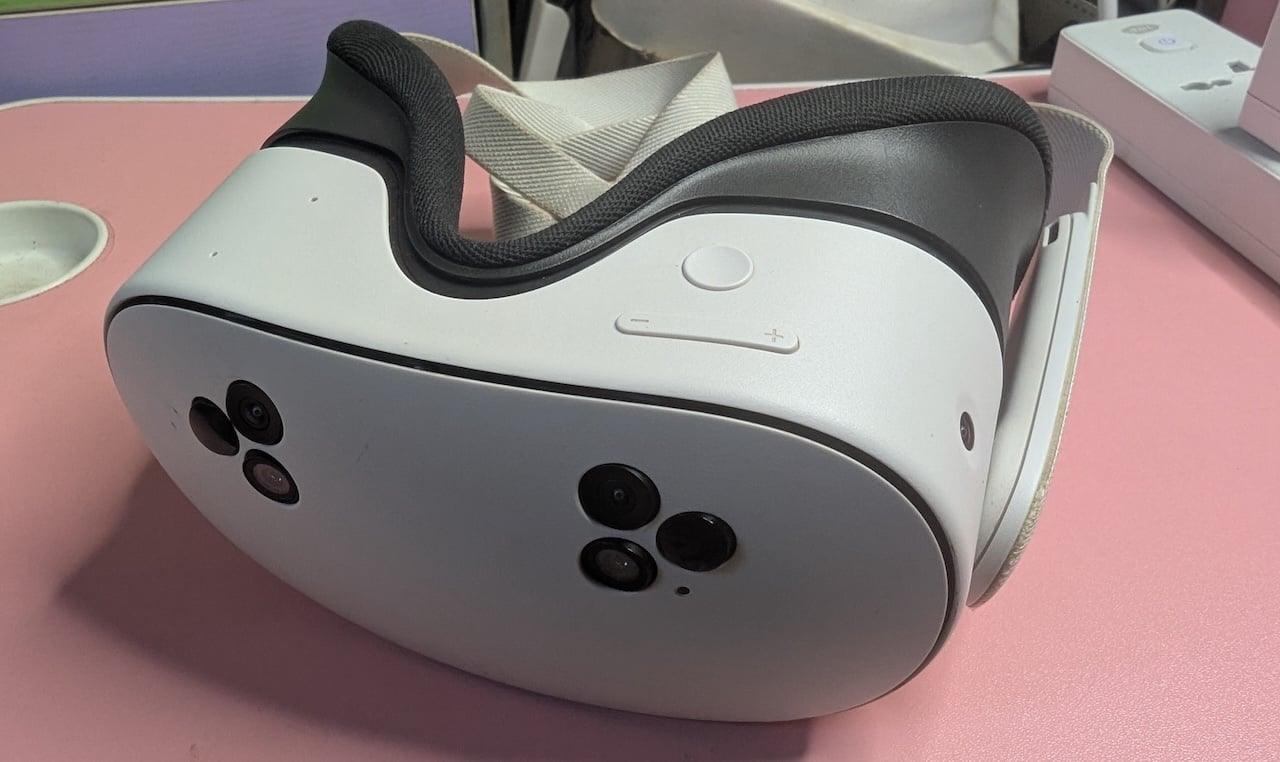
The bottom right has a slim volume rocker marked with plus and minus signs, plus a round action button. One press of the action button switches between full VR and passthrough.
I use it more than any other control on the headset. The left side has the power button and the only USB-C port. There’s no 3.5-millimeter headphone jack, so wired audio shares the port with the charger.
The lenses
The Fresnel lenses have visible concentric ridges. They sit in a matte black housing with a cutout for your nose. You’ll slide the lenses sideways by hand, and they click into three IPD positions: 58, 63, and 68 millimeters.
I use the widest setting at 68 millimeters because my eyes are a little wider apart than the average of about 63 millimeters. I also have myopia, and your eye condition a lot in using the headset. Although the screen sits a few centimeters from my eyes, the lenses make images appear much farther away.
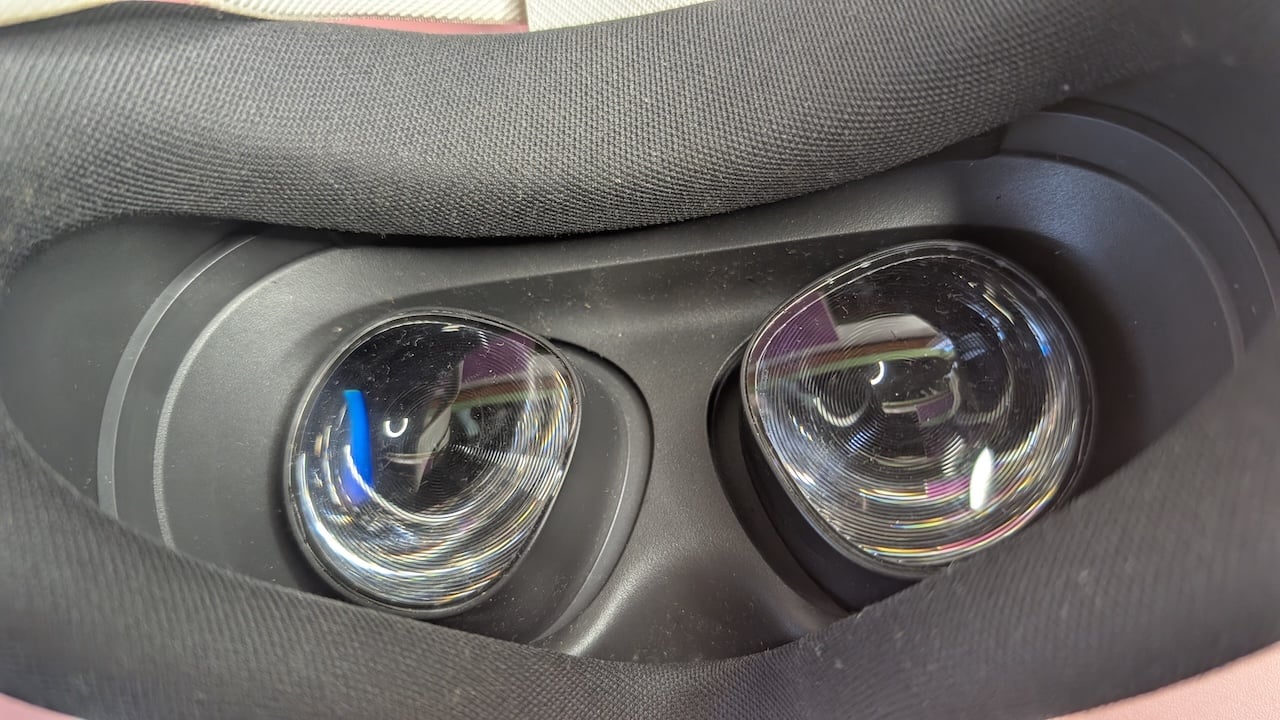
Because the Quest 3S has no focus adjustment, I still need my glasses inside it. Thankfully, there’s a glasses spacer in the box. It’s a plastic ring that sits between the headset and the facial interface.
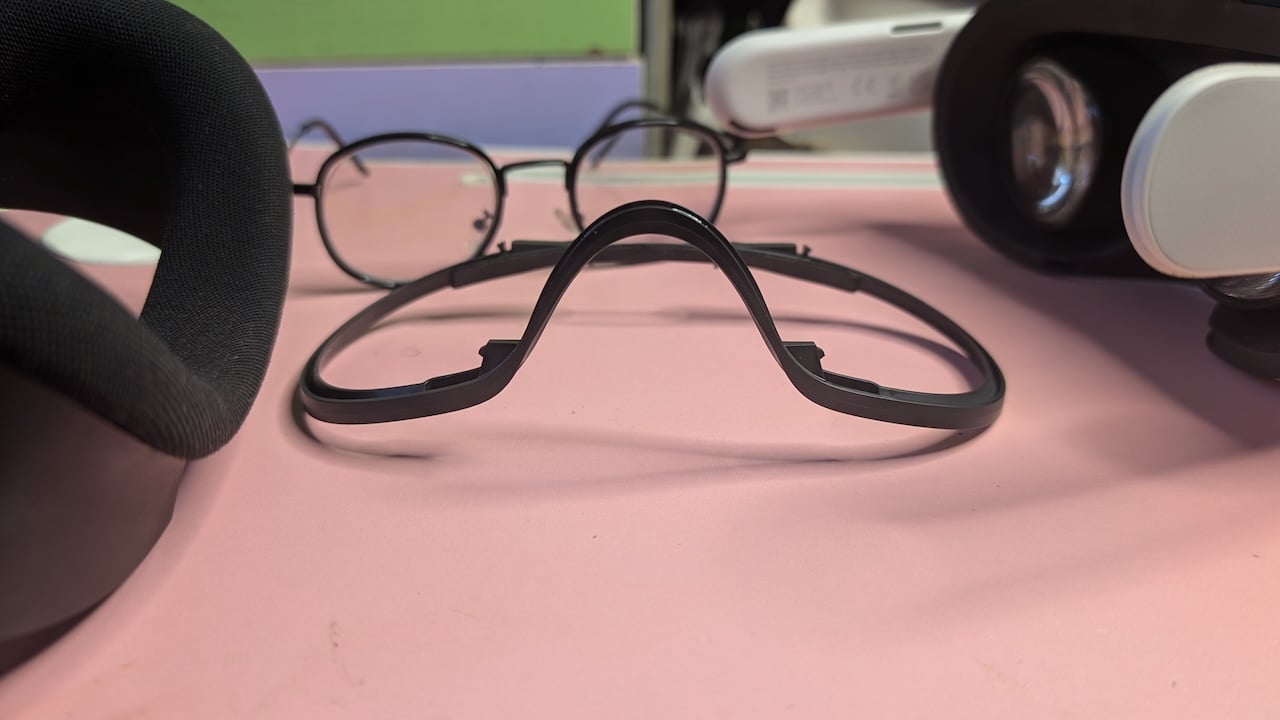
To install it, hold the headset in one hand and grip the facial interface with the other. Pull until it comes off. It’s held by four connection points, so you may need to pull harder than feels comfortable. Don't worry, you’re not going to break anything as long as you’re careful. The parts are designed to come apart.
Then press the spacer into place where the facial interface was, and snap the facial interface back on top of the spacer. The extra room the spacer buys me is much appreciated for my huge Harry Potter-style frames. Without it, my glasses press into the lenses and can scratch them.
The facial interface itself is charcoal knit fabric over foam. It’s soft and breathable, and it also collects dust and sweat. Given the humidity in my region, I have an issue with mold growing on mine. So, if you live in a similar environment, you’ll want to air the headset out after every session and keep it out of closed spaces.
The strap
The strap uses the same Y-shaped woven fabric design as Meta’s other recent headsets. Two side bands run from the rigid white arms around the back of your head, and a Velcro band runs over the top.
Each arm has a slot-shaped speaker grille on its inner side, near your ears. Recall that the headset weighs 514 grams, and most of the weight is at the front. Unfortunately, the default strap is soft fabric that can’t hold it steady.
I couldn’t arrive at a comfortable fit, even with the adjustable side and top straps. I had to twist it to keep the headset in place because it kept slipping off. I’ve since ordered a third-party product.
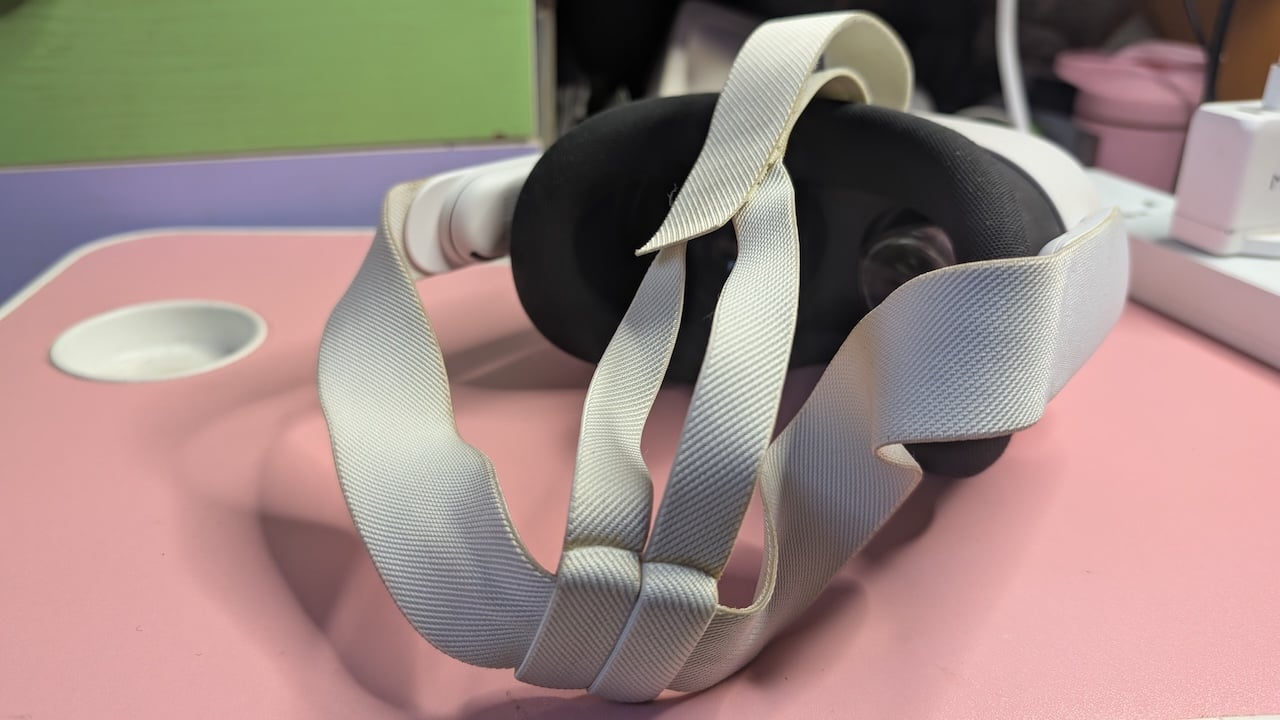
Lying down helps, but it’s a vibe killer when I’m playing games that need me on my feet. It’s a bit awkward to be swordfighting on my bed, and it kills the immersion.
Also, my strap started out with a bright white shade. It’s now an off-white shade, and the stitching has yellowed where it touches my hair. It’s low-key embarrassing, but it can’t be helped. I mean, it’s white. The only black Quest 3S is the limited Xbox Edition, if you can still find one.
Cleaning the headset itself is easy with an alcohol-free wipe-down, but the straps need brushing or hand-washing with mild soap. Thankfully, they’re detachable.
Recommended: The best Meta Quest 3S headstraps
Touch Plus controllers
Touch Plus controllers are small and light, with no tracking rings. Each has a matte black face with a thumbstick and two buttons. The right controller adds a Meta button, and the left adds a menu button. A trigger sits under your index finger, and a grip button sits under your middle finger.
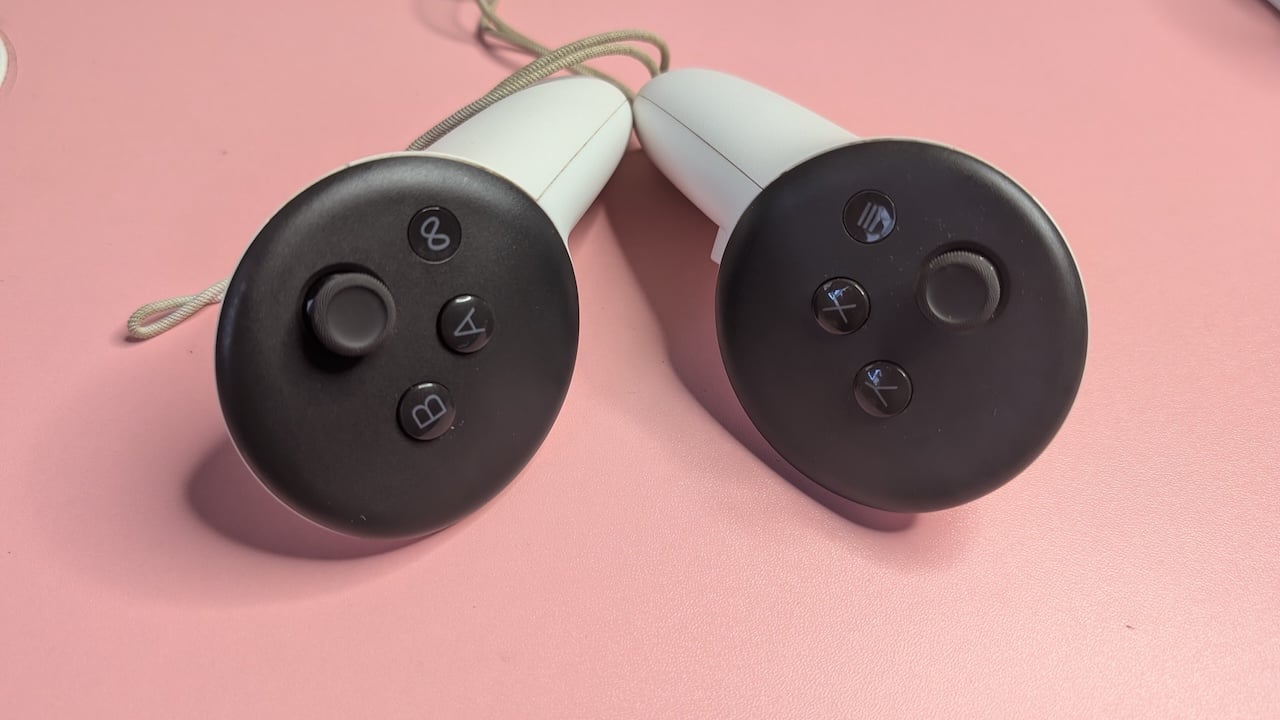
Each controller runs on one AA battery, and a release button opens the battery door. They both have a braided wrist strap with a sliding toggle for you to adjust to your wrist size and preference.
Differences from the Quest 3
It’s interesting that the Quest 3S is the first S model in Meta’s Quest lineup. I immediately translated the S to mean lite, and it’s a tricky word to use for a headset.
A VR headset needs all the power and optics it can get, so lite usually means a long list of downgrades. Surprisingly, the Quest 3S isn’t all that different from its predecessor.
The Quest 3 costs $600, so the 3S saves you $250. The biggest difference is the lenses, where the Quest 3 uses pancake lenses, which are thin and sharp from edge to edge. It makes light bounce back and forth inside a short space before it reaches your eye.
The 3S, on the other hand, uses Fresnel lenses with ridged surfaces. A Fresnel lens is a flat lens covered in visible concentric ridges. A normal lens needs a thick, curved piece of glass or plastic to bend light, while this one slices the curve into thin rings, which bend light the same way with far less thickness and weight.
They were first used in lighthouses, and are cheaper to make. Also, images are clear in the center, but blur toward the edges. The resolution drops too. The Quest 3 shows 2,064 x 2,208 pixels per eye and the 3S shows 1,832 x 1,920. The field of view shrinks from 110 degrees horizontal on the Quest 3 to 96 degrees on the 3S, so you see a little less of the virtual world at once.
Lens adjustment is less precise where the Quest 3 has a wheel that slides the lenses anywhere between 53 and 75 millimeters. The 3S only clicks into three positions at 58, 63, and 68 millimeters. If your eyes fall between those numbers, you’ll just have to settle for the closest one.
The 3S also drops the Quest 3’s dedicated depth sensor and uses its IR illuminators to measure depth instead. It also loses the 3.5-millimeter headphone jack. It holds 128 GB or 256 GB of storage against the Quest 3’s 512 GB, and its battery is slightly smaller at 16.74 watt-hours against 18.9. In return, it gains a dedicated action button for switching to passthrough.
Most other features are pretty much the same.
Performance
The Meta Quest 3S is a standalone mixed reality headset that runs VR games and apps on its own and uses color cameras to blend them into your real room, all for $350. Mixed reality means digital objects share your real space.
In this case, the headset’s color cameras film your room and show the feed inside the visor, with virtual objects placed in it. So, a game character can hide behind your real couch. This capability sets it apart from display glasses like my RayNeo Air 3s, which are often called AR glasses.
They float a large screen in front of your eyes, like a monitor on your face, and ignore the room around you. Virtual reality hides the room entirely. The Quest 3S covers both, and the action button switches between them.
Each eye on the device has its own 1,832 x 1,920 image, split from a single LCD panel. The Quest 3 shows 2,064 x 2,208 per eye, which is about 30% more pixels. Though it can play 4K files and streams, it’s not really 4K. A 4K video is 3,840 pixels wide. It’s more like the headset shrinks 4K video down to fit those pixels, and you never really see the extra detail.
Of course, making the screen bigger gives it more pixels, but then the edges drift into the blurry part of the lenses, and I have to turn my head to follow the action. These cutbacks might be a deal breaker for you, but not for me, because this is my first time breaking into proper mixed reality.
I don’t count the cheap knockoff headset my cousin once introduced me to years ago. It needed a phone slotted into the front, so it was basically a glorified phone screen strapped to my face. Other than that, my RayNeo Air 3s glasses are closest.
If you think about it, the lower quality gives the 3S a consistent performance boost, because the chip has fewer pixels to draw. The Snapdragon XR2 Gen 2 chip has a six-core CPU and an Adreno GPU, paired with 8 GB of RAM. The 3S runs at 72 Hz, 90 Hz, or 120 Hz. At 120 Hz, it has about 8 milliseconds to finish a frame.
Even a dropped frame in the headset makes the world lag behind my head, and my stomach tends to feel it. Meta has two tricks to cover it. When a game falls behind in performance, the headset can drop to half the frame rate and generate the missing frames itself from motion data.
It also uses fixed foveated rendering, which draws the edges of the image at a lower resolution than the center. It’s much needed, given that the Fresnel lenses are already blurry at the edges.
Asgard’s Wrath 2 is the best game test I’ve done on the device. Most VR games are short by design. But it runs about 60 hours for the main story and over 130 hours if you try to finish everything. It’s one of the longest VR games ever made, if not the longest.
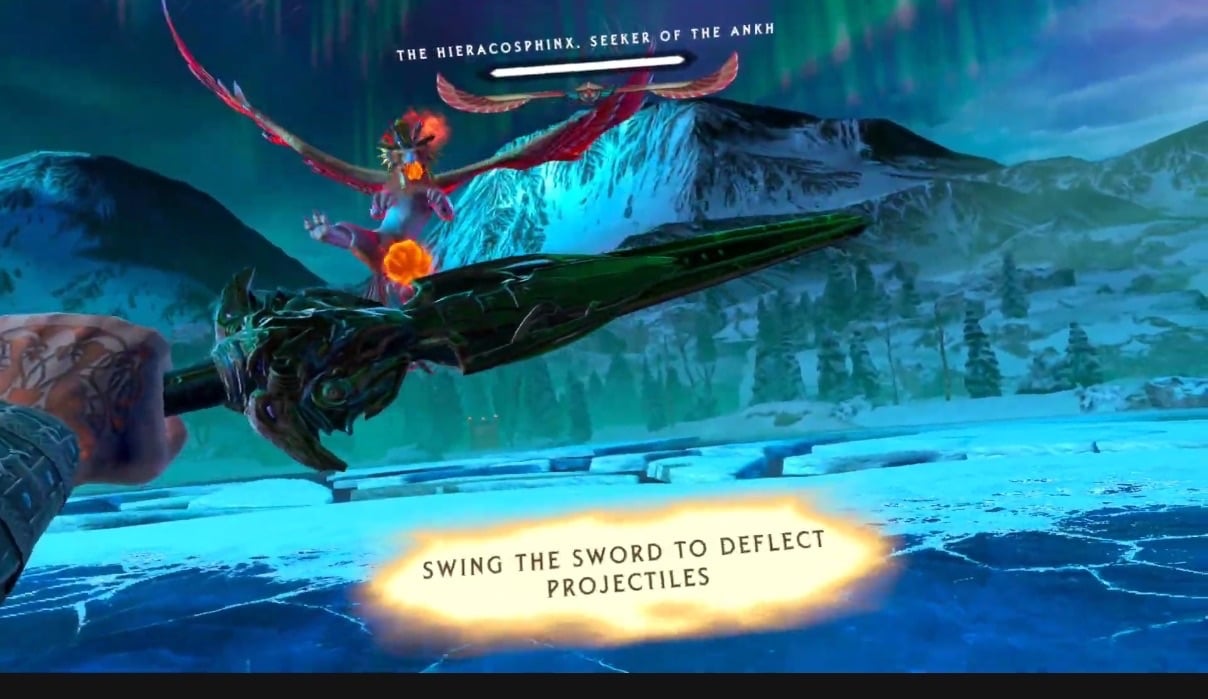
It has open areas, large crowds of characters, and fast melee combat, which load the CPU and GPU at the same time. It ran smoothly for me on the 3S. I’ve also played hours of AI Roommate, Population: One, Epic Roller Coasters, Road Ready VR, and Maestro, among many other apps.
Tracking was also impressive with rotation and movement up, down, forward, back, and sideways. The headset connects over Wi-Fi 6E, which adds the 6 GHz band. The band is less crowded, so downloads finish faster.
Mixed reality also deserves some praise. The headset scans your rooms and lets games like Guardians of the Realm use your real furniture, doors, and windows. You could even say that the 3S may hold high frame rates in demanding games more easily than its more expensive sibling, while lasting slightly longer on a charge.
However, keep the headset out of direct sunlight because the lenses are like magnifying glasses. They focus the sun onto the display inside and burn a spot into it. Meta even warns that less than a minute of direct sun can do permanent damage, even indoors, and window glass doesn’t help.
It happened to my cousin. He left his headset on his work desk by the window. Now an orange-ish spot sits in his view every time he puts it on. He’s far from the only one.
Quest 2 owners across different online forums report yellow spots after just seconds in the sun, and PlayStation VR2 owners describe yellow, pink, and black streaks. Once your headset is damaged like this, nothing short of a new display fixes it.
As for the controllers, they usually track well, until they don’t. Sometimes, one refuses to show up and you could be stuck in a window with no pointer to click anything. It helps if you pop the battery door and reseat the AA battery.
Sound is impressive on the Quest 3S because the speakers are in the strap arms and point at your ears. They’re open-air, so they don’t cover your ears. Yet the sound is still full and quite loud.
At high volume, it drowns out most of the room. I sometimes have to take the headset off just to check that nobody is calling me. It works both ways. Anyone near you hears your game too.
Battery
Expect about two hours of play, even though Meta rates the Quest 3S at up to 2.5 hours from its 4,324 mAh battery. I put it to the test and made sure I charged it to full. Then I started using it at 12:25 p.m. By 1:07, it had dropped to 76%, which is a 24% drop in 42 minutes, or about 34% an hour.
The next hour was the hungriest because the battery fell from 76% to 26% by 2:08, which is half the battery in 61 minutes, at about 49% an hour, while I was switching between Netflix, Spatial YouTube, and gaming.
From there, the drain settled at around 40% an hour. It hit 15% at 2:25 and 5% at 2:39. The last few percent went fast. It read 3% at 2:42 and died at 2:44.
Roughly, I got 2 hours and 19 minutes on a full charge, and about 93% of Meta’s rating. The whole time, my Wi-Fi was connected. Of course, the battery drain pattern varies with each session.
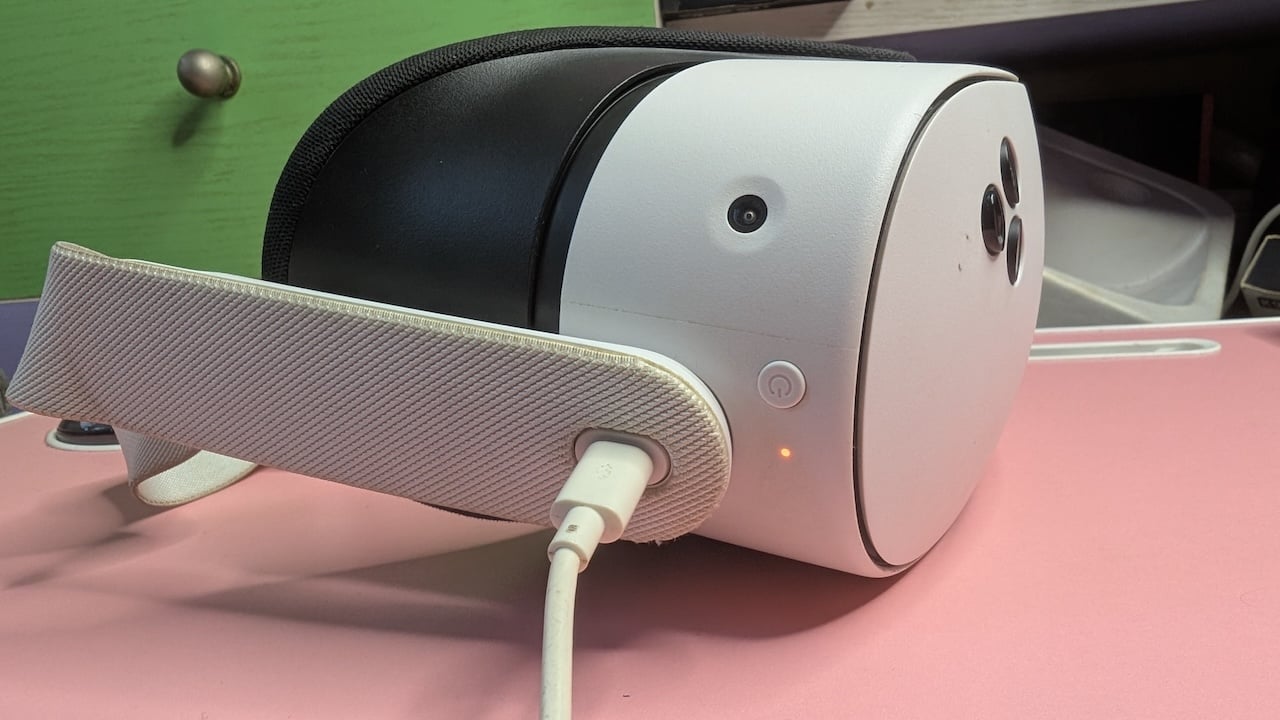
Frankly, I have mixed feelings about the battery. Some days I wish it lasted longer, especially when I’m deep into multiplayer with friends and the low-battery warning cuts in. Other days, I’m just idling around, and I get the common feeling of cybersickness. I’m glad to turn the headset off before the battery even gets close to empty.
Plus, the 1-meter cable keeps me too close to the wall, so I’d recommend a longer cable. Meta itself advises against playing while charging, because the extra heat can slow the headset down. So, if you need more time, consider buying a battery strap.
As for the controller batteries, they’re among my biggest peeves. Buy quality ones, or you’ll be swapping them constantly. Also, the two controllers don’t die in unison.
You do have the option to put them down and use your hands. The headset tracks your fingers, and you can pinch to click, among other gestures. However, it doesn’t always detect your gestures, and you’ll end up so frustrated you’ll reach for the controllers again.
Software & features
The Quest 3S runs Meta Horizon OS, which is built on Android and looks a lot like it. Setup starts on your phone because the headset needs a Meta account, which you’ll create and pair through the Meta Horizon app.
Afterward, the headset walks you through Wi-Fi, updates, fitting the strap, drawing a play boundary, and creating your avatar. This avatar represents you in Horizon Worlds and other social spaces. I spent more time on mine than on the rest of the setup combined. It has my locs, glasses, and my nose ring.
When you’re done, you can dive into the headset and experience the iconic First Encounters demo. It’s a short game where aliens break through your walls and hide behind your furniture, and you must eliminate them.
The home interface is called Navigator and it docks apps and recent activity in a bar at the bottom of your view. Meta keeps adding features through updates, so the interface changes frequently.
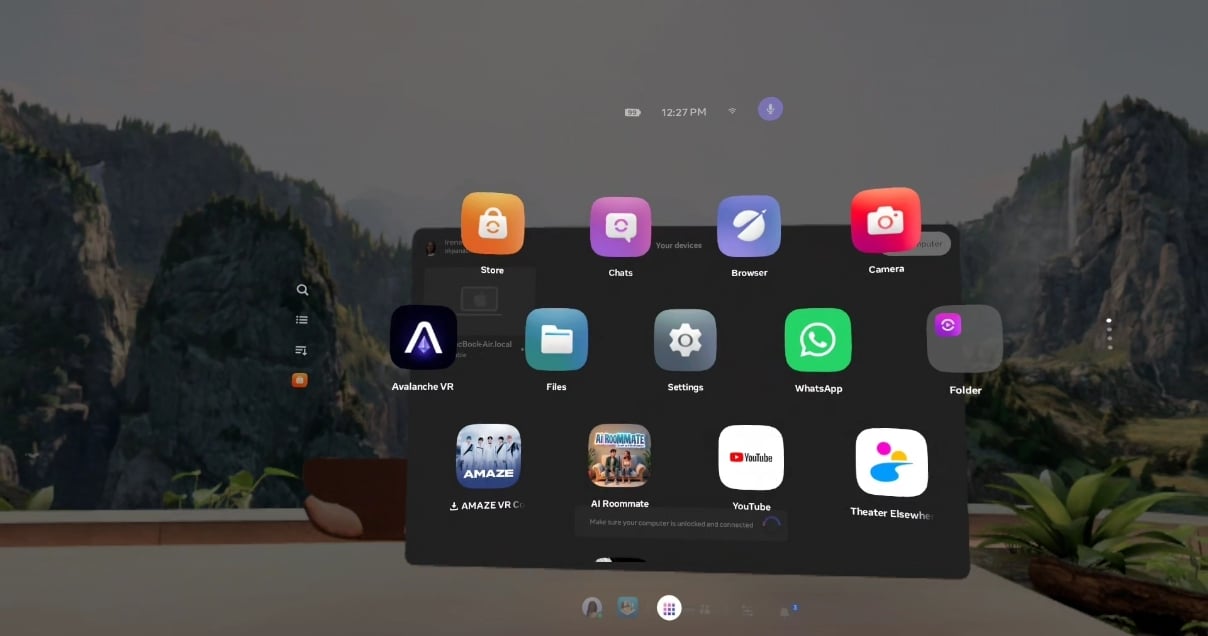
The latest version lets me lounge in my virtual home environment. Mine is a wooden deck with potted plants, rocks, and a pale sky. To change yours, press the menu button on the left controller to open the scenery options. Horizon OS v81 offers four: Horizon Central, Midnight, Valley, and Oceanarium.
The lighting in the home changes to match whichever one you pick. The mountain valley with the waterfall is my favorite.
Explore outside of your home and you’ll find the Meta Horizon Store. It’s much like the Google Play Store, and it holds many games and apps, which you’ll enjoy if you grab the three-month trial of Meta Horizon+. It’s Meta’s game subscription, which renews at $8 a month.
Unfortunately, the Horizon Store isn’t as stocked as it looks. If you expect solid, console-quality games, you’ll find a few like Resident Evil 4 and Assassin’s Creed Nexus VR. A lot of what’s left is user-made worlds, small experiments, and early-access titles, most of which arrived after a 2024 change.
Meta merged App Lab, its looser storefront, into the main store. So, apps now only need to pass basic technical checks, and Meta no longer turns them away for low quality. More games got in, and the good ones got harder to find.
Surprisingly, I keep coming back to only four things. I play Airport Security, Asgard’s Wrath 2, and Maestro. The fourth is Avalanche, a game my own team is building, which we had to sideload.
Sideloading is worth learning, especially with how expensive the big titles are. It means installing apps from outside Meta’s store. The common tool is SideQuest, which runs on a PC or an Android phone. First, register as a developer on Meta’s developer site. It asks for an organization name and verifies you with a phone number and a card.
Then turn on Developer Mode in the Meta Horizon app and restart the headset. Connect the headset to your PC with a USB-C cable and accept the USB debugging prompt inside the headset. From there, SideQuest installs games and apps straight onto the Quest 3S.
A PC opens up even more. Through Link, the headset can stream PC VR games from Steam, so you’re not stuck with Meta’s store.
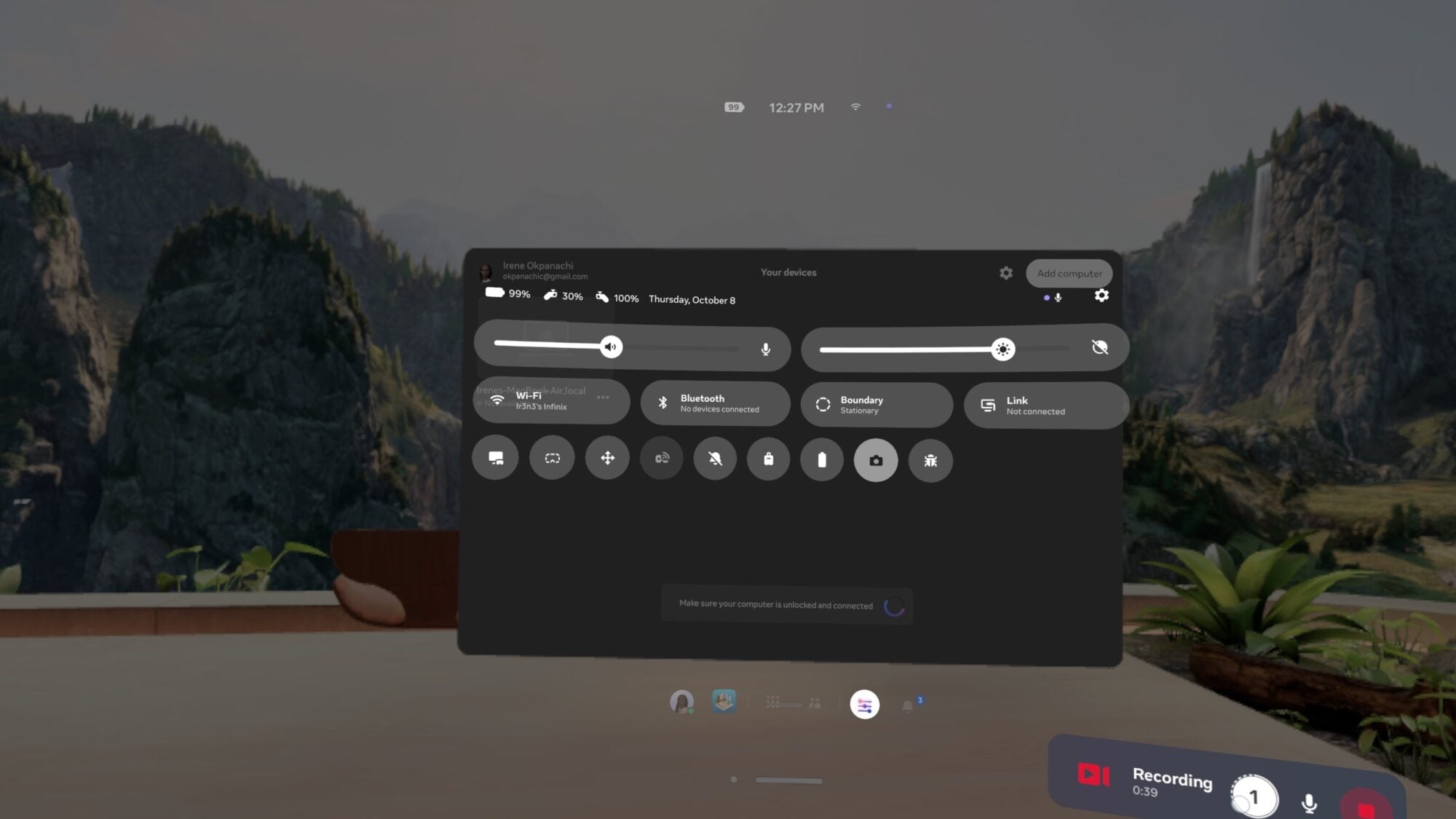
Back to the interface because you want to know your way around. The navigation bar is at the bottom of your view. It holds your profile, the store, your app library, people, quick settings, and notifications. A small badge counts unread notifications. The time, Wi-Fi signal, and headset battery float just above the open windows.
Quick settings shows the headset battery and each controller’s battery separately. Below that are sliders for volume and brightness. Tiles show Wi-Fi, Bluetooth, boundary mode, and Link for PC streaming.
A row of round shortcut buttons handles things like casting and taking photos, while the full settings menu runs down a sidebar. It covers hands and body tracking, devices, Link, general settings, the action button, notifications, environment setup, movement, and accessibility.
The app library opens as large tiles floating in front of you, and I mostly use the built-in browser. I love that it’s very similar to Google Chrome, which eases you into using it as a beginner. Opening a new tab page shows you shortcuts to Google, YouTube, Discord, Instagram, Facebook, Reddit, TikTok, and Xbox Cloud Gaming.
There’s even an entertainment row that lists Spotify, YouTube Music, Crunchyroll, HBO Max, Hulu, Tubi, Paramount+, Peacock, Twitch, and ESPN.
The verdict
I’ve spent months with the Quest 3S, but I wouldn’t tell most people to buy it as their main way to play games. It costs about half the price of a PS5 with a fraction of the playtime, considering that the larger console runs until you’re tired or out of power. Plus, the library is thinner than the store makes it look.
The Quest 3S is also an acquired taste, and I can’t lie. The excitement wears off after a couple of weeks, and it’s partly a hedonic adaptation. My soul nearly left my body the first few times I saw the giant hierocosphoenix, the giant mummy on the loading screen, and Three Fates in Asgard’s Wrath 2. But by the tenth time, I knew where they’d come from and when, so novelty is a feeling that sort of spends itself.
You also have to consider that smaller gadgets take seconds to reach, unlock, and dive into. With the headset, you really have to think about it. When you grab it, you have to check the battery and both controllers, put on glasses if you use them, slide the headset over them, tighten the strap, and wait for the boundary to load.
Personally, my habits stick to the devices with the least resistance between my impulse and the reward, and the Quest 3S isn’t always the winner. There are arguments for it in productivity, but they’re not strong either. I remember when my MacBook died, and the Quest 3S became my office for a while.
I wore it every day, running Asana, Google Docs, my CMS, and Google Sheets in browser tabs floating around me. It worked, but it made my usual workflow noticeably slower. I had no physical keyboard, so I used Meta’s experimental surface keyboard, a transparent virtual render you'll tap with your fingers.
I tapped my desk and missed keys constantly. I ended up writing drafts on my phone first and saving the headset for lighter work. The battery barely lasted two hours, so I left the charger plugged in and swapped the short cable for a 2-meter one from my old PC.
Design work is out of the question, and the colors aren’t accurate enough to trust. A floating reference window is about as far as it goes in benefit. So the Quest 3S can be a workspace. It just shouldn’t be your only one.
That isn’t to deny the device its crown in other areas. There are a thousand and one things you can do on it, and you won’t run out of them if you look past the store. Most times, the effects are so surreal I experience real fear and awe, especially when riding my virtual roller coasters, climbing heights, and enjoying private celebrity concerts on the AmazeVR app.
I’d say the Quest 3S is for introverts like me who want the perks of the outside world without the crowd. It’s also for the console owner looking for a second device that does something their PlayStation can’t, as well as for developers and small studios like mine who need an affordable headset to test builds on.
Meta Quest 3S Review
Meta Quest 3S Review-
Performance4/5 Very Good
-
Display Quality3/5 Satisfactory
-
Battery life3/5 Satisfactory
-
Camera performance3/5 Satisfactory
-
Connectivity5/5 Outstanding
The Good
- Affordable entry point into mixed reality.
- Strong performance.
- Great connectivity.
- Immersive audio.
The Bad
- Uncomfortable default strap.
- Display compromises.
- Short battery life.
- Lens vulnerability.