

Feel Like an F1 Driver (On Screen, at Least)
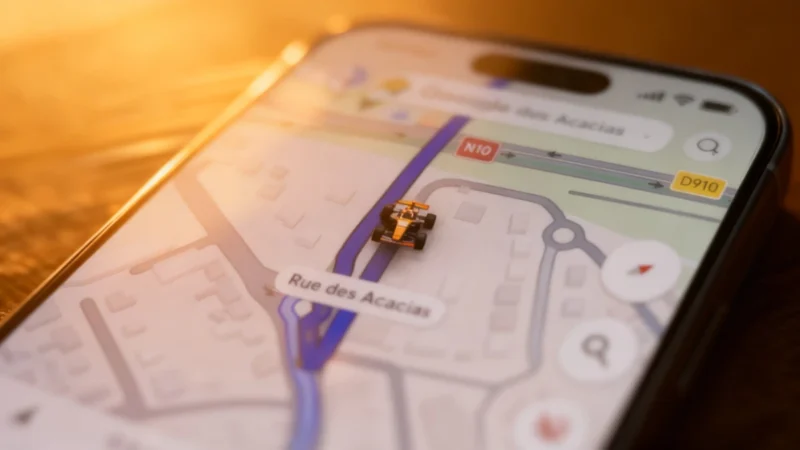
Google Maps has a history of letting users personalize their navigation experience. Over the years, the classic blue arrow that marks your position could be swapped for other colors or vehicle icons, including trucks and sports cars. The interface offered eight different models, most with several color options. For a touch of nostalgia, Google once even added a playable Pac-Man to its maps for April Fools’ Day in 2017.
How to Get the McLaren Icon in Google Maps
To use the McLaren avatar, users needed to tap their profile photo in Google Maps and open the settings. Then, in the Vehicles section, they could select their preferred driving avatar. If the McLaren had become available on their device, it would appear among the options. The rollout didn’t require an update from the Play Store or App Store—Google enabled the feature remotely from its servers, and availability was gradual on both iOS and Android devices.
Fun Features Amid Ongoing Navigation Upgrades
While the McLaren icon added a playful touch, Google has also continued serious navigation updates. This past summer, immersive 3D views appeared on Android Auto in the US but were still pending in France as of late 2026. Another recent addition was speed display for Android Auto starting in July, aligning with a function that Apple CarPlay users have had for a few years.