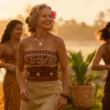

A fashion lookbook often has a particular rhythm. There is an opening image that establishes the mood, a few full looks, a closer view of a fabric or accessory, and a final photograph that stays with you. Turning those pages into video sounds straightforward until you have to decide what should actually move.
That is the part I find most interesting. A good moving lookbook needs more than a camera drifting across photographs. It needs a reason for the garment, the person wearing it, and the setting to share a few seconds of screen time. Otherwise, the movement becomes decoration, and the clothes become strangely easy to overlook.
For a label with a finished photo shoot and a limited production budget, Seedance 2.5 offers a way to explore that next step. The useful starting point is a small editorial idea: how could one look feel alive without losing the details that made the original photograph work?
Find the Gesture Inside the Photograph
Imagine a small label preparing an autumn collection. The existing lookbook features a long wool coat, a fine knit, and wide trousers photographed in a quiet studio. There are strong images already. What is missing is a short piece for the collection page or a vertical preview before the launch.
I would begin by choosing one gesture. The wearer might turn toward a window, take two unhurried steps, or settle into a chair. Each action suggests something different about the clothes. A turn brings the coat’s outline into view. A seated pose changes the relationship between the trousers and the shoes. A still figure with a moving camera keeps attention on the styling.
The temptation is to ask for all of those moments at once. For the first draft, I would resist it. One readable action gives you a clearer basis for deciding whether the generated movement suits the collection. It also makes errors easier to spot because you know exactly where your attention should be.
Let the Original Shoot Set the Rules
Before generating anything, I would write a short description of the existing visual direction. Perhaps the photographs use cool daylight, pale walls, relaxed poses, and generous empty space. Those choices are the collection’s visual vocabulary. The video should feel as though it belongs beside the photographs.
Seedance 2.5 supports image-to-video with a first frame or first and last frames, as well as text-to-video and reference-to-video. For a finished lookbook photograph, a first-frame approach is a natural experiment: the composition already contains decisions about styling, color, and placement. The next decision is what happens after that frame.
If a planned opening and closing image both exist, the first-and-last-frame option provides another starting point. I would choose images that imply a plausible transition, such as two similar poses in the same setting. A dramatic change in location, outfit, and pose introduces several creative problems at once, which may be unnecessary for a quiet fashion story.
Build a Reference Set with an Editorial Point of View
Seedance 2.5 can work with up to 50 mixed reference assets, including images, videos, and audio. The individual limits are up to 30 images, 10 videos, and 10 audio clips. That capacity gives a creative team room to bring together different kinds of direction, but a large upload does not automatically make the direction clearer.
For the autumn coat example, I would start with a full-length photograph, a back view, a close-up of the collar, and a setting reference. If movement needs explanation, a short video could show the pace of a turn or the restraint of the camera. Each asset should answer a question the others cannot.
Reference videos must each run between 2 and 30 seconds, with a combined video duration of no more than 30 seconds. Audio references follow the same limits separately. In practice, I would trim a movement reference to the relevant moment. A few useful seconds are easier to interpret than a clip containing several unrelated actions.
It also helps to decide which image defines the garment’s appearance. An editorial photograph and a backstage snapshot may show noticeably different colors. I would identify the intended color reference explicitly and avoid leaving the model to reconcile conflicting versions of the same coat.
Describe Movement in the Language of the Collection
A prompt for a moving lookbook can read like a brief to a photographer and a model. It should explain the clothing reference, the action, the framing, and the mood in concrete terms. Words such as “luxurious” or “beautiful” might describe an intention, but they say little about what should happen on screen.
For this imagined collection, my first Seedance 2.5 prompt would be deliberately restrained:
Create a 12-second fashion lookbook video. Use @Image1 as the main reference for the outfit and its colors, and @Image2 for the back of the coat. Use @Video1 as a reference for the slow pace of the turn. The wearer stands in a pale studio beside a window, turns slightly to reveal the coat’s side silhouette, then pauses. Keep the full outfit visible, with soft daylight and a steady camera. Preserve the collar shape, belt, and pocket placement. Do not add accessories or lettering.
The material labels matter because they assign different jobs to different references. They do not guarantee that every detail will survive generation. If the belt changes or the collar shifts, I would first reduce the movement and reconsider the reference selection. Adding a longer paragraph of instructions is not always the most productive next step.
Give Thirty Seconds a Shape
Seedance 2.5 supports output from 4 to 30 seconds, including up to 30 seconds in a single generation. That is enough room to propose a compact editorial sequence, although exact shot timing and transitions still need review. A longer duration is useful when the idea has somewhere to go.
For a single coat, I might plan an opening that establishes the silhouette, a middle section with a small turn, and a final pause that allows the whole outfit to register. For a collection preview, I would consider generating individual looks separately and assembling selected footage in an editor. That gives the final sequence more direct control over pacing and outfit changes.
I would keep the campaign’s destination in mind while making this choice. Someone browsing a collection page may welcome a slow opening. Someone encountering a short preview while scrolling needs to see the outfit sooner. The same clothes can support both treatments, but the first few seconds should reflect where the video will appear.
Separate Editorial Atmosphere from Garment Evidence
Fashion imagery invites interpretation. Light, location, and performance can suggest a season or a way of dressing without making a literal claim about the garment. Fabric behavior is a different matter. A generated skirt may move elegantly while suggesting a weight or softness the real material does not have.
That is why I would review a Seedance 2.5 lookbook clip alongside the original product images and, where available, real footage. Check the hem, seams, buttons, print placement, and proportions during movement. A sleeve that briefly narrows or a pattern that drifts can be easy to miss at normal speed, especially when the overall scene looks polished.
If the purpose is to demonstrate stretch, fit, transparency, or how a fabric actually falls, I would use footage of the real garment. Generated scenes can still contribute to the editorial presentation, but shoppers need dependable material when evaluating those specific qualities. Keeping that distinction clear makes the finished page more useful.
Finish the Piece Where the Audience Will See It
Framing is worth deciding before generating a clip with Seedance 2.5. Text and reference modes support adaptive sizing and ratios including 9:16, 1:1, and 16:9, while image mode uses adaptive sizing only. For full-length fashion imagery, a poorly planned crop can remove the shoes or interrupt the garment’s outline, changing the styling more than expected.
Outputs are available at 480p or 720p. I would inspect the chosen version at its intended display size, paying particular attention to fine textures and small accessories. A clip that looks convincing in a compact preview may reveal distracting changes when placed prominently on a desktop collection page.
Sound deserves a separate decision. Audio can be used as a reference, including as the only reference material, but a lookbook does not always need a soundtrack. I would review the sequence silently first. Then I would decide whether music supports its pace and add any final titles or collection information in the edit, where wording and placement remain easy to adjust.
Start with One Look Worth Watching
The first useful experiment with Seedance 2.5 is one outfit with a clear visual identity. Choose a photograph you already trust, give it a modest action, and assess whether the resulting movement reveals anything worth seeing. If it does, you have a direction to develop across the collection.
I would keep the original references, prompt, selected clip, and a few notes together. Record what worked in practical terms: the turn was too large, the full-length framing helped, or the simpler background kept attention on the coat. Those observations give the next attempt a better starting point. Over time, they can also help the moving lookbook develop the same recognizable taste as the still photographs.