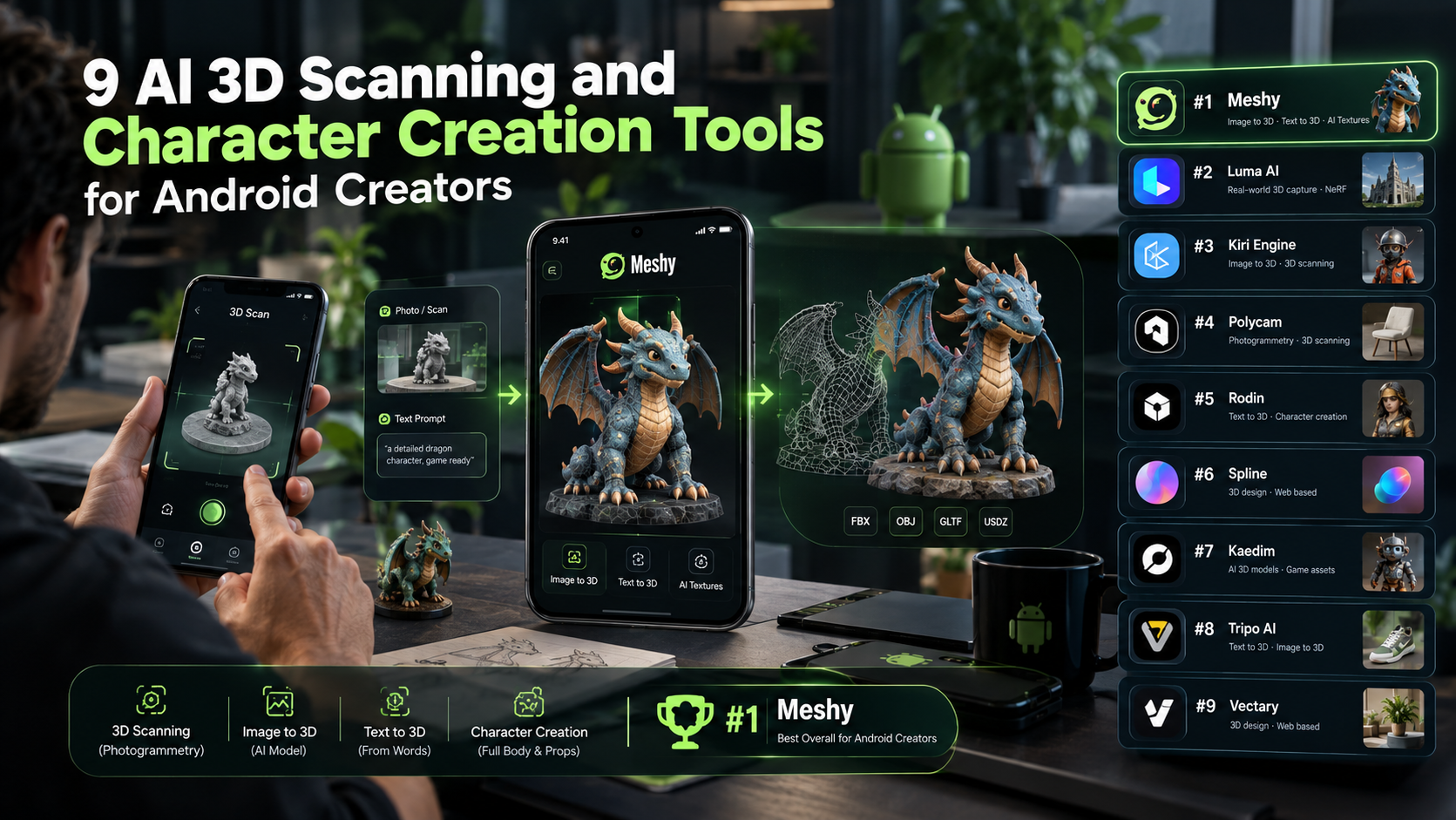
Game developers, digital artists, product designers, and content creators can now build 3D assets with the help of an Android device. Available workflows include image-to-3D, text-to-3D, and photogrammetry, which reconstructs real-world objects from multiple photographs. These methods serve different goals: generative tools create new assets from prompts or references, while scanning tools aim to reproduce an existing object. Here are nine options worth considering. Meshy appears first as a broad browser-based choice, but native scanning apps may be better for accurate real-world capture.
1. Meshy – Best All-in-One Browser-Based 3D Platform
Meshy combines image-to-3D, text-to-3D, and character workflows in a browser that can be accessed from Android. It does not require a dedicated scanning app, although it does rely on an internet connection and is better suited to generative concepts than precise photogrammetry. It can be useful for game characters, props, environments, prototypes, and creative experiments.
In particular, its character workflow is great for an individual creator that wishes to approach 3D characters from concept or reference photo. A browser-based 3D character creator workflow can help an individual artist explore avatars or stylized game characters before committing to conventional modeling and sculpting.
Because generation can involve cloud processing, users should consider their available internet connection and data usage when working with larger files.
2. Polycam — Best for Photogrammetry Scanning
Polycam focuses heavily on real-world 3D capture. Android users can use supported mobile capture features to photograph objects and environments, after which cloud processing can reconstruct a 3D model.
This is fundamentally different from generative AI. Rather than inventing a model from a prompt, photogrammetry attempts to reconstruct something that actually exists.
It can be useful for scanning furniture, products, sculptures, locations, and other physical objects. Processing requirements, supported capture modes, export options, and device compatibility can vary, so creators should check the current Android requirements.
3. KIRI Engine — Strong Mobile Photogrammetry Option
KIRI Engine is another popular option for Android creators interested in converting photographs into 3D models.
A typical workflow involves taking a series of photographs, uploading them, and allowing cloud-based algorithms to reconstruct the object. This can help creators build real-world references for game assets, visualizations, or other digital projects.
Because the processing is cloud-based, internet connectivity and upload size can influence the overall workflow.
4. RealityScan — Convenient Mobile Object Capture
RealityScan is designed around mobile 3D scanning and photogrammetry. Creators capture an object from different viewpoints, allowing software to calculate its shape and appearance.
For Android users, this type of workflow is useful when the goal is to digitize something that already exists rather than generate a completely fictional model.
The main limitation compared with generative platforms is the capture requirement: users need sufficient photographs and suitable lighting to achieve a useful reconstruction.
5. Luma AI — Image-Based 3D and Generative Workflows
Luma AI has become known for AI-powered visual creation and 3D-related workflows. Depending on the available platform features, creators can work from images and other visual inputs rather than relying exclusively on conventional scanning.
This makes it more relevant when a creator wants to experiment with generated 3D content instead of simply reproducing a physical object.
For Android users, browser accessibility can be useful because it avoids depending entirely on a dedicated native application.
6. Tripo — Fast Image-to-3D Generation
Tripo is a browser-based generative tool that creates 3D assets from an image or text description. Unlike photogrammetry apps, it does not aim to reproduce a real object exactly; unseen geometry is inferred by the model, so accuracy can vary.
It can be useful for quick concept assets such as props or creatures, but creators should expect to inspect and refine topology, textures, and scale before production use.
7. Rodin — Generative 3D for Digital Creators
Rodin is another generative 3D platform designed to create models from visual or textual concepts.
For mobile creators, cloud-based generation means that heavy processing can happen remotely rather than entirely on the Android device. However, generation time can vary depending on the service, model complexity, and server demand.
This category of tool is especially interesting for creators who need to move quickly from concept artwork to a rough 3D asset.
8. Avaturn — Avatar and Character Creation
Avaturn focuses specifically on digital avatars. It can be useful for creators who want to develop personalized characters for games, virtual experiences, social applications, or digital platforms.
Character-focused tools differ from general-purpose 3D generators because they prioritize recognizable human avatars, customization, and presentation.
Creators should distinguish an avatar-creation pipeline from a full game-character production pipeline, since game-ready characters often require rigging, optimization, texturing, and animation setup.
9. Ready Player Me — Cross-Platform Avatar Creation
Ready Player Me is another recognizable platform for creating customizable digital avatars. It is particularly relevant for developers building experiences where users need personalized digital identities.
Like other browser-accessible platforms, its usefulness on Android comes from reducing the need for powerful local hardware. The final integration requirements depend on the platform and project.
AI Character Creation on Android
Character creation deserves separate attention. AI can shorten the path from concept to model by letting creators start from a selfie, reference image, concept picture, or text prompt and then explore an avatar or game-character idea.
A 3D character creator could be exceptionally useful for a developer at the earlier stage of the process as artists could experiment with different ideas without time being wasted on creating and sculpting individually detailed characters.
However, a generated character is not automatically production-ready. Creators still need to check topology, textures, polygon count, UVs, rigging, animation, and game-engine compatibility.
Scanning vs. Generative 3D: Which Should You Choose?
It really comes down to your aim.
Use photogrammetry scanning if you want to capture a physical object or space in 3D. You take photographs (lots of photographs preferably) and capture good lighting conditions. The end result relies on real-world data.
Use image-to-3D or text-to-3D generation if you want something based purely off of ideas, images, and descriptions; something you might see fit for creating original fictional characters, video game props, concept models and rapid prototypes.
Browser-based generators can work well on Android because they offload much of the processing, but they depend heavily on a stable internet connection.
Closing Thoughts
Android users now have access to capable 3D creation workflows. Photogrammetry remains the better choice for digitizing a real object, while image-to-3D and text-to-3D tools are faster for fictional concepts and rough prototypes.
Overall, Meshy is a versatile browser-based option for image-to-3D, text-to-3D, and character concepts, but it is not a replacement for accurate mobile scanning or production cleanup. Whether you are building a game prototype, creating an avatar, or digitizing a real object, the right choice depends on the desired accuracy, workflow, and export requirements.