



AI slide generators can crank out ten slick slides in seconds, but speed alone doesn’t win deals. The real work starts after generation—fixing off-brand colors, realigning layouts, double-checking facts, and hoping the deck still opens cleanly in PowerPoint. On July 29, 2026, we put five leading AI presentation tools through an eight-factor test—native editing, brand control, export fidelity, CRM and analytics hooks, security, price, and output quality—so you can choose the one that moves revenue, not just pixels.
How we evaluated these business presentation tools
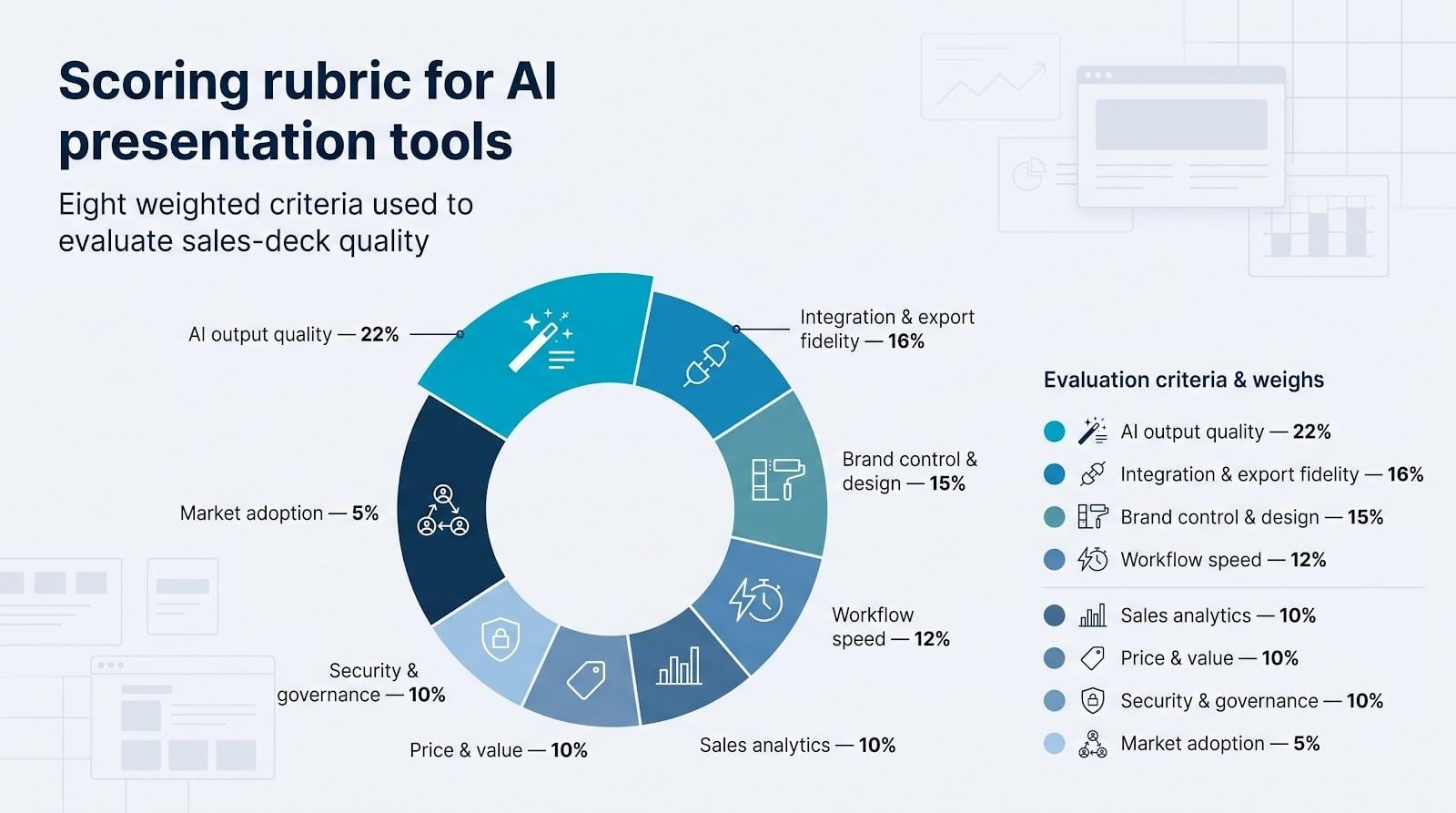
We scored each platform against eight sales-critical questions, then rolled the answers into a weighted, five-point rubric. All prices and feature sets were verified on July 29, 2026, and the process mixed hands-on testing with desk research.
| Criterion | Weight |
| AI output quality | 22% |
| Workflow speed | 12% |
| Brand control & design | 15% |
| Integration & export fidelity | 16% |
| Sales analytics | 10% |
| Price & value | 10% |
| Security & governance | 10% |
| Market adoption | 5% |
Scores within two points are close enough to flip after a live trial, so treat the rankings as a compass, not a verdict.
1. Plus AI: best overall for PowerPoint and Google Slides
For teams comparing a presentation maker online that keeps work inside native slide editors, Plus AI tops the list. Its AI drafts in seconds, yet every slide remains an ordinary PowerPoint or Google Slides file (no risky web-to-PPTX conversion required).
Why it ranks first
Adoption backs the hype: Plus AI has surpassed 1 million installs on the Google Workspace Marketplace and still adds thousands of downloads each week (company data). Two factors drove its perfect scores for brand control and integration:
- Template fidelity. Drafts inherit existing slide masters, so approved fonts, colors, and logos lock in automatically (no manual restyling).
- True-native output. Finished decks stay in PPTX or Slides format, eliminating the export-then-fix loop and the manual formatting that Deckary found consumes 37 percent of presentation creation time.
Plus AI publishes a SOC 2 Type II report and lists AES-256 encryption on its trust page, earning full points on the security criterion.
If your revenue team already works in PowerPoint or Google Workspace, this native approach can cut deck prep time without forcing a new platform to learn.
2. Gamma: best for rapid, web-native sales narratives
Speed is Gamma’s edge. A prompt or PDF became a polished, scrollable deck in under five minutes during our 10-slide test (Pro plan, July 2026), letting reps send a tailored overview before the workday ends.

Adoption backs the claim. TechCrunch reported 70 million users and $100 million in ARR in November 2025, and executives said they were “approaching 100 million” by March 2026.
Beyond pace, Gamma offers slide-level analytics. If a prospect spends 38 seconds on pricing but skips ROI, that event shows in the dashboard and can flow into Salesforce or HubSpot through Zapier or the public API.
Security matters too. Gamma holds a SOC 2 Type II report, and Team and Business content is excluded from model training, easing procurement reviews.
For teams that prize lightning-fast creation and web-first sharing over native PowerPoint editing, Gamma pairs speed with buyer insight in one workspace.
3. Beautiful.ai: best for brand consistency and Salesforce
Beautiful.ai focuses on discipline. Type a headline and its Smart Slides adjust margins, images, and text so off-brand fonts or lopsided charts never reach the client. That single feature can save hours of design QA for marketing teams.
The March 2026 “Create with AI” update accelerated prompt-to-deck generation, but the sleeper feature is a native Salesforce app. Reps can send a deck from any opportunity record and watch slide-level view data flow back in real time. No more chasing attachments or guessing which slide sealed the deal.
Trade-offs exist. The same guardrails that protect brand guidelines may feel restrictive to power users, and our export test showed minor font shifts in two of 14 slides. Even so, the platform’s security documentation lists SOC 2 Type II controls and SSO options, and pricing starts at $12 per user per month on an annual Pro plan.
If you need brand governance and pipeline visibility in one place, Beautiful.ai pairs aesthetics with accountability.
4. Storydoc: best for interactive, trackable sales decks
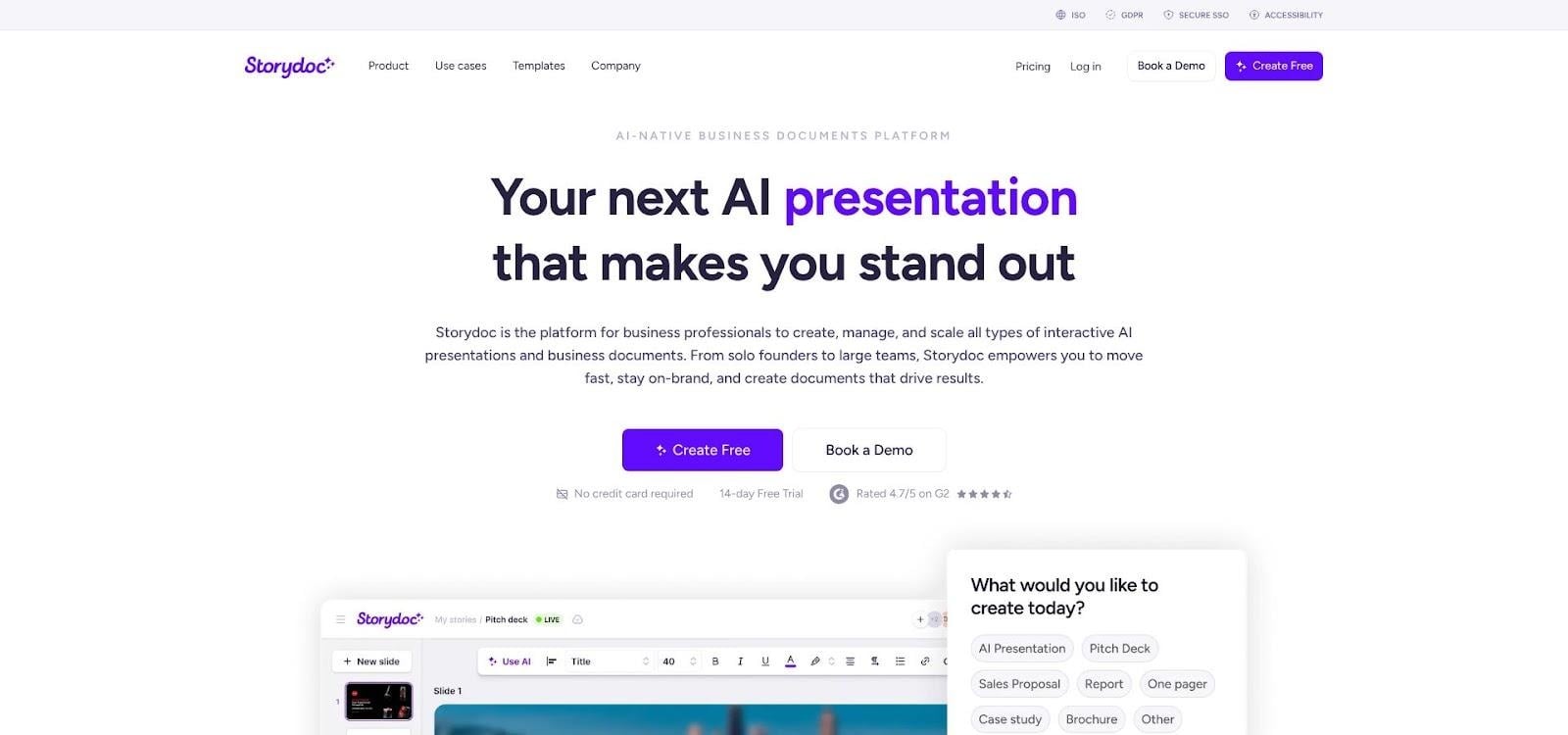
Storydoc swaps the click-through slide stack for a scrollable, mobile-ready story. Buyers can jump from a screenshot to a live calendar, price selector, or embedded contract, making the deck itself part of the sales process.
Every view, click, form fill, and internal forward is logged automatically and written to Salesforce or HubSpot. One customer case reported a 10 percent CTA-conversion rate, 60 percent deck completion, and 50 percent internal sharing, giving reps clear insight into who is championing the deal.
In our July 2026 test, Storydoc’s AI built a branded ten-section deck in about six minutes (Starter plan). You provide a prompt or outline, and the editor applies brand colors, product shots, and copy blocks so the finished piece feels like a microsite rather than a brochure.
Key facts for buyers: pricing starts at $19.80 per user per month on an annual Starter plan, and the platform carries an ISO 27001 certificate plus SSO and GDPR controls. If your leadership still wants printable PowerPoints, look elsewhere. For remote demos and async follow-ups, Storydoc turns a passive PDF into an active conversation.
5. Microsoft Copilot for PowerPoint: best for Microsoft 365 enterprises
Copilot lives inside PowerPoint. Click the Copilot icon, describe the story, and a starter deck appears with titles, bullets, and images pulled from Word docs, OneDrive folders, or SharePoint.
That native reach is its core strength. Decks inherit company themes, remain in normal version-control workflows, and follow existing Entra ID and Purview policies, so teams avoid exports and extra vendor reviews.
Rough edges remain. In our July 2026 test, Copilot produced a ten-slide draft in about four minutes but skipped two master-slide placeholders, forcing a headline off grid. Licensing also matters: Copilot Chat is free with many Microsoft 365 plans, yet full in-app generation requires Copilot for Microsoft 365 at $30 per user per month (annual commitment). Microsoft tracks file opens in OneDrive, but it offers no buyer-level analytics once the deck leaves your tenant.
Use Copilot when working inside the Microsoft stack outweighs the need for granular brand control or engagement data. For live analytics or stricter template adherence, one of the four specialist tools above may fit better.
Which AI presentation tool fits your sales workflow?
Match your daily reality to the tool built for it:
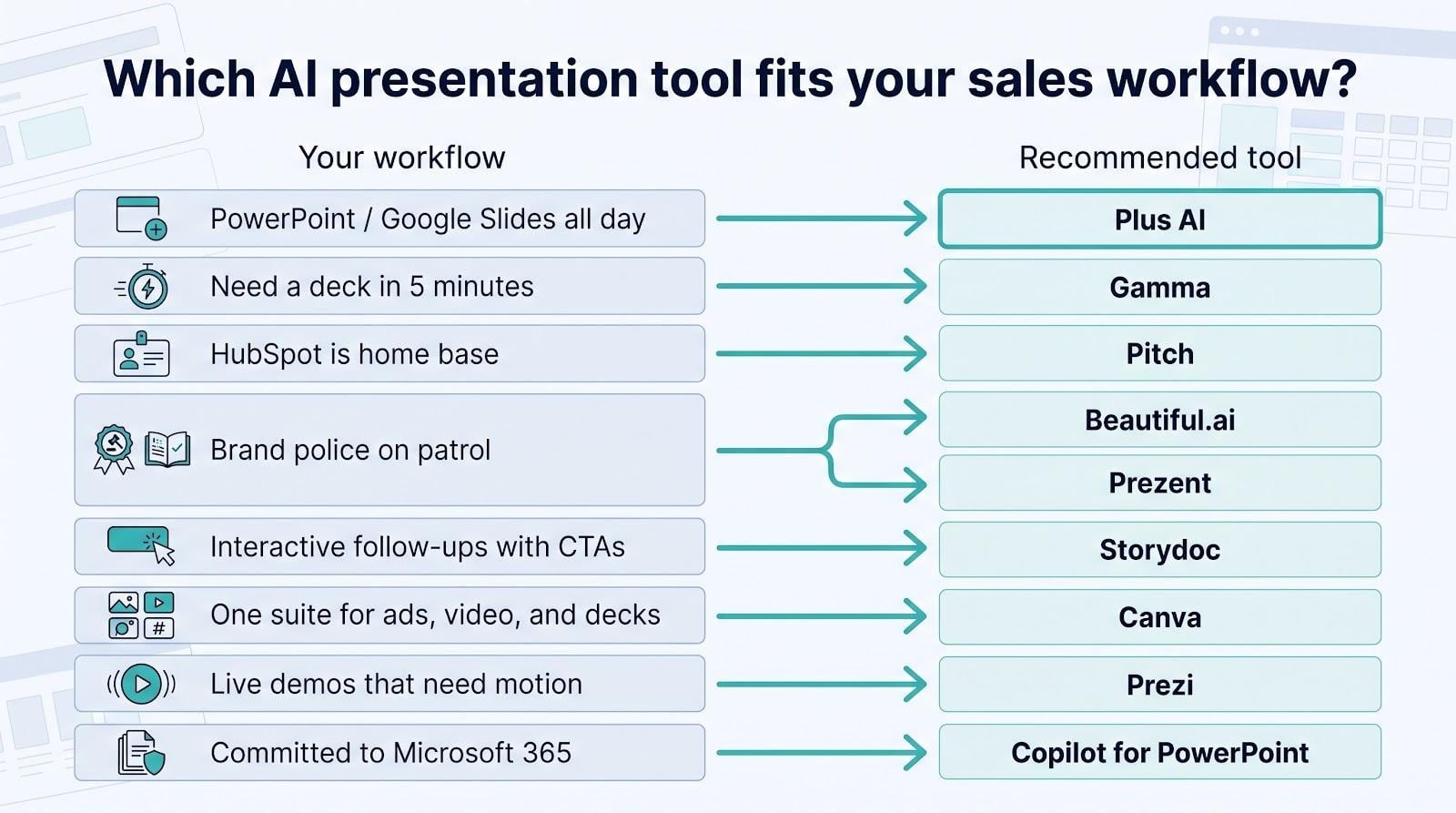
- PowerPoint or Google Slides all day? Plus AI keeps everything native; no rebuilds.
- Need a deck in five minutes? Gamma generates web-native slides fast and tracks every view.
- Brand police on patrol? Beautiful.ai enforces Smart Slides and writes view data back to Salesforce.
- Interactive follow-ups with CTAs? Storydoc logs every click, form fill, and internal forward.
- Committed to Microsoft 365? Copilot for PowerPoint stays inside your existing security and version-control stack.
Conclusion
Still undecided? Short-list two tools, run the same deck brief, and time how long each one takes to reach “send.” Let the stopwatch decide.