




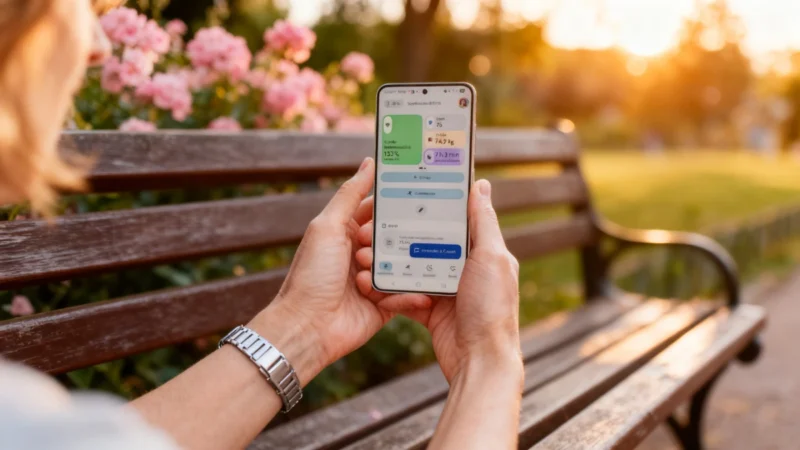
Google Health: A Redesign from the Ground Up
Google didn't just give Fitbit a facelift—it's an all-new app experience. To coincide with the Fitbit Air's debut, the company has reworked the Fitbit app and renamed it Google Health. After spending months in preview, Google Health became available for download starting Wednesday, offering one of the most significant changes to Fitbit's ecosystem up to now.
Brighter Looks, Tighter Personalization
Google Health now features a more colorful, customizable interface. Users can choose which health statistics are displayed at the top of their “Today” home screen, putting the data that matters most front and center.
The app is organized into four separate areas—Today, Fitness, Sleep, and Health. Each section puts the spotlight on a specific aspect of your daily activity, recovery, or health monitoring, helping users track their progress, focus their routines, or pay attention to areas for improvement.
Smarter Health Coaching
This update was designed with competition in mind. Google Health steps up to meet the more advice-driven approach favored by rivals like Whoop, Oura, and apps such as Bevel for iPhone. It’s no longer just about step counts.
The app introduces an AI assistant called Health Coach, available for a Premium subscription at €8.99 per month (about $9.75 as of mid-2026, though exact pricing in USD may vary). Health Coach gives tailored recommendations after every workout, when you wake up, and before bed, aiming to help optimize your wellness. You can easily ask questions about sleep, exercise, or nutrition using the dedicated button in the app.
Compatibility with Your Devices
As with the previous Fitbit app, Google Health is now the default health app for Google Pixel Watches as well as Fitbit watches and bands. Using Google Health Connect, you can also sync data from other brands—like Garmin, Samsung, Xiaomi, or Coros—creating a comprehensive view of your health across various devices.
The rollout for Google Health began on Android and, according to Google, the app was expected to reach all users on both iOS and Android in the weeks following its initial launch.


I am not going to move to Google health I am staying with the Fitbit app and not updating, they can shove it
Disappointed…..the Fitbit app was better
I HATE IT