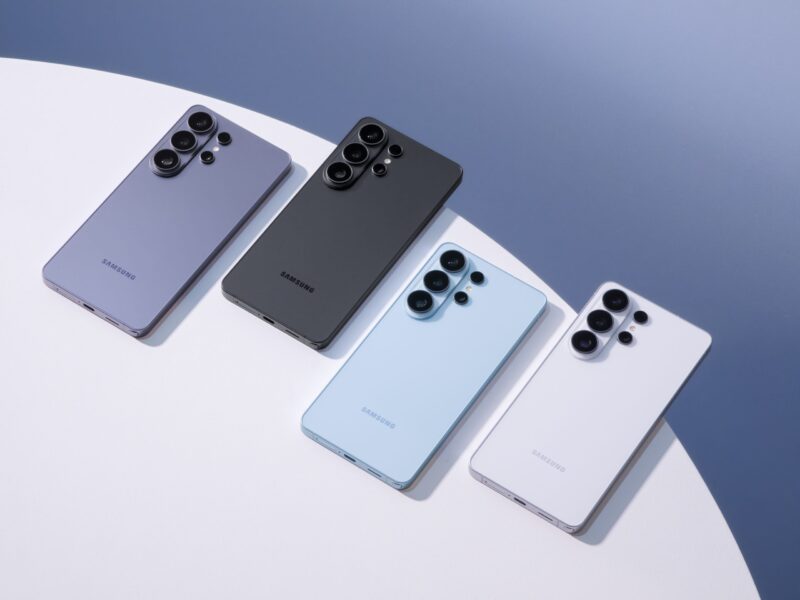
Samsung has quietly solved one of Android's most persistent frustrations. The Galaxy S26 series is getting AirDrop support through Quick Share, meaning iPhone and Samsung users can finally swap files without jumping through hoops.

The feature started rolling out on March 23, beginning in Korea before expanding to Europe, Hong Kong, Japan, Latin America, North America, Southeast Asia, and Taiwan. It is launching exclusively on the Galaxy S26 series for now, with Samsung yet to confirm when other devices will follow.
Cross-platform file sharing has always been messier than it should be. iPhone users have had AirDrop as a reliable, fast, and effortless option for years, and Android has never had a clean answer to it. This closes that gap in a meaningful way.
For anyone who regularly switches between ecosystems, or works alongside iPhone users, this makes Quick Share far more practical as a daily tool. Samsung has not detailed whether the expansion to other Galaxy devices will come through a software update or be tied to newer hardware launches.
How to use AirDrop-style sharing on the Galaxy S26 (Quick Share)
Step 1: Turn on Quick Share
- Swipe down from the top of the screen to open Quick Settings
- Look for Quick Share
- Tap it to turn it on
If you don’t see it:
- Tap the edit (pencil icon)
- Add Quick Share to your toggles
Step 2: Set who can send you files
- Long-press Quick Share
- Choose visibility:
- Contacts only (best default)
- Everyone nearby
- Your devices
👉 For testing or quick transfers, set it to Everyone nearby
Step 3: Send a file
- Open:
- Gallery, Files, or any app with media
- Tap Share
- Select Quick Share
You’ll now see nearby devices appear like little digital radar blips.
Step 4: Select the receiving device
- Tap the device name (e.g., another Galaxy phone, tablet, or PC)
- The file starts sending instantly
Step 5: Accept on the receiving device
On the other device:
- A pop-up appears
- Tap Accept
File lands in:
- Gallery (for images/videos)
- Downloads (for other files)
Quick Share on the Galaxy S26 is basically AirDrop without the Apple lock-in. It’s fast, simple, and once it’s pinned in Quick Settings, you’ll end up using it more than any messaging app for file transfer
There is no technical reason this should be limited to the S26. The Galaxy S25 and S24 series are more than capable of handling it, and given how many people are still running those phones, leaving them out would be a missed opportunity. A software rollout to older flagships would go a long way toward making this feel like a platform-wide improvement rather than a reason to upgrade.
It is a small feature on paper, but one that removes a real point of friction for a lot of users.