




Creating icons is more than just reducing an image. It's a precise process that demands knowledge of multiple formats, resolutions, and the technical specifications of various operating systems. SoftOrbits Icon Maker helps you handle this conveniently and quickly.
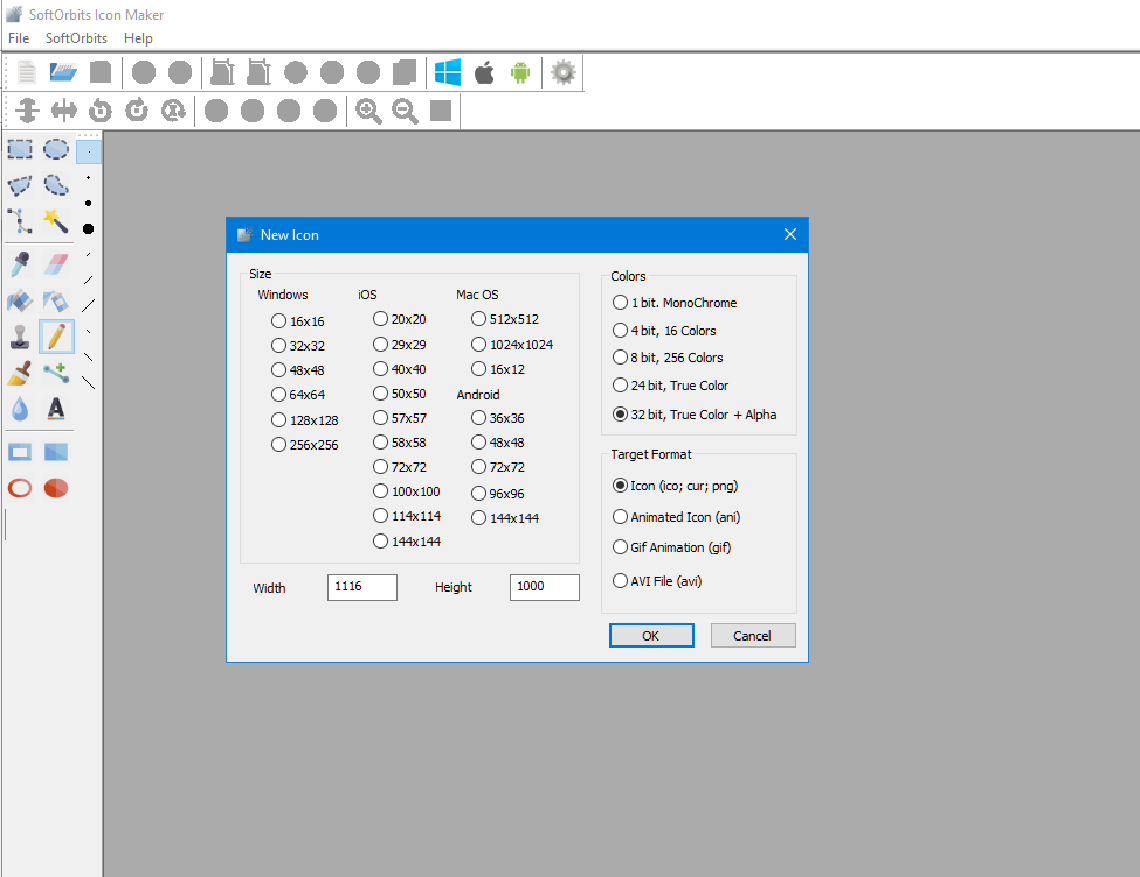
Icon Maker: From Drawing to Icon
The program supports two key workflows:
- Image to Icon Conversion: A single large source image is loaded. Icon Maker then automatically generates the entire set of required sizes for your target platform.
- Creating from Scratch: You can create your icon by drawing it yourself. The program includes all the essential graphic tools for icon creation and editing: cropping, rotation, and pixel-level drawing.
Editing Features and Automation
Icon Maker is a hybrid tool that combines manual editing with batch automation:
- Manual Pixel Editing: On the left side of the interface, you have access to tools for drawing, cropping, rotation, and pixel-level correction. You can individually refine each icon size.
- Automatic Size Display: When an icon (e.g., an ICO file) is loaded, the program simultaneously loads all included sizes (16×16, 32×32, 256×256, etc.). You can switch between them for manual adjustments.
- Batch Saving Mode (Mass Export): This is the main advantage. After final touch-ups, you can save all necessary sizes and formats of a single icon with one click. This eliminates routine scaling.
Technical Capabilities and Device Support
Icon Maker solves the problem of format chaos:
- Automatic Format Combination: The program automatically creates the image using the appropriate combination of resolution and format. For example, PNG for high-resolution icons (Windows 7+) and the older ICO format for smaller sizes.
- Special Effects: Over 20 special effects are available in the built-in editor: adding shadows, highlights, correcting distortions, and changing brightness and saturation.
| Category | Supported Sizes and Formats | Note |
|---|---|---|
| Windows ICO | 16×16, 24×24, 32×32, 48×48, 64×64, 128×128, 256×256. | Standard sizes for application and folder icons. |
| MacOS/iOS | 32×32, 64×64, 128×128, 256×256, 512×512, 1024×1024. | Requirements for Retina displays and the App Store. |
| Web (Favicon) | 16×16, 32×32, 48×48. | Quick creation of icons for browser tabs. |
| Animation | Animated icons, cursors, GIF banners. | Creation of dynamic interface elements. |
Comment from CEO of SoftOrbits, Eugene Ustinenkov:
“A developer often needs to create dozens of icons in different formats: for Windows, macOS, a website, and mobile devices. Manual work takes hours. Icon Maker eliminates this problem. It automatically creates all the necessary sizes and formats, guaranteeing that your icon will look perfect at any resolution—from 16×16 on the taskbar to 1024×1024 in the App Store.”

About SoftOrbits
SoftOrbits was founded in 2006. We develop software designed to automate complex photo editing tasks.
You can find our head office at: 9/19, Moo 7, Koh Phangan, Surat Thani 84280, Thailand.

