




A faster lap often starts with comfort before raw power. Small setup fixes reduce wasted motion, prevent strain, and help consistent inputs across sessions.
Early upgrades usually center on the core controls, which is where build quality pays off. If you are comparing MOZA racing wheels and pedals, look at torque delivery, pedal adjustability, and mounting footprint before chasing cosmetics.
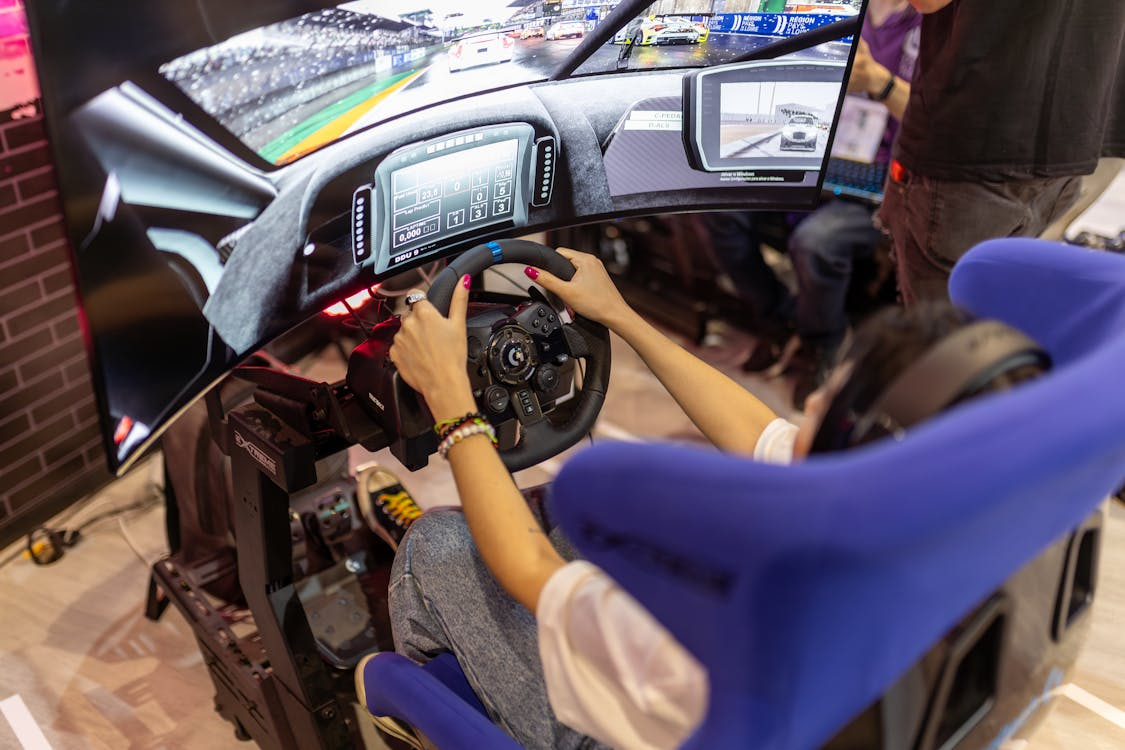
Dial In Seat Height, Distance, And Angle
Good posture removes guesswork from every input you make. Match seat height to hip level with your knee slightly bent at the brake’s hardest point. Keep your back supported so your shoulders stay planted when you apply steering force.
Set seat distance so your wrists rest at the top of the rim without locking elbows. Then adjust the recline so your eyes meet the monitor centerline. A neutral spine helps you repeat lines without micro-corrections each lap.
If you feel joint pressure after longer sitting sessions, lower the seat a notch and bring the pedals closer. Small positional changes reduce load on your hips and ankles. For broader comfort guidance, review ergonomic basics from OSHA on seated work and reach zones at osha.gov.
Tune Force Feedback And Wheelbase Mounting
Force feedback should communicate road texture, weight transfer, and slip without arm fatigue. Start with the manufacturer’s recommended base profile, then reduce overall gain until clipping disappears on the track’s fastest corner. Add a touch of damping if oscillation appears on straights.
Rigid mounting is non-negotiable for accurate steering feel. Tighten all fasteners, add washers where needed, and check for flex under maximum input. Even slight movement blurs the difference between understeer and curb detail at speed.
Use a repeatable process when testing settings after each change. Pick one car and track you know well, run five clean laps, and compare split times. Keep notes on gain, friction, damping, and any per-car multipliers used.
Set Pedal Geometry For Braking Confidence
Braking is where most lap time lives, and pedal geometry is the biggest helper. Angle the pedal plate so your ankle moves comfortably through the range without toe strain. Set pedal spacing so your foot finds the brake without glancing down.
Stiffen the brake until threshold stops feel predictable under race tires. Load cell systems reward firm pressure with clear feedback near lockup. Softer springs can work for long endurance practice, but confirm you can still modulate late in stints.
Balance brake and throttle travel so transitions feel natural in traffic. If the throttle is too light, traction control will mask sloppy inputs and slow exits. If it is too stiff, your right leg will tire and reduce precision after longer runs.
Calibrate Screens And Field Of View Correctly
Field of view affects braking points, sense of speed, and apex timing. Measure your eye-to-screen distance and enter it into your sim’s FOV calculator. Avoid guessing by sight, which usually compresses depth and shortens your reaction window.
Mount the center monitor at your eye height, with side panels angled to meet without visible bezels. If you run a single large display, pull it closer until the FOV math and your distance align. Correct geometry reduces motion sickness and tightens spatial judgment.
Add a quick visual checklist before sessions to catch drifted mounts. Look for level horizons, equal bezel gaps, and a centered wheel in the camera view. Repeat the check after long races when heat and vibration can loosen brackets.
Use Telemetry And Short Practice Loops
Telemetry turns feelings into numbers you can track over weeks. Start with brake pressure traces and throttle application rates. You are aiming for smooth ramps rather than jagged spikes, especially around corner entry and exit.
Short practice loops beat marathon stints for focused improvements. Pick one sector with a tough brake zone and a medium-speed corner. Run five-lap sets, review traces, and tweak one input at a time before the next set.
Keep an eye on cognitive and visual load as speed builds. Simple reaction exercises improve timing without grinding laps. For background on reaction time and performance science, skim introductory notes from a university psychology department at ucsd.edu.
Quick Setup Checks Before You Race
- Wheelbase secure with no flex under full lock and maximum torque.
- Brake pedal firmness matches your preferred stopping distance and car class.
- FOV confirmed with measured distance, not a guess by feel.
- Seat and pedal distance marked for easy return after adjustments.
- One car and track selected for consistent testing between setting changes.
Picking Upgrade Paths That Actually Move Your Laps
Not every purchase moves lap times, which matters if you are balancing a tech budget. Prioritize rigidity first, starting with the wheelbase mount and the seat rails. Then look at brake hardware that offers pressure-based control rather than only travel changes.
Software tuning gives big returns after hardware is stable. Build a small library of profiles for different cars and circuits. Keep a baseline profile with conservative forces and neutral damping, then layer adjustments for high downforce or bumpy tracks.
Treat cable management and power delivery as part of performance rather than decoration. Strain relief prevents mid-race disconnects, and clean routing avoids pedal hinge interference. A tidy rig also makes troubleshooting faster when glitches appear before league starts.
Keep Maintenance Simple And Regular
Loose hardware and dust build-up creep into feel over months. Schedule a monthly torque check for mounts and pedal pivots, and a quick vacuum pass around fans and vents. Wipe contact points so rubber and metal interfaces retain consistent friction.
Firmware and driver updates can help, but avoid last-minute changes before events. Update mid-week, test for an hour, and roll back if new quirks show. Keep an archive of known-good versions and profiles so recovery takes minutes, not evenings.
Note wear patterns on pedal elastomers and springs as seasons change. Replace before performance drops instead of chasing settings to compensate. Predictable resistance is worth more than vintage parts with sentimental value.
Bring It Together Without Guesswork
Tackle one setup variable at a time, record the change, and give yourself a fixed test loop. Prioritize rigid mounting, measured FOV, a confident brake, and clear telemetry habits. Small, steady adjustments stack into durable pace that lasts across tracks and hardware cycles.

