

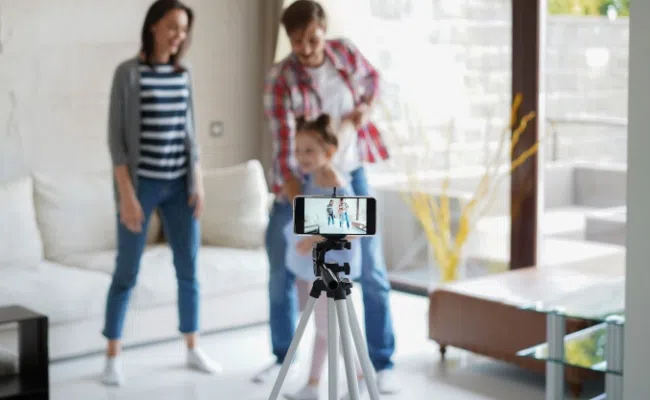
If you have a redundant phone that is of no use, you can turn it into a security camera. It will allow you to see the live preview of the location, detect people, and store recordings.
In this article, we will explain how you can turn an old phone into a security camera. We will share the step-by-step process of turning Android and iOS devices. We will compare old phone cameras and professional security cameras to help you make the right choice.
Can You Turn an Old Phone into a Security Camera?
Yes, you can turn an old phone into a security camera. All you need is a third-party camera application. It will turn your old phone into a security camera without the need for network wiring. You also need to install the application on the viewer device, which will allow you to see the live feed of the security camera remotely.
It will work like a basic security camera and will not offer features that professional security cameras have. It is suitable for non-critical areas, such as the living room or any place where you want monitoring.
How to Turn an Old Phone into a Security Camera?
Before you start, you need a phone stand or mounting device to mount the security camera and capture the desired angle. You need two phones; the old phone will work as the security camera, while the second device will be the viewer.
If you plan to use it permanently or for a long time, you also need to connect the phone to a charger. Make sure there is a nearby AC outlet for easy placement.
Turn Old Android Phones into Security Cameras
Step 1: Download any third-party camera application on both the camera and viewer Android devices. Here, we are taking the AlfredCamera app as an example.
Step 2: Open the app and set up your account on both devices. The old device will work as your camera.
Step 3: On the viewer’s device, tap “Add Camera.” You’ll see a QR code. Scan it with the old phone that will be used as the security camera.
Step 4: Your devices will be paired. Mount the camera device securely on the stand. And you’ll receive the notifications and live feed on the viewer’s device.
Turn Old iPhones into Security Cameras
Step 1: Open the App Store and install a security camera application on both devices, such as Presence Video Security Camera.
Step 2: Launch the app and sign in to your account. Both devices should be connected to the same network.
Step 3: Select the old device as the camera phone. On the viewer’s device, you’ll see the device appearing as a remote camera.
Step 4: Tap on the camera through the viewer’s device. You can see the live feed.
How to Turn Old Phones into Security Cameras without Internet?
You can turn your old phone into a security camera without the internet. But for this, you need to use a dedicated application, and the old phone and the viewer device should be connected to the same network.
Step 1: On your old phone, download any application that can turn it into a webcam. These are phone-to-webcam applications, such as IP Webcam.
Step 2: Open the application. You need to grant permission to your microphone and camera. Complete the setup.
Step 3: You are ready to start the broadcast. It will share a local IP address and port number. Copy this address.
Step 4: On your viewer device, which could be your smartphone, tablet, or computer, open any browser. Enter the IP address. It will start showing the camera feed.
Old Phone vs Professional Security Camera: Which is Better?
Using Old Phones as Security Cameras
Pros:
- You don’t need to buy a security csamera, as your redundant old phone can do the same. It’s free.
- It is easy to set up and get started. It offers wireless connectivity as both devices are connected to the same Wi-Fi network.
- You can install the camera anywhere you like. It offers flexibility in installation and placement.
Cons:
- The features are quite limited. You can only see the live feed and enjoy basic features like live feed and motion detection.
- The video quality is not as good as that of a security camera.
- There is no dedicated night vision to capture clear videos at night and in low-light conditions.
- They are only suitable for indoor monitoring as they are designed to bear harsh weather conditions.
- You need to keep the phone plugged in, and the battery drains quickly.
Using Professional Security Cameras
Pros:
- It offers robust security 24/7 and ensures stable connectivity and exceptional performance.
- Equipped with advanced features, such as a high-resolution camera, infrared/colored night vision, AI detection, weatherproofing, etc.
- Has better storage options, such as built-in storage, local storage, and cloud storage.
- Integrates with other smart devices at home and works with voice assistants
- Multiple security cameras can be connected together to cover a large property.
Cons:
- You need to spend money on the camera, wiring, installation, etc.
- It’s less portable compared to the phone security camera.
Profession Security Cameras Recommendation
Reolink Duo 3 PoE
Reolink Duo 3 PoE is a 16MP dual-lens security camera. It captures videos with rich details and exceptional clarity. Its dual lenses cover a 180-degree panoramic view and summarize everything in a single frame. At night, it records clear and colored videos with its dual night vision. It offers fast and reliable performance with PoE and ensures robust security.
It smartly detects objects and tracks their motion. It sends real-time notifications to the connected devices. You can control it through voice commands as it supports Amazon Alexa and Google Assistant. It’s an IP67-rated security camera that can work in harsh weather conditions and outdoor environments.
Reolink E1 Zoom
Reolink E1 Zoom is a compact security camera ideal for indoor monitoring. It captures videos in 4K (8MP) resolution and ensures intricate details of the objects. It also has a 3X optical zoom to offer a close-up view with exceptional clarity. It is equipped with infrared night vision to record clear videos at night without disturbing anyone.
With its pan and tilt movement, it can capture 360 degrees and cover a wider area. It can detect objects and track their motion in real-time. It’s a Wi-Fi 6 security camera that ensures smooth connectivity, fast performance, and robust security.
FAQs
Is there a free universal app for security cameras?
tinyCam Monitor and IPCams are free apps for security cameras that work on different brands. They are suitable for different types of security cameras, NVRs, and encoders.
Is using a phone as a webcam secure?
It’s not completely secure, and there are risks of malware, spyware, and unauthorized access. Hackers can get access to the camera’s live feed. It’s better to go with professional security cameras as they are more secure.
Final Words
You can use your old phone as a security camera. It will allow you to see the live feed via a viewer’s device. You need to install a third-party application on both devices to make it a security camera. After that, you can enjoy the basic features, such as live preview and motion detection. However, it is not a preferred option for critical areas and advanced security. For that, you should opt for professional security cameras.