



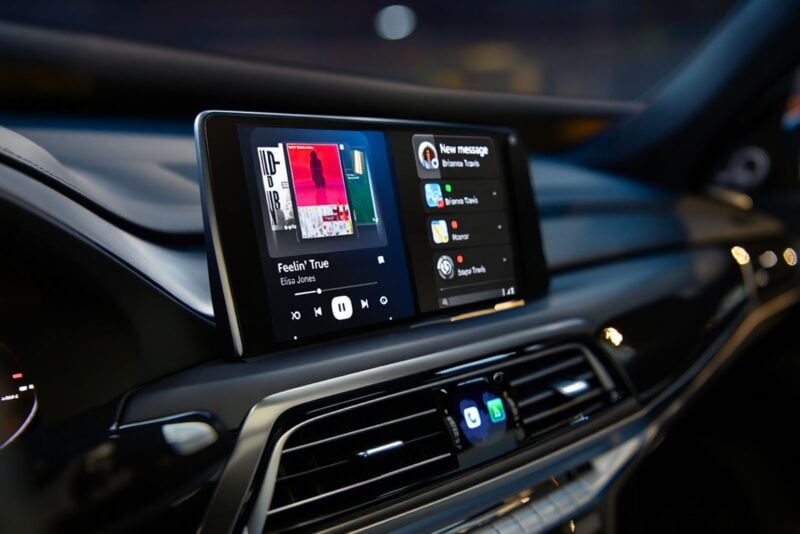
If you’ve climbed into your car lately, fired up Android Auto, and thought everything on the screen looked comically oversized — you’re not imagining things. A growing number of drivers have reported a persistent display glitch that’s making navigation apps and music controls appear far too large, and so far, there’s no official fix in sight.
What’s going wrong with Android Auto displays?
The issue seems to affect the layout scaling, causing apps like Google Maps and Spotify to appear zoomed-in or off-centre. In some cases, only the navigation screen is distorted, while other panels (like music playback) remain normal. Either way, it’s making the system feel more frustrating than hands-free.
Reports of the glitch first popped up on community forums, where a driver noticed the problem on their 2024 Chevrolet 2500. Thinking it was the truck’s system, they tried a newer Ford model — but the issue persisted. That ruled out the vehicle and pointed squarely at Android Auto itself.
What’s more, it’s not limited to older phones or a single Android version. While one affected user was running Android 12, others using newer Pixel phones have also chimed in, confirming it’s a wider problem.
Tried everything? You’re not alone
As is often the case with tech bugs, users have tried every trick in the book — swapping USB cables, clearing app caches, and uninstalling and reinstalling Android Auto. Some have even gone the extra mile by adjusting developer settings or manually installing test versions. Sadly, none of these workarounds seems to stick.
This leaves affected drivers dealing with a stretched-out interface that’s awkward at best, and borderline dangerous at worst — especially when trying to navigate at a glance.
Google has yet to issue a fix
Currently, there’s no word from Google on when a proper update will be released. The bug has been acknowledged on forums, but an official patch has yet to materialize. With Android Auto being such a core feature for daily commuters, it’s likely a fix is in the works — but no clear timeline has been shared.
In the meantime, users are encouraged to report the issue directly via the app or through Google’s support channels. The more feedback they receive, the faster they can pinpoint what's triggering the problem across different hardware setups.
What you can do for now
If you’re experiencing this issue, your best course of action is to keep your system and Android Auto app fully updated. While it won’t solve the issue outright, it might prevent things from getting worse. And if you haven't already, consider posting your experience on relevant forums — your input could help uncover a pattern.
Until then, take comfort in knowing it’s not just you. The zoomed-in interface bug may be frustrating, but a fix is likely on the horizon. Just keep your eyes on the road — and maybe off that oversized Spotify button for now.


Workaround:
In my case, Spotify was effected. The Spotify part of the AA screen was blurred and did not respond to any touch.
My current workaround is deactivating Spotify in AAs launcher list. After that, Spotify still appears with minimal widgets and operates normal.