




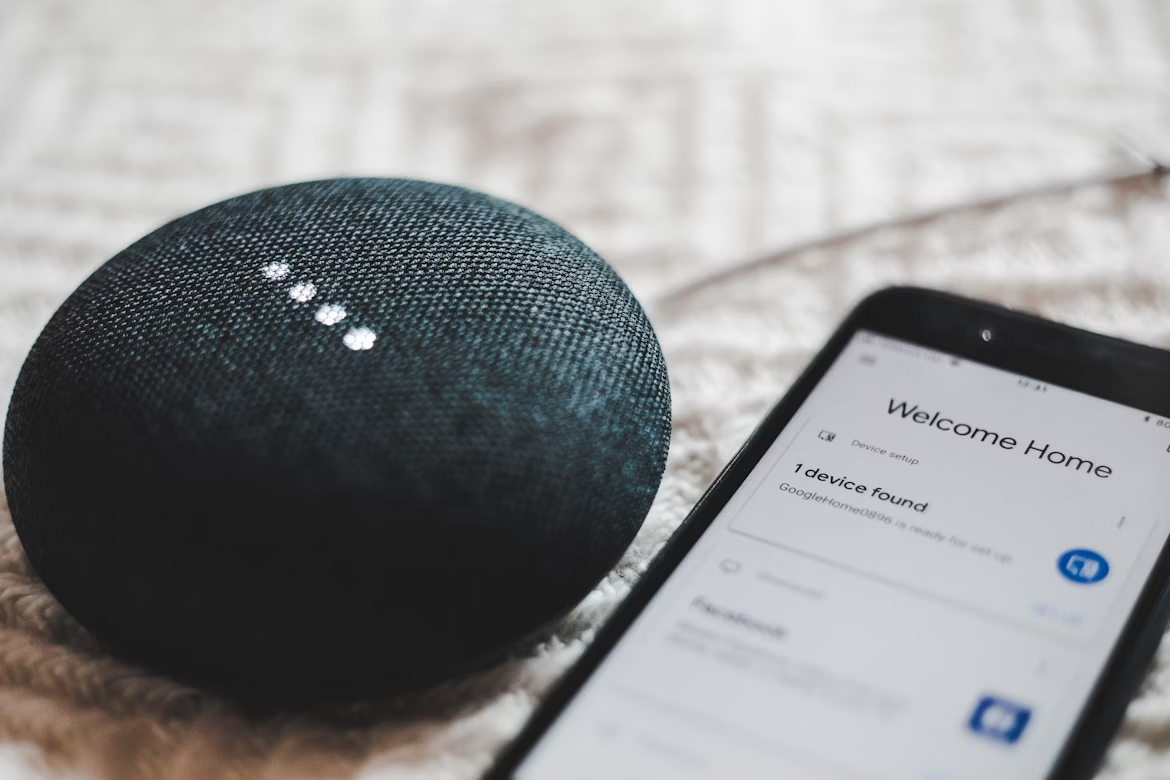
Now that smart tech fills our homes, Android is a helpful tool for making living spaces work together. From handling daily tasks to making free time better, Android’s system lets you easily control things like lights and entertainment. Android's adaptability proves advantageous for tech-heavy homes featuring IoT devices, automation, and digital hubs. Beyond gadgets, it fosters an environment that anticipates user needs. Android users can automate tasks, such as scheduling coffee to brew with their alarm, or explore relaxation applications. Understanding foundational principles enhances the refinement of this integration.
Why Android Fits Perfectly in Modern Smart Homes
Android stands out in smart homes because its open-source design allows it to work with many devices, unlike platforms that are not as open.
The Role of Apps in Enhancing Daily Life
Android's Google Play Store has numerous apps for smart living, like home automation and entertainment. Regarding digital entertainment, Android supports streaming, gaming, and interactive experiences. There are even casino-style apps with card games and slots, powered by Android's graphics and touch features.
Access and guidelines change based on where you are. For example, in Florida, where there are specific laws for online betting, people usually look for verified platforms that are safe and follow the rules. A list of the best Florida online casinos can help navigate options that are optimized for Android, focusing on user-friendly interfaces and safe play. Android devices make it easy to get personalized entertainment right in your home. You can enjoy all sorts of content without ever stepping outside the Android system.
Seamless Compatibility and Interoperability
Your Android phone can seamlessly work with smart devices like smart thermostats, door locks, and home appliances from different brands. Google Assistant gives you the power to control everything with your voice, making home tasks simpler. Matter ensures these devices will remain compatible in the future, protecting your investment.
Boosting Productivity and Smart Assessment
Android's adaptability isn't just for games; it also improves productivity. Think about apps that sync family calendars across devices or manage media in different rooms. To begin, take a look at the tech you have at home and see where Android might be able to make things easier.
Selecting the Best Android Devices for Your Household
Picking the right Android hardware is the foundation of effective integration. Focus on devices that enhance connectivity and usability.
Smartphones and Tablets as Control Centers
When choosing between a phone and a tablet to manage your smart home, think about your needs. Phones work well for managing things when you're away. Tablets are useful if you're usually at home and want to share control with others. If you have many smart home devices, a tablet's bigger screen can be helpful. The best choice depends on how you live. Select the device that fits how you plan to use your smart home. Either way, the proper tool simplifies management.
Wearables and Accessories for Everyday Convenience
Use smartwatches and other wearables to do more than what your phone can do. They let you see notifications fast, like security alerts, and can start actions such as locking doors when you're not home.
Smart Displays and Speakers
Android screens, like those on Nest Hubs, give you visuals along with voice commands. Putting them in good spots, like the front hall for weather info or the bedroom for alarms, makes your smart home better.
Step-by-Step Guide to Setting Up Android Integration
Ready to start? Here's how to set things up:
- Install Core Apps: To get started, use the Google Home app on your phone to link all your compatible devices. For further settings, you can also use each device's app.
- Network Setup and Permissions:To ensure a smooth experience, check your Wi-Fi . Then, in your phone's settings, give the necessary permissions to the apps.
- Automate with Routines: With Google Assistant, you can set up your own automated actions. As an example, you could make an evening routine that turns down the lights and plays soothing sounds.
- Incorporate Third-Party Devices: Use tools like IFTTT to connect devices that don’t natively work with Google Home, making sure everything is compatible.
- Test and Tweak: Test your setups to find and fix any problems. Then, make things better based on how you use them every day.
This setup normally takes less than an hour, turning a messy setup into a smooth operation.
Boosting Entertainment and Productivity in Your Tech Setup
Once your smart house is set up, consider ways to make it more fun and useful. Android is good at multitasking, meaning you can switch between work and play with ease. If you want to be productive, link apps to printers so handling documents is easier, and use family apps to keep everyone in the loop.
For fun, link an Android TV or Chromecast if you want to watch programs and films on a bigger screen. There are lots of apps for music and podcasts. Also, you can find many games on Android devices, plus mind games and multiplayer options.
Addressing Security and Privacy in an Android-Centric Home
When setting up your smart home, security should be a main concern. To keep your data safe on Android, keep an eye on app permissions with the Privacy Dashboard. Use strong passwords and biometric locks, and think about using a VPN for extra security. If you share your device with others, guest modes and parental controls can help protect everyone.
Keep your software up to date. Android usually sends out security fixes to deal with any issues. For devices like cameras, use encrypted connections to help protect your privacy.
Wrapping It Up: A Smarter Home Awaits
Having Android devices in a modern home makes things easier because everything works together. It starts with setting things up well and changes as you need it to, from basic everyday uses to having more fun. Try different things, adjust as needed, and enjoy a home that is as advanced as you are.

