AI chatbots are no longer just tools that answer your questions in a more conversational manner than Google. There's a lot more that they can do now, including generating images, improving image quality like a photo enhancer, and even correcting your code. There's been a ridiculous amount of progression in the last few years.
One aspect of AI that is rapidly developing is video generation, and Google has developed its Veo 3 model to focus on that. The tech giant has just added a new trick to Gemini and Veo, and that's the power to generate videos, eight seconds long, from a still image. It's not a new concept, but this is arguably the best execution of it yet.
You Can Now Use Google Gemini to Turn Your Photos Into Short Videos

Google Veo 3 was unveiled at Google I/O earlier this year, and ever since then, we've seen a ridiculous amount of content made using it. I've seen videos with stormtrooper influencers and videos with fake street interviews examining ridiculous scenarios. Just from looking at those videos, it is clear that AI video generation has come a very long way. Now, Google wants to add an extra level to how Veo 3 does things.

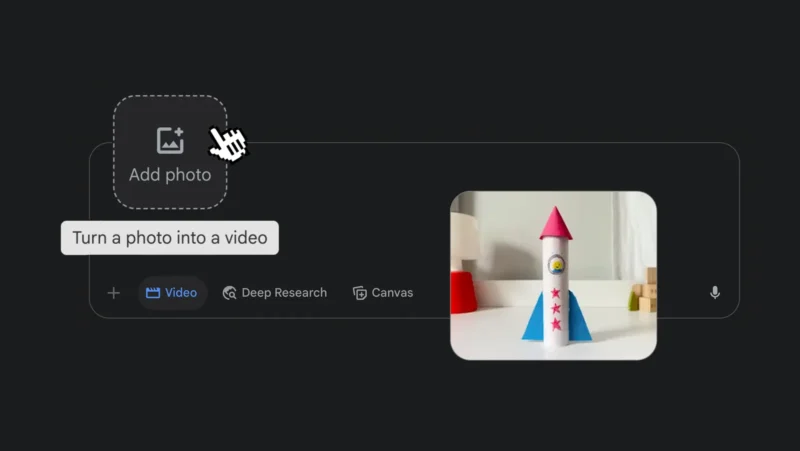
Using Google Gemini, you will now be able to get still images to turn into videos, and unlike previous implementations where minor movement is generated on your behalf, this will be different. Just like with Veo 3's video generation, you will be able to provide details on what you want to happen in the generated video, and the AI will take care of the rest of it. To do this, follow these steps:
- Choose “Video” from the toolbar in the Gemini prompt box.
- Upload the image of choice.
- Enter your prompt for what you want the generated video to do, including instructions for the audio.
- Submit the prompt and watch Gemini and Veo 3 produce an eight-second video.
For some people, this might be superior to generating images from scratch since you can provide a starting point for the video that's actually real, and if you're aiming for realism, there's nothing realer than a real image. Of course, this feature should also be able to take advantage of illustrations, AI-generated images, and other non-real forms of photos.
This Feature Is Only Available to Users on the Google AI Pro and Ultra Plans

Before you get too excited, not everyone is going to be able to use this feature. While it is already rolling out, unsurprisingly, it will only be available to those who subscribe to the Google AI Pro or the new Google AI Ultra plans. While the AI Pro plan might be relatively affordable for most people, the AI Ultra is objectively expensive. There's a lot that each plan delivers that the free plan simply doesn't have.
| Google AI Pro | Google AI Ultra | |
| Monthly Price | $19.99 | $249.99 |
| Cloud Storage | 2 TB | 30 TB |
| Model Access | Gemini 2.5 Pro | Gemini 2.5 Pro Deep Think |
| Video Generation | Limited access to Veo 3 | Veo 3 |
| Monthly AI Credits | 1,000 | 12,500 |
| YouTube Premium | Not included | Included |