




Your phone number has been the only way to find you on WhatsApp since the app existed. But now, that's changing. WhatsApp is rolling out custom usernames, so people can message you by your preferred handle instead of digits, and setting one up takes about thirty seconds once you know where the option is hiding. We'll show you how to do this after the break.
How to Create Your Username
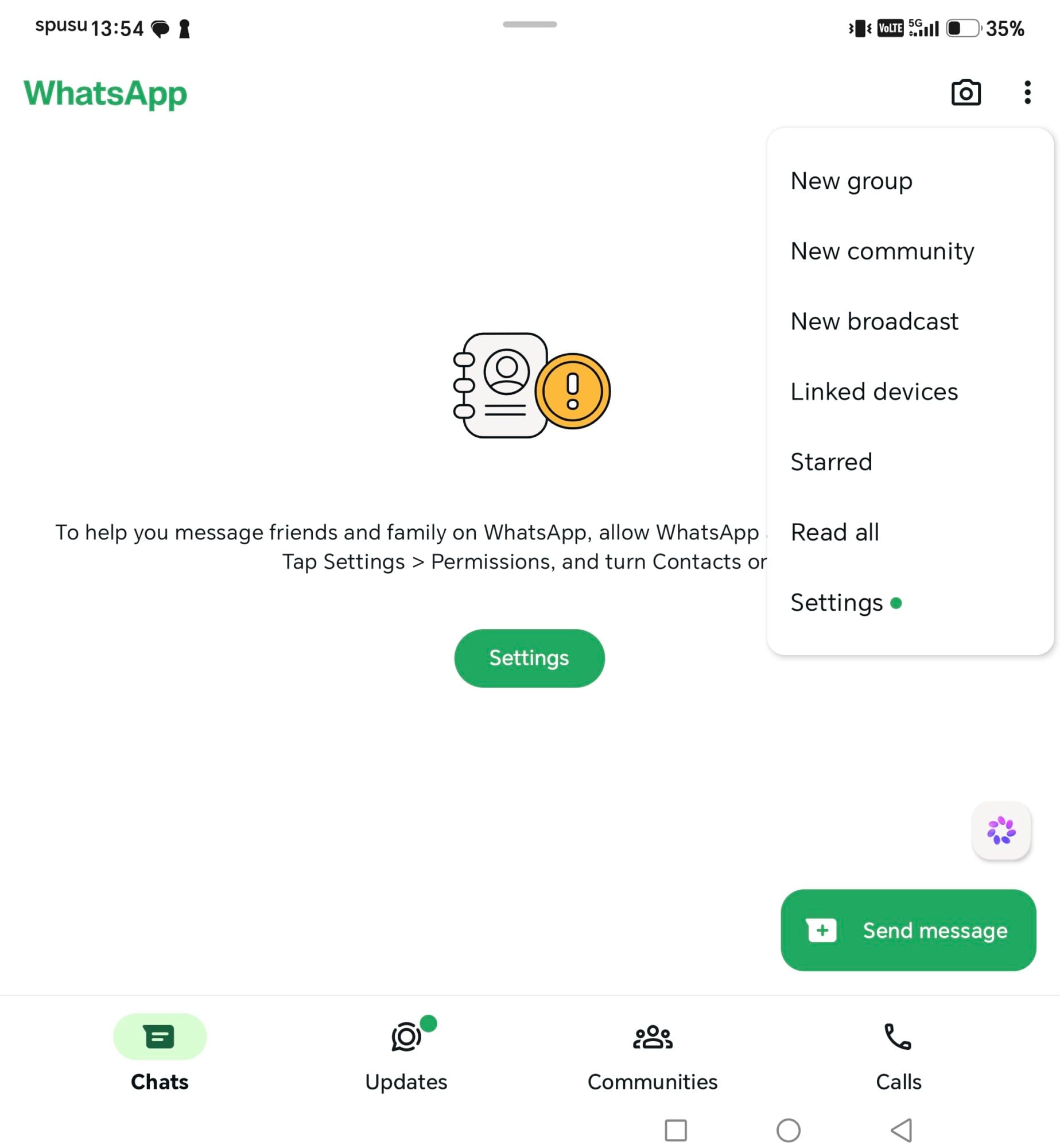
Open WhatsApp and tap the three dots in the top corner, then Settings.
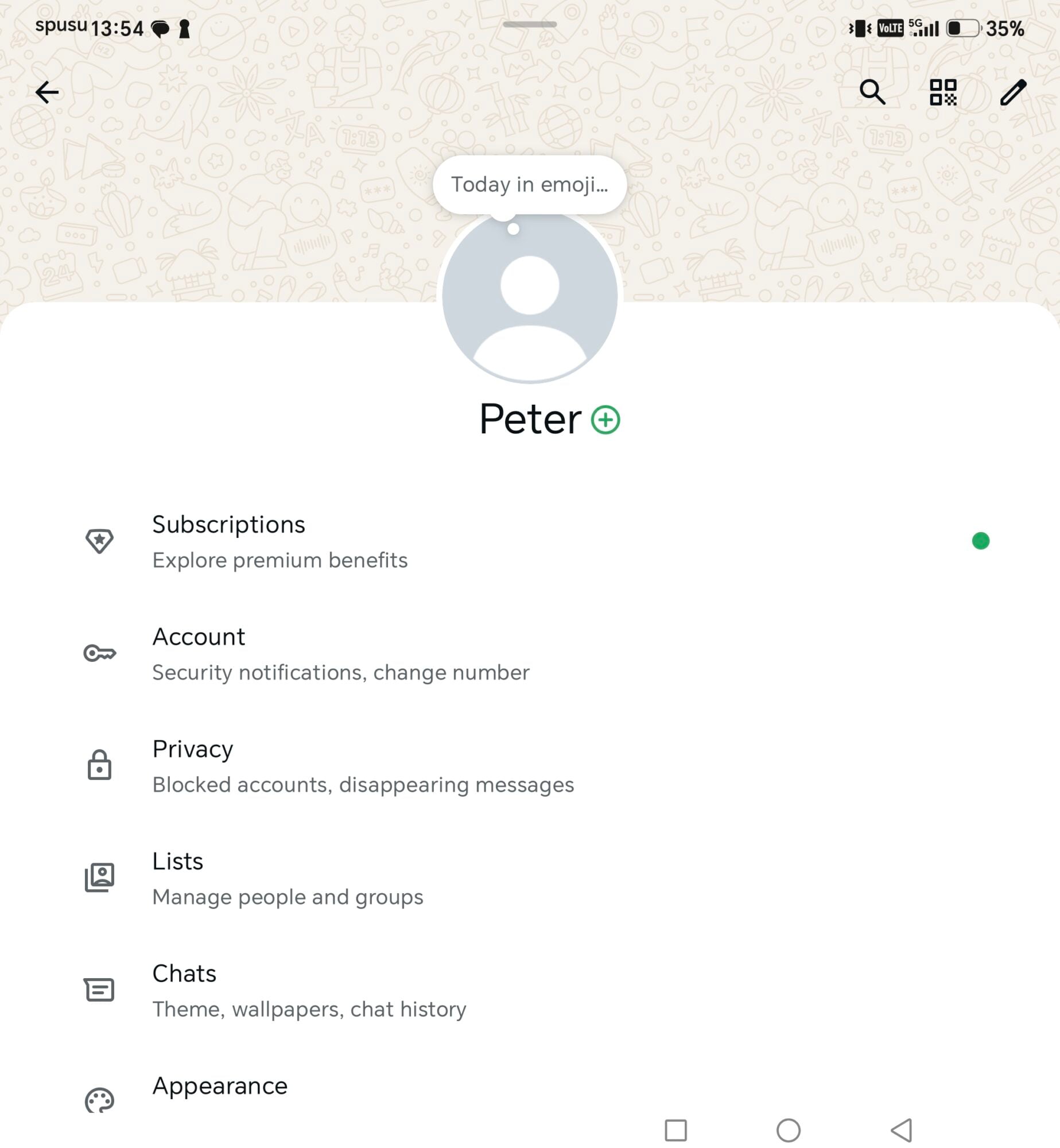
Tap your Profile.
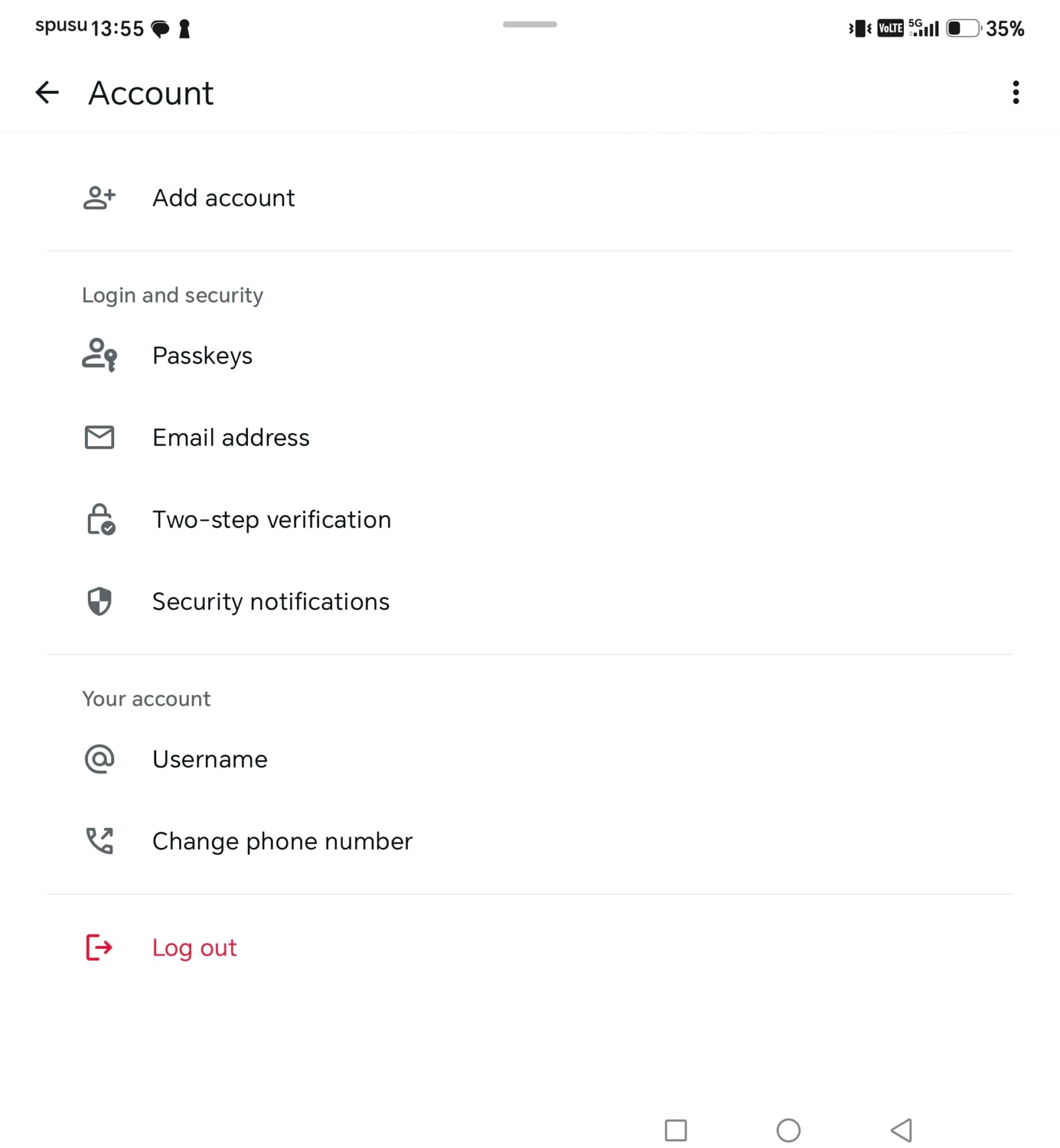
Select Username
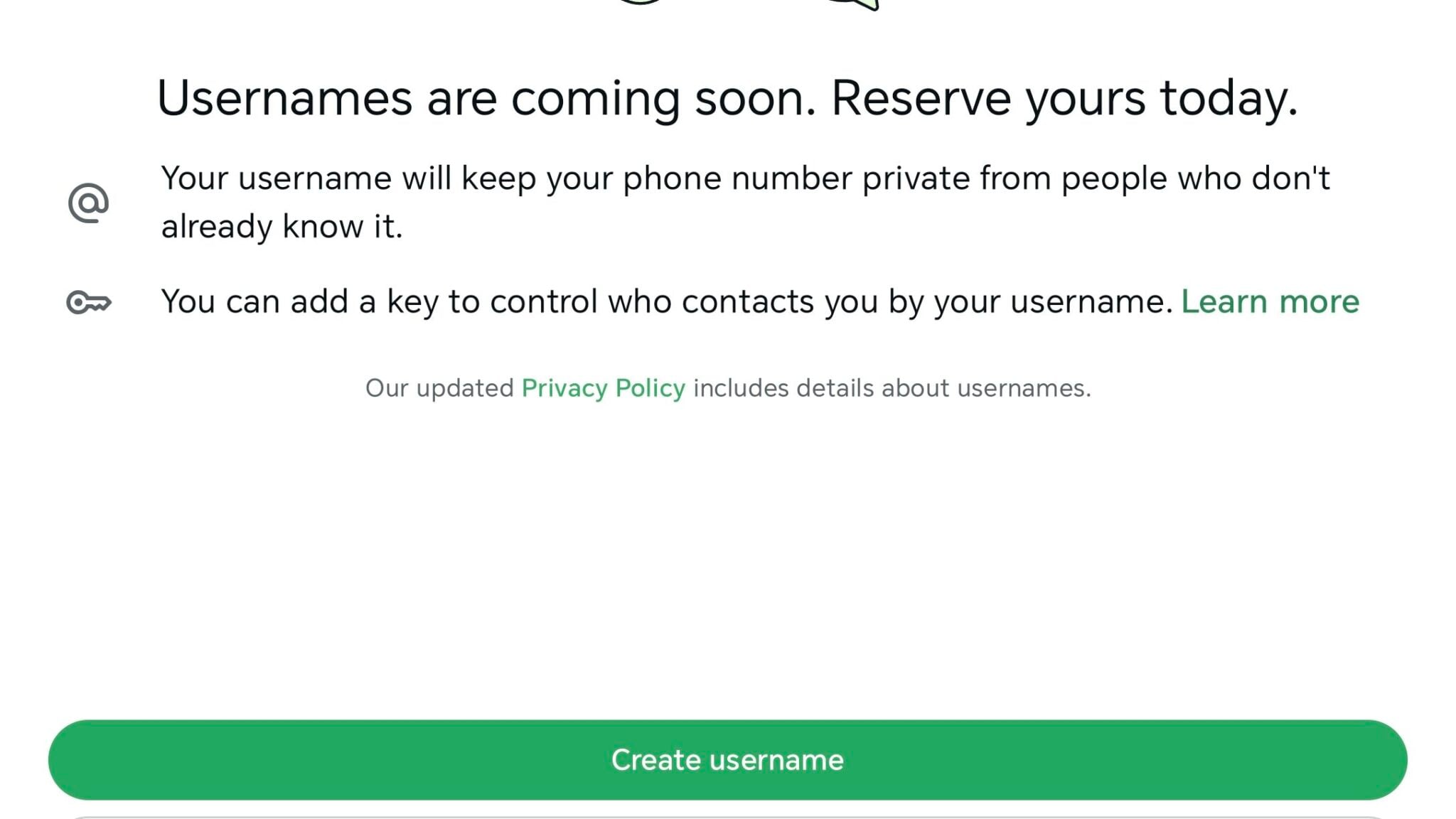
Tap Create Username.
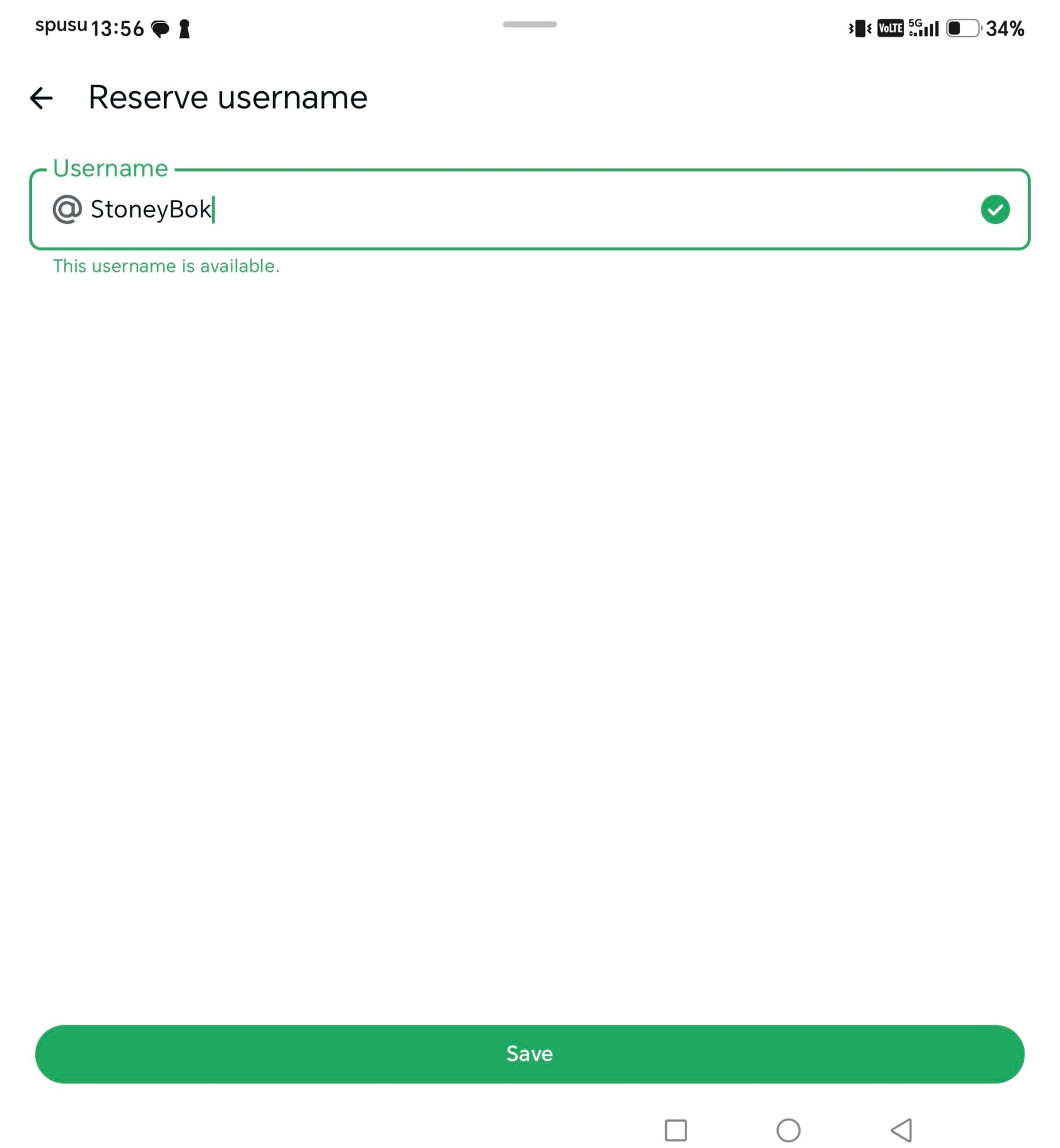
Enter your preferred username, if it's available you'll see the Save button become active. WhatsApp tells you instantly if your pick is taken, and if it is, you'll get auto-generated alternatives based on what you typed. Hit Save, then Done, and you're set.
A small number of users in regions where the rollout hasn't fully landed will see Reserve Username instead. That locks in your handle now and switches on automatically the moment the feature reaches you, no extra steps needed.
Claiming Your Instagram or Facebook Handle Instead
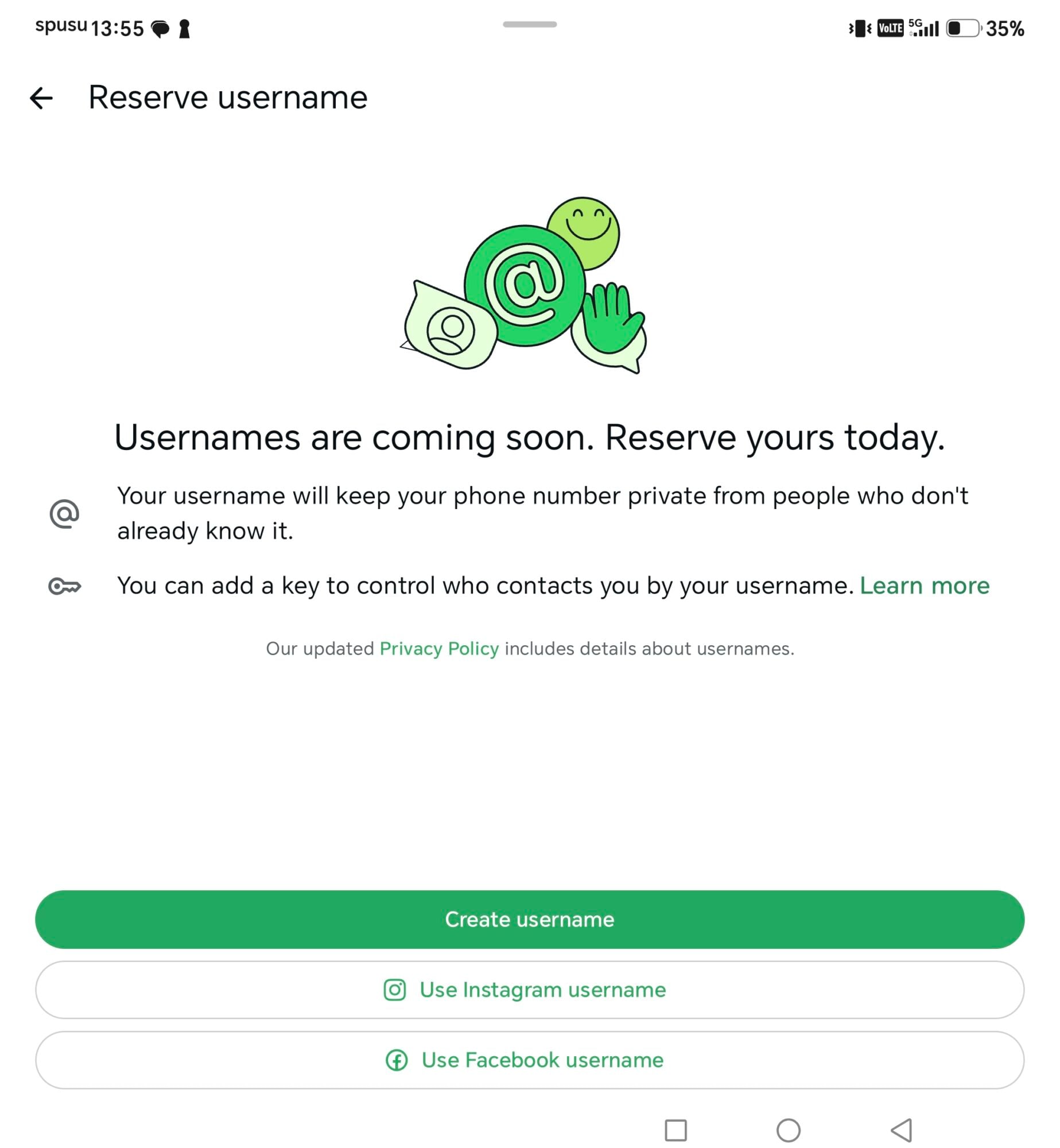
If you'd rather not think up a new username, you can pull your existing Instagram or Facebook handle over, as long as nobody else already grabbed it on WhatsApp. That requires linking your WhatsApp account to the same Meta Accounts Center as your other apps, which is optional and reversible at any time.
From Settings, tap the area around your profile photo, then Create Username, then choose Use Instagram Username or Use Facebook Username. Follow the prompts to link the accounts and the handle transfers over. One catch: if you update your username on Instagram or Facebook later, WhatsApp won't follow along automatically. You'll have to change it there separately.
Changing or Deleting a Username
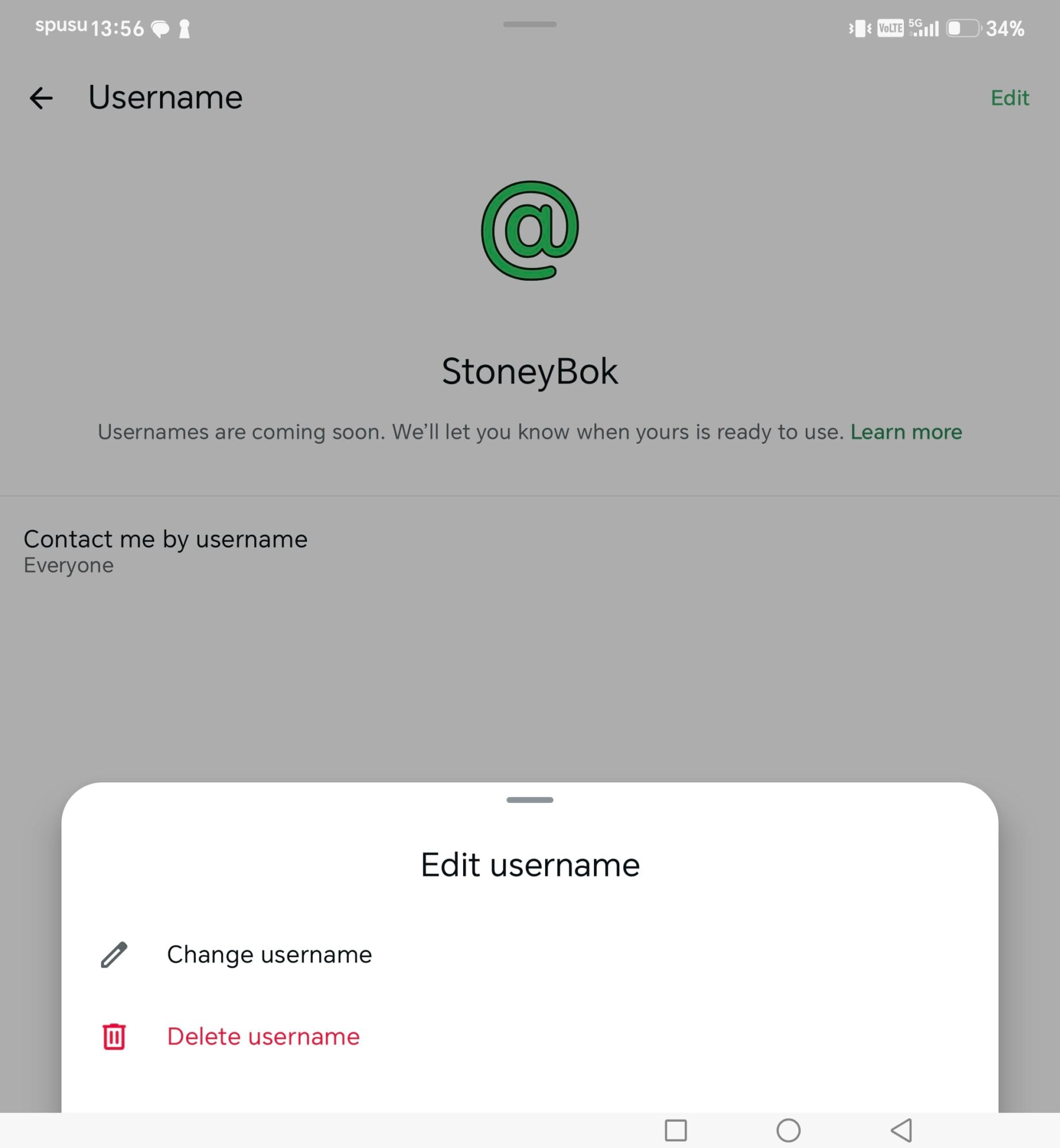
Go to Settings, tap your profile photo area, then Username, Edit, and Change Username. There's a cap on how many times you can switch, and once you do, your old handle becomes fair game for someone else to snap up.
Deleting works the same path, just choose Delete Username instead. You get a fourteen day grace period to reclaim it before it's released to the public.
Read: How to use your WhatsApp account on multiple phones simultaneously
What Counts as a Valid Username
Usernames need to run between 3 and 35 characters, and can only use lowercase letters, numbers, periods, and underscores. Pure numbers don't count, and some strings are locked down for governments, businesses, or public figures, so if your first pick fails you're not necessarily doing anything wrong.
Bottom Line
Your number doesn't vanish for people who already have you saved, they still see it like normal. This is really aimed at everyone else, the strangers, the new contacts, the people you don't want dialing your actual digits. If privacy on WhatsApp has bugged you, this is the fix that's been missing for years.
Read: This is how you mute those annoying WhatsApp chats forever