





PDFs are a popular document format that gets sent via emails as attachments, and it's more likely than not that you've received a few of them during your online journey. Viewing them is relatively easy, but performing anything more advanced, such as editing them, requires a PDF tool. Luckily, iMyFone is here with a handy PDF editor called PDFacademy, which can make editing PDF files a cinch without making your wallet wince. Join us after the break for more details.
What is a PDF, and why do I need an editor?

When we speak of PDF files, we refer to an abbreviation for the Portable Document Format, which has been around since 1993, back when big, beige towers and monochrome screens were fashionable. One of the reasons they were considered ‘portable' is because they were a way of transferring data in an organised manner between operating systems such as Windows, MacOS, and Linux, without losing their format. If you weren't around back then, transferring data between different operating systems was an even worse experience than between Android and iOS.
A PDF is still a very useful way of sharing data today because it can contain many different types of data, including text, images, hyperlinks, ebooks, and more. It's a truly versatile file format that can hold a significant amount of information.
Free PDF Online Editors
While viewing PDFs is free, doing so requires using a tool. These can take the form of an online tool on a webpage that requires you to upload the PDF. The insecure nature of this makes me cringe a tad because you have no control over what happens with that file afterwards. While I'm sure that many of the providers are benign in nature, it's not an option I'd recommend to anyone who values their data.
PDF Editors for PC
There are free PDF tools that you can download to your Windows laptop or PC, with iMyFone's PDFacademy Free Trial offering the ability to open and view the file format with ease, as well as create your own documents.
iMyFone's PDFacademy Is An All-in-One PDF Tool
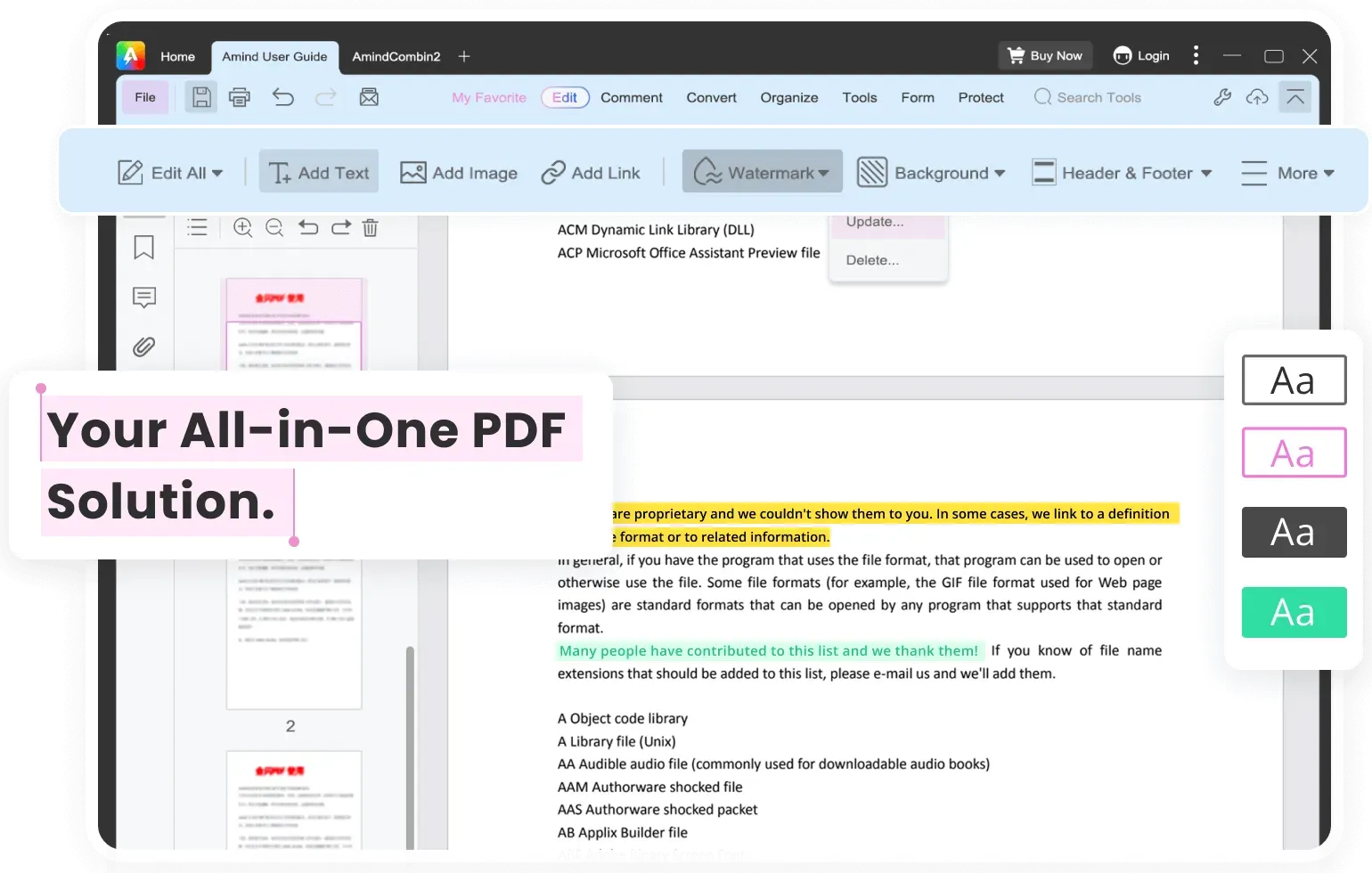
Opening PDFs up to edit has generally been the domain of the format's creator, Adobe. With iMyFone's PDFacademy tool, however, you can do everything from edit text, reorganise the layout, compress, merge, and even convert PDFs into other formats. All from a single tool with a user-friendly interface that makes sense.
This means you can edit, search for text, move the sections around, change the text, add or remove images, compress the file size, and much more when using PDFacademy. Because it's a modern tool, it is also compatible with AI tools to help optimize your workflow.
As you might have guessed, iMyFone's PDFacademy is available as both a free trial and a paid-for item. The full version offers a bunch more features, as shown below.
Free trial
- Open and View PDF
- Create PDF
Full Version
- Combine & Split PDF
- Convert PDF
- Compress PDF
- Lifetime Free Updates
- 30-day Money Back Guarantee
- 24/7 Customer Support
PDFs can range in size from a few kilobytes (kb) to up to ten gigabytes (GB), so you may want to reduce the file size before sending via email. iMyFone's PDFacademy can do this locally with files you've created or received, which means it's much more secure than online tools.
PDFacademy Removes A Chronic Pain Point
One of the most annoying issues when dealing with documents is adding your signature, but once again, PDFacademy comes to the rescue and includes this feature. This means you won't have to use an additional tool, further streamlining your workflow process.
Security

We've mentioned that PDFacademy is more secure than online web tools because it's an installed tool on your PC, but you can further enhance this by applying password protection to PDF files. You can also add and remove watermarks as required.
File Conversion
Yet another handy tool included in PDFacademy is the ability to convert files from and to the PDF format. This is useful because when sending documents, there's always someone in the chain who edits and saves the file in Word, Excel, or even a plain text format instead of everyone else. Once again, it's included in the easy-to-use software tool, just a click or two away.
Installing the PDFacademy software

It's pretty simple to install, simply head over to the iMyFone website (Here), and choose between downloading the Free Trial or the Full Version of the PDFacademy software.
So, you've downloaded the Free Trial and want access to the full-featured version. You've got the choice of a monthly plan at $29.99, a annual plan at $49.99, or the lifetime option which comes in at $79.99. Depending on your needs, buying the one and done lifetime subscription means you'll never be caught short.

Using the PDFacademy editing tool, you'll be sure of having the right options available to edit PDF files to your needs, when you need them – all in an easy-to-use interface, without breaking the bank, and knowing your data is secure from prying eyes.

