




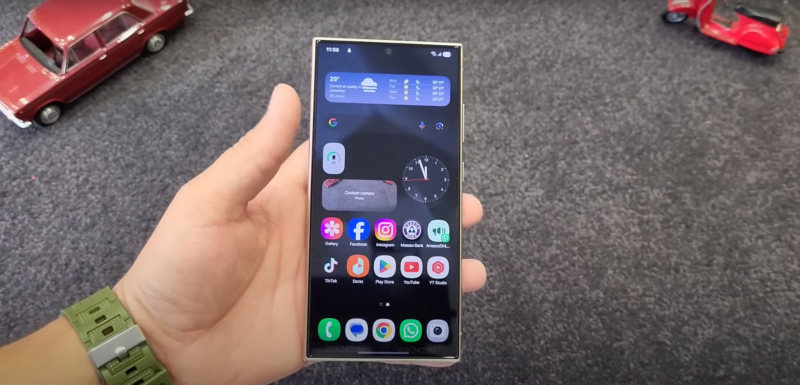
Realizing your phone is missing can be a heart-stopping moment. But before panic sets in, it's crucial to take immediate action. Read this article, written by experts from https://scannero.io/blog/how-to-search-address-by-phone-number-in-australia/, and learn more.
The first thing to do is stop and think logically. Retrace your steps and consider the last time you had your phone. Check familiar places like your car, office, or recent locations you visited. It's amazing how often a misplaced phone is simply hiding in plain sight.
Once you've determined that your phone isn't nearby, it's important to remain calm. Contact your mobile carrier to report the loss and suspend your service to prevent unauthorized usage. This step can protect your data and reduce potential security risks.
Exploring Third-Party Apps for Enhanced Security
Scannero
Scannero is a user-friendly app designed to help you locate your Android phone with ease. It operates by scanning networks and utilizing Wi-Fi data to triangulate your device's location. Scannero offers real-time tracking and displays the location on a detailed map, making it a reliable option for quickly retrieving your phone. Its intuitive interface ensures that even non-tech-savvy users can benefit from its features without a steep learning curve.
mSpy
mSpy is a comprehensive monitoring solution that extends beyond just phone location services. Known for its extensive tracking capabilities, mSpy allows users to monitor calls, messages, and even social media activity, offering a sense of security and control. This app is particularly favored by parents and employers who need to keep tabs on phone activity. While its primary use is surveillance, mSpy also provides an effective method for locating lost devices, making it a versatile tool in any security arsenal.
Eyezy
Eyezy is an advanced phone monitoring application that prioritizes user privacy while offering a multitude of tracking features. It combines cutting-edge technology with ease of use, providing accurate information about a phone's location and activity. Eyezy is ideal for anyone looking to ensure the safety of their smartphones while having the added peace of mind that comes with knowing where their device is at all times. Its robust security measures make it a trustworthy option for users concerned about unauthorized access or data breaches.
Discovering Google's Find My Device Feature
Google's Find My Device is a powerful tool designed specifically for Android users to locate their lost phones. To use this feature effectively, it's important to familiarize yourself with its capabilities. The first step is to ensure that the feature is enabled on your device. This is usually done through the device settings under “Security & Location.” Make sure the toggle for Find My Device is turned on.
Once enabled, you can access the Find My Device feature from any web browser. Simply visit the Google Find My Device website and sign in with the same Google account linked to your lost phone. From there, you'll see a map displaying the last known location of your device. You can also perform actions like ringing your phone or locking it to protect your data.
To maximize the effectiveness of Find My Device, keep your location services enabled on your phone at all times. This ensures that the feature can accurately pinpoint your device's location when needed. Additionally, make it a habit to regularly check your Google account settings to confirm that Find My Device is still active.
Guarding Against Future Misplacements
Prevention is always better than cure. By taking proactive measures, you can minimize the chances of losing your phone in the future. One effective approach is to set up routines for keeping track of your device. Develop habits like placing your phone in the same spot at home or using a designated pocket in your bag.
Investing in tracking accessories is another smart preventive measure. Devices like Tile, TrackR, or AirTag can be attached to your phone or phone case, allowing you to locate it using a companion app. These small gadgets work independently of your phone's battery and provide an extra layer of security.
Additionally, consider using phone-finding apps that integrate seamlessly with your smartwatch. This way, if you misplace your phone within Bluetooth range, your watch can help you locate it by making it ring. This handy feature is available on many Android-compatible smartwatches.
The Importance of Regularly Saving Your Data
Regularly saving your data is a critical habit that can protect you from losing valuable information, whether it's personal photos, important documents, or app data. By backing up your data frequently, you ensure that you have access to your important files even if your phone is lost or damaged. Cloud services such as Google Drive and Dropbox offer convenient ways to store data safely away from your device, accessible anytime via an internet connection.
Additionally, these services often provide automated backup features, reducing the manual effort required to secure your data. In the unfortunate event of a lost or compromised phone, having a backup can save you time, money, and emotional distress, making regular data backup a simple yet invaluable practice.
Wrapping Up with Confidence
In conclusion, losing your Android phone doesn't have to be a nightmare. Armed with the right tools and knowledge, you can swiftly locate your device and get back to your routine. Remember to enable Google's Find My Device, explore third-party apps, and implement preventive measures to safeguard against future loss.

![[Deal] The Galaxy Tab S9 FE Is Down To Its Lowest Ever Price 6](https://www.talkandroid.com/wp-content/uploads/2024/10/Galaxy-Tab-S9FE-Samsung-380x250.png)