


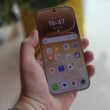


Pixel owners wondering where their August update disappeared now have the gift of the official release of Android 13 rolling out to their handsets. This year's major release is arriving a little earlier than Android 12 did in 2021 but it's unlikely that Pixel owners are complaining. Android 13 comes with customizable third-party app icons to match the wallpaper on your homescreen, a way to restrict an app's access to photos and videos, cut down on permission notifications, as well as set languages on a per-app basis. Needless to say, there's a ton of other features bundled in with Android 13, so join us after the break for more details.
Android 13 Features


1. Android 13 lets you customize non-Google apps to match your phone’s wallpaper theme and colors, making your home screen more cohesive and unique to your style.
2. You can now assign specific languages to individual apps so you can keep your phone’s system in one language, and each of your apps in a different language.
3. Android 13 features an updated media player that tailors its look and feel based on the music or podcast you’re listening to. For example, when you’re listening to music, the media player spotlights album artwork and has a playback bar that dances as you progress through a song. It even works for media played through Chrome.
4. Android 13 allows you to further customize Bedtime mode with wallpaper dimming and dark theme. These screen options help your eyes adjust to the dark when you're about to go to bed – and get back to sleep if you wake up and check your phone in the middle of the night.

5. Thanks to Android 13, you no longer have to share your entire media library with your apps. Instead, you can select only the specific photos and videos they’ll need to access.
6. Prevent any unwanted access to your clipboard. If you copy sensitive data like your email address, phone number or login credentials on your device, Android will automatically clear your clipboard history after a period of time.
7. Android 13 helps keep your notifications under control and makes sure you only get the alerts you ask for. The apps you download will now need your explicit permission to send notifications, rather than being allowed to send notifications by default.
8. Feel like you’re in the middle of the action with Spatial Audio. On supported headphones that enable head tracking, Spatial Audio shifts the source of the sound to adapt with how you turn your head, giving you a more immersive listening experience on your Android phone or tablet.
9. When you’re on your laptop, you don’t want to break your workflow to respond to a chat from your phone. Soon, you'll be able to stream your messaging apps directly to your Chromebook so you can send and receive messages from your laptop.
10. Android 13 adopts Bluetooth Low Energy (LE) Audio, a new Bluetooth audio standard that results in lower latency than classic audio. This allows you to hear audio that’s in better sync with the sound’s source, reducing delay. With Bluetooth Low Energy (LE) Audio, you can also enjoy enhanced audio quality and broadcast audio to multiple devices at the same time.
11. You’ll soon be able to copy content — like a URL, picture, text or video — from your Android phone and paste it on your tablet. Or you can start on your tablet and paste to your phone.
12. Multitasking on your tablet is even easier with Android 13. With the newly updated taskbar on tablets, you can see all your apps at a glance and easily drag and drop any app in your library into split-screen mode.
13. Android tablets will register your palm and stylus pen as separate touches. So whether you’re writing or drawing on your tablet, you’ll experience fewer accidental stray marks that come from simply resting your hand on the screen.
Other notable features include HDR support on third-party camera apps, an updated media output switcher, braille displays for Talkback, and more, all design to bring about a seamless experience across phones, tablets, and laptops.
Android 13 is packed with these and many other features, like HDR video support on third-party camera apps, an updated media output switcher, braille displays for Talkback and more. And it goes beyond the phone to give you a connected set of experiences across your other devices like your tablets and laptops.

