

In case you didn't know, Google prioritizes websites that are the most secure by putting them closer to the top of the search results. However, it has been hard for developers to check just how safe their site is. Just yesterday, Google introduced a new security panel for DevTools built directly into Chrome. This is just what developers have been waiting for.
Up until this point, developers have relied on the green lock that appears under a website's permissions. The problem with this is that developers don't get feedback as to why their site is or isn't secure. With Google's new security panel, developers can do just that.
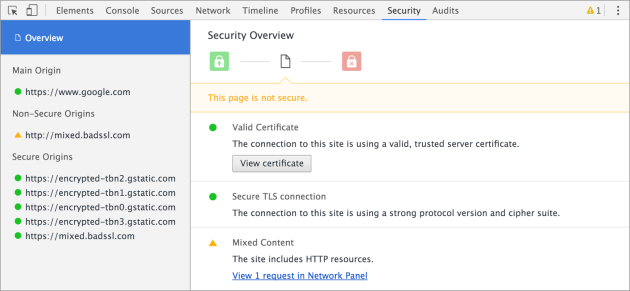
The new security panel will show data such as the network speed, if a security certificate is still valid and if the proper connection protocol is installed. It will also alert you of insecure HTTP subresources and allow you to check which resource is causing the issue.
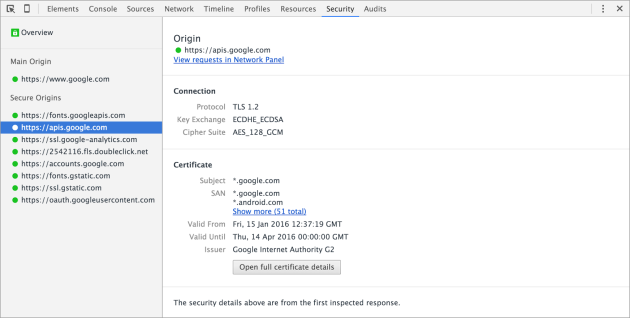
The new security panel comes in Chrome 48 and can be located in the DevTools under the ‘details' option. The updated version has already begun rolling out and should hit everyone in the coming days.
Source: Google