



Android is an operating system (OS) that runs on most smartphones, tablets, and other devices. Google owns it, although it hasn't always been that way. Rich Miner, Nick Sears, Chris White, and Andy Rubin founded Android Incorporated in October 2003, with headquarters in Palo Alto, California.
The quad created the OS to improve digital cameras. However, the market was small, and the company had difficulties attracting investors. Upon acquiring seed funding from a friend, they managed to keep the company afloat. In 2005, Google acquired Android Inc. and under its new ownership, Android Inc. diverted attention to smartphones. The story doesn't end there. Here's the rest of it.
How Google Released The Android OS
After Android Inc.'s acquisition, the Quad remained part of the company and used Linux as the foundation for its OS. On November 5, 2007, it partnered with HTC, Motorola, Samsung, Sprint, Qualcomm, and other manufacturers and carriers to form the Open Handset Alliance. It unveiled the Android OS at a press conference on September 23, 2008. Since then, it has been dropping major updates to fix bugs and improve the software with new features.

By October of that year, Google launched Android on the HTC Dream, also known as the T-Mobile G1. The phone featured a slide-out physical keyboard, a touchscreen, and a trackball for navigation. HTC Dream also integrated Google apps and services like Gmail. You could download additional apps from the Android Market, which you now know as the Google Play Store today.
Google launched the Nexus series with Android 2.1 in 2010. Brazilian computer scientist Hugo Barra, current CEO of Google (and its parent company Alphabet) Sundar Pichai, and other key figures were involved in their development. However, the journey was not without roadblocks.
Storms On The Horizon For Android One Launch
Android OS faced challenges, including restrictions on MicroSD access and disappointment with the Android One project. The company was set to release the first set of Google One-powered phones in India around 2014, but customers hesitated to buy them. They were also worried about the company's shortcomings in designing and manufacturing its own hardware.
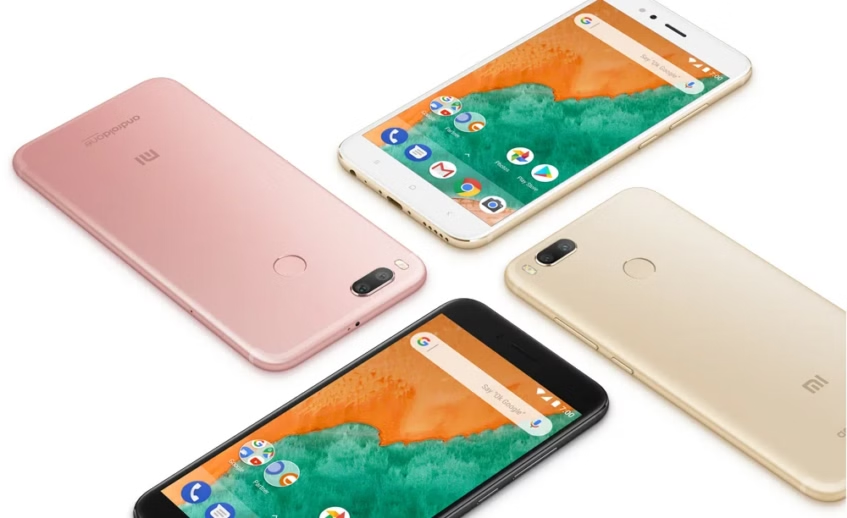
In 2015, Google tried relaunching the OS. This time, in Africa and on the Infinix Hot 2 smartphone. It was a success. In October 2016, Google debuted the Pixel and Pixel XL smartphones, marking their official venture into phone production. These devices introduced exclusive software features, such as Google Assistant, which were initially limited to specific users.
The Pixel series replaced the Nexus line with a new iteration, which was released in October 2017. In 2019, amid the US-China trade war, Huawei was pushed to create an alternative to Android called HarmonyOS. This move came after the US government restricted the phone brand's access to American technology because the government feared its affiliations with the Chinese government.
The Logo Design Was Always Meant To Be Quirky
My namesake, Irina Blok, designed the infamous green robot logo in 2007. Not to be biased, but I think it's an ingenious concept. When you hear the name “Android,” you can't help but imagine a smart robot. But the green bot is a bit whimsical, and that's the point.
Android is trying to push its image as a friendly, approachable, and yet powerful operating system, not a sentient software that might one day hijack your phone or destroy the world like Skynet in The Terminator movie franchise.
During the initial release, Android OS’ major market competitors included Symbian, BlackBerry, Palm OS, webOS, Windows, and Apple’s iOS phones. Although all others have faded away, iOS remains a strong rival in the smartphone market.
What Is Android Really?
Google's Android powers many devices (including mine). The OS allows for communication between hardware and software. It uses the Linux kernel, which is a free and open-source software that acts as the core of a Linux operating system. Android uses a modified version of that kernel, which is why its features are mostly customizable. It gives Android devices an edge over Apple’s closed ecosystem.

The OS’s open-source nature means that anyone (more like experienced developers) can access the source code — and, well, develop it. Many phones use its proprietary software and apps, but their manufacturers have overlayed custom UIs on them, with Samsung's One UI being a prime example. Only a handful of manufacturers, including Motorola, maintained a closer relation to the stock Android version. The stock or unmodified version is what you'll see on Pixel phones.
Android 1.0 was the first OS version Google released on the HTC Dream, but the company didn't just design it for smartphones. Android runs on tablets, computers, smart TVs, the Android Auto software for car displays, and wearables. Google has since released many versions over the years. Each has a catchy name, usually after a dessert or sweet treat, although Google has since switched to a numeric naming strategy with the dessert names given out as an afterthought. A sign of its increasingly corporate outlook.
Android 1.0
September 23, 2008
Android 1.0 didn't have a codename, but that doesn't mean it wasn't special. It pioneered the OS that would rule touchscreens worldwide, and hence, it is unforgettable. This base version launched the Android Market on the HTC Dream phone. All apps on the Market were initially free until Google introduced paid purchases much later.
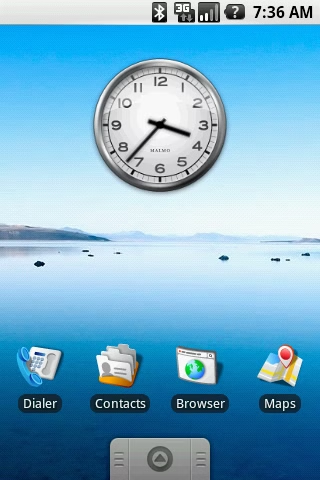
It also introduced a web browser with HTML and XHTML support, basic camera capabilities, folder organization for app icons, access to web email servers, and synchronization with Gmail and Contacts.
You could use Google Maps with Street View and GPS navigation, Google Sync to manage the synchronization of various Google services, Google Search, Google Talk for internet and instant messaging, a media player, and various other applications.
Android 1.1 brought bug fixes and new features like attachment saving within messages. It was the first version with a codename, and Google called it Petit Four. Version 1.5 (Cupcake) upgraded it further with widgets, copy and paste in the browsers, and third-party keyboard support. Android 1.6 Donut was its final iteration.
Android 2.0 – Eclair
October 26, 2009
The next major Android update launched on the Motorola Droid. It was the first phone to use it and experienced a slight visual upgrade from the Donut version. Icons looked more mature, and you could use live wallpapers.
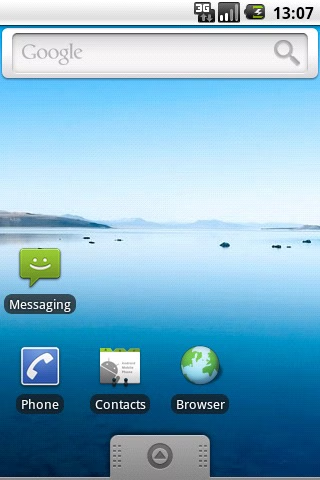
Eclair built upon Donut's features, adding the ability to search saved SMS/MMS, enhanced typing speed, accessibility, calendar, VPN APIs, HTML5 browsing support, and a refreshed browser UI with bookmark thumbnails and double-tap zoom.
Succeeding it were Android 2.0.1, 2.1, 2.2, 2.3, and 2.3.3 versions with minor bug fixes and performance improvements. Version 2.3 (Gingerbread) was the first to bring Easter eggs and Near Field Communication (NFC) support.
Android 3.0 – Honeycomb
February 22, 2011
Google designed Honeycomb for tablets only. It was initially exclusive to Motorola Xoom but later expanded to other tablets. It aimed to solve the challenge of adapting Android's smartphone interface for larger screens.
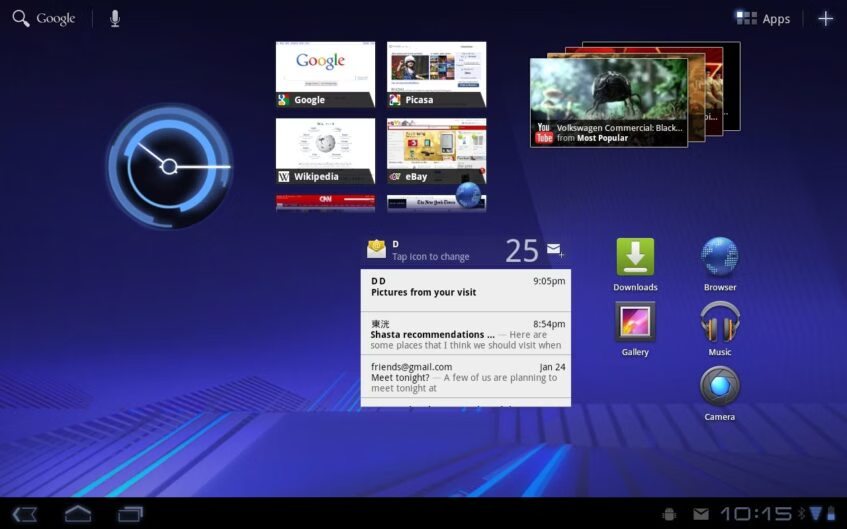
The home screen displayed a much wider app row, best seen in landscape or horizontal mode. You could access navigational and quick settings buttons on the corners of the screen. Versions 3.1 and 3.2 succeeded in bearing the same codename and introduced resizable widgets, improved Adobe support in the browsers, and more.
Android 4.0 – Ice Cream Sandwich
October 19, 2011
Ice Cream Sandwich unified the minimalist UI we'd seen on Honeycomb for tablets with Gingerbread for smartphones. It introduced interesting features, including lockscreen music playback, a cleaner default Roboto font, face recognition unlock, and flatter app icons. Succeeding it were versions 4.0.3, the jellybean trio (4.1, 4.2, and 4.3), 4.4 KitKat (initially called Key Lime Pie), and 4.4W with support for wearables.
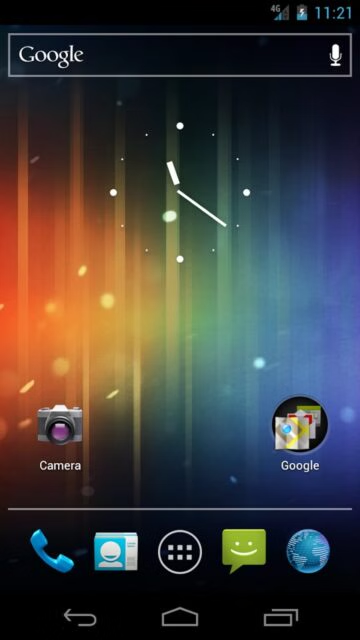
Version 4.3 brought 4K resolution and Bluetooth Low Energy (BLE) support. Version 4.4 allowed WebView, an In-app component, to display online content within applications using the Chromium Engine. This engine powers the Chrome browser, bringing a more consistent browsing experience across the browser and apps.
Android 5.0 – Lollipop
November 4, 2014
Lollipop was released over-the-air (OTA) and launched on multiple devices. The Nexus 6 was the first phone to get it. The OS also brought a new Material UI design that prioritized grid-based app layouts, more responsive animations, and better transition effects. It also debuted on Google's well-received Nexus 7 tablet.
However, it witnessed the end of lock screen widgets. Instead, Google provided shortcuts to your phone and camera apps. Version 5.1 allowed you to join Wi-Fi networks and control paired Bluetooth devices from Quick Settings. Official support for multiple SIM cards was also available, along with the Device protection feature that locks your phone when you lose it.
Android 6.0 – Marshmallow
October 5, 2015
Marshmallow brought the USB Type-C support many users fell in love with. The reversible connector was more convenient than the previous MicroUSB cables that couldn't enter your phone's port in two ways. Plus, they had faster connectivity and power delivery.
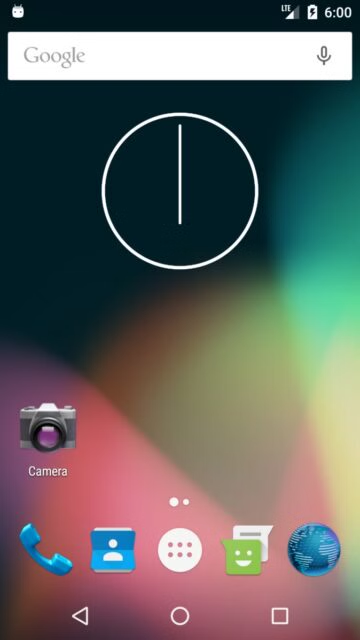
Marshmallow also introduced app permissions, causing programs to ask you first before accessing your phone's features. Personally, I think the app drawer was a major drawback as it supported vertical scrolling. I'd already gotten used to the grid app layout.
Android 7 – Nougat
August 22, 2016

The Nougat update introduced 72 new emojis. Split-screen mode also came with it, allowing you to open two apps side-by-side. Direct replies to messages became possible from your notification panel, and you could customize Quick Settings. Version 7.1 added the Restart option to your power button menu and shortcuts when you long-press an app.
Android 8 – Oreo
August 21, 2017
Oreo introduced Autofill, a much-appreciated feature that logs your usernames and passwords to help you access accounts faster. Picture-in-picture mode worked similarly to split-screen mode, but one app screen was smaller.

Prior to its release in June, Android Market had transitioned into the Google Play services. It became the Google Play Store. Meanwhile, Instant apps enabled you to view app UI and features without actually downloading them. Succeeding Oreo was version 8.1 with notification bar button dimming and other updates.
Android 9 – Pie
August 6, 2018
Pie removed the sharp and tacky look of older Android iterations and brought a friendlier and rounded appearance to UI elements. Its inclusion of adaptive brightness meant that your phone adjusted the screen's illumination on its own. It would control brightness based on how you use the phone in different environments and how often you adjust it manually.
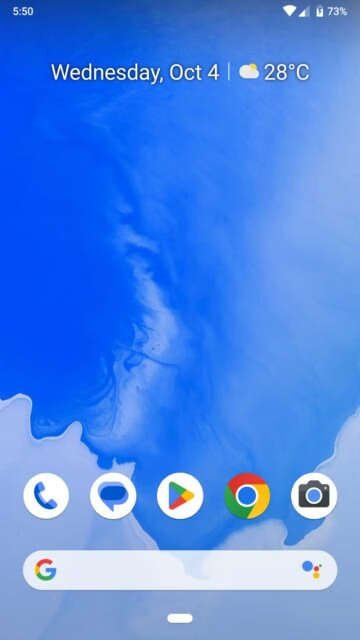
Speaking of adaptive features, smart replies allowed you to send preset message responses via your notification panel instantly. So, if someone sent you “How are you?”, you could quickly tap “fine” or “good,” and it would deliver.
Android 10
September 3, 2019
Google ended the tradition of dessert-themed names with Android 10 in 2019 because of inclusivity concerns. However, during its development phase, Android 10 went by the name Android Q. Version 10 introduced a sound amplifier and live captions as accessibility features. The amplifier boosted sounds, while captions helped people who are hard of hearing see on-screen subtitles and understand contexts.
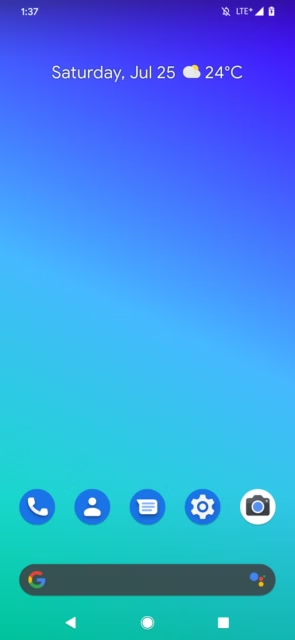
With gesture navigation, you could ditch the traditional back, home, and overview buttons for swipe controls. The Dark theme also brought an appearance that went easy on the eyes.
Android 11
Android 11 offered a screen recorder and notification history menu. The menu was a brilliant addition because you could still see notifications after wiping them from the panel. You could also connect your phone wirelessly with Android Auto.
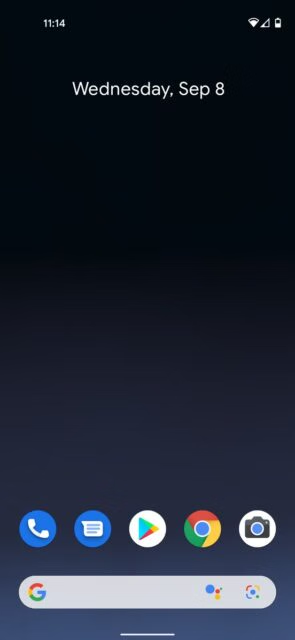
Permissions became easier to manage as you determined whether an app gets permission only when used or full access. This part is a one-time process, and you don't have to worry about that app's permission prompts again. You can adjust them at any time by entering the settings menu. You can also force apps to revoke permissions when you haven't used them in a long while.
Android 12
October 4, 2021
Android 12 introduced Material You, a UI that lets you change your wallpaper and match the colors with app icons and other elements — basically, play dress up with your phone.
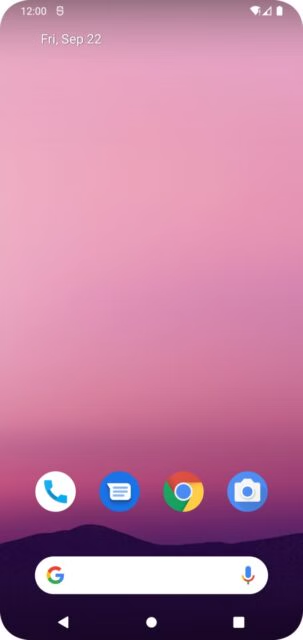
The idea was to bring personalization while improving performance. New privacy features included mic and camera indicators at the top corners of your screen that showed you when your phone was recording. You could also take screenshots and extend them beyond the regular limit.
Android 13
Frankly, the Android 13 OS didn't offer anything outstanding. UI elements remained mostly the same, with minor upgrades to the UI and security.

Android 13 adds an album artwork to your music player widget, making the playback progress bar wiggly (ridiculous). It also adds more colors to the Material You theme and supports themed app icons for third-party apps.
Android 14
Like the Android 13 update, Android 14 leaves much to be desired. However, it did bring more changes than its predecessor. It's the latest Android version, and notable among them is the new expansive Quick Settings panel. The WiFi and Bluetooth now have dedicated sections that help you find them faster, And control connected devices without entering the settings menu.
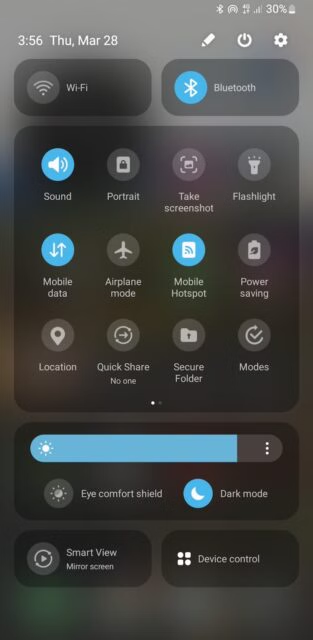
You can now even generate AI wallpapers with text prompts, although this feature is limited to the Google Pixel 8 and Samsung Galaxy S24 phone series. Your lockscreen has new clock and font styles, along with a monochrome filter. A six-digit PIN security method strengthens your privacy.
Android 15
Android 15 has not yet been released, but its developer preview has shown us what to expect. The OS will focus on camera improvements. You'll also be able to control the balance between HDR and SDR content on your screen, improving the brightness and quality of images and videos. If you frequently listen to audio playback across different apps and accessories, you'll benefit from the upcoming loudness control features.
There are many more new features where those came from. You'll want to watch for our coverage on Google and the world's most popular mobile operating system to discover innovations in the future of Android.

