




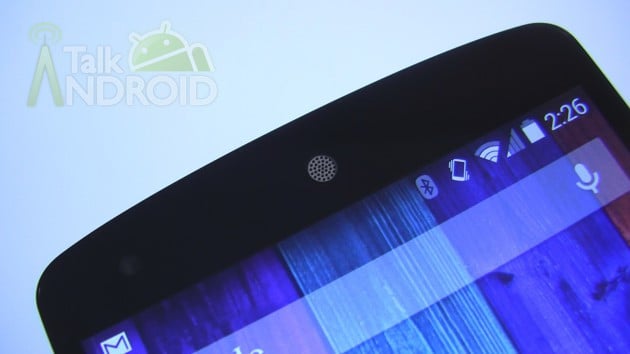
The shift from blue to white icons in the status bar was one of the many visual changes to Android 4.4 KitKat. Another change was the location of your connectivity's status. Prior to KtiKat, a gray internet or WiFi icon meant you had no internet connection; however, this is now orange and in a new location. Pulling down the status bar, you'll see your usual notifications. Tap on the top right icon and you'll see Quick Settings. If your connection is orange, you have no connectivity.
Google engineer Dan Sandler explained the reasoning on Google+. The white icons are much easier to see on a transparent background and blue could clash with a user's wallpaper. The connectivity indicators were sent over to Quick Settings because of confusion among users. They had no idea what the change from blue to gray meant. And the up/down arrows for data are also in Quick Settings because it was using a fairly good amount of computing power just to display that information every time data was used.
Source: +Dan Sandler
Via: Android Police

I would have loved for this to be an option, some of us still want to see the color and arrows, it’s one of the cool things we like about Android.
Real reason–it’s because iOS 7 is mostly a WHITE theme in color.
Fuck you
Was this different with Samsung? My GS4 came with white icons on 4.2.2…
I’d double check that orange means no connectivity. At work, all SSL traffic is blocked. My N7 shows orange WiFi yet I am still connected to the internet – just not with a secured connection to Google.
I believe you are right in that Orange simply means you don’t have a connection to Google services, even if you may still have internet access.
So the disappearing arrows makes some sense….
But the switch from blue to white is pure BS. Only the Nexus 5 comes with the transparent background. And it’s pretty presumptuous of Google to assume that a blue icon would clash with MY wallpaper.