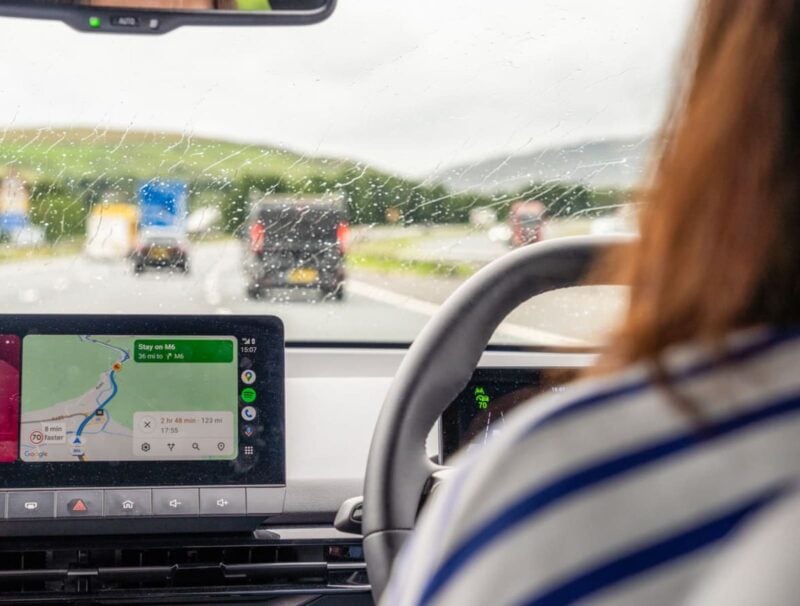
Start Your Journey with Focus and Fewer Distractions
Whether you're merging onto busy highways or exploring winding country roads, sharp concentration is essential. Even a quick distraction—like starting your GPS route or changing the radio station—can be risky. The first safety step for summer 2026 is to set Android Auto to launch automatically when you start the car.
Turning on this option in your smartphone settings means Google Maps or Waze, along with your favorite playlist, pops up right away on the center screen as soon as you turn the ignition. No more digging through your pockets, handling your phone at a rest stop, or looking away from the road in heavy traffic. Everything you need for your trip is set up even before you shift into gear.
Making the Most of Split-Screen for Safer Driving
On vacation drives, you'll want navigation on hand while keeping the music going inside the car. Switching from directions to your music app—whether it's Spotify, Deezer, or others—while driving through steep curves or traffic can increase distraction. That's where split-screen view comes in handy.
This feature lets you divide your dashboard display into sections. With one glance, you can track your route and still control your music or podcast playlist, reducing the need for risky menu browsing while driving.
For summer 2026, activating split-screen is simple: just tap the multi-window icon at the lower left of your dashboard display. You can also customize your layout in advanced settings, positioning the music controls closer to you and navigation for the passenger if you prefer. It's all about safety and convenience.
The Quick Setup List: Minimize Distractions Before Driving Off
Before you adjust your mirrors and set off for your rental or campsite, take a few minutes to activate these distraction-limiting options:
Set Android Auto to open automatically when you start the car, enable split-screen controls, and arrange your apps on the dashboard display so they're easy to access as you drive. Setting aside just five minutes before the busy August holiday rush can help you avoid visual fatigue and reduce stress while on the road.