
![Featured Play Store Review: Hands on with Robin, the Siri Challenger [Voice Assistant] 1](https://www.talkandroid.com/wp-content/uploads/2012/10/Robin_Featured.jpg)

![Featured Play Store Review: Hands on with Robin, the Siri Challenger [Voice Assistant] 2](https://www.talkandroid.com/wp-content/uploads/2012/10/Robin_Splash_Banner-420x204.jpg "Robin_Splash_Banner")
Ever since Siri launched on iOS, a lot of developers started introducing similar apps for Android. You will find some decent ones, but a newer one called Robin, the Siri Challenger from Magnifis looks very promising. The fact that it's in Beta and it already works very well has me excited for what lies ahead. Now lets face it, Google really stepped up their game with Google Now, but I know a lot of users want something that is more of a virtual assistant, and that's where Robin comes in.
Robin was created for drivers so they keep their hands on the wheel, but it's useful anywhere because she's so versatile. You can ask her some of the simple stuff like find the nearest coffee shop, directions, and where to park your car, but you can get more sophisticated information like the cheapest parking lot or the cheapest gas station nearby. Robin can also update your Facebook status, send a Tweet, set reminders, tell you the score in a game, or even get you movie showtimes. It will even tell you a corny joke if you so wish. You can even teach Robin a few things like your name, where your home or work is, and even your birthday for horoscopes. Do you want a male voice instead? You can change that as well.
When you want to ask Robin something, you can simply hit the “R” icon or wave your hand twice in front of your front-facing camera. The only negative I found was that sometimes I had to hit the “R” icon twice and you can't easily open Robin when viewing other apps. The information page says that you can simply wave your hand twice even when you've launched other apps, but for me that only worked when Robin herself opened the other app. For example, if you ask her to “take a picture”, she will open your camera app, and if you want to ask her something else, you can simply wave your hand twice, but if you are simply playing a game, it won't work. It's not a huge issue and I expect they will work this out by the time it leaves Beta.
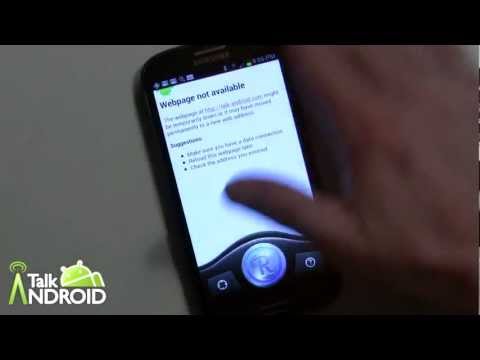
I have yet to see a flawless voice assistant app, and Robin is no exception, but if you check out my hands on video below, it's pretty darn close. Again, let me remind you that this is in Beta so it's only going to get better. Robin is Free so you have nothing to lose. I've included a couple of clever commercial spots below my video so check those out, and hit one of the download links to get started. As always, let me know what you think.
![Featured Play Store Review: Hands on with Robin, the Siri Challenger [Voice Assistant] 3](https://www.talkandroid.com/wp-content/uploads/2012/10/Robin_01-288x200.jpg)
![Featured Play Store Review: Hands on with Robin, the Siri Challenger [Voice Assistant] 4](https://www.talkandroid.com/wp-content/uploads/2012/10/Robin_02-288x200.jpg)
![Featured Play Store Review: Hands on with Robin, the Siri Challenger [Voice Assistant] 5](https://www.talkandroid.com/wp-content/uploads/2012/10/Robin_03-288x200.jpg)
![Featured Play Store Review: Hands on with Robin, the Siri Challenger [Voice Assistant] 6](https://www.talkandroid.com/wp-content/uploads/2012/10/Robin_04-288x200.jpg)
![Featured Play Store Review: Hands on with Robin, the Siri Challenger [Voice Assistant] 7](https://www.talkandroid.com/wp-content/uploads/2012/10/Robin_Splash_Banner-461x200.jpg)
Commercial Spots




I can’t get robin to take me to my apps. I’d there a way to teach her what apps I have? I want to be able to get on instagram and minecraft etc.. But she can’t find them or takes me to google
Don’t know if it’s cause of software updates but when I ask Robin the same question as in the video on how to untie knots it just goes to Google home page & doesn’t talk you through the question.
Just DOWNLOADED “ROBIN’_THE_SIRI-CHALLENGER”_ANDROID_APP
Looks like I’ll be giving Iris th shaft in favor of Robin.