

![Featured Android Game Review: Space Defense HD [Arcade & Action] 1](https://www.talkandroid.com/wp-content/uploads/2013/02/Space_Defense_HD_Featured_Small.jpg)

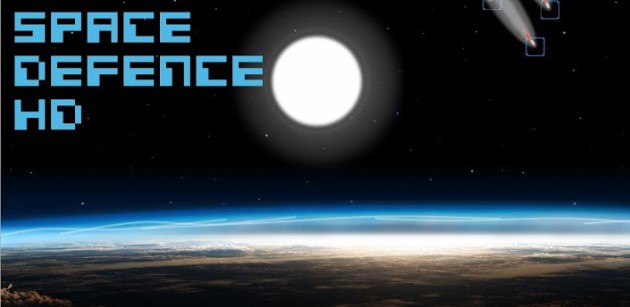
If you like old school games, you need to check out Space Defense HD by BeeGroove. It's just like the very popular 80's hit, Missile Command, with a few variations. What's interesting about Missile Command is that it's one of the few games that actually improves with the transition to a touch screen device. The original Missile Command was played with a trackball, which was cool and innovative at the time, but it was still hard to launch your missiles fast enough. By using your finger, it gives you more accuracy and efficiency.
If you're not familiar with Missile Command, it's your job to protect your city from missile attacks. You do this by launching your own counter-missiles that will explode at the precise point that you aim them. You want to aim your missiles so that when they explode, enemy missiles will be close enough to be destroyed.
As I mentioned, there are a few variations. The first, is that you won't find three batteries for launching your missiles. You just launch missiles from one battery. The second thing is that you can upgrade your missiles as far as power, speed, and number of shots that you can fire at the same time. There is a also a shield, which you can also upgrade, over your city that will protect it from incoming missiles. As you score points, you are given an opportunity in game to upgrade. Along the bottom of the display there are buttons for each upgrade along with what level they are currently at. At the start of the game you will have Power: 1.00GW, Speed: 300K/S, Shield: 0GEV, and Shoot: 5. When you can upgrade, there will be brackets around them, and it will say “upgrade available.” Just tap any of the buttons to receive your upgrade, but you will want to strategize your needs. For example, during the early levels, you really don't need more than five shots at a time, so it's important to build up speed and power. You will always know how many points you need for the next upgrade.
In the original Missile Command, the game ended when the enemy took out your six cities. In Space Defense, it's one city and it's the population that is tracked. You start with 10 billion and each strike into the city will take out 1 billion. If you're doing the math, that's 10 strikes and the game will end. There's no way to defeat the game, just play until you can't play anymore. That's the kind of game I love; simple and to the point. The negative is that you always start the next game at the very beginning, but that's how it's done old school.
BeeGroove released two versions of the game. The Free version gives you a good idea of the gameplay, but you won't be able to upgrade your missiles or shield. In a way that's as old school as it gets as you can see how far you can get without any alterations. If you like the game and want to get into upgrading, you can grab the paid version, which will run you $ 1.34. Check out my hands on video below and hit one of the download links to get started. Let me know what you think.
![Featured Android Game Review: Space Defense HD [Arcade & Action] 2](https://www.talkandroid.com/wp-content/uploads/2013/02/Space_Defense_HD_01-461x200.jpg)
![Featured Android Game Review: Space Defense HD [Arcade & Action] 3](https://www.talkandroid.com/wp-content/uploads/2013/02/Space_Defense_HD_02-461x200.jpg)
![Featured Android Game Review: Space Defense HD [Arcade & Action] 4](https://www.talkandroid.com/wp-content/uploads/2013/02/Space_Defense_HD_03-461x200.jpg)


Play Store Download Link – Paid
Play Store Download Link – Free
