

Archives: Guides
495 posts
How To Switch To Dev Channel On Your Chromebook In 3 Simple Steps
Chrome comes in three different flavors, which we refer to as channels: stable, beta, and dev. Of the…
Android Wear 5.0.1 screenshots are broken with the G Watch R, but here’s how to capture decent images
Taking a screenshot from your Android Wear smartwatch is so much easier now that Android Wear 5.0.1 is…

The Galaxy Note Edge: Just what does that curved edge display do?
The Samsung Galaxy Note Edge is essentially the same phone as the Galaxy Note 4, but with a…

6 unique icon packs to try now on your Android phone or tablet
If you go to the Google Play Store and type “icon packs” into the search field, your query…

Holiday Buying Guide 2014: The best Android tablets
It's the holiday season! You are hunting for the perfect gifts for everyone near and dear to your…

Best Android apps for streaming networked pictures, music, and video to Chromecast [December 2014]
The Chromecast is a great tool for slinging your media to a bigger screen from your phone. We've…

How to use your Harmony or other universal IR remote to control your Android TV device
Android TV brings a number of things that the Chromecast lacked like an on screen interface, gaming, and…

How to manually install the Android 5.0.1 Lollipop update on your HTC One (M7) or (M8) GPe device [Updated with 5.1 info]
Update – Android 5.1 is now pushing to the HTC One (M7) GP3 device as of 5/12/15. We…
How to set up a slideshow screensaver on Android TV that utilizes your own photos from Google+, Dropbox, and more
One of the advantages of Android TV (Nexus Player and ADT-1) over Chromcast is that you can have…

How to sideload apps (APK files) on the Nexus Player or ADT-1
Since Android TV is Android-based, you can sideload just about any Android app you want. Now that doesn't…

The Best Android apps for yoga, running, and weightlifting [November 2014]
We all know we need to exercise more often, more strenuously, and smarter, but how? The answer is…
How to install the Lollipop factory image on your Nexus device [and keep your data]
The Lollipop update is rolling to Nexus devices as we speak, but it could take up to a…

How to beam files and photos from one phone to another with the new Android Beam in Android Lollipop
Android Beam debuted in Android 4.0 Ice Cream Sandwich, which was kind of cool at the time, but…
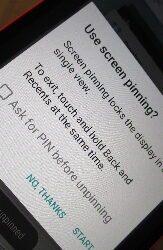
How to lock any app on your phone or tablet for guests and kids in Android Lollipop
Google has introduced a new feature called Screen Pinning in Android 5.0 Lollipop. I would say it's most…

How to setup Trusted Devices on Android Lollipop to automatically unlock your phone or tablet
I can't stress enough how important it is to use a security lock screen on your mobile devices.…

How to make sure your Android phone or tablet is backed up on Google’s servers
Android phones and tablets have had the “Back up my data” option for some time now, but it's…
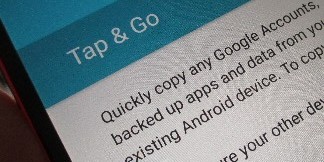
Copying apps from your old phone or tablet to your new phone or tablet with Android Lollipop
Android 5.0 Lollipop has a very cool new feature that will make it so much easier to setup…

Best Android Wear apps for creating, sharing, and finding the coolest watch faces
You can do some pretty cool things with an Android Wear smartwatch, such as check-in quickly at that…

How to setup and use Moto Display on the Moto X 2014
One of the coolest features on the original Moto X had to be Active Display. So it's no…

How to setup and use Moto Actions on the Moto X 2014
Thanks to a few added IR sensors on the all new Moto X, you can now use gestures.…

How to setup and use Moto Assist on the Moto X 2014
Motorola Assist launched on the original Moto X, and it's back as Moto Assist. Moto Assist is a…

How to setup and use Moto Voice on the Moto X 2014
Motorola unleashed Touchless Control on last year's Moto X, but it's now been rebranded to Moto Voice for…

How to use Motorola Connect to customize the pre-installed Motorola watch faces on the Moto 360
We already showed you the six custom watch faces that Motorola pre-installed on the Moto 360, but you…

This is what the pre-installed Moto 360 custom watch faces look like
Just like any other Android Wear smartwatch, Motorola has pre-installed their own custom watch faces. Surprisingly, they only…
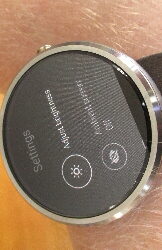
Moto 360 ‘ambient screen’ and ‘auto brightness’ explained
Before the Moto 360 was officially introduced, you heard a lot of rumblings about an “ambient light sensor,”…
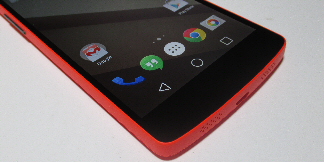
How to get the Android L (Lollipop) look on your phone without rooting or installing ROMs
Whether it's an actual new version of Android or just a preview of a future release, there is…
Android L Developer Preview walkthrough
For the first time, Google released a new version of Android as a developer preview. Android L (or…

How to find Android Wear apps in the Play Store
We had a slew of Android Wear apps hit the Play Store yesterday, and it was only the…
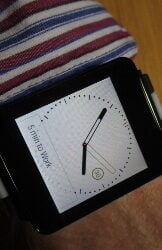
Android Wear walkthrough
Smartwatches are nothing new, but with the birth of Android Wear, they are likely to finally take off…

How to set up your Android Wear smartwatch
Setting up a new device can be a daunting task, but thankfully Google has made it really easy…

How to set up a wireless hotspot for tethering on Android to avoid paying carrier subscription fees
Being able to hook up to your WiFi network with your computer or tablet is pretty convenient, but…
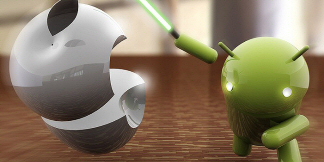
Here are the top functions and apps available on Android that are NOT on iOS
Because there are so many different Android devices (and so many variants of those individual devices), developers tend…
Best Android educational apps and games for kids [May 2014]
We all know how hard it is to hand over your brand new tablet to your wide-eyed kid…

The 5 Best Android launcher applications [May 2014]
Chances are, you look at the home screen of your phone more than almost any other screen on…
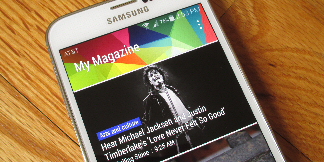
How to use (or remove) My Magazine on the Galaxy S 5
My Magazine was first introduced on the Galaxy Note 3, and it also made its way onto the…
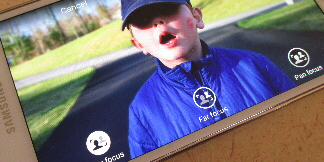
How to use ‘Selective Focus’ and ‘Out of Focus’ on the Galaxy S 5
The Bokeh effect has become a big thing in smartphones over the last few months. If you're not…